

Unclaimed: Are you working at Framer?
Framer Reviews: 4.6/5 — Highly Rated
Framer is a design tool for web designers and developers that lets users create production-ready code. Armed with basic coding knowledge, Framers has tools that can create animated effects, build UI components and tap into code libraries, UI kits, or packages. Framers also support typescripts. With Framer, you get a lot of creative freedom, features a cursor chat, a rapid code editor, Spotify integration, as well as Sketch, Figma, iOS, Photoshop, and more.

| Segment |
Small Business
Mid Market
Enterprise
|
|---|---|
| Deployment | Cloud / SaaS / Web-Based, Desktop Mac |
| Support | 24/7 (Live rep), Chat, Email/Help Desk, FAQs/Forum, Knowledge Base, Phone Support |
| Training | Documentation |
| Languages | English |
Framer Pros and Cons
- You get a lot of creative freedom
- Framer is available on multiple platforms, and any device running a web browser
- There are a range of different integrations available, including Sketch, Figma, iOS, macOS, Photoshop, and more
- It’s great for prototyping
- Some users have complained about buggy updates
- To take full advantage of Framer, you’ll need some coding know-how
- It lacks some sought after features like text style, which comes with competitors like Sketch

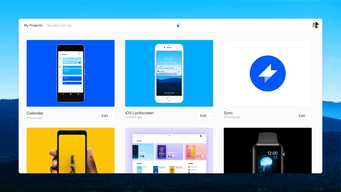
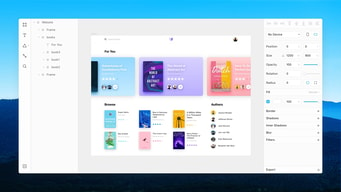
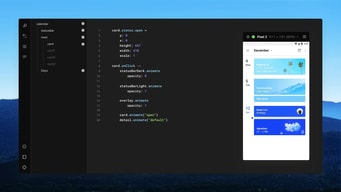






Framer lets designers build and publish genuinely good-looking sites without handing off to a developer, and it is the most design-credible website builder available. Two pricing details deserve attention before you commit a team to it: the plans are now metered in credits rather than simple feature tiers, and each additional editor costs €20 a month, which is double the entire Basic plan.
- What it is: A design-first website builder with a canvas that behaves like a design tool, plus hosting, CMS, and publishing.
- Best for: Designers, design-led startups, and agencies who want precise control over layout and motion without writing code.
- Pricing: Free with 500 credits. Basic around $10 and Pro around $30 per month, with credits at 1,000 and 3,000 monthly. Enterprise is custom. Verified in July 2026.
- The honest catch: The free plan is design-only, so publishing a real site with a custom domain starts at Basic, and team costs are driven by editor seats rather than the plan.
What Is Framer?

Framer began as a prototyping tool for designers and evolved into a full website builder, which explains why it feels different from Wix or Squarespace. The canvas behaves like a design application: precise positioning, real layout constraints, sophisticated animation and scroll effects, and components that work the way a designer expects rather than the way a template system allows.
That heritage is the entire proposition. Squarespace gives you excellent templates you adapt. Framer gives you a design surface where the constraint is your own skill. For a designer, that difference is the whole reason to choose it, and Framer’s own customer list, including Dribbble, Perplexity, Miro, and Cal.com, reflects the audience it attracts.
In 2026 the pricing has shifted to a credit model, with allowances of 500, 1,000, and 3,000 per month across the tiers. Credits meter AI-assisted work, and it is the dimension most likely to change what you pay as the product develops.
The independent rating is good on a modest sample: 4.5 out of 5 on both Capterra and G2, with G2’s sample at 141 reviews. That is a small evidence base compared with the incumbents, which is typical of a younger product.
How Framer Works
- The design canvas. Precise layout, constraints, and components, with the fidelity a designer expects rather than template slots.
- Motion and interaction. Scroll effects, transitions, and animation handled natively, which is where Framer clearly beats Webflow and Squarespace on ease.
- CMS. Collections for blogs and structured content, scaling from 2 on Basic to 10 on Pro.
- Publishing and hosting. One-click publish to a Framer domain on free, or a custom domain from Basic, with good performance out of the box.
- Figma integration. Reviewers specifically cite this as a strength for teams already designing in Figma.
- Pro workflow tools. Staging environments, branching with previews, and site redirects, which are genuinely developer-grade additions.
Framer Pricing
Four tiers, metered on credits, bandwidth, CMS collections, and editors. Figures verified on Framer’s pricing page in July 2026.

| Plan | Approx. price | Credits/mo | Bandwidth | CMS collections | Notable |
|---|---|---|---|---|---|
| Free | $0 | 500 total | 1 GB | — | Framer domain only, design pages |
| Basic | ~$10/mo | 1,000 | 50 GB | 2 | Custom domain, built-in SEO |
| Pro | ~$30/mo | 3,000 | 100 GB | 10 | Staging, branching with previews, site redirects |
| Enterprise | Custom | Volume discounts | Custom | Custom | Unlimited editors, SSO, SCIM, uptime guarantee |
The parts that decide your cost:
- Editors cost €20 a month each, on top of the plan. That is double the Basic plan price per additional person. Viewers are free, so a team of one designer and several reviewers stays cheap, but two designers working together roughly triples your bill. For agencies this is the number that matters most.
- The free plan cannot publish a real site. It covers design pages on a Framer subdomain with 1 GB of bandwidth. Useful for learning the tool, not for launching.
- Credits are the new meter. 500 to try, then 1,000 and 3,000 monthly. Because credit-based pricing tends to move as AI features expand, treat this as the least stable part of the pricing and check it at renewal.
- A/B testing and advanced hosting are add-ons even on Pro. Not included at $30.
- CMS collections jump 5x between Basic and Pro. Two collections on Basic is restrictive for anything beyond a simple blog.
Who Should Use Framer
- Designers building their own sites. The clearest case. Precise control without a developer handoff, and results that look designed rather than templated.
- Design-led startups. A marketing site that reflects the product’s craft, maintained by the design team rather than engineering.
- Teams already in Figma. The integration is a genuine workflow advantage.
- Sites where motion matters. Scroll effects and animation are handled far more easily than in competitors.
It fits poorly for non-designers, who will find a template-driven builder faster and less intimidating, for content-heavy sites, given the CMS collection limits, and for teams with several simultaneous editors, where the per-editor cost adds up quickly.
Honest Pros and Cons
Strengths
- The best design fidelity in a website builder. Precise control that Squarespace and Wix cannot match.
- Excellent motion and interaction handling. Native, and far easier than achieving the same in Webflow.
- Strong performance defaults. Reviewers note fast loads, optimized images, and good Lighthouse scores without extra work.
- Figma integration. A real advantage for teams already designing there.
- Genuine developer workflow on Pro. Staging and branching with previews are unusual in this category.
- Cheap for a single designer. Around $10 for Basic is good value if you are the only editor.
Limitations
- Editors cost €20 each per month. Double the Basic plan, and the dominant cost for teams.
- The free plan cannot publish properly. Design-only on a Framer subdomain.
- Credit metering is new and unsettled. Likely to change as AI features expand.
- Performance on large projects. Reviewers report slowness with bigger sites.
- Limited customization in places. Some reviewers find it constrained compared with fully code-based approaches.
- A small review base. 141 G2 reviews is thin, so the 4.5 rating carries less weight than the number suggests.
- Add-ons on top of Pro. A/B testing and advanced hosting cost extra at $30.
Framer Alternatives and How It Compares
- Webflow offers more power and a much steeper learning curve, and remains the choice for complex, CMS-heavy sites.
- Squarespace is better for non-designers who want a professional result from templates.
- Wix offers more apps and flexibility with less design consistency.
- WordPress.com and WooCommerce suit content-heavy or commerce-led sites better.
- Duda targets agencies building many client sites, with stronger multi-site management.
For a broader survey see our guide to the best website builders.
The Verdict
Framer is the right answer when the person building the site is a designer and the site needs to look like it. Nothing else in this category offers the same combination of design fidelity, native motion handling, and one-click publishing, and the performance defaults mean you get a fast site without optimizing anything.
The cost model is where to think carefully. At around $10 for Basic, a solo designer publishing one site gets excellent value. Add a second editor at €20 a month and your bill roughly triples, because the seats cost more than the plan. For agencies and design teams, work out the editor count before comparing Framer against Webflow, since that number, not the plan price, is what you will actually pay.
Two smaller cautions. The free plan is design-only and cannot publish to a custom domain, so treat it as a learning environment rather than a launch path. And the shift to credit-based metering is recent enough that it is worth re-checking at renewal, since credit allowances in AI-adjacent products have a habit of moving. For a designer working alone, none of that changes the recommendation: this is the most enjoyable website builder available.
FAQ
Can you publish a real website on Framer’s free plan?
Not properly. The free tier covers design pages on a Framer subdomain with 1 GB of bandwidth and 500 credits to try. Publishing to a custom domain requires the Basic plan at around $10 per month, which also adds built-in SEO and 50 GB of bandwidth. Treat free as a way to learn the tool.
How much does Framer cost for a team?
More than the plan price suggests, because additional editors cost €20 per month each on top of your subscription. That is double the Basic plan for every extra designer. Viewers are free, so stakeholders reviewing work cost nothing, but two or three people actively editing changes the economics substantially.
What are Framer credits?
Credits are the metering unit introduced in Framer’s current pricing, allocated at 500 to try on free, 1,000 per month on Basic, and 3,000 on Pro, with volume discounts on Enterprise. They govern AI-assisted work within the product. Because credit pricing in AI-adjacent tools tends to change, check your allowance and consumption at renewal.
Is Framer better than Webflow?
For designers who want speed and excellent motion handling, generally yes: Framer is far easier to learn and produces beautiful results faster. Webflow is more powerful for complex, content-heavy sites with sophisticated CMS structures, and its learning curve reflects that. Choose Framer for design-led marketing sites and Webflow when structural complexity is the requirement.
What is Framer best for?
Designers and design-led teams building marketing sites where visual craft and motion matter, and where the person building the site is comfortable in a design tool. It is cheapest and most compelling for a single designer, and gets expensive as editor count grows.

Compare Framer with other popular tools in the same category.

It's like Webflow and Figma got married and became unified. The level of detail that Framer Produces is impeccable. Its Figma to Framer Plugin effortlessly copies whole UI Screens from Figma in a split second and converts them into perfect replicas that are fully responsive in Framer with a level of accuracy that is mindblowing and unheard of. It's revolutionary!
Nothing, this is the best thing to ever happen to the design world.
For so long, i have always wished for a platform that would enable me to design web pages on an infinite canvas, just like on Figma, Framer gives me that, and it goes a step further by helping me instantly publish sharp and awesome prototypes and web pages
I've been designing websites for over a decade and have been working directly with developers to bring these websites to life. With Framer, I can now build and ship these sites all myself with no creative ceiling and at a faster speed than ever before.
Like any growing startup, there's a laundry list of optimizations and features that can be made that the other established companies already have. But every update that the Framer team puts out delivers value – they're not just rushing to scale the product into a mess that becomes harder to use with each release.
Framer is the solution that every other website builder has been trying to be over the past few years. It enables me to deliver sites at lightning speed, and deliver solutions that otherwise would take crazy time and budgets to build. I can build and componentize a website then facilitate a seamless handoff to a client to manage and scale their site on their own.
Framer makes it incredibly easy to build beautiful, highly performant sites for your business or yourself. If you can use Figma or Sketch, you can make a site with Framer.
I'd love to see even more support for design systems and saved styles.
My startup needed to launch a new marketing website in a short amount of time. Framer allowed us to design and build out a new site in a few days without needing to take up engineering bandwidth. It also allows anyone on the team to easily update the site without any knowledge of code. At the same time, Framer is flexible enough to allow us to write our own custom code where we need to.

I've been designing websites professionally for 20 years. Framer is the best tool ever made to do this job. Framer allowed me, the designer for Threads' brand/marketing, to create work that typically requires multiple people over several days. With the ability to create components, a fast and easy-to-use UI, and a surprising range of examples from the community, Framer is the best choice for what we need.
Since Framer supports real-time collaboration, it's easy for changes to happen across different viewport breakpoints. Sometimes, those changes cause the various layouts to be out of sync, so I would like to see just a little more friction -- such as the ability to lock edits on a layer -- to keep things in sync!
I design for the brand/marketing of Threads.com and Framer helps us build our public-facing website.
Framer is by far the best tool to create and maintain your company's website. Framer simplifies web development and lets your design team do everything in a single tool without the need for a developer. Before using Framer, our design team used to design new web pages in Figma. Our developers would then develop those pages, and the designer would test the new pages to see if everything was implemented according to the design. Framer eliminates all these steps. Our designers design new pages in Framer and publish them themselves. This turns the three-step process into a single step and completely removes developers from the process. This is a huge timesaver and efficiency boost. Our designers are in full control and our developers stay focussed on our SaaS products without being disturbed by our marketing department.
Framer turns your designs automatically into responsive web pages. This makes it a bit more challenging to quickly design a couple of iterations for new pages/elements. Individual elements are auto-aligned, which can be in the way of your creative process.
Framer help us design, develop, host and maintain our company website. It also allows our marketing department to write and manage our blog.
Incredibly quick to build and deploy a beautiful site. When speed is of the essence, Framer is the way to go.
Page management is really poor - no way to group pages. Some component wrap behaviors can get a little funky. Usually most things can be worked through, though.
Spinning up quick and beautiful pages.
Framer does everything we need as in-house product designers. Since switching to Framer as our primary design tool, we've eliminated three other tools from our workflow. Everything is done within Framer now. Design, Prototyping, Reviewing, Publishing to code, it does it all. I haven't had this much fun using a design tool in a long time. It's very powerful and allows us to design and publish websites without coding experience. Using Framer, I've begun designing with more of a developer mindset, allowing me to branch out and grow.
Its vector tool is not the best. We continue to use Adobe Illustrator or Sketch for any vector graphics that need to be created. Framer has some third-party integrations, but certainly not as robust as other apps. Hoping they continue to grow there.
Framer is an All-in-one design tool that has allowed us to simplify our workflow and reduce the number of apps we use to do our job. We use framer to Design, Prototype, Build, Host and Review websites.
— Watch all design breakpoints update live as you design right next to each other — no more guesswork — Easily override content based on device and rotation — Edit your database visually — Use your own fonts — Retain versions of your site or preview on staging — Work together with multiplayer — Easily create components that can be reused throughout — Publish in seconds — Animate to your heart’s content — Copy or remix your or others’ websites to learn new tricks or preview drastic changes, or simply back up a site before handing it over to clients — Design faster than in Figma — Add community components to extend your site functionality — Get inspiration and support from the community — Copy and paste styles and animations with a shortcut — Rapid new feature releases and UI improvements coming all the time — Site / hosting speed is incredibly fas
— Database import and export are missing. They are planned on the roadmap though. — Password protection for directories hasn't been implemented as of Feb 23. — Media management could me more streamlined — Green hosting option missing
— Create sites for clients at light speed — Easily retain a copy of said sites — Super fast and friendly interface that's a joy to use — Great business support — Responsive to feature requests — Ability to offer clients new features as they land easily — So much more…
Using Framer I am able to get from design to a live site in days instead of months. This saves so much time and gives me complete control over every aspect of the site. The learning curve is super short and if you are familiar with auto-layout in Figma, the transition over to Framer is a breeze. I really like how commited the developers are to the product, releasing new features an updates weekly.
It would be great to have more text style options, such as vw and rem sizing for those fluid text based layouts, but I'm confident that we'll see some updates to that in later versions. Having more User levels would be good, for example CMS editor, instead of having to give users full editor rights.
Framer allows me to design and build sites myself without having to rely on developers. Freeing up their time to focus more on our digital products instead of working on marketing websites.

React friendly environment. I really like the workflow in Framer
3rd party module support and lack of APIs
Designing websites, prototyping UI's, and get React components in Next.js

I contains more realistic animations, in prototype mode
Less collaborative and it has limited design community
It helps me rapidly prototype my designs with ease

For the prototype with smart and micro interactions and clicking tools. Also you can get code and look and fill like real mo ile app you can using. The mani advance is I like the powerfull animation mean transition,smooth and perfect.
As a uiux designer I like all features and functions so special framer team to they have made one of the best tool for us, so no comments here. They have design its like one other level tools for designer.
A special for UI, UX, prototype, Webcam feed, Animation, chat, and also for developer it's provide editable code, components, sharing, library and many more features are in the tool. Just love it.
The flexibility and logic based interactions. The sky is the limit
It's webkit based, so native mobile features (haptic touch, camera, etc...) are not accessible. The design tab is not where it needs to be yet for production use, but quickly getting there. Modules and organization of modules is a bit fractured and hard to keep track of.
Design-to-dev hand off and ideation for real app behavior. Prototyping interactions through Framer has allowed me to be able to solve problems faster and showcase an idea to other team team members more effectively
That it's written in JS and provided examples help you get started very quickly.
Chrome and safari are the only supported browsers. I wish they at least supported Firefox.
Not provided
1. You can just simply give a prompt to the AI and it will generate a proper Website for the Desktop, Tablet, and Mobile frame. 2. You can integrate your designs from Figma and edit them on Framer. It also provides plugins on Figma so that users can easily integrate it and paste the content to Framer. 3. You can add animations and transitions to your existing website to make your website responsive and dynamic using AI and manually too. 4. It also provides templates and tutorials for better understanding. 5. You don't need very much prerequired knowledge to implement it.
1. The First thing I dislike in this application is Pricing. It only provides some features for free to use. For full control, you have to pay for it. 2. It doesn't allow the user to design independently by himself. 3. AI only generates some prefix websites and templates. It can't add attractive images from the internet. Only it uses vectored images on the whole website which I don't like.
I have been using this website for the last 6 months. I use it to add animations and transitions and to make my webpage responsive and attractive. The integration of this website is super easy and I liked it. Just one plugin "Figma To Framer" is needed to paste your whole web design from Figma website to Framer. The AI tool is good but it needs some modifications.
Framer has helped me and my clients mostly in making really cool landing pages in seconds with easy to use tools and interface. We were able to implement its super cool features on its beautiful layout. We even added effects that made our pages even more attractive than usual. We have to give hats off for their integration with Figma that has enabled us to import our deigns from Figma and enhance it in Framer.
Their customer support is the only aspect of their service we had issues against. At times we were in confusion and upon contact they were slightly less responsive. Also they can remove the framer.ai domain and let us use our custom domain for some days in the trial period to really calculate the usefulness of it.
Framer has solved our needs of urgent editing and uploading landing pages for our clients and social media accounts in ease. Their service has been really excellent all throughout. The number of services and tools they had for us in their toolkit was really impressive allowing us to gain hyper-cool and attractive web pages with ease and almost no requirement of coding experience. This platform will surely turn our to be the future of UI/UX design. Their integration with other platforms like Figma is what makes Framer so irreplaceable. We are really happy and satisfied from their services as we built a SEO friendly website that attracts adequate number of traffic every month.

The best feature of Framer by far is importing from Figma, and the ease of the experience in the process, Framer has some great features, and it helped me become a better designer/developer.
I think Framer is a fantastic tool, the only thing that caught me off guard is the limited features for free users, other than that Framer is the best no-code web development tool I've used so far.
Making websites with no coding experience.

Framer really great product to build awasome websites
Using templates should be more easy to customize
Framer solving pre-made design and customizing features
As a Frontend Engineer working with a Creative Director this is our favorit new tool to collaborate and create websites. The world class UI makes it easy to find the right settings and crafting nice scroll animations is a breeze. Regular and useful product updates bring new features and improve Framer even more. Using code overrides or code components almost everything is possible.
Since Framer is very new there are some features missing like an integrated solution for language translations or more detailed filtering options in the CMS. Currently, there is no export functionality to self host a Framer website.
Framer enables a very fast workflow to design, prototype and implement websites without compromising quality. Client handover is seamless thanks to the easy to use interface and CMS.

Its way of designing for a website is unique, its learning curve is short and its functions make Framer a complete and rewarding experience when starting a new project.
I would like to have more native features such as: Forms, advanced SEO, more dynamic CMS, being able to create animations within components and an improved styles section.
I'm working on a website for an educational resources blog, I chose Framer because it gives me great SEO and a very fast loading of the website, features that other builders like Wix don't.
The flexibility of the platform allows you to do all kinds of customizations whether you're a developer or designer. You're not locked into a box like some of the other no-code services like webflow or squarespace
I wish there was more help from the community / support. I think this will change over time as more people use the platform or more resources are added on their forums
It's easy to use and you can quickly make changes when you need to. I don't have to go through a lengthy process of deploying changes or adding new pages. This especially great for one-off landing pages that are tied to campaigns

I am a designer in a small team and it was fantastic to find a tool where I could both design and "develop" at the same time. Like other tools, everyone can understand Framer to create a useful website, but I thought Framer has way more versatility to design and create something different from the typical templates other tools offer.
Framer is growing so fast, but at the time, it doesn't have all the integrations other tools have. Due to this, I also think there could be more information or videos on the internet to show you how to start using Framer. By the way, I think it's a matter of time, as long as more people will start using it, there will be plenty of useful information on the internet.
On our team, we don't have a lot of budget to spend on developers so it was very useful to find a tool where I (the designer) could do both tasks.
The Framer output is robust and fast. It lets us focus on design and messaging. What you see is what you get, but also in the best possible, quickest and most efficient way.
It is sometimes hard to keep track of all pages and components in a project. It can lead to changes affecting pages without realising it. You always publish everything. There is no granularity there.
We had an issue where publishing new landing page experiments took too long, was too restricted and hurt the development of backend features. Framer solved that immediately, and we can now go from idea to published experiment in minutes or hours rather than days or weeks. And when we ask our dev team to build something now, it is already validated. We do not waste time like before.
I love how easy is to get in the mindset of the tool and start building stuff with it. We needed a new CMS for our website relaunch and Framer was our first choice, even if it wasn't perfect and still in beta. In less than two weeks we were online. It's amazing that everyone, even without coding experience, can create a website or just update some texts and images very quickly. We did a lot of campaigns with different landingpages and the PM created them directly, with no help from dev or des (beside maybe some last touches from design, you know how perfectionist designers are). It's really cool also the staging feature, perfect to test responsive behaviour properly (let's be honest, the preview function in Framer doesn't really do the job and it's broken half the time). We also got a lot of support from you guys and that was really helpful at the beginning (again: thanks Aroa and John, you showed us some of the best tricks and workaround!)
As I was saying, live preview built in framer is kinda useless IMHO. It's broken half the time and you can't really simulate responsive behaviour there. Also the blog-CMS support: we had to do SO many code overrides even for the most trivial things. I know it's hard to ship a product like this perfectly functioning, but the updates on this are well, almost none. There is also some bugs here and there, nothing that isn't solvable by closing the app and opening it again, but it's just uncomfortable.
Going live asap since you don't need to wait for a developer to code your designs. Also small changes or edits: it's super fast and anyone can do it right away without having to open a ticket to even correct a typo.
Prototyping interactions is fun and simple.
Not so great to start a project from scratch. Felt like I'd still need other apps to get the job done from start to finish.
It's an easy way to prototype interactions and cut down on time between iterations and testing with users.
Framer has been really good at quickly wiring up screens and frames for visual designs already made on other platforms. The prototyping is out of this world and deserves praise.
The design aspect of working in Framer - the editor - could be a bit more robust and extensive. The current feature-set in the editor is slightly constrained, could improve.
Framer has brought the ability to give interactions to our designs that are as life-like as possible. The main aim being that, creating life-like animations has never been easier.
The ability to collaborate on any particular idea prototyping online with ease is the most helpful feature of Framer. The code in Framer prototypes is directly usable on live projects, saving time and effort to write similar design codes again.
I find the coding part most challenging to go through while using this application. Furthermore, the interface and workflow are still a bit confusing for new users.
We have been using Framer to collaborate on any web design prototyping online, which has helped us work on any designs smoothly during this pandemic situation.
There is fantastic documentation and a solid community surrounding the product. The open code base means many people add to the libraries and create plugins. It's a great in between for higher fidelity mockups and has really helped improve the workflow of our product development process.
Requires some coding knowledge, which is not a problem, but adds to the learning curve. However, it's worth it.
Helps me communicate interaction design to visual designers and developers much more easily. Before, we had to find other examples and tell everyone to imagine it within our project. Now, we can just design the in between specifically for the product. We can also create our own libraries.

I really like the ability to tweak the interaction parameters, write and edit code to customize the animations. It's a great tool for those who don't afraid of coding, however you don't really need to know how to code, but it extends your possibilities greatly.
The learning curve is somewhat steep, but on the other hand there are already lots of resources. You'll need to know Coffee Script to get the most out of the software.
We're visualizing micro animations for the UI's we create. Also is a great tool for high fidelity mobile app prototyping. I even could make splash screen animations in it, so basically you can see your product right from the loading screen, with all the interactions a user can make, without coding it first.
- Side by side preview (live preview) - Autofill as you type
- Debugging becomes a tough task when misspellings are not highlighted
- Makes me efficient in expressing my ideas to higher stakeholders. Also to coders. - Empowers me as Designer - Can do multiple iterations