

Unclaimed: Are you working at Framer?
Framer Reviews: 4.6/5 — Highly Rated
Framer is a design tool for web designers and developers that lets users create production-ready code. Armed with basic coding knowledge, Framers has tools that can create animated effects, build UI components and tap into code libraries, UI kits, or packages. Framers also support typescripts. With Framer, you get a lot of creative freedom, features a cursor chat, a rapid code editor, Spotify integration, as well as Sketch, Figma, iOS, Photoshop, and more.

| Segment |
Small Business
Mid Market
Enterprise
|
|---|---|
| Deployment | Cloud / SaaS / Web-Based, Desktop Mac |
| Support | 24/7 (Live rep), Chat, Email/Help Desk, FAQs/Forum, Knowledge Base, Phone Support |
| Training | Documentation |
| Languages | English |
Framer Pros and Cons
- You get a lot of creative freedom
- Framer is available on multiple platforms, and any device running a web browser
- There are a range of different integrations available, including Sketch, Figma, iOS, macOS, Photoshop, and more
- It’s great for prototyping
- Some users have complained about buggy updates
- To take full advantage of Framer, you’ll need some coding know-how
- It lacks some sought after features like text style, which comes with competitors like Sketch

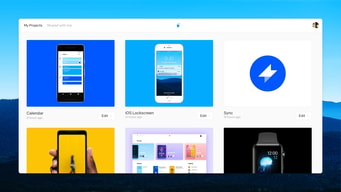
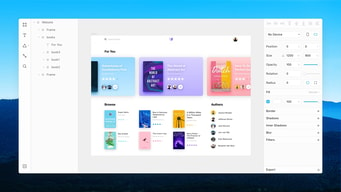
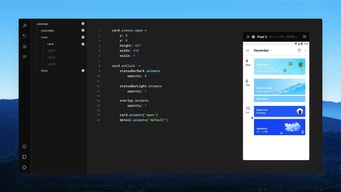






Compare Framer with other popular tools in the same category.
- Allows interactions to be functionally defined through a robust scripting language - Easy to quickly visualize results
- Learning curve for beginners, albeit well worth the investment of time
One of the best tools for presenting the nuances of interactions. More than design comps, Framer provides developers with high-fidelity, functioning interactions.
It's a great tool to convert your amazing web designs straight into actual working websites without the hassle of coding. It saves a lot of time and effort plus the interface is super user friendly. While working in Figma with UI designs, this tool is really helpful to create stunning landing pages.
There's nothing as such to dislike about it. The only issue I faced is their website. It kind of slow and could be better and smooth for their end visitors.
1. Saving a lot of time that I would probably spend on coding. 2. Its integration with figma is a plus because I can directly use it with figma. I don't need to use a separate application. 3. It gives creative freedom while working on designs.
Framer stands out as a robust prototyping and design tool, offering several advantages that cater to the needs of designers and developers. One notable advantage is Framer's emphasis on interactive and realistic prototyping. The platform allows users to create highly interactive and dynamic prototypes, providing a more accurate representation of the final product's user experience. Framer's integration with popular design tools like Sketch and Figma facilitates a seamless workflow, enabling users to import their designs effortlessly. The platform's coding capabilities, based on the widely-used React framework, empower designers to implement complex interactions and animations, bridging the gap between design and development. Framer's real-time collaboration features enhance teamwork, enabling designers and developers to work together on the same project simultaneously. Additionally, Framer's extensive component library and reusable design elements contribute to increased design consistency and efficiency. Overall, Framer excels in empowering designers and developers to create interactive, high-fidelity prototypes that closely resemble the final user interface, fostering collaboration and efficiency throughout the design and development process.
While Framer is a powerful tool for interactive prototyping and design, it does come with some potential disadvantages. One notable drawback is the steeper learning curve compared to other design tools. Framer's emphasis on coding and its integration with React may be challenging for designers who are not familiar with programming concepts. This learning curve can potentially slow down the onboarding process and hinder quick adoption by design teams. Additionally, the robust features of Framer come with a higher price point compared to some other design tools, which could be a limiting factor for smaller design teams or individual users with budget constraints. Furthermore, the reliance on coding for certain interactions may lead to a more technical and less visual design process, potentially limiting the creative freedom of designers who prefer a more visual approach. Despite these disadvantages, Framer remains a powerful tool for those who prioritize advanced prototyping and are willing to invest the time in mastering its capabilities.
I needed to design a new website, and wanted to try an alternative instead of Figma. Framer was really useful for my purpose
The Figma plugin allows me to convert my designs to code seamlessly. This is incredible as a starting point when creating a Framer website
Some parts can be buggy and will need a little bit of manual intervention when using the Figma Plugin.
Being able to prototype without the requirement of engineers allows me to demonstrate and validate the value of designs. This is incredibly useful in an agile workspace where you are required to build and test almost every sprint.
Easy design-to-code transition. No-code simplicity for animations. One-click publishing.
Learning curve for some. Complexity in extremely intricate projects
Framer solves the challenge of bridging design and code seamlessly. This benefits me by streamlining the web design process, making it accessible with no code needed. The one-click publishing and Framer Motion for React enhance efficiency and creativity, translating to quicker project delivery and a smoother design workflow.
Framer is simple to use, easy to learn and packed with advanced features to build what you have on your mind. After creation, you publish and are done. Lighthouse speeds are also good and the community remixes are gasoline on the roaring fire that Framer currently is.
The cms without api. It lacks versatility and currently.mostly vendor locks you. Embrace the Jamstack please :)
Framer makes it easy to build an mvp/landingspage and is more then good enough to build upon after validating your concept.
Comparing it with its competitors I feel like framer is very easy to use and go live with website very quickly. I've used their competitors too like webflow, but I felt like framer is good, and the themes that are there on framer have better options
Initially I felt sad that it doesn't have html export option but later I felt okay that I can use their hosting option which is not costlier comparing it with the hosting providers like godaddy and namecheap
Drag and drop, ease of making website and pre-built themes all in one are solving my problem and giving me edge with the time to go live
Framer has made it possible to convert our designs into an actual website even more easily without any coding. This allows me to work faster and help more customers. It is also very easy to explain Framer to customers, allowing them to make adjustments themselves
Because it is still fairly young, it is not yet as far along as Webflow in some respects. As a result, we sometimes have to take a diversion or try something different. But most of the time we figure it out and succeed in another way
Because of Framer, we don't have to interact with customers as much and we can create the design all at once without having to design it first and then recreate it in Framer.

The interface is very familiar as a designer using adobe suite & Figma, Framer makes it really easy to begin creating websites.
As a designer sometimes it gets confusing to figure out the CMS part.
Its solving many issues, some i never even knew about at a great pace.

You can design complex animations, transitions, and interactions, you can also test these prototypes on real devices and feel how they behave on different platforms.
It's not a free tool, and also cannot collaborate with other commonly used designing tools like (figma, sketch, etc). Sometimes it can be time-consuming to create animations.
It is a powerful tool to create prototypes with animations and interaction, it can be very helpful for a designer.
It supports Figma to Framer plugin, so it was easy to build based on Figma design files. Framer also has add-ons like Mailchimp, Hubspot where I can build forms and collect user inputs.
Sometimes its loading speed is slow; I have to refresh it on and on. Getting annoyed about it recently. But other Web Builders are also slow and comparing to Wix it's much faster.
Framer helps SMB companies to build landing pages much faster and to edit the page much easier. Our design or messages change frequently, and Framer helps us to reflect it in time.
Of all the low-code builders out there, Framer is one of the best I've used. The default templates are beautiful, the UI is easy to use and make sense of, and it seems powerful enough for most use cases.
It can be complicated to get everything looking right across different device sizes. A few times I've found myself with out-of-sync states and I"m not sure why that is or how to fix it. I also find it difficult to get things looking "exactly" right, especially when it comes to dealing with Grids.
We used Framer to build a great-looking company landing page in the span of a weekend. We needed to get something out he door quickly, and Framer allowed me to do that more effectively than any other tool.

Since Framer Sites was launched and Framer turned from a sole prototyping app to website builder it made me want to learn web design, since the designing experience is so smooth. You can design, draw, apply code and publish website in a single tool. It is so much more convenient than other solutions that I am familiar with (Wordpress alone or with Elementor)
The development of the software seems chaotic right now and Framer made a total strategy pivot (from prototyping to website building) that might have left experienced users confused. I just hope that prototyping features will remain rather than disappear over time.
Advanced visual website design (with the possibility to apply code snippets and elements), prototyping and publishing in a single tool. It saves a lot of hustle with constant switching between various apps that were previously necessary in web design stack in old fashioned design-build and code cycle.
I love prototyping interactions and animations. Framer is absolutely the best way to do this.
Live demo can be a bit slow and a big laggy, esp when trying to screen capture.
Prototype to facilitate design presentations to engineers/PMs Giving them a moving visual helps so much

When you have a prototype up and running, the code output is what makes the difference with framer. It bridges a gap between front end and developers. This means that devs get a more precise idea of what you're attempting to design with motion especially.
As a UI designer with just basic HTML experience, the learning curve is kind of steep. Also, this is very much for designers who have a solid grasp of front end coding and css concepts. It's also written in a language of it's own that's supposed to be easier to pick up- but how easy it is to pick up is going to depend on the designer.
Hoping to find a solution that communicates motion and design intention more precisely to a development team. It really does help developers understand the math of what you as a desinger are trying to accomplish in a specific way.
Flexability, design of Studio software, comunity
Steep learning curve, time consuming, lack of web support
Prototyping of interfaces for web applications. I am picked Framer for learning javascript on cool design examples. In feature I do not plan to use Framer because of lack of web support
What I like the best about Framer is its ability to create an extremely accurate prototype through code. This allows the developers to understand exactly what interactions you're trying to get across.
I dislike that it is completely based on writing code. This limits many people who do not have the ability to write code.
Benefits I've realized are the ability to share with clients and developers exactly what I'm looking for in design animation.

Framer gave us interacting prototype that help designer to go beyond static design that simulate with real user interactions and its most extensive things is its custmoaziable features to create uniques and engaging design that gave optimum quality of outputs.the best thing in this colabarating features which help to share insightful design with other members also
Despite it is user friendly it has steep learning curve that causes user to learn more about learning curve and it cost more feature to unlocked for which we have to unlock its premium features which i think it too costly.
Framer gave me wide amout of solutions like to build an website and web blog without using any complicated codes and its interactive prototyping things making a creative problem solving in the dynamic design and user interactiins

Very useful platform to make a website, easy to learn, can make creative elements and interactions, and is very useful for designers who are looking to make their own portfolio
Websites made in Framer takes a lot of time to load on mobile data, domains are long, webflow is better in terms of learning the software, photos are sometimes difficult to upload
Framer is very good for making prototypes to present in a team, it also helps to show developers the interaction we're looking for in the website and can be well implemented
Prebuilt animations in framer and triggers for animation.
Scrolling interaction and prototype linking
Helps to create effective User interface design in a fast and efficient way.
I like the function for import design from Sketch and the new possibility to create prototype without write code.
Basically I like everything, I don't use it anymore only because I don't need to make complicated prototypes so Principle fits for me better.
You can make more complicated prototypes than with Principle.
Framer makes it possible for UX designers to showcase their design in an easier way. It is really good for professionals to express their ideas and support the ideas by really clickable and feasible solutions. Overall it is really helpful for designers to communicate with developers or product team.
It required a lot of time input to learn how to user Framer. I had some basic programming skills like HTML, Javascript and even a bit of Python, but it was still difficult for me to dive into the coding part. The tutorials help just basic ones and I wish there are more intermediate examples/templates available.
It's mostly validating ideas and showing that the design is codable. Sometimes developers push back the ideas, as designers, you need to validate that they were really feasible ones. The application is like a bridge between designers and developers that help them build their common ground.
feels like sketch, behave like figma , working like webflow , its a clouds so anywhere you can access , complexity of the animation workflow
free account is very limited, compare to webflow or figma
everything is on there from design to publish
I like being able to do animations for developers. It's much easier to make it in Framer sometimes than try to explain it.
I find it hard when I get stuck in coding to be able to do what I want. I don't have a programming background and find it difficult.
Animations.