

( 191 )
Unclaimed: Are you working at Function Point?





Function Point Reviews: 3.9/5 — Good for the Price
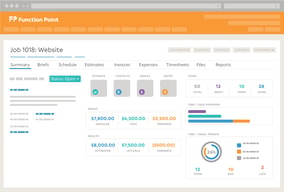
Function Point is a project management software that is built to manage the craziness of marketing teams and creative agencies through a platform specifically built for them. To date, the software is used by more than 9000 customers globally who appreciate the all-in-one solution and seamlessly manage every stage of project management in this field. With Function Point, productivity is more personable and engaging.





| Capabilities |
API
|
|---|---|
| Segment |
Small Business
Mid Market
Enterprise
|
| Deployment | Cloud / SaaS / Web-Based, Desktop Mac, Desktop Windows, Mobile iPad, Mobile iPhone |
| Support | 24/7 (Live rep), Chat, Email/Help Desk, FAQs/Forum, Knowledge Base, Phone Support |
| Training | Documentation |
| Languages | English |

Compare Function Point with other popular tools in the same category.
Keeps all client info in one place so anyone on the team can access it when needed.
I think it's a little clunky and could be more user friendly.
It's a big client data base, so long as the information is added correctly.
It's reliable, I suppose and that is okay.
It's not very user-friendly. For example, I cannot close several jobs at once, I have to go into each job individually to do that. The scheduling tool is weak.
I suppose that FP helps solve the problem of getting our projects into our accounting system since we have it connected to QuickBooks.
What is promising to deliver and has not been able to accomplish yet.
Not very convinced yet. we use this software to Manage projects and the task part is not useful for us.
Project Management.
They had a good way to measure people's available time when scheduling tasks.
It was kind of outdated when we had it. Moved a bit slow.
We were scheduling work to employees and tracking work done for clients.
Information organized together. Easy to look back at past work and have record. Reliable uptime.
Never integrated with QuickBooks as much as promised. My boss refuses to use because there are so many clicks to do anything. Learning curve for billing is a bit much.
We used File Maker before and love the ability to task and creative brief within a system.
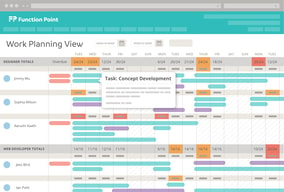
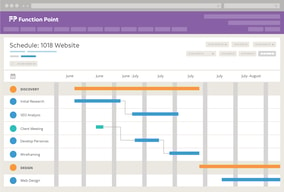
It's great for granular scheduling and resource management. The timesheet system also works well in terms of giving you a good sense of which projects are due and which ones have been completed.
I found the user interface extremely clunky and difficult to use. I often found myself having to click back and forth between tasks. It's definitely not the most effective project management platform I've ever used. There were also a few annoying little elements with it (like having to click out of the submission field to generate search results when you're looking for a specific task title).
Resource management, timesheet entry and project tracking.
I best like connectivity to invoicing and reports.
User interface, usability, workflow. Specifically, lack of forecasting retainers, lack of manual resource allocation forecasting, need to create an estimate to create job, needing to create job to create project Difference between job and project, quick edit functionality lacking.
Reporting and invoicing.

Nothing. We were sold on the promise of their solution being revolutionary for our business, especially for project management. They failed miserably. The interface is clunky and required a lot of manual steps that we didn't have with our old system.
Everything. During implementation, we were told that this is the way the system works and we were forced to accept work arounds as solutions to get the tool to work for us. In the end it was clear that Function Point does not understand project management whatsoever. Their tool couldn't even do basic task dependencies ... For example, if you update the date on a task, you have to then manually update the dates on all dependent tasks. We have some project plans with 100s of tasks on them, so this would have become a huge administrative nightmare for our project managers. In the end, after working with their implementation team for 3 months, we cancelled the project because it was going to require us to hire at least one more fulltime person just to handle the additional administration. The purpose of investing in the tool was to reduce complexity and reduce manual workload, but their tool did the exact opposite. We met with their executive team to try to come to a resolution, but unfortunately they stuck to their guns of the contract and said that it was non-refundable. They refused to provide any refund whatsoever, despite us having paid for 12 months up front (that's their licensing model, they don't do monthly pay as you go subscription like a true SaaS company) and the fact that we only really had access to the tool for 1/4th of the duration of the subscription. I highly recommend that you do not do business with this company. They look at their customers as just money in the door, they do not have compassion for their customer's needs and do not listen when told that their product causes manual workload. They do not seem to care about their customers, they just build the product as they want to without listening to customer input.
None, we cancelled the project after a failed implementation. We gave the implementation two attempts, including escalating to the customer success team manager and getting her involved in the second implementation attempt. All they key saying is, let's try it again. However, we were unwilling to commit more time to the project because we had already spent more time than what we had spent on the software.
I can't think of anything I like best about this program. From the start it is so clunky to work in.
The breadcrumb way of finding things is a bad design. You have to get out of windows to find something else. The design is hard to understand and I would enjoy being to see things clearer on the dashboard.
We've realized that our team doesn't like it enough to look into other program management software.
I like that you can manage clients, team members, project estimates, jobs, tasks and timesheets all in one place. You can manage multiple roles and upload relevant files pertaining to the client/account. Having everything pertaining to billing in one place is essential for an agency of our size so that the project manager can manage roles, account managers can create jobs/projects/tasks and individuals can manage their task lists and timesheets.
I dislike the ability to collaborate with team members in the task functionality. The tasks are not clearly tied to project timelines and are not visible to the entire team. There is also not the ability to discuss tasks, answer questions and bring in additional team members to a discussion. That discussion must take place in another place and is not tied to the tasks, so you must update them separately and try to keep everyone in the loop with outside resources.
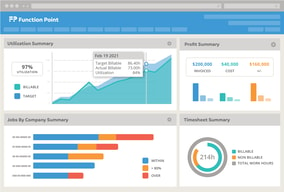
We are able to get visibility into the profitability of projects and when we are under or over our budgets since the estimates and timesheets live in the same place. We have also realized the benefit of being able to pull reports to understand how different departments contribute to the overall effort of any given project or client.
Function Point is a comprehensive system that allows for project management and financial management all in one.
Function Point is not very user friendly. Multiple screens are required to complete any one task and none of it is very intuitive. The scheduling tool is also very user un-friendly and adds unnecessary time to project planning.
Project management and financial management is what we are trying to solve for. Benefit is that we have a place to collect and track information.