

Unclaimed: Are you working at Glide?
Glide Reviews: 4.7/5 — Highly Rated
Build a powerful, data-driven app or website, without writing a line of code. Over 250,000 people & companies have made millions of apps with Glide. Reduce cost and time to market by using Glide.

| Segment |
Small Business
Mid Market
Enterprise
|
|---|---|
| Deployment | Cloud / SaaS / Web-Based, Mobile Android, Mobile iPad, Mobile iPhone |
| Support | 24/7 (Live rep), Chat, Email/Help Desk, FAQs/Forum, Knowledge Base, Phone Support |
| Training | Documentation |
| Languages | English |

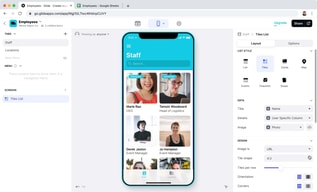
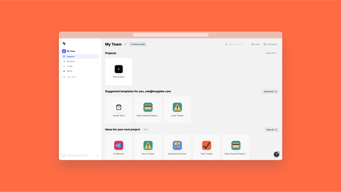
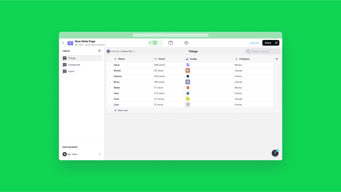
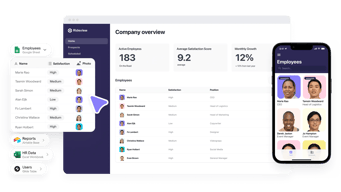







Glide goes from free to $199 a month with nothing in between, and the paid plan is metered on something most buyers do not think about: updates. You get 5,000 a month, and every one after that costs $0.02. An update is any row Glide writes or changes, so an app that a team actually uses all day consumes them far faster than a headcount-based estimate would suggest.
- What it is: A no-code platform that turns spreadsheets and databases into working web and mobile apps.
- Best for: Teams turning an existing spreadsheet workflow into a real internal tool without hiring a developer.
- Pricing: Free tier. Business from $199/month billed yearly. Enterprise quoted. Verified July 2026.
- The honest catch: The gap between free and $199 is a cliff, and update overages can exceed the base price on a busy app.
What Is Glide?

Glide’s proposition is narrow and well-executed: point it at a spreadsheet or database and it produces a functioning app with a real interface, permissions, and workflows. Its own tagline for the paid tier — “turn your spreadsheets into tools” — describes the job precisely.
The reason it matters is that most companies run meaningful operations on spreadsheets that everyone knows should be an application: inventory counts, field inspections, client onboarding, equipment checkouts. Building those properly means a developer and weeks of work. Glide gets to something usable in an afternoon, with 40-plus components, workflows, an API, and support for over 100 data sources at the Enterprise tier including HubSpot, Stripe, Salesforce, QuickBooks, and PostgreSQL.
The trade-off is that you are building inside Glide’s model. It is excellent for CRUD-style internal tools built on tabular data, and a poor fit for anything needing unusual interaction design or complex client-side logic.
How Glide Works
- Data first. Connect a spreadsheet or database; the app is generated from the table structure.
- Updates as the meter. Every row Glide writes or changes counts. 5,000 included on Business, then $0.02 each.
- Editors versus users. 1 editor on Free, 10 on Business; 30 app users included, then $5 each.
- Row limits. 25,000 on Free, 100,000 high-scale rows on Business.
- Workflows and APIs. Business adds workflows, Call API, and the Glide API.
- Custom domains and branding on Business, SSO and backups on Enterprise.
Glide Pricing
Captured from Glide’s pricing page in July 2026, in US dollars, with yearly billing selected. VAT is added at checkout.
| Plan | Price | Editors | Users | Updates/mo | Rows |
|---|---|---|---|---|---|
| Free | $0 | 1 | Unlimited personal | — | 25,000 |
| Business | from $199/mo yearly | 10 | 30, then $5 each | 5,000, then $0.02 each | 100,000 |
| Enterprise | Quoted | Custom | Custom | Custom | Custom |

What decides your real bill:
- Updates are the cost that surprises people. Five thousand a month sounds generous until you consider what generates one. A team of twenty logging a handful of records each per day reaches it inside a month, and at $0.02 each the overage compounds quietly: 10,000 updates is $299 a month, 25,000 is $599. Model your write volume, not your headcount.
- The free-to-paid gap is a cliff, not a step. There is nothing between $0 and $199. A solo builder with a working app and no budget has no intermediate option, which is the most common complaint about Glide’s pricing and the reason people compare it unfavourably against Softr or Airtable.
- The free tier is genuinely usable for building. One editor, unlimited personal users, and 25,000 rows is enough to build and validate an app properly before paying anything.
- Extra users are cheap; extra updates are not. $5 per user beyond 30 is reasonable. The metered updates are where an app’s success turns into a bill.
- “Starting at” is doing work in that $199. It is the floor for Business, not the price for a real deployment with users and usage.
- A 14-day free trial covers Business features, which is the right way to measure your actual update consumption before committing.
Who Should Use Glide
- Teams with a spreadsheet that should be an app. The clearest case, and what Glide is built for.
- Operations and field teams. Inventory, inspections, checklists, and dispatch are natural fits for its data model.
- Businesses without developers. A working internal tool without a hiring decision is a genuine saving.
- Companies validating an idea. Build free, prove the workflow, then decide whether $199 is justified.
It fits poorly for consumer-facing apps at scale, where update costs and the platform model work against you; for complex custom logic, where Bubble offers far more control; and for solo builders on a budget, given the absence of anything between free and $199.
Honest Pros and Cons
Strengths
- Genuinely fast. A working app from a spreadsheet in an afternoon is not marketing.
- A usable free tier. One editor and 25,000 rows is enough to build and validate.
- Good data source coverage. 100-plus sources at Enterprise including Salesforce, Stripe, and PostgreSQL.
- Cheap incremental users. $5 each beyond the 30 included.
- Workflows and API on Business. Real automation rather than static views.
- 14-day trial of paid features.
Limitations
- No tier between free and $199. The most-cited weakness.
- Update overages can exceed the base price. $0.02 each compounds on a busy app.
- Update consumption is hard to forecast before you have real usage data.
- Only 1 editor on free. Collaborative building requires Business.
- Constrained by the data model. Excellent for tabular CRUD, limited beyond it.
- VAT added at checkout, so the headline is not the invoice.
Glide Alternatives and How It Compares
- Softr is the closest competitor for turning Airtable and databases into apps, with a gentler pricing ladder.
- Airtable is the database layer many Glide apps sit on, and its own interfaces cover simpler cases without a second tool.
- Bubble offers far deeper control for genuinely custom applications, at the cost of a much steeper learning curve.
- Notion covers lightweight internal tools and documentation where an app is more than you need.
- Make handles the automation side if what you actually need is workflow rather than an interface.
- Zapier and AppSheet are the other names commonly shortlisted, the latter being Google’s equivalent for spreadsheet-driven apps.
For a broader survey, browse our no-code platforms directory.
The Verdict
Glide is very good at one job: taking a spreadsheet that has quietly become business-critical and turning it into an application with permissions, workflows, and an interface people can actually use on a phone. For an operations team running inventory or inspections out of a shared sheet, that is a real problem solved in an afternoon rather than a quarter, and the free tier lets you prove it works before spending anything.
The pricing is where care is needed, in two distinct ways. First, there is nothing between free and $199 a month — a cliff rather than a ladder — which makes Glide awkward for solo builders and small teams whose app works but cannot justify a four-figure annual commitment. Softr and Airtable both handle that middle ground better.
Second, and more importantly, updates are the meter and they are difficult to forecast. Five thousand a month is the Business allowance, every additional one costs $0.02, and an update is any row written or changed. That means your bill scales with how much your app is used rather than how many people can log in — so the more successful the tool becomes internally, the more it costs, in a way headcount-based budgeting will not predict. Ten thousand updates is $299 a month; twenty-five thousand is $599, or triple the advertised price.
The practical advice follows directly: build on the free tier, then use the 14-day Business trial with real users doing real work, and watch the update counter rather than the feature list. That number, not the $199, is what determines whether Glide is cheap or expensive for your particular workflow.
FAQ
How much does Glide cost?
Glide has a free tier, a Business plan starting at $199 per month billed yearly, and a custom-quoted Enterprise plan. Yearly billing saves 20% against monthly. Business includes 10 editors, 30 app users with additional users at $5 each, 5,000 monthly updates with additional updates at $0.02 each, and up to 100,000 rows. VAT is added at checkout, and a 14-day free trial of Business features is available.
What is an “update” in Glide?
An update is any row that Glide writes or changes — creating a record, editing a field, or a workflow modifying data. Business includes 5,000 per month and charges $0.02 for each one beyond that. Because updates track how much the app is used rather than how many people can access it, consumption is difficult to estimate in advance and is the most common source of unexpected cost.
Is Glide’s free plan good enough?
For building and validating, yes. It provides one editor, unlimited personal users, up to 25,000 rows, 40-plus components, and unlimited drafts, which is enough to construct a real app and confirm the workflow. It stops being sufficient the moment you need multiple editors, custom domains, workflows, or a team using it in production — and at that point the only step up is $199 a month.
Why is there nothing between free and $199?
That is Glide’s chosen structure, and it is the most frequent criticism of the product. There is no intermediate tier for a solo builder or small team whose app works but cannot justify roughly $2,400 a year. If you are in that position, Softr and Airtable’s own interfaces both offer gentler pricing ladders for comparable internal-tool use cases.
What is Glide best for?
Turning existing spreadsheet workflows into proper internal tools — inventory, inspections, checklists, dispatch, and similar operational data — for teams without developers. It is fastest where the data is genuinely tabular and the app is CRUD-shaped. It is a weaker choice for consumer-facing apps at scale, for anything needing unusual interaction design, and for budget-constrained solo builders.

Compare Glide with other popular tools in the same category.
The final product is clear and intuitive for students
Very limited support. I know there are experts, but I shouldn't have to rely on paid support if I'm already paying for the service. Email support takes time and makes problem solving challenging.
All of our clubs and community service opportunities are now in a central app so students and faculty can view and sign up very easily. Community members can also now see the variety of options we offer
The options that we can have in order to construct MPV quite easily. It's a perfect framework for a start of a platform and trying some new things. I recommend it strongly.
I miss integrations, like google analytics, track users inside the platform with Clarity of Microsoft or something like that, RGDP compliance that it's something that they have to have and I don't understand why they don't focus on this. And their bad login experience, these is very important, They have a very bad login experience with no transaction email or password. I think this would help no-coders to have more powerful instruments with glide.
It's easy to try new ventures, but if they don't work with some stuff the people only will use it for a while and after that program it from scratch. Like the logging experiences.
Speed, logic structure, community, design, lifetime editing, cool table options and functions
Not precise the admin's functions and roles setup
I changed my living place and saw that I could start a new business startup. I checked all the ready-to-use solutions in the market, but they weren't good for me. I try to solve my problem with the developing team, but it seems too expensive. I knew what I needed and understood the architecture of the app. And I tried to build my first app in glide. I spent around 100 hours developing my first Real Estate app, with good functionality and a particular admin and nonadmin structure. The app works flawlessly and gets me royalty every day. Please visit and rate it. http://abcostablanca.glideapp.io/ Thaks a lot.
The main benefit pf starting to use Glide is that I as a non-coder can solve my clients problems without involving a developer. Quick turnaround and happy clients.
I think there is room for development on the webshop / buy button side to be able to in a more easy manner customize what data is sent to shop owner and customer once purchase is made.
It enabled me to come up with a solution without friction and spending time waiting for third party developers to find time. The timeline from idea to reality is super short.

The only way to create an MVP or the easy in-house cross-platform PWA solution for a half hour. Just put your typical business spreadsheet there, and let Glide make the rest.
I miss there isn't the native QR scanner yet. Also would be helpful to have the Apple ID login feature and gateway to the Google & Apple stores. Hope some time)
You do not need to hire developers now. Just use your business spreadsheets to start a beautiful App in minutes or hours. It will work great both on mobile and desktop.

Making UI from an existing spreadsheets or to experiment while having the spreadsheet side by side with the UI.
Not being able to fully customize the domain URL. List components have an horizontal scrollbar on small screen.
Glide is helping me showcase my professional design projects. I was able to move from design to frontend engineering, and glide helped me to learn database schema modeling easily using spreadsheets
Simplicity for mobile is great. Very intuitive way to build the app
The web version of the app don't work as easy, as they recently launched this. I expect this to get better and better with time.
Creating a simple workflow app
Functioning is great. Best level of customisation. Continually improving and adding new features.
Customer support can be a little challenging but usually comes good in the end.
Can now use Excel as well as Google sheets
Glide enables me to quickly visualize my airtable/sheets data and build interactive web apps for my users!
Glide handles all of the design for you, which is great in principle, but I've had a few occasions where major design changes have left my users confused (since they learned with one UI and now are seeing a different one)!
Visualizing my airtable/sheets data, building web apps with auth, and collecting new data from my users.
What i love about Glide is the easiness to construct digital products. In mi opinion, this is a software that can help to start many small and medium companies into digital transformation. Glide can make this happen and everything you will need is creativity in order to find companies that are willing to adapt its solution.
When you are in your first steps inside Glide, It might be a little tricky to understand how the payment system works and how you can build applications working for medium and small businesses as an external entity.
Glide is helping me digitize different companies that I work with. Most software in the market require an extremely expensive investment in order to work, but with Glide, It can be done very easily with the equipment that most people all ready have.
I like that Glide enabled me to use my existing Google Sheets to create an app. In particular, I like that I can extend Google sheets (e.g., Google scripts for sending bulk emails). Also, the app builder is relatively straightforward to use.
Glide makes progressive web apps that load pretty slowly on my iPhone. Over time, I've also seen lower engagement with my Glide app because the magic link login expires and can be slow to use. I believe the web pages feature could solve some of my problems, but I haven't had a chance to build one.
I am using Glide to build an app for a reading group at my institution. The app helps automate signing up speakers, sending out emails and giving people a schedule of upcoming events.

Glide enables me to create powerful tools to help me having all I need in my hands
I needed to invest some time learning how to use the resources, but nothing bad
Glide is bringing me the possibility of creating my own tools
Building the app is very straightforward once you have a solid data model.
I can create simple apps using Glide, but I would like to see more complex capabilities there as well.
I don't have the resources to pay for an engineer to prototype my concepts, and Glide lets me prove out my ideas on my own for free.
Being able to learn thanks to the community how to improve your app, and being able to do it yourself (no need to hire a developer so far)
It's all in English (including the buttons names such as "Submit"; "sign in"...). It would be great if we can translate these to cater our market
I managed to create an MVP by myself in order to test my product (with no experience in coding). I can collect my users email and share with them investment opportunities through the app (instead of sending e-mails as I used to do)
It is very easy to set glide up and you can learn it very fast. I like that there is not lock-in, since I keep control over my data in Airtable. It is also handy that they found a good workaround to avoid the app-stores.
If you are trying to use it for a use-case that glide was not made for, you run into trouble quickly. So be sure you know what glide can and can not before investing too much time into it. Furthermore the design options are very limited.
I was able to quickly set up a map-based app on basis of data in Airtable (Which I already used anyway). So that is just amazing. No other tool would have allowed me to set up this app so quickly.
How quickly you can build an app through glide. I have possibly built more than 10 applications with glide to make my day to day activities easier and often, I build an app in approximately 20-30 minutes.
In glide, when I add certain feild in add new record page, I expect the same fields to be present in edit record page as well. But as of now I have to redo that part in both places which I hate it the most.
Literally most of my day to day activities. I have my own todo list app, expense tracker, inventory management, feedback notes, what not. Whatever I used to do on excel, with glide, everything became handy
Glide is an easy to use software which provides us non coding app creation services. It's very easy to create a app with out using codes. His easy operatable services make him much better than his competitors.
His biggest dislike is this software was not available for iOS and also not available in play store . Sometimes his customer service delays in responding . Yes I would like to see improvement.
Glide helps me and also solve many problems it provides us great services in which u can design your app with your choice. You can also monitize or run you application easily threw glide software.
Automatic sync ,webhooks ...etc Charts progress bar
Need a sync buttom in glide app,or scroll down to update latest data.
Get faster to see the data,and adjustable
Very useful and easy to use specially for novice users
Limited free version with a limit of 500 rows
Organize data and make it accessible for many people on the go
Using database-style inputs and a drag-and-drop style interface designer (both of which are browser-based), Glide makes it very easy to build an app. It takes only a few minutes of experimentation to master the basics, and there are a surprising number of customizations and design elements. While the built-in tables are functional, Glide also enables users to link their apps to AirTable, Google Sheets and other sources. It's kind of genius, a really nice example of no-code development.
A couple of concerns, no dealbreakers: • the in-built Glide tables have enough database functionality just to make real db users aware of the limitations; however, this is totally mitigated by the ability to link the app to third-party sources like AirTable, and this works very nicely. • Glide serves everything from Iowa; great if you're in the US, but if (like my organization) you're based in Southeast Asia, it would feel a little better knowing things were served from nearer. In our case, we're only serving information (and not collecting any user inputs), and have stored all image files in an S3 bucket in Singapore, which should alleviate any lag, even with hundreds of people browsing.
Like many cultural organizations, we are under-resourced and understaffed, and the pandemic left us in terrible shape financially. We made a decision to skip printed programs for our major annual event this year, but were dismayed at other app platforms, which required annual subscriptions (for our four-day event) costing much more than our print programs. We tried Glide as the only affordable option and wound up really liking it.
That I can create apps in a really easy and fast way for helping small and big companies to improve their experiences and results without using any code but also have the versatility of using some if I need.
I just would like to have a chance to upload my apps to the stores and also have the same concept of pricing on pages as-is on the mobile apps talking about the user's permissions.
They have created different features for synching mobile apps to web apps and that's something it helped me in offering more complete solutions for my current clients

GLIDE propose une large librairie de modèle d'applications pour s'inspirer, apprendre et créer ses propres applications. Cela facilte la prise en main de GLIDE. La variété des modèles couvre pas de cas d'utilisation. La plupart des composants sont localisés.
L'interface n'est pas en français, Comme tous les outils no-code, il y a des limitations. Mais en bidouillant un peu on y arrive. Pour les pages, il n'y pas de vue calendrier alors qu'il y a une vue calendrier pour les application mobiles.
Glide m'a permi de créer deux applications en moins d'une journée. Ce qui est quasiment impossible avec d'autres outils. C'est l'outil idéal pour les développements agiles. Vous faites une première maquette que vous améliorez à chaque itération.
The ease of creating an app without code. I very much like using glide as my system to create an app. It is easy to use, although some features are not available and can be challenging to format.
My biggest desire is to see them my app in the IOS or Google play store. Some of the help forums or customer service are not up to the standard I would like. So it is hard to create certain things for me without expert help.
Glide solves so many problems because it is an app you can design to do anything you'd like. You can monetize the app directly and run your entire business around your glide app
The simplicity of use, it's really very pleasant to use glide on a daily basis. The design is very well designed and pleasant Glide really stands out from its competitors. The free formula is already very interesting!
It's a shame not to be able to customize the design more, it's quite similar to all applications. More features especially for developers would be appreciated..
Glide allows you to design applications without having coding knowledge
Glide's layout and data editor are intuitive and easy to use and Glide is constantly rolling out updates and improvements to their app and page builder. The company provides a generous nonprofit discount to community organizations such as ours, which we depend on and appreciate immensely.
Glide apps can be opened from phones, web, or even desktop versions - however, our users have had a lot of difficulties getting our app to load on the desktop version. The app also takes considerable time to load on the phone, which some users can't seem to accept.
We use Glide for everything: training schedule, contacting staff and clients, reporting, task management for teams and individuals, and resource management so that our staff can have access to the tools they need easily and conveniently. It's an incredibly useful and versatile tool.
Allowed us to rapidly build an MVP that we started testing with customers within days. The app looked slick and professional, and using Glide gave us all the functionality we needed for authentication and limiting content to the right user/company. Overall it was perfect for what we needed to build a web app quickly.
There is no charting functionality for web apps (there is for mobile apps) which means we had to hack together a workaround. Would love to see a native charts feature built into the web apps builder.
Glide allowed us to build a web application with all the basic functionality (restricting access to content, displaying data in a clear and straightforward way, email login & user authentication) at a speed that would not be possible with many other tools or platforms. It has been invaluable.
It's easy to change the app for any urgent demands. I like integration with google sheets. The synchronization between google and glide tabs works fine. There is no need to hire a specialist to work with the app.
Bugs! It's still a lot of bags. My main problem is errors with data types when I use "actions". Boolean or numbers cells go to google sheets as text. That's so annoying! Speed. The synchronization between google and glide tabs is slow. I have just 7k rows in my app, and it works slower than it was when I had 2000 rows.
It allows me to make detailed invoices and control my employees' time. I can quickly create an easy-to-use app and modify it every time I need smth new. Integration with google sheets allows me to reduce the risk of losing my data.
De todas las plataformas con las que probamos Glide fue la más sencilla y la segunda más robusta.
Podría mejorar la manera de trabajar el CSS desde el editor.
Conectar usuarios directamente y recolectar información.
Low code to no code. The possibilities are endless. Continuous development.
Updates frequently cause old apps to break.
Helps streamlines some processes and reduce the possibilities of a user breaking the tools
Very easy to learn to Glide, and the UX is beautiful by default.
At times can be difficult to obtain fully white-label experience.
As a non-technical founder, it has lowered my product development costs significantly and allowed for rapid feature prototyping.