
Unclaimed: Are you working at Google Analytics?





Google Analytics Reviews: 4.5/5 — Highly Rated
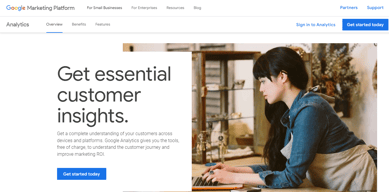
Google Analytics is a platform that runs on the internet designed to give users in-depth insight into their website traffic as well as user behavior. Google Analytics is well known for its ability to track site visitors, monitor website performance, and review user engagement so users can improve their visitor’s site experience and boost conversions.
Google Analytics is also often used as Digital Analytics of choice in Indie Hacker and Marketing tech stacks.


| Capabilities |
AI
API
|
|---|---|
| Segment |
Small Business
Mid Market
Enterprise
|
| Deployment | Cloud / SaaS / Web-Based, Mobile Android, Mobile iPad, Mobile iPhone |
| Training | Documentation |
| Languages | English |


Compare Google Analytics with other popular tools in the same category.
There are many variable and abilities which can really get you the data you want and need to make the right marketing strategies and as well predict trends.
It being so complex, it does take time to master it, and so you should watch the training videos and get all the support you can set up the first time because its harder to reverse and have to set up again if not done correctly and you lose out on tons of date.
Recently the new GA4 has been migrated to, and I am learning the new system; after setting up and debugging, there is a lot more to it to get the exact data you want. It was realizing this it's harder to set up, but in the end, it's well worth it and great results and great for understanding your clientele.

The best tool to prepare the report that clients always looking for. Whether it's segmentation by source/medium or google/organic, it provides the most reliable and detailed reports. The ability to look into assisted conversions or time lag reports is something that I always vouch for. I can easily create customized remarketing audiences and sync them to the Google ads which improve the Google ads campaign performance. Another heavily used tool is to create goals and import them in Google ads to track them via paid campaign efforts.
The customer support on data error/data mismatch is not too reliable. Also, the Search Query report is not having enough details, and they put that the N/A column citing privacy reasons which make the report incomplete.
Analyze the effort being made via digital marketing campaigns. The ability to see reports based on age, locations, states, city, gender, source, medium, and more. For eComm clients, it's the most suitable web analytics tool.

It is free and the best ways to analyze your website
The features in the mobile application are minimal need to enhance the application
With Google Analytics, we can track how our paid ads performance, and also We can monitoring different sources of traffics.
The simple user interface and easy-to-navigate analytics tool by Google, i.e., Google Analytics, is the one-stop solution for all digital marketers.
The delay of user data and important metrics loading can be fixed for large userbase sites. Rest everything seems to be fine since Google keeps on releasing new updates that make our work easier.
The benefit of Google Analytics is that it's free and easy to use and in parallel, it offers the marketers to look at the key metrics required to track and target the user. None other tool provides such precise and accurate user analysis free of cost.
Let's you track online traffic and understand user behaviour
Lack of direct insight as to what brought the customer into the website.
Let's you keep an eye as to how your website is running.
The Real-Time analysis is the best part of it.
Nothing to dislike about analytics this is a very useful tool for traffic analysis.
www.klifftechnologies.in using it for years and getting realised that it is the most reliable and trusted tool that can help us to get rank higher and traffic analysis on clients websites.

it shows the data which you needs to create a strategy for your online branding and marketing
there are some limitations which need to solve
i've gotten the data for making successful strategies
Beautiful interface Simple and easy to use A lot of depth to dashboards and reporting Excellent overview of trends and patterns
The integration with the website can be clunky
Web traffic understanding Salesforce tracking Advertising spend
I like how I can easily compare incoming traffic sources.
I dislike how slow the pages refresh when I filter with custom segments. Sometimes they don't appear at all.
I am solving the problem of analyzing cross-channel behavior. I've benefited from being able to make more informed decisions thanks to the real-time data and visibility from the cross-channel conversion funnels.

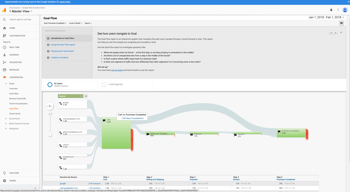
The user journey can be tracked using this platform which makes it of great use for businesses. It also makes it easier to create website reports and take decisions based on the anlytics data.
Some features are complex to use and needs proper guidance to make full use of it. Although their are alot of tutorials but getting it incorporated into the platform to help us understand that feature will help alot.
We are able to track our conversions track record and region-wise traffic which helps us in running ads and knowing about the pain points where we need to focus.
A FREE Sofware Complete Website Analysis Dynamic eCommerce data metrics like customer lifetime value, etc.
Advanced Options Need the right resources are often tough to find online. There are privacy issues. Data sampling distorts what you see.
Devising Marketing Strategy Through Deep Analysis Understanding User Behaviour Great at website performance dashboards Tracking traffic and basic goal attribution Understanding the Audience of Website Visitors To Market Them Creating Custom Audiences to Use them in The Google Ads Attributing lifetime value and long-term performance. Optimizing top of funnel and website behavior Analyzing behavior through the entire funnel Offline to Online Tracking. Data Reports And Customization. Google Analytics Conversion Tracking.
I like this software for the ease of being able to analyze which contents of my site are most visited, from which country my site has the most visitors, and to analyze in general which month had the most visits.
What I don't like is that the access to the platform through browsers (internet) is very slow, this detail is the only thing I don't like about this software.
To partner with monetization platforms, Google Analytics makes it very easy to check how many visitors my site has.
It's free, the implementation it's very simple, and right now there are many options, from just only copy-paste the pixel on your source code or doing it by hostname, plugins, extensions, etc. Integrate Analytics with other Google tools like Adwords or search console, it's very easy, in just a few clicks. How analytics show "assisted conversions" it's great because it helps you to understand, how the brand awareness campaigns, impact your user's Activity.
By property, you only can generate at least 20 audiences, would be good to have more than 20, because if your site it's very big, it's not enough. The mobile app it's very limited, doesn't provide many features. If you want to see the full picture, you must use the web browser (desktop) option. The web browser it's not mobile-friendly, should be good to have a better UX. When you run Google AdWords campaigns, would be good to see more information related to the campaigns, for example, not show how many impressions the campaigns have. Also doesn't support youtube analytics, would be good to have an integration between both platforms (and especially, because both are owned by Google). Create funnels it's not very simple.
With Google Analytics, we can track how our paid ads perform and how is the user behaves. We can monitoring different sources of traffics. you can compare different periods very easily and simply.
It's showing country wise traffic... It's very nice 👍
Nothing for dislike in this google Analytics tool.
I have a website and want to know in which country I can get more traffic. That's problem solve from Google Analytics

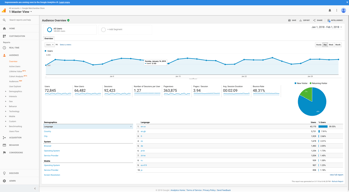
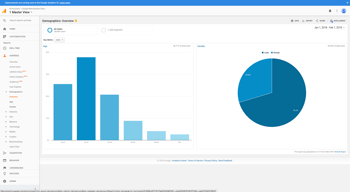
I really like the different tabs which help in selecting the audience demographics.
I disliked that the Google Analytics was updated but the courses related to it were not.
Problem was to completely understand the worth of Google Analytics and benefits are to analyze the outcome after learning it 80%.

It has a very User-friendly interface for anyone to analyze data.
The trial version comes with data limitations.
Very useful to analyzie the user behaviour across website and app

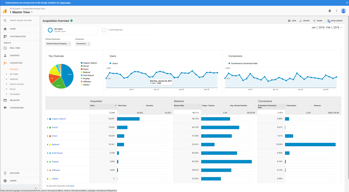
It is one of the more accurate ways to track web traffic and figure out what areas of your website needs work or is hurting the customer journey. I am able to see exactly where my audience is coming from. Thi helps with our marketing efforts. If we see that the majority of our users are coming from Facebook then we want to analyze what we are doing right and how we can double down on our efforts. The same thing goes for the flip side. If we see that we do not have a lot of users coming from search or Google itself then we might need to pick up our efforts on the SEO side of our strategy. Google Analytics is a huge help in identifying these strengths and weaknesses.
There is a lot of information and it can be confusing to navigate, but once you get used to the platform it gets easier. The set up process could be a little easier as well. Google tries to give you step-by-step instructions on how to set up its software, but unless you know what you are doing it still does not make a lot of sense.
I know where people are going on my website and what areas they are having trouble navigating. Google Analytics is helping us find out exactly where the User Experience might be breaking down in the sales funnel if it is at all.
Easy to use. Even a non marketing background person can make his way through the app.
The tech integrations, should be a little simplified. It is hard to sometimes configure some events from the website. I believe if this is taken care of then website management will become even simpler. I always find the linking of multiple google apps together very confusing. For eg. if one is using Google tag manager, it is very easy for a non developer to get confused with back end codes on the website.
We have managed to keep a track of our page load time and overall user journey, to understand which pages need work. We make all the changes possible based on our learnings
We use Google Analytics to grow our product reach and also make changes to increase the number of visitors to our Corp website. We get to know how many visitors are checking out our products and services. We can then filter it out as per region or country. We can even get information about if the end user visited our page from another app or site. Google Analytics also can track the hours that a single user spent on the website and also track the pages that the user was on. Using all this data we use the Business Intelligence feature and generate small scale models, which in turn gives us a holistic view about our performance
I don't see anything that would make me dislike Google Analytics
Downloading data and cleaning it to form meaningful information is very difficult if done manually, but with Google Analytics it does all that online and that too just by clicking a few buttons. This saves me a lot of effort and time.
Insights are the most important part in this tool
Incomplete Reports are the most dislike thing
To Analyze the Demographics

Google Analytics is a wonderful application which provides complete data Analytics of our website visitors. We can easily classify the visitors in the means of region, Sex, Operating system, Age etc.. The best part of this application is we can find the number of visitors visiting our website in all time . Must try ..
We can find the visitors approximate nearest region only . If they give exact location it will be much helpful to convert the visitors into leads .
The main problem I faced before using this app is that we are unaware whether our content attracting the user or not . So my website visitors bounce rate was higher . After using this app we can easily find the bounce rate and we can develop the quality of the content .
Easiness to use , integrates with many visual tools , Free but has multiple features
The sampling of the data , also micro data tracking needs complexing coding & Gtm expertises
to get data accuracy compared ot google ads vas ga , Also see if we can have fb analytics data here like spends and others
The courses are available for free which makes it easy to learn and implement. Though it requires a little time to understand and come up with insights.
GA4 has been released, so there is a transition required now or in near future, new interface is to be learnt but it's a just a one time thing.
It's free and easy to get the insights of the viewers, that pretty useful to drive the business.
I love the detailed nature of the reporting and how you can tell a story with the data provided
Sometimes the setup of more complicated aspects of this program can be confusing.
Telling a story and proving efficacy of campaigns to clients.

I like the panoply of options to segment with including dimensions. With the right setup, you can track anything and get all the answers to your marketing data questions
It's a bit of a learning curve when you start using GA, but with a bit of practice, it becomes easy and fun.
Every day and strategic marketing questions can easily be answered in GA. Where are people exiting my funnels, who are exiting my funnels, and what did they do before they got there. Also, where do we stand today compared to previous years on this date.
I like the wide range of info you have access to and the fact that the more you use it, the more you discover.
Unfortunately, it is easy to get lost and overwhelmed with all the data. Google Analytics is not ALWAYS user friendly. You have to put time and effort into it to best leverage its tools.
Google analytics helps you understand whether you met your goals and how. It is easy to see your performance on Google Analytics and pivot your strategy if you understand data.

The keyword tool help me to get the targeted audiences for my website. Can see the reach and engagement of audiences in my website along with the location. Also provides real-time and recent data and analysis of my website. Overall it helped me to find the appropriate client of my niche.
There is nothing which I disliked however there should be a more user friendly interface as its quite difficult for a first time user to understand. Besides all this the "Contents/Technical words" mentioned there should be more elaborated. All in all its interface should look like the other third Party websites which allow users to easily understand everything.
With the help of its It's keyword search and filter options I am able to boost my website SEO and Ranking. Getting clients for my business of my niche. Lead generation with organic way is more easy with it.
It gives you a 360° prospecting of how your digital marketing strategy can improve with simple tips. By being connected through all your social media platforms Google Analytics make it very easy even for extreme beginners like myself.
Nothing really, works smoothly on the phone as on the pc since it collects data from Ios and Android.
It helped me a lot to understand if my marketing strategy was successful or not in a very short time frame, allowing me to adjust my budget accordingly to the data's. It definitely saved us a lot of time and helped to grow our business goals.

Google analytics is best to use and helpfull.It is higly secure and reliable to use.It features are easy to use which makes it userfriendly.
Sometime data get manipulated which create integrity problem.
We mainly used for analyze visitors on projects website.

The best thing is that it does analysis for all of your web pages and presents you an accurate insight. It captures the entire traffic your web pages are generating and what exactly is happening in the background. It lets you see where are you getting your traffic from, number of hits from a particular source, how much time visitors are spending on an each page and what is the exit rate. Accordingly you can decide which social media is generating you maximum traffic and you can focus on the right platform. You can identify where exaclty are your most visitors located. It gives you insights on visitors' behaviour, what exaclty visitors are searching on your website and you can modify accordingly to maximize the results. You can also indentify what exactly visitors are searching on your website and on which page they are spend their time most.
It would be really great if we get analytics real-time.
Earlier we were not able to identify what exactly happening with our web pages and didn't have any way to identify if we are going in the right direction. With Google Analytics we can fix issues at the right time to maximize benefits. Now we are able to segregate on the basis of demographics so that we can take right business decisions at the right time.