Unclaimed: Are you working at Jotform Tables?

Jotform Tables Reviews: 4.6/5 — Highly Rated
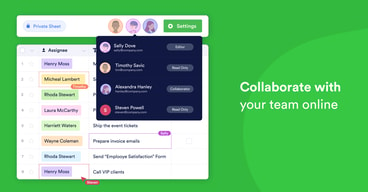
Jotform Tables is a cloud-based tool that enables you to create and manage data-driven tables. It provides a simple, user-friendly interface that enables you to create tables, customize their appearance, and control access to your data. With Jotform Tables, you can easily import and export data, collaborate with your team, and automate workflows. Jotform Tables is best for businesses and organizations looking to streamline their data management processes and improve collaboration and productivity.
| Company | Jotform Inc. |
|---|---|
| Year founded | 2006 |
| Company size | 201-500 employees |
| Headquarters | San Francisco, California, United States |
| Social Media |

| Capabilities |
API
|
|---|---|
| Segment |
Small Business
Mid Market
Enterprise
|
| Deployment | Cloud / SaaS / Web-Based, Mobile Android, Mobile iPad, Mobile iPhone |
| Support | 24/7 (Live rep), Chat, Email/Help Desk, FAQs/Forum, Knowledge Base, Phone Support |
| Training | Documentation |
| Languages | English |
Compare Jotform Tables with other popular tools in the same category.
The best of jotform is the option to create any form I need to get my business going.
I dislike the way the app works on the phone.
Without jotform I had endless phone calls and inquiring emails to answer Now I'm free to respond only to people that meet my needs
I like how easy it is to find and review new data, quickly change the format of the table, download PDFs of individual responses or summary charts for a question. This offers a quick way to interpret data as they come in and has been a flexible tool for our team.
I wish there was a better way to conduct longitudinal surveys and compare answers from the same person over time. We can do this in our own analyses but it would be nice to capture quick trends.
We collect a wide range of clinical, demographic, preference, and assessment data for members of our service-based healthcare app. Love that JotForm has a HIPAA-compliant version! It has been great to download quick charts for making interpretations quickly and easily.
User friendly, Hipaa Compliant and fair to navigate.
There is no live people or chat to assist with questions. There is no way to display certain forms as buttons from links.
Data collection implemented in spreadsheets and forms already created can be integrated to the system.
JotForm Tables is a clean way to collect and organize form responses, but what's more valuable to me is that the tables are linked directly to the form itself! I love that I can make adjustments in JotForm Tables that will carry over to the table. We use the "Inventory Widget" on almost every form we create; having the inventories update in real-time when we are making adjustments to previous responses is a game-changer for us!
For me, at this point, using JotForm Tables beyond just collecting the data doesn't seem intuitive. I KNOW that there's TONS of potential and functionality, but I have struggled to harness it so far. Honestly, I think there are a few factors: (1) There are so many possibilites that I don't know where to start, (2) I've over thought it and thus it's not as intuitive as I want, and (3) I just haven't spent enough time exploring it.
When a respondent submits their form and later decided they would like to increase (or decrease) the quantity of the item(s) they purchased, we are able to go into the JotForm Tables and make the adjustment in their record while simultaneously updating the inventory that is appearing on the form for anyone who is currently making their purchase.
With Jotform Tables, I like how I can see all my results in one go and organize them without downloading a spreadsheet. There are also multiple views/tabs to help with organization. I also like how the form is built out to contain form data and allows me to edit, see the documents submitted and add my own columns/rows.
The more fields you have on your form, the harder it is to see the data. Sometimes there is no column for the question. There is also a lack of a zoom option and really depends on scrolling. The form also doesn't properly show attachments as well as I wish it did.
I was able to get the data I need without actually saving the sheet on my computer. As the table is attributed directly to your forms, you can also download the respective items without needing to have connect them. The form also auto updates with the new entries and marks which entries are new which help me easy keep track on submissions.
The platform is very customizable without needing code, and all information can be encrypted. It is very easy to use for anyone who needs highly functional and secure forms but doesn't have a lot of coding experience or the ability to build out forms.
I wish the links were customizable, so we could choose the URL and make it easier for people to remember.
We have a secure place to store sensitive data through easy to use forms that are simple to send out and simple to use. We are currently using it for one program, but we are now actively seeking out other wasy that we can expand our use of the platform to other parts of our organization due to its effectiveness.
I liked how it was easy to add the question as a block as well as the plugins which allowed me to connect my Mailchimp account to auto send emails when people signed up. I also enjoyed how I was able to easily track the number of visitors to my forms and see where they are located so that I could then inform my marketing team on where to advertise more. I also enjoyed how I could see where the people register for my event were located as it gave me a better idea of who my target audience was and how I could potentially accommodate them to make my event more inclusive (ie not host a discussion at 4:00 PM est and a person located in Asia would have to stay up late or vise versa). Otherwise, I really like how I could use Jotforms to create a simple but visual report which I could use to present general statistics about the event to the rest of the volunteers who have helped with the event. All in all, I was very please with JotForms and its simplicity to use.
I disliked how the search feature when reviewing the submission, sometimes it would bring up the wrong submission or not bring a submission up even though I saw that the submission previously existed. Also when we were initially debating to use JotForms or not, one thing that was against the usage was the price as we are located in Canada and are not-for-profit organizations. So maybe have some sort of discount for not-for-profits or reduce the cost of the bronze plan.
It was helping me track where my participants are located so that I could find better times for events so that everyone could attend. It also helped me by creating a registration form for my event which was easy for people to use to sign up for my event (UOttawa Designathon).
Very intuitive and user-friendly even for those with little experience with excel and other sheet programs.
I would like to see an option for graphs.
We are keeping track of our referrals and linking that information into our database. This has eliminated an extra step in our bookkeeping.
Great way to transfer information between our sales reps and their customers
It's a bit difficult to view photos in the table
Helping customers to validate the proper use of our products by quickly transferring survey responses and pictures/videos. The alternative involves a lot of scanning and e-mail attachments.
It makes gathering and sorting through information quick and easy.
Sometimes I receive download errors when I try to download a document.
I have all of my submissions in one place and I am no longer searching through emails to find what I need. It is so much more convenient!
Very user-friendly and simple to set up forms
Would love to be able to create a sign-up sheet for volunteers, but it's not clear how to make such a form
Streamlining applications for vendors, volunteers, etc.
Simple user interface; tables are useful
Complex conditions could be handled better
The ability to view multiple submissions in a table
Easy of use, enormous potential. You can have submissions from your forms and transform and append more data...You can get rid of Excel
A bit expensive for small & medium bussiness. It worths it, but the price can be an obstacle
I don't need to download the data from my forms and operate with Excel anymore; besides, I can collaborate with colleagues and edit data in real time. And with the report editor, the job is done in minutes.
Ability to adjust columns and share with others
That only an entire table can be shared and not a single tab (or a view like as airtable)
The ability to display data from 2 forms in one place.
Jotform has a lot of widgets ready to add in your form
I couldn't download a backup of photos, only screenshots. Photos are only available in the pdf version
We used Jotform to do a verification checklist routine for our teams in the field
The ability to collaborate with everyone in the office on one sheet, the ability to export RSVP lists/registrations, and the color coding and sorting options available.
We seem to get a lot of duplicate entries on RSVP forms so we have to go in and delete a lot. Other than that it's great.
A quick and easy way to create registration forms for events or to conduct student surveys. We have been able to collect a lot more data like email addresses and phone numbers which is a huge benefit to us.
It helps me stay organized with all the new client intakes. I know where everything is and if I need a different form, all I have to do is a simple click, and I m back to the main page with all the documents are organized.
Sometimes it freezes on me while working on it. Also some times, I get logged out. Outside of these two minor hiccups, Jotforms is pretty good.
I haven't used this feature yet.
I enjoy the ease of use and clean layout.
I think there is a little too much space at the top of the table. A little tighter along the border to show more rows would be nice.
We are sharing important, dynamic information with multiple teams across our organization.
Ease of use creating and embedding forms
Sometimes having to edit the html code for the look required
Being able to easily create and manage forms for all our websites, which cuts down a ton of time and makes our work easier
JotForm had options for appointment settings that we couldn't find ANYWHERE else!!!!! Even Zapier can't configure appointment options so seamlessly!
Sometimes we encounter glitches on our forms that are fixed quickly and easily often on their own but I wish it was less often or we could figure out why.
We automate appointments which cuts down on thousands of phone calls across all of our business locations! This has helped greatly reduce the time spent on the phone so that our staff can focus on other more important parts of the customer experience!
I loved how you could add pictures or documents without having to have a certain kind of account. The data was easy to read and gather. The overall process with simple and straight forward, considering I had never used it before. The presentation was also clean and easy to follow. The customer service desk was also super easy to work with and quick to reposnd to questions when I had some issues arise. Highly recommend!
I did not realize the free trial limited you to only 100 responses. I either didn't see it or read well or it wasn't advertised well. It would be nice to have a cheaper option than the lowest one that is offered now.
I could not find a form where people could add an attachment anywhere for free. This was a great way to organize data.
The interface is far more intuitive than any other system we tried.
We truly don't have any complaints! It's so customizable, and so simple to download the data we need.
We're able to collect data on conference registrants, send the email addresses to Constant Contact, and send the registrants to the payment page we need.
The platform is simple to use for non-technical people, yet has many features that make it useful for advanced or not-so-small-sized organizations.
Some of their limits (API, submissions, etc.) are not clear to understand. So you might end up paying for a subscription level that you dont really need. I would just say to ask or make sure you know what subscription level you need.
We are using the forms to collect registration information for our small school. Without having a full registration system, JotForms allows us to build forms to collect registration information, and the APIs allow us to programatically access the data and make it available and "pushed" into other systems.
The platform works well and is very intuitive
Sharing the form to another editor is not very simple and the person does not get all the ownership
NPS research. Easy to export to excel and work on the data.
Versatilidad de la herramienta, la inmediatez para encontrar las respuestas
Las fórmulas no funcionan bien, por ejemplo usé el IF anidado y no funcionaba
Revisen la parte de fórmulas no está funcionando bien, po ejemplo IF anidado
Easy to use and easily integrates with payment systems. No programming is needed to link with a payment system. Very plug-n-play.
There is no in-between level for users. I want a user-level where you could have maybe three logins or even 2. It would be nice to have one login for the builder and one login for people to view form entries. It's either one login or the enterprise level. It's a big jump and too expensive for us. From a user perspective, there is not much that I dislike.
The biggest problem we are solving is the integration with a payment system. It's been an enormous help to have a system that allows us to have a form system that plays nicely with our payment system.
There was a seemless integration and clients were able to complete the forms.
You can not talk to someone. Everything is done via email and that can be hard sometime.
Intake tables and background information. Such a benefit because I can print them or just download them to a locked file.
Ease of integration with other platforms and apps.
I sometimes find it hard to find the answers I need - online or from support.
Managing large client lists - educational programming, communication/marketing integration.
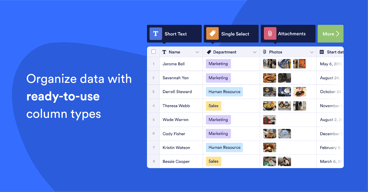
Jotform was a great program already, our go-to to collect data from event attendees, speakers, exhibitors, and clients. The addition of Tables was just the infusion it needed. You can now add data into your table with a number of options such as dropdowns, images, and checkboxes. This takes the data Jotform collects and transforms it into a flexible tool to add important information to the data collected by your form. The layout is clean and color-coding ability improves readability. Another great feature is the ability to link tables to each other. For any using airtable; it is airtable light, and sometimes, that is all you need
I really wish it had the option to customize views for client (filter, group, sort) and then share via a link.
Jotform helps keep our inboxes empty. For example, we have forms that initiate client project requests, ie. the launch of a training, change to a website, or even check request form. We used Zapier to connect with Asana, and when a new form comes in, a task is automatically created. We handle hundreds of speakers and use jotform to collect all of their information, including headshots, bios, PowerPoints. It's a one stop shop!
So easy to create a form for any occasion
There is not a great ability to customize design without technical expertise.
We're doing RSVPs for events, registration forms for school, volunteer applications, taking payments for school. I like the conditional options... if then, then that stuff within the form. I appreciate the integration with google sheets to automatically populate the responses into one google sheet. The automated emails that can be customized according to the answers is also great.