

Unclaimed: Are you working at MailerLite?
MailerLite Reviews: 4.7/5 — Highly Rated
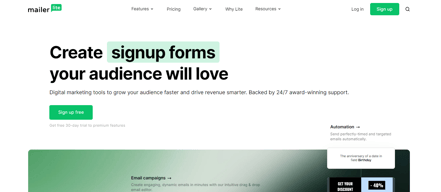
MailerLite is straightforward and easy to use. The platform’s simplicity is actually its strength–but only because MailerLite’s simplicity is paired with robust features that are designed to help businesses grow their subscriber base and in turn, the growth of their business. With MailerLite, users can create professional-looking emails without having to use code. Subscribers can get access to advanced targeting features, A/B testing features, supports email delivery by timezones, and offers extensive tracking and monitoring reports.

| Capabilities |
API
|
|---|---|
| Segment |
Small Business
Mid Market
Enterprise
|
| Deployment | Cloud / SaaS / Web-Based, Mobile Android, Mobile iPad, Mobile iPhone |
| Support | 24/7 (Live rep), Chat, Email/Help Desk, FAQs/Forum, Knowledge Base, Phone Support |
| Training | Documentation |
| Languages | English |
MailerLite Pros and Cons
- Offers a forever free version
- Has an auto resend feature
- Click map feature delivers great audience behavior insight
- Supports time-zone based sending
- Deliverability can greatly improved









Compare MailerLite with other popular tools in the same category.

Mailer like is a very simple and easy to use tool for executing email marketing campaigns, it contains a lot of pre-made readymade template to use in emails, which is the best thing I like about the tool.
At the beginning, I found it a little bit complicated to create a mailing campaign, but later on it fine for me
By making use of this tool, I now can easily use the email marketing campaign to send out the newsletter and other stuff to our subscribers, just by employing a few steps.
I love that it offers automations, auto-resend, A/B testing for content & subject lines, landing pages, and tons of form design options. Everything looks very professional and works smoothly. Their support is fairly quick (given the time difference between my location in the US and theirs in Europe). Their newsletters are also very helpful describing new features.
The load time when working within the web browser can be slow. This has affected my productivity several times.
I use it for all of my email sign-ups on my website, as well as to provide opt-ins. I often provide email sequences depending on the sign-up so it is easy to nurture new leads and readers.
It was very easy to set up and begin using. I like the email design template, it makes it easy to create newsletters even when you don't have design experience. I also like that you can save newsletter templates so you can design a few and then simply tweak them when necessary.
There are some features I feel like the email design is lacking. It would be great if there was a way to save certain colors in a "recently used" way so I wouldn't have to enter the color code every time I'm using a brand color.
MailerLite has allowed our company to start an email newsletter campaign. It was easy to set up and begin emailing our list, the segments and groups are easy to use and the emails look sharp professional.

Without a doubt, what I like most is the possibility of having up to 1,000 in your free account. In addition, your platform is very intuitive, and I frequently receive information with instructions for the use of each functionality.
It seems to me that the system for determining double optin is confusing. In addition, it does not allow you to define it for a single list, but for the entire account, which does not help me in the management of my subscriber list.
For those of us who are just starting out or don't yet have a large number of subscribers, this is the ideal platform, as it gives you the chance to have up to 1,000 subscribers in your free account and up to 12,000 emails in the month. It's fantastic!
- Price: The free forever plan and the ability to scale affordably. - Automation: The automation systems are simple and intuitive.
Customization: With the free plan, there are limited templates available and it can be difficult to customize your emails with this section.
As a startup business, we chose Mailerlite as an alternative to MailChimp (i.e. an email service with a free-forever starter plan). Thus far, we have found it to be a straightforward and easy to use system for both our automated opt-in email sequences and our regular newsletters.

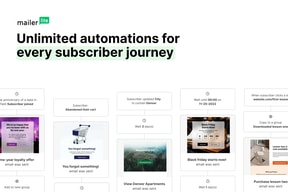
Its most useful feature is automation, which allows you to send a sequence of emails to subscribers if they join a list, if one of their contact fields is updated (example: if they go from being a a free member to a paid member)
They should include more variety of templates in all their plans and even if it is one or two in their free version so that we can try them
It was perfectly integrated with my Shopify store and gave me a lot of power over my marketing strategies. In my opinion, it is the best email automation tool, with many more options and customization
Very easy interface, very good user experience and most of all - great support (I never had better and faster).
I'm still having problems with more sophisticated paths in automation workflow
With simple automation workflow I can be in touch with my newly subscribers, and create with them bond, even if I'm not having time to write newsletter at that particular moment.

Their price is transparent and suite with our need. We don't send more than 50k emails a month, so for us, Mailerlite is cheapest alternative.
Their API documentation make us confuse at first. But finally we can manage it.
We send greetings and promotional email after user registered on our site. We are domain & hosting provider.

With MailerLite I have the chance to arrange everything related to email marketing in moments. Their templates are rather versatile, together I will completely personalize my campaigns, they are rather striking and favorable. It's good integration with third-party tools which produce perfect comments together with the tool. And to complete they maintain continuously innovating so, there's an inclination to improve.
I don't enjoy the stage to become slow, so on repeated occasions, it's occurred to me personally. Its great features compensate for this, but it would nevertheless need to find where the error is that slows down the software.
The effect that using MailerLite has left over the business has been very gratifying and important, we think that we're continuously improving. It rewards us to save time concerning generating emails because of their campaigns, we could send emails to our clients and even catch more prospective clients. It's a really complete program that we're extremely pleased to use daily.
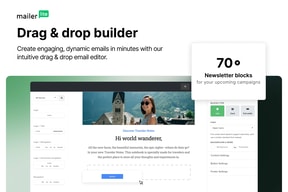
What I like best about Mailerlite is how user-friendly it is. It is incredibly easy to create emails with their drag and drop editor. Creating email sequences is pretty straight forward, as well. Plus there are plenty of tutorials available to walk you through anything you might need help with. I like that it's free for your first 1,000 subscribers so it gives you plenty of time to give it a good test run for yourself. I find that the pricing model for more subscribers is pretty fair. I also really like that landing pages are included at no additional fee. The landing pages are also very simple and easy to create. I've gained 90% of email subscribers with landing pages for free stuff.
What I dislike about Mailerlite is that in the past setting up emails has been kind of glitchy. I would have to save my work, leave the editor area and then go back into it to fix the error. So it was annoying. But, they upgraded their editor recently and it's been better. No glitches that I've run across yet.
I'm using Mailerlite for email marketing for my business. I use it to send newsletter emails, for email automation when a new subscribers sign up and for creating landing pages for freebies.
We use this service to send out a weekly newsletter to approximately 50 local business, using a template that rotates deoending on the week. I can set up weeks in advance all at once, and just schedule day/time when we want the newsletter sent. Track clicks, views, unsubscribe at an individual level. Easy to build out the look.
Gets caught in the odd 'spam filter' but is rare.
Automation of e-newsletter send outs.
Mailerlite really strikes a nice balance between being simple and straightforward to use and packing enough features in to serve the needs of email marketers.
User interface has a "Crayola" design aesthetic, however other than that the program works well and is snappy and straightforward.
Emailing customers and leads and following up with large email lists.
The minimalistic interface is great to quickly start. Simple automations can be done with just a few clicks
Overall there is nothing to dislike. Only the limits can be a bit higher.
Solving our email-automation efforts nicely.

The platform does not limit how many contacts you can import to your profile, different from something like MailChimp.This means that you can have your email database in one place even if it exceeds your pricing plan, which I find really convenient. The platform only starts counting emails towards your pricing cap after you send the emails. Also, the platform provides neatly designed email templates. The support team is really helpful, you can message them on the platform directly and they are pretty quick to respond.
The platform is quite slow to import new contact lists, it does get stuck quite often, then you need to wait for about half an hour or ask the support staff to help you. Some menus are not very user-friendly, in some situations it's a hassle to get the platform to get you to a place you want.
Mass mailing, subscriber tracking and subscriber interaction are the main problems it has solver. It is much easier to let people know about upcoming events and new product features with this tool. We've seen an increase in business leads since using MailerLite.
They have a really nice price and features. Every month they roll out a new feature that puts them closer to the big player, aka mailchimp.
I would like to see more payment options (paypal) and more personalization tools. Also, every upgrade requires an approval from the support team and it can take time.
They cut my email marketing cost in half and kept most of the important features I was looking for.
MailerLite is a simple, easy way to send out company emails and track important data of who is receiving that information.
Some of the editing and formatting functions aren't as smooth as they could be.
We use MailerLite to send company emails out twice a week to our employees as well as to send out a company newsletter once a month.
As a social media marketer and tech specialist for start-ups, I look for software's that are user friendly and packed with value for my learners. MailerLite has all of these and more. I love the added landing pages feature, automation and integration features it has with WordPress and WooCommerce.
The only dislike is the lack of landing page templates available.
I help to educate learners create optins and set-up their email marketing sequences. MailerLite it makes it so much more straight forward to have all these amazing features for my start-ups to understand and afford.
To be honest, I really loved that it was easy to use, clear navigation, design is very modern and suitable. All prices, plans and recommendations are easy to access. Pleasant advantage is up to 1000 subscribers for free. Suitable option for smaller bloggers who want to increase followers level.
I didn't like that advanced automation wasn't available. Hopefully the team will take into consideration users' suggestions according this and will upgrade it.
Email subscription newsletter and social media through e-mail marketing.

It is simple, easy to use and does your job neatly without charging you Enterprise level prices. If you are using MailChimp, this is an amazing alternative. It is NOT an alternative to some of the more advanced email software out there. It can only do basic email capture and automation but it does it very well. If you are trying to sell something via email marketing with advanced behavioral triggers etc, then this is not the product for you. I might look at something like AutoPilot.
Advanced automation not available. Deliver-ability might be a issue, but they are doing a good job of controlling spam.
Email newsletters and lead capture on websites.
If you are looking for Subscriber-wise email marking solution. I will say mailerlite will be the best for you. But their service is pretty expansive to me. It's a good service for startup, easy to manage subscriber list. Many tools and plugins for list building. Facebook, hosted website, wordpress and API access were my favorite for list building with them. Easy to manage and create campaign, drag and drop editor, rich text editor or you can use your own email template. Tracking was good as well, link track, open track, click track. Recently they support AB testing and autoresponder. Also allow you use your own domain for sending. So far so good.
Unique subscriber based and no option to reset subscriber, even payment plan renewal. And API not that affective.
Email Marking and Email Promotion. List management would be the top benefit I am using on their service.
Ease of implementation, and especially the prompt customer service.
The training modules could have more video content.
Delivering my email sequences (new sign up's) and integrating with BookFunnel.

MailerLite allows you to create newsletters and automated email sequences effectively.
They have limited support depending on the plan you pay for. Although the platform was initially intuitive and easy to use, it is deviating a bit from that positioning.
MailerLite allows me to create and manage email lists effectively
Simplicity of use. Very intuitive interface and good deliverability.
Some 'advanced' features in terms of templates and html editor would be useful
A good alternative to the market leader, that in fact can be used in conjunction with another email marketing platform.
Clean UI. Pricing. Ability to import contacts without hassle. Tag-based (not list based) Automations are easy to create.
No migration service. Support is very slow (can take several days to answer) API integration does not work. You have to pay for the HTML editor. Sending a broadcast could be quicker (95% of all email autoresponders SUCK at that). Email automation has been buggy, and support had to apply a patch. Bottom line: ALWAYS test your whole automation..
I am using mailerlite as my autoresponder to communicate with my audience and send offers.

The customer service via chat has been awesome. It has helped me with a lot and alleviated some stress as I learn to set this up. They have been very responsive and provided some great tips. They are very patient with walking me through the instructions and understanding what my challenges are. There are also tons of resources online that is helpful. I also really like the editing features and find the overall user interface fairly easy to navigate.
The automation feature is bit of a pain and knowing how to navigate the design edit tools could be a bit challenging at times... yakes some getting used to. I also find that there are more tutorials on the Mailerlite Classic vs the new one which isn't very helpful for me as we only just recently signed up. I also found that some of the integrations are not set up yet between the new Mailerlite and Squarespace.
They allow for organizing our client database more strategically and allowing us to have a Preference Centre. The Preference Centre is key because it helps prevent us from losing subscribers.
I've always found Mailerlite simple to use, fantastic on multiple devices and customer service is spot on.
I struggle with some of the speed, it can feel sluggish at times.
It gives me an easy way to communicate with my customer base.
Friendly, helpful support. Good web experience and workflow. Clean, uncluttered design.
Work is needed on the very basic and terrible Wordpress plugins and better styling possibilities for deployment of sign up forms is needed. I want better integration for Avada forms such as Hubspot & Mailchimp have.
Moved from a bloated expensive Mailchimp account to a more realistically priced service that has the basics that i need without having to paying for extras i would never use.

Puede activar automatizaciones, por ejemplo, mensajes de bienvenida y de seguimiento o recordatorios por correo electrónico en el caso de un evento. En los planes de pago hay disponibles muchas plantillas muy cuidadas. El servicio de asistencia es rápido y eficaz. La integración con Stripe le permite vender sus servicios y productos directamente desde su página de destino.
El plan gratuito no incluye plantillas de páginas de aterrizaje. Si utiliza el plan gratuito, los informes no son muy detallados y sólo incluyen el número de suscriptores, las vistas y las conversiones.
es la mejor opción si se tiene experiencia previa con el marketing por correo electrónico, ya que profundiza en las complejidades del contenido. También tiene el mejor servicio de atención al cliente, con asistencia disponible en ocho idiomas diferentes.
All the possibilities of personnalisation. The reactivity of the support team (Sam).
It isn't possible to copy or template the thank you page and the confirmation message for double opt-in option.
Collecting suscribers and sending mails for my newsletter