Unclaimed: Are you working at Notion?
Notion Reviews: 4.7/5 — Highly Rated
Notion is the all-in-one workspace that combines docs, wikis, and project management. Tens of thousands of teams around the world use it to collaborate, stay informed, and get more done together.
Notion is also often used as Knowledge Base of choice in Venture Capital and Personal Productivity tech stacks.


| Capabilities |
API
|
|---|---|
| Segment |
Small Business
Mid Market
Enterprise
|
| Deployment | Cloud / SaaS / Web-Based, Desktop Mac, Desktop Windows, Mobile Android, Mobile iPad, Mobile iPhone, On-Premise Linux |
| Support | 24/7 (Live rep), Chat, Email/Help Desk, FAQs/Forum, Knowledge Base, Phone Support |
| Training | Documentation |
| Languages | English |


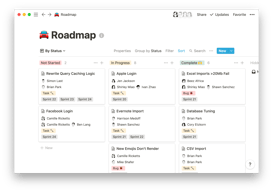
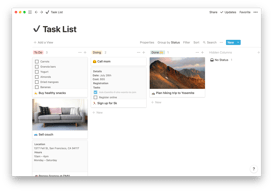
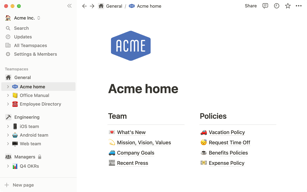



Notion Review: Is This Project Manager Right For You?
While a relatively new entry into the project management space, Notion has evolved quite quickly to meet the needs of its users. It’s a platform that is notable for its versatility, and it is a well-known option for individuals and teams who want a reliable tool to organize and manage tasks–from note-taking to in-depth project management.
But does it incorporate the best project management techniques to help you or your team get organized?
Let’s find out.
What is Notion?
Notion is a cloud-based workspace where individuals and small teams can take notes, create documents, track projects and organize and manage tasks all in one place. It’s often referred to as an “all-in-one” workspace because users can collate all of their projects onto a single platform.
Notion’s popularity among professionals and students is credited to its personalization that caters to any workflow. As a user, you’ll have the freedom to customize the layout of your workspace, while still getting helpful guidance and templates to help you get started.
Background on Notion
Founded in 2016, Notion started as a note-taking app but has evolved into a comprehensive project management tool for solopreneurs and small teams. The platform’s mission is to make it possible for people to shape the productivity tool they use every day to match their needs.
Getting Started with Notion
Every feature on Notion is designed to help users be as organized as possible.
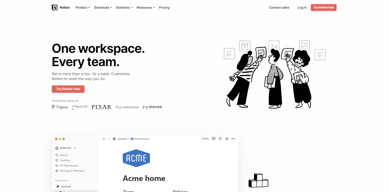
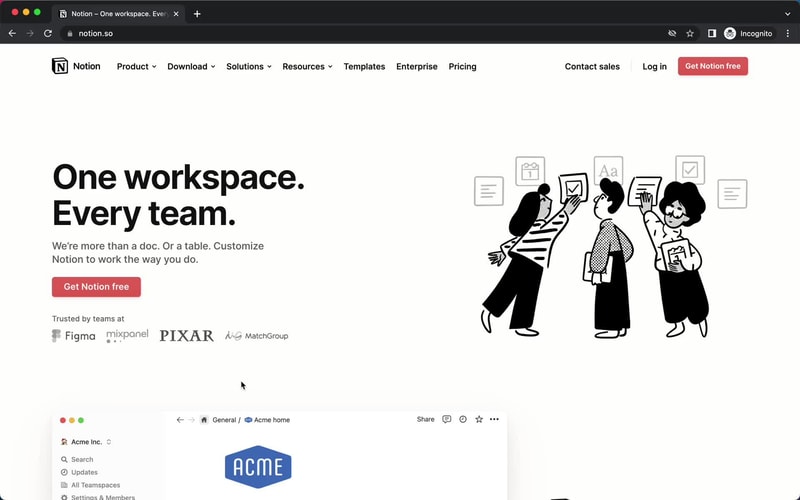
The platform is segmented into pages that can be nested or interlinked at your convenience. As soon as you sign up, you’ll be redirected to your Welcome screen containing some tips to get started. This includes linked videos that guide you in creating your first page and setting up your to-do lists and projects.
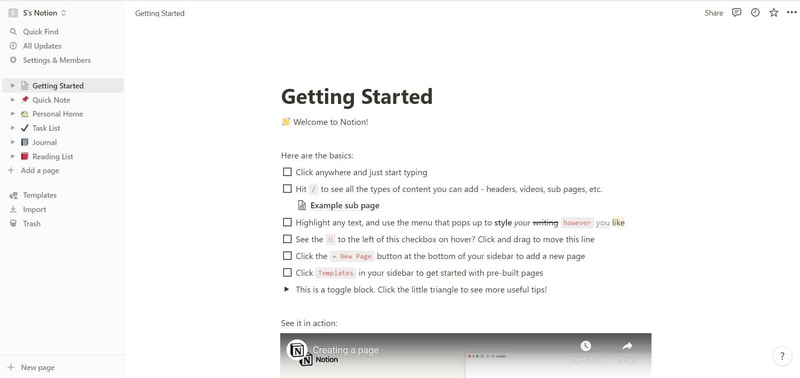
On the left side, you’ll find a list of default pages, such as ‘Quick Note’, ‘Personal Home’, and ‘Task List’ which you can customize and add. Whenever you create a new page it will show up on the left panel. You can add personalized header images, descriptive comments, and add associated icons to your pages.
Simply click anywhere on a page to add blocks for individual pieces of content such as text, lists, media, links, and sub-pages. You can also just type “/” to bring up a menu of blocks you can add to your new page. 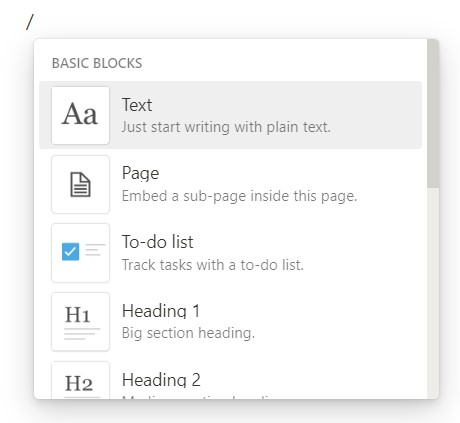
How Notion Works: Key Features
Although Notion started as a note-taking app, it has become far more than that. The tool has promising features that go beyond creating to-do lists and make it a competent productivity and project management app.
Integrated User Guides
A commendable feature of Notion is that user guides are already embedded in the platform. For example, if you want to create a new document, you’ll find guides on how to get the most out of the preinstalled page.
Of course, this can be a hit or miss. Some users may be grateful for the step-by-step guides, while others may be frustrated with manually deleting pre-installed guide pages to clean up their workspace.
Customizable Pages & Templates
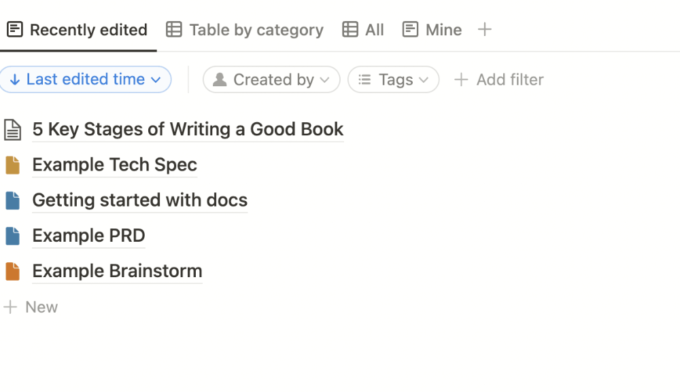
Notion makes it easy for you to create pages and documents in whatever style you want. Pages are like folders where you can store all information related to a particular topic. You can include a range of blocks or items on your pages such as text, toggle lists, to-do lists, images, video links, tables, boards, and maps.
Every change you make to a page or block is automatically saved in Notion. So you can always go back and view the history of a page if there’s something that you want to restore. This is pretty useful for when you make a mistake or just want to experiment with different versions of a page.
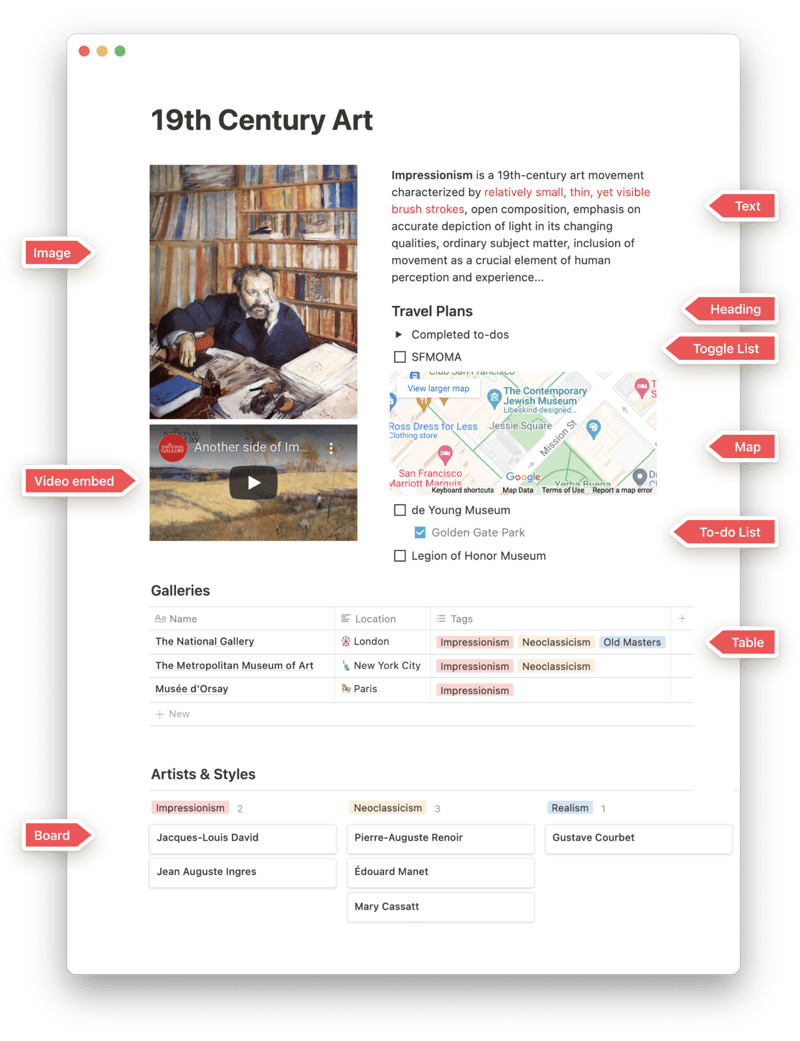
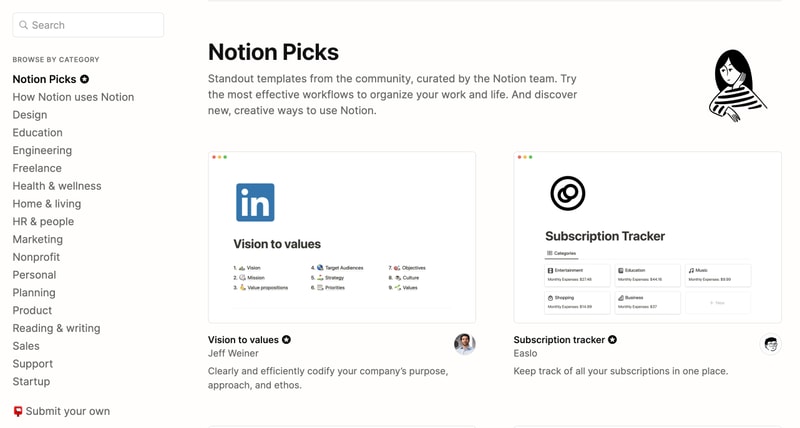
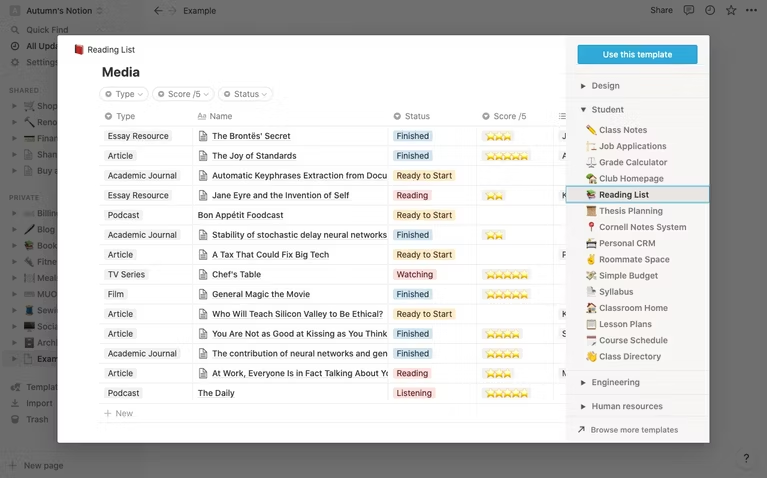
Notion is also very generous when it comes to templates. It provides users with a ton of options, whether they’re creating blog posts, articles, event schedules, or product launch plans. Fortunately, all templates are fully customizable so you can modify them to your taste without having to build from scratch. The platform also encourages users to submit their own templates so the library grows to fit a wider range of needs.
Collaborative Workspaces
Users can create different workspaces for different projects, which is useful if you need to manage multiple projects at once. Every workspace will have its own pages so all your information will remain separate and organized.
Notion allows you to invite other people to your workspace so you can collaborate in real time. The limit of guests you can have at a time depends on the plan you choose.
Integrations
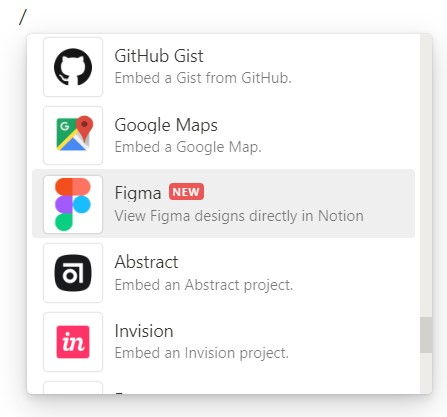
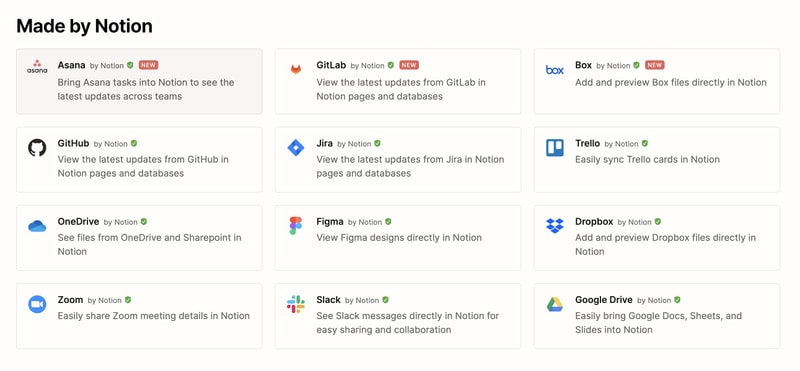
As a good workspace should, Notion integrates with a wide range of popular productivity tools so you can easily share information across the platforms you use. These tools include Slack, GitHub, Zoom, Trello, Google Drive, and more.
For instance, you can make use of the Google Drive integration to quickly add and share files from your Google Drive directly to your Notion workspace.
Notion AI
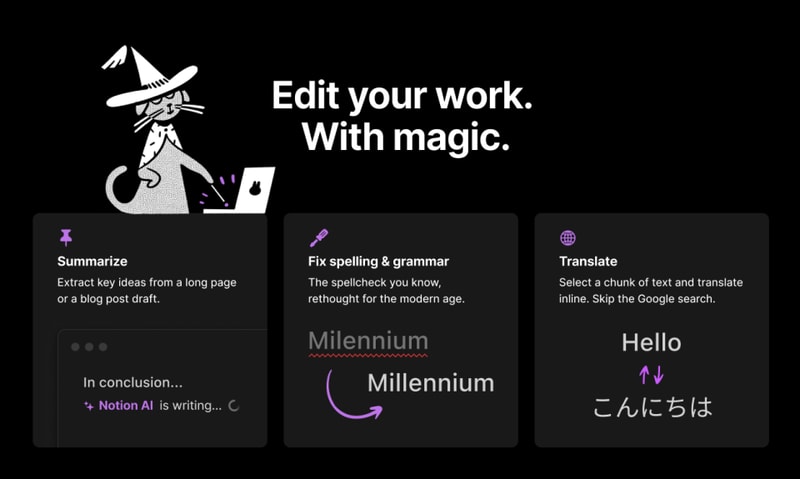
Notion AI is a core feature for workspaces. It’s a connected assistant powered by multiple large language models that’s developed to help boost your creativity and write content faster. Essentially, it eliminates the need to jump between your work and a separate AI-powered tool.
The feature can help you generate ideas for blog posts, social media posts, press releases, job descriptions, meeting agendas, and more. You’ll also be able to summarize pieces of content, correct spelling, and grammar, and translate text (English, Spanish, Chinese, and French).
Notion Use Cases
Solopreneurs
Individuals who are working freelance will benefit from an organizational tool like Notion. It can help with a variety of processes such as:
- Documenting and managing career goals
- Organizing projects for different clients
- Managing content creation schedules
Professional teams
Small professional teams can benefit from Notion’s features because it ensures that all team members can collaborate on the same tool for multiple purposes. These purposes include:
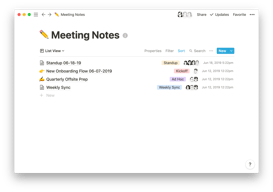
- Planning meetings and recording meeting notes
- Setting task lists based on priority
- Drawing up onboarding documentation for recruits
- Brainstorming internal team goals (digital suggestion box)
- Organizing a company roster
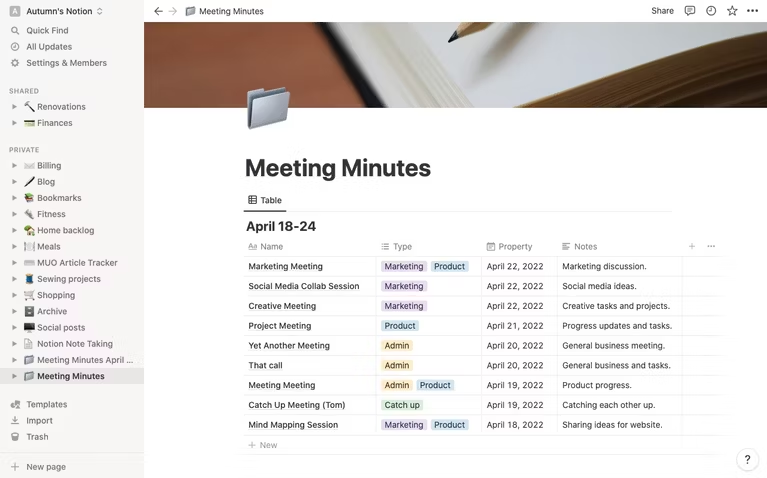
Students
Students also make great use of Notion because of its impressive note-taking and organizational capabilities. Students can easily organize their notes by class and keep track of all reading and assignments (by the due date) for each class. The best part is Notion can even allow easier collaboration for group projects since the free plan allows sharing with up to 10 guests.
What makes Notion stand out from other platforms?
Notion stands out in two major ways; it’s very customizable to support any workflow, and it brings all work together in one shared location.
Unlike many productivity tools, Notion doesn’t just focus on solving one problem, such as organization. The way Notion is designed gives users the freedom to mold their workspace in a way that works best for them. On one hand, individuals can use it to keep their notes, to-do lists, calendars, and journals in one accessible platform. Additionally, professional teams can use it to build collaborative docs, product roadmaps, and wikis for their company.
Notion Pricing
Notion has four pricing plans: Free, Plus, Business, and Enterprise. Visit Notion’s pricing page for current rates.
- Personal (Free): The forever-free plan allows users to create unlimited pages and blocks with an allowance of 5MB file uploads. You can also share or collaborate on projects with a maximum of 10 guests, and receive basic page analytics, 7-day page history, and integration with other tools such as Slack or GitHub.
- Plus: The Plus plan is geared towards small professional groups. On this plan, you can invite up to 100 guests for collaboration. You’ll also get unlimited file uploads and 30-day page history.
- Business: This plan is for companies that use Notion to connect many teams and tools and you can invite up to 250 guests. You also get authentication features (SAML + Single Sign On), private team spaces, bulk PDF export, advanced page analytics, and 90-day page history.
- Enterprise: This subscription is targeted toward medium to large businesses and offers more advanced capabilities. You will need to contact the Notion sales team to discuss the pricing plan that fits your business’s complex needs. You can request a trial of this specific plan if you’d rather try it before making any significant investment.
Notion AI is included in all paid plans at no additional cost.
Beyond its core workspace, Notion has expanded its product suite with Notion Calendar, a standalone calendar app that integrates directly with your workspace, and Notion Sites, which lets you publish any Notion page as a polished website.
Notion’s Pros and Cons
Pros
- The customization features are better than most.
- A great solution for note-taking and creating to-do lists.
- You can use Notion to create wiki pages or simple websites with useful information about your business or products.
- Pricing is affordable for solopreneurs and small teams.
- The forever-free plan has sufficient features for solopreneurs.
- The structure of folders allows for shortcuts so you can reach your content from multiple places.
- Notion’s tutorials are comprehensive for everyone to understand and the support team is responsive and helpful.
Cons
- Although Notion’s UI is very usable, it can sometimes get cluttered once you start adding multiple projects, which can be overwhelming for newbies.
- Advanced project management features, such as reporting, time tracking, and Gantt charts are lacking.
- Managing multiple projects on Notion can become tedious.
- May not be the best option for those looking for project management software for software development.
Is Notion Right For Your Organizational Needs?
Notion should be commended for its simplicity, familiarity, and affordability. If you need a straightforward entry-level solution for creating content and planning and managing projects then Notion is a great choice.
With that being said, large businesses that have complex needs may not see the platform as comprehensive enough to streamline their project management. However, Notion is a tool that keeps evolving and works hard to improve its capabilities to fit businesses of all sizes.
If you want to keep checking other project management software that may suit you better, Findstack has more helpful reviews and insights that you can take a look at. Our goal is to help you find the right tool for your needs.

Compare Notion with other popular tools in the same category.
The flexibility and ability to fully customize the template based on a broad ranges of ready-to-use templates.
Export to Word/GDoc can be cumbersome sometimes.
The efficiency and automation of recurring tasks.
I really started using it after reading Building a second brain by tiago forte. Notion has been really helpful in organising everything that I want to capture.
I would prefer notion to have its own smart speech to text because I use that feature a lot. It would also be helpful to have a to do feature that is built-in.
I have two jobs and I am writing my PhD so there are lot of notes and reminders. Notion really helps me keep every thing organised and accessible. When I need them. The AI feature has helped in drafting emails and summarising articles for me for my research.
basic functions, creativity, linked databases, views, ai. honestly everything. i literally use it for everything,
sometimes the interface is clunky or you get someone's template that sucks...would love to see an automatic way to clean up workspace w ai. quick capture not so hot. tags and comments for to dos showing up in master task tracker.
keeping organized. crm. team projects. internal wiki. blog posts. workspace. personal life mgmt.
I like the ability to upload documents to the site. This is especially helpful when I need a summary statement of my work or someone else's.
I dislike the price. Maybe 5 dollars would be a better option. Or some sort of student or government discount.
Notion helps summarize long papers I have written into concise and well formulated blurbs

Choosing Notion as the main platform for many of my projects was my absolutely best decision - it has really simplified our work in so many ways, every time I open it I feel lucky to use it!
Probably the only thing I'm not so happy about - not having started to use Notion earlier!
We use Notion to keep all the projects' detail in one place, manage them and also we use the AI tool everyday - it has really changed the way we work and the speed of our work too!

Notion is clean and straight forward. The block system is very intuitive and easy to learn. I like the possibilities to link information, use databases, create custom rules, apply different views on the same databases for a better overview and the overall freedom to create a workspace thats perfectly designed for your needs. What is even more impressive is that even the free plan is more then enough for personal use or if you are a freelancer.
With its freedom comes trouble. Once you start with Notion you might feel a little bit overwhelmed and you might get lost in the process. What is also not in favour of Notion is the limitation of 1000 Blocks for shared workspaces. As soon as you share your workspace, you restrict yourself to 1000 blocks. Maybe a better solution would be to restrict the invited persons that dont have a plus subscription to a certain amount of blocks. I mean, even if you invite with "view only" permission you still get the restriction.
I take meeting notes on a daily basis. Before I did that in Asana, but keeping notes clustered together or archived was a hustle. Also the AI Assistant is a no-brainer for me. I just write down what I hear word for word without taking care of the format. Later, the AI just formats everything for me, creates a to-do list if there are any actions to take and also creates a summary of what has been discussed etc. Pretty awesome, everything with 1-click (I've preset a custom prompt for this in a template). Talking about templates. They are a huge time saver also. My Databases have custom templates as a standard and in combination with the use of the buttons feature I can create a new note with 1 click, again! The Buttons work like a macro system. You can chain together different actions Notion will do automatically with the click of a button. Create a new note in a specific database with a specific template? No problem, click the button. Want to archive the Note after you've reviewed it? No Problem, click the button. The potential is almost limitless. What is also benefitial to me are the connectivity of Notion. API and integreted connection are very useful. I synced my onedrive and google drive as well as my miro mindmap tool. Easy embeddings of files and links -> very good for people who want to organize their stuff better.

Extremely powerful app with lots of possibilities. Notion is highly flexible and can be used for a wide range of purposes, including note-taking, task management, project planning, knowledge base creation, and more.
Learning Curve: Notion's versatility and extensive features come at the cost of a steeper learning curve. The interface can be initially overwhelming. To use it effectively you need to learn the shortcuts, which at times feel unintuitive.
Organizing scattered information: Notion brings together all your notes, tasks, and documents in one place, making it easier to find and access everything without searching through multiple apps or folders. Personalized customization: Unlike many other tools, Notion allows you to design your own layouts and templates to fit your specific needs, so you can create a productivity system that works best for you.
Notion is amazing, we use it for note taking, document creation, wiki areas, software documentation, brainstorming. The AI functionality is very powerful and has helped speed our work. If Notion goes public I will be the first one to buy stock ❤️🔥
There is nothing that I dislike about notion
We keep all of the company's knowledge base, project data, and note-taking and task distribution for the team during meetings in one place using a single tool.

Overall, Notion and Notion AI have become indispensable parts of my life. I use Notion AI every day to create article outlines, brainstorm ideas for content, or generate mini texts. I also love the ability of Notion AI to enhance texts and make them more catchy, formal, interesting, you call it.
I had some issues with Notion AI when it first came out but over time, all the problems were fixed - they were just standard bugs in a new product that the team quickly worked on.
I use AI daily to create article outlines, brainstorm ideas for content, and generate short texts. I appreciate Notion AI's ability to improve writing by making it more engaging, professional, and interesting. With Notion AI, ordinary writing can be transformed into captivating pieces that will grab the reader's attention. I am continually impressed by the versatility and effectiveness of AI, and I look forward to seeing what other incredible things it will achieve in the future.

Notion is an amazing productivity tool that I adore. It integrates AI seamlessly, making my work easier and faster. The AI-powered content suggestions help me organize my ideas effortlessly, and the smart task management keeps me on schedule. Notion's natural language processing makes it simple to interact with. Overall, Notion's AI features are a game-changer for productivity.
copying and pasting is a mission, i can only do it by using control C and Z
Notion is a fantastic tool for taking notes. It helps me keep my notes tidy, organized, and easily accessible. With its user-friendly interface, I can create and structure my notes without any hassle. Notion allows me to categorize and tag my notes, making it simple to find the information I need. Its search function is powerful and quickly finds any note or keyword. Plus, Notion gives me the freedom to customize my note-taking system according to my preferences. Overall, Notion ensures that my notes are neatly organized and readily available whenever I need them.
The smart suggestions provided by this tool are nothing short of revolutionary. It offers contextualized prompts based on your writing style, making it the perfect partner for any writing task, whether it's drafting emails, creating blog posts, or fleshing out project proposals. Its language modeling capabilities are impressive, producing highly readable, engaging, and grammatically accurate content, freeing up time for users to focus on the creative aspects of their work. What truly sets Notion's AI Writing Assistant apart from the competition is its powerful knowledge base. It's as if it reads your mind, anticipating your needs and supplying relevant information just when you need it. This intelligent and responsive feature reduces research time and effort, making it a go-to resource for any writer. But it's not just a tool for writers. With its intuitive interface and user-friendly features, even those with minimal writing experience can benefit from the tool's capabilities. From helping to craft persuasive presentations to providing suggestions for complex technical documents, Notion's AI Writing Assistant is a versatile tool that adapts to your unique needs. In a world where time is a scarce resource, the Notion AI Writing Assistant is a valuable ally. It amplifies productivity and efficiency, making it a must-have tool for individuals and teams alike. For me, the era of staring at a blank screen, struggling for the right words, is a thing of the past. With Notion's AI Writing Assistant, writing becomes less of a task and more of a joy.
While the Notion AI Writing Assistant offers a multitude of benefits and impressive features, one potential downside could be its dependency on a stable internet connection. In instances of internet instability or lack of access to the web, users may face interruptions in their work. As AI-driven tools generally rely on cloud processing, this could limit the tool's usability in remote or low-connectivity environments.
Notion is a comprehensive work collaboration platform that addresses multiple productivity pain points and hence benefits users in several ways. Please note that as an AI model developed by OpenAI, I don't personally use Notion or any other software, but I can provide insights based on the capabilities and benefits the software is designed to provide. Centralized Workspace: Notion provides a singular platform where all work-related documents, notes, and tasks can be organized. This reduces the hassle of juggling between different apps, making it easier to manage and retrieve information. Collaboration: The platform enables teams to collaborate in real-time, share ideas, and assign tasks. By ensuring everyone is on the same page, it can significantly enhance team productivity and cohesion. Flexible Customization: Notion's flexible structure allows it to be a note-taking app, a to-do list, a wiki, or a database as per the user's needs. It can be custom-tailored to fit any workflow, making it incredibly versatile. Knowledge Sharing: Notion serves as a centralized repository of knowledge for teams, where all team members can access and contribute to the collected information. This is particularly beneficial for onboarding new members and preserving institutional knowledge. Integration: Notion integrates with many other popular productivity apps and platforms, allowing users to streamline their work processes even further. Task Management: Notion's task management capabilities, complete with customizable views and status updates, make it a powerful tool for project management. Overall, Notion, as a comprehensive productivity tool, is aimed at reducing friction in work processes, enhancing team collaboration, and ultimately improving productivity. For many individuals and teams, these solutions can be incredibly beneficial.
I can take notes, track my activities, and write more efficiently, thanks to this AI. It has significantly improved my productivity in writing emails, responding to questions, and sending messages. It's simply incredible!
Sometimes it's not so precisely, or I'm not able to give the proper instructions so it can create things in the wrong way
This tool helps me track my daily tasks and improve my writing on specific topics. It's incredible tracking for everything you can imagine and excellent for planning trips or projects.
Utilities management, flexible and adaptable for anyone. Customizable and easy to get different designs. The best might be an AI helper.
Be on the latest design trend and have customizable colors, fonts, and size. Linear text to the center or left.
To have differents application in one, notes, reminders, calendar, files, docs, excels, etc. And make summaries to study.
I personally utilize Notion for my coursework and personal interests. Because of Notion AI, I am able to seemlesly create outlines and organize my notes better.
Personally, I have some noticeable issues with the Desktop Application for MacOS. The input section for the AI feature is bug-ridden and often deletes your work. The spell check tool also makes the user click out of the AI tool once they right click on the misspell word.
I usually have trouble organizing my coursework and needed deadlines. I find that with notion, my ability to meet these deadlines improved. Studying also became easier, as writing outlines for review materials became seamless with the AI feature.
I love the AI feature so much! It is helping me create at a much more organized and efficient speed. My projects are coming together with more ease than before. Also, the many options to customize pages and connect different pages.
One thing that is a bit bothersome is that the AI feature struggles with creating content that is too long. I've had a few instances where it will make the content crash when inserting it into the page is time. This is a new feature, and imagine that the bugs will be worked out over time.
Organizing content into meeting notes, task list, agendas, assigning projects to fellow team members, managing projects and programs, etc... Overall, it keeps our small team more efficient and organized. We can see and track everything with more visibility and ease.

Procrastination was a villain in my work e personal chores. When I met Notion, I remember to think: well, that's just one more organization tool I'm going to drop. I couldn't be more wrong. Now I really can focus on what is essential in my job. With AI tools, my creativity flows, and I can be more productive. Say farewell to procrastination; meet Notion!
It is a bummer that we can't personalize the desktop app. Maybe some color changes would be great and new views for our boards too. The AI still needs some improvement. I noticed some minor bugs in the "continuing writing" feature.
Writers have blocks sometimes. And with Notion and its IA, I can take a break and have some time to develop my writing using the tools the platform offers to me.

Notion's AI integration enhances the app's productivity providing seamless content recognition, intelligent suggestions, and collaborative capabilities. What I like most about the AI feature is the intelligent suggestions based on my patterns which are truly helpful in creating structured workflows.
While I appreciate the AI features in Notion, I believe a few areas could be improved: a more robust user feedback mechanism would be beneficial to ensure continuous learning and improvement of the AI feature.
It helps me organise and manage information efficiently, keeping everything in one place. It also promotes seamless collaboration among teams, making it easy to work together and share knowledge. It streamlines workflow management with customisable templates and task lists. Overall, Notion makes life easier by providing a user-friendly platform for organisation, collaboration, and productivity!
The notion AI. It blends perfectly into the workflow, especially if you need to make quick changes, check for grammar mistakes, and write technical text.
Even though I love it, I think the AI needs some minors improvements. Sometimes it seems that it does not only try to work with the text you selected.
I need to write quick news article about soccer matches, that needs to be published on the go. I usually take a long time checking for typos or mistakes on my texts, and they always slip away. With notion AI, that does not happen anymore. I can blindly trust it to a point, when it comes to spelling and grammar

The fact that you can do eveything a note-taking app can do and waaay more, is amazing. The way you can organize everything is just perfect. But my favourite feature is definately the AI writing assistant, by far.
Actually there is nothing to dislike, there might be some stuff that I would like to be able to do but it's purely personal and doesn't affect anyone at all I'm sure.
The way I can organize all my information with the AI writing assistant and even ask it to provide me with i formation I don't have and many other things.
Despite having a plus subscription to ChatGPT, I still use Notion AI when writing. Having the AI available right there in a Notion page is so smooth. Plus, anytime I try to use ChatGPT to "Improve writing" it completey change the whole thing. Instead, Notion AI improve the writing while still mantaining the original style without the need for additional prompts and limits
One thing that ChatGPT does much better is transforming transcripts from interviews into narration. I tried to do the same with Notion AI but the result was not as good.
It makes me so much more efficient when writing
the possibility to organise my notes how ever it suits me
it would be nice if the ai feature researched the internet to write
It organises my content and corrects mistakes
One of the standout features of Notion is its ease of use. Whether you're a tech-savvy professional or a casual user, the platform's clean interface and straightforward navigation make it effortless to get started. The drag-and-drop functionality allows for effortless organization and customization of content, ensuring a personalized workspace tailored to your specific needs. The integration of AI support within Notion is a game-changer. Leveraging the power of artificial intelligence, the platform offers features like smart suggestions, advanced search capabilities, and even automated task management. These intelligent functions significantly speed up mundane tasks and streamline the overall work process, allowing users to focus on more critical aspects of their work.
In the section of things I don't like about Notion, I must admit that there isn't anything specific that comes to mind. The platform ticks all the boxes for me, and its versatility allows me to adapt it to my specific requirements seamlessly.
Project Management: Notion provides a comprehensive platform for project management. It allows users to create project-specific pages, organize tasks, set due dates, assign responsibilities, and track progress. The ability to customize project boards, Kanban-style workflows, and Gantt charts within Notion streamlines project management and ensures teams stay organized and focused. Content Organization: With its flexible database system, Notion enables efficient content organization. Users can create structured databases, tag and categorize information, and establish relationships between different pieces of content. This functionality is invaluable for keeping track of notes, articles, resources, and other content, ensuring easy retrieval and reference when needed. Daily Task and To-Do Management: Notion excels in helping users manage their daily tasks and to-do lists. It offers various views, such as lists, boards, and calendars, to visualize and prioritize tasks effectively. Users can set reminders, deadlines, and even integrate with other tools for a seamless workflow. The ability to access and update tasks across devices keeps users on track and ensures nothing falls through the cracks. Meeting Management: Notion provides tools for organizing and managing meetings efficiently. Users can create meeting agendas, attach relevant documents, and collaborate with team members in real-time. Meeting notes and action items can be captured directly within Notion, ensuring that everyone remains on the same page and accountable for their assigned tasks. Team Collaboration and Information Sharing: Notion shines as a collaboration platform, facilitating seamless information sharing within teams. Users can create shared workspaces, grant access and permissions to team members, and collaborate on documents in real-time. The ability to embed files, images, and multimedia content, as well as integrate with other tools, enhances team communication and productivity.
What I like most about Notion is that I can have different workspaces, which I can also merge between them if I need them. I can also separate and organize notes, events, papers and other aspects of my personal, academic and professional life perfectly
At the moment the App for windows does not run very smoothly and consumes a lot of system resources. But a solution is to use it through the browser. Another aspect that I don't like is that it only corrects spelling in the language that you have in the configuration but not in other languages.
The way notion benefits me is that I can have all my work in one place. I have the feeling of having my life under control and organized and at the same time it is intuitive and easy to use once you get used to it.
That I can define terms in class that I don't understand in the moment. It helps so much! Being able to follow in class and make notes by only typing a few words and letting notion do the rest- amazing! My focus and ability to follow the prof has increased!
It would be nice if it could add images and graphs. Sometimes it leaves open spaces to do so, but honestly it's a bit annoying to have to go back and delete the spaces. It would be a wonderful improvement!
It helps me take notes quicker by typing a few words and letting notion fill in the in-depth parts! It also helps a lot when a word pops up that I am not fimiliar with, I simply ask it to define it and carry on listening after reading its answer.

I love sub-pages. I can make subpages upon subpages upon subpages. I love that I can easily differentiate one thought from another by quickly labeling it and tucking it away.
I sometimes wish there was a way to use the sidebar. It may be my own fault for having too many pages, but sometimes I spend a lot of time scrolling through to search for the page I'm trying to find. Maybe if there was a search bar or something... I'm not sure. Or if I could categorize all of my pages into sub-pages like in Outlook, you can have folders to organize your email inbox...
I like that I'm able to use it for practically everything. All my data and work is in one centralized location. This is extremely helpful as it streamlines my workflow as a student and as an employee.
Me encanta la versatilidad que tiene Notion, a nivel de personalizacion y usos que se le pueden dar, ademas de la opcion de IA la cual permite dar respuestas en el contexto que uno quiera referirse y no salirse de los limites mismos de lo que a uno se refiera al escribir
Lo unico que me disgusta de Notion es que no posee una integracion con algunas aplicaciones como lo son, Spotify ya que no permite estar conectado a la cuenta y utilizar o Google Calendar que de momento es lo mas eficiente en lo que se refiere a programación de actividades
Resuelve un problema mayormente de poder integrar y centralizar distintos aspectos de mi vida, como proyectos personales, apuntes de universidad, y rutinas de ejercicio, entre muchos otros
Easy to read at a glance! The different colored tabs help, as well as the different views for different kinds of projects. Unless with excel or google sheets, notion makes it much more user friendly with the same data power
This is tough. It's a bit hard to use for those who struggle with tech (aka all my boomer coworkers). I don't think it's something that notion can control though
Right now my biggest problem notion is solving for me is when I hit writing blocks! The AI tool helps so much with my captions and even with my decks and summaries
Organization at its best babyyyy. It's awesome to everything in one
Nothing its amazing. I think everyone should use it to organize their lives
I have my CRM and my life organized all in one place it's really helpful
Really easy to manage projects, take meeting notes and organise road map !
The database are intersting but the formula part is too complex to use
Super easy to create road maps and to manager projects for a full team cooperating remotely

I like that i can save my notes, create workspace etc. It is easy to use.
all fine. nothing to complain about at the moment.
helping me with workspace and my trading journals.