

Unclaimed: Are are working at Oxygen Builder ?






Oxygen Builder Reviews: 4.5/5 — Highly Rated
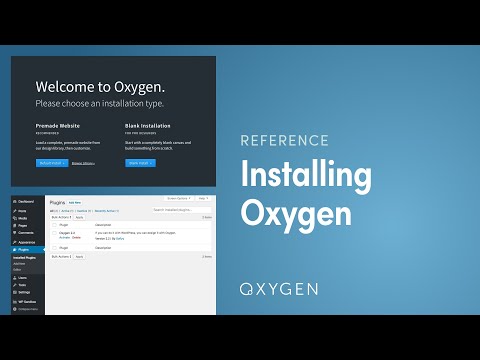
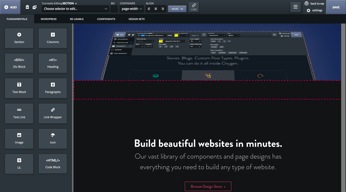
Oxygen Builder is a visual website builder designed for WordPress. Its core features include a drag-and-drop interface, live editing, and the ability to design custom templates. With Oxygen Builder, you can easily design custom pages without the need for coding skills. Oxygen Builder is a fast, flexible, and user-friendly platform that can help you design your website and control the layout and functionality of your pages.





| Segment |
Small Business
Mid Market
Enterprise
|
|---|---|
| Deployment | Cloud / SaaS / Web-Based, Desktop Chromebook, Desktop Mac, Desktop Windows |
| Support | 24/7 (Live rep), Chat, Email/Help Desk, FAQs/Forum, Knowledge Base, Phone Support |
| Training | Documentation |
| Languages | English |


Compare Oxygen Builder with other popular tools in the same category.
WebUI based editing. Also has an online to view xml code online. Ability to search for crossreferences throughout the book file and bulk operations.
Nothing as such it is the best tool for DITA authoring.
Reusing content across products. Creating a common publishing framework.
Our agency loves Oxygen! We have used Divi, Elementor, WpBakery, and more, and the flexibility that comes with Oxygen is incredible compared with the previously mentioned builders.
I think they can do a better job of speeding up the editor, but they have made tremendous strides in developing and improving it, so I have no doubt it will only get better from here on out.
As an agency, we have to build visually appealing websites while making sure the websites load fast. Oxygen has helped us build custom themes for each client and gave us complete freedom of every aspect of the theme-building process.

Easy to use Lightweight Clean code output Dynamic Great online community Great support team
Could be faster. Lacks native integrations with many plugins
Creating dynamic custom WordPress websites.
Very easy to use and lots of premade templates all in one place. There is no unneeded bloat so the websites load super fast compared to other website builders.
The interface isn't as simple as other builders but just takes a bit more time to get used to.
Websites load much quicker compared to other web builders I have used increasing search rankings

I have been working Oxygen for over 5 years now and I found it the best at its features compared to any other tool out there. For example, the quick tips while using an element is just awesome.
The time to switch between two ditamaps can be reduced.
Being such a great dita tool, content retyping is cool, in addition offline review theough doc transformation is superb.

CodeBlock is the main feature I liked most and the Custom CSS function is also a best one.
Slow loading of the backend and not update woo commerce integration.
Customization issue with other builders.
It functions on the bleeding-edge. And for it to work I can only imagine the effort put in to stay ahead of the curve. An exponential curve too.
Not really a 'dislike' but the cost. You get what you pay for and I'd worry if the fee went down, honestly.
I've lost count of the amount of NDAs I've signed so specifics are difficult. What I can say is three of Forbe's top 100 companies keep paying me!
it's very nice to write code and run it and very easy to use
there are sometimes bugs and it sometimes takes time to run all over the script
I did automation on a site, and it was beneficial. Also, you can upload files like excel easily and go over on it randomly

It is very easy to use and user-friendly. It allows to edit content easily and create mulitiple formats at ease.
Not anything that I can think about. It is the best authoring tool.
I did not face any problems. If coupled with a good version control took it works wonders.
Chapter and book creation. And usage of add ons
Too heavy and time consuming when creating pdfs
Authoring huge set of documentation


