

Unclaimed: Are you working at Storyblok?





Storyblok Reviews: 4.5/5 — Highly Rated
Storyblok is the world's pioneer headless CMS that works for both developers & business users. Built on the premise that traditional CMS makes it difficult to repurpose content for different platforms, Storyblok offers a unique fusion of visual editing tools and highly tailored content blocks built on top of its headless architecture that provides exceptional flexibility and speed for developers.

| Capabilities |
API
CLI
|
|---|---|
| Segment |
Small Business
Mid Market
Enterprise
|
| Deployment | Cloud / SaaS / Web-Based |
| Support | 24/7 (Live rep), Chat, Email/Help Desk, FAQs/Forum, Knowledge Base, Phone Support |
| Training | Documentation |
| Languages | English |


Compare Storyblok with other popular tools in the same category.
I’ll be honest — at the beginning, I was a bit skeptical towards Storyblok because it seemed less powerful and flexible than other headless CMS solutions out there. I was wrong. Once you start using it and get your head around it, you’ll see how flexible it is and how easily it can adapt to various scenarios. Start by checking out their tutorials, there are many, and they get updated often. I especially love how easy it is to model content, how fast their API endpoints are, and how extensible and adaptable the tool is.
I personally think that this product has a steeper learning curve when compared to similar products, so I suggest reading the documentation before diving into it. The concept of “blocks” is something different from other CMS, so it might take some time to fully grasp.
I’m using Storyblok as a headless CMS for various websites, ranging from simple landing pages to big websites, including e-commerce platforms. Storyblok has provided me with a cost-effective, consistent platform to handle all the content management needs, allowing non-technical team members to handle content on their own.
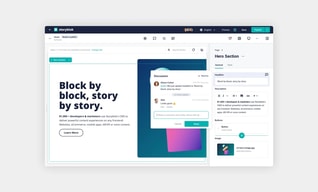
Perfect balance between flexibility for developers and ease-of-use for clients. The visual editor is amazing and gives clients a very easy-to-use visual editor to edit the contents of the website, while developers can still build whatever they want without taking away the editing capabilities of the client.
It still contains some minor bugs, but considering V2 has just been released and they're not major / breaking bugs, it's a solid product. Also, the support is great and very helpful in trying to work around any issues you have.
Most other headless solutions often do not offer a visual/live editing environment, but Storyblok does. This makes it a much better fit when working with clients who edit the content.
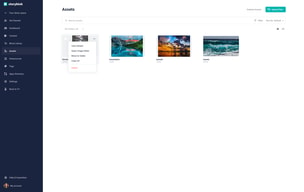
One of my favourite aspects is how lightweight everything feels. Page editors load relatively quickly (slow loading times can be one of the most painful aspects). I also like how the asset manager is laid out, it makes grouping images by page really simple. Another example of this: by grouping particular assets (such as brochures) it's incredibly quick to check which PDF assets are up-to-date.
I'd like there to be a way to add an ID to a specific block so it can be linked to directly. For example, if we want to anchor-link to a specific part of the page. There's a lot of basic functionality like this which seems to be missing. There's also a bug which is incredibly frustrating where whatever you type into the text field starts writing out backwards, you have to click back into the text field and delete the backward text to continue.
On our previous CMS, adding new pages was incredibly difficult and could only be achieved with external developers. With Storyblok, very little work has to be sent to external developers, we can create site-wide blocks and copy and paste them to new pages painlessly.
By far the UI is the game changer, also the new user experience is really empowering, what I do love is the whole rebranding and the impact on the market, I believe that it can be a game changer in CMS market
The API differences between graphql and rest sometimes made me wanted scream, beacause the preview used rest and final product used graphql, there were few inconsistencies.
The problem of connecting non tech people with technology, preview feature enables it. Also non tech people can try to model some data, which frontend will consume, it is awesome
Storyblok is a powerful CMS because of the possibilities for business users (like marketeers) to easily build pages with the intuitive UI while having the headless capabilities.
Not a lot. We have had a limitation where we could not use the block-flexibility in a design we created, but I am confident that it will be addressed in the future. Storyblok's support is great and they take the time listening to your feedback and working with you to find solutions.
Storyblok is a very intuitive and powerful SaaS CMS that helped our business-focused department in creating a scalable website for which we needed headless capabilities, but do not have the continuous development resources for to maintain it. Storyblok also provides a visual-preview environment which not every headless CMS offers.
Components creation, creation of own plugin, preset page, visual editing, javascript SDK, release management, API documentation
research in select for add link is limit to 25 elements, it's really blocking.
Storyblok resolve the content management, by the prettier way : let us (developer) create own model of own components, with visual editor feature. Is a better tool for collaboration between audience team and front-end team
The different preview functions are very helpful, especially for beginners. They can check all content directly.
you cannot restrict the different roles in enough detail with access. Also, settings in the workflow are missing. It would be better if you could say exactly who has to use the workflow and who does not.
The new design is more clear and its independent of the frontend
The UI is really crazy, i love the way we can cutomize the blocks to make it easily understanding. I also love the way we can change content from a language to another.
I kinda dislike the difficulty of creating our own blocks. Maybe the doc could be more complete in some years so we can try to improve the way of creating content for us and for others
It's solving the multiple aspect of editing content for clients. Some of our clients can now become better designers than us haha. The business increase because they can improve the storytelling

Apart from the main structure of everything should be a component, the addition of things like datasource, plugins (which could be made easily using VueJS) apps are the things which make our lives a lot easier and give us the flexibility to develop things on top of main offerings that storyblok has.
In RichText, there are some missing things like you can not simply select a text block and then specify color / text size for that. We can do it using class there but the direct functionality is not available. Now the richtext is used so much that I think the colour and text-size are essential to be provided as part of the main feature itself.
Storyblok is giving the platform where we can develop our independent Website-Builder with no restriction on tech stack and then set it up so that the product/content team can keep publishing and shipping things faster without any tech intervention.
Storyblok makes it easy to turn a lifeless template into a dynamic and attractive website. It is a very complete and well-thought-out software that achieves high-quality digital products. Even people without much knowledge in web programming or web design can use Storyblok to manage content. The interface is simple, beautiful and pleasant. Anyone can learn how to use it optimally in just a few days.
I don't have anything bad to say about Storyblok. However, a simple and valuable improvement could be to add a filter to see which content is published and which is not yet published. Anyway, the app's design is well thought out and highly intuitive.
In my team, we use Storyblok for any project we take on. It simplifies translating the design into a functional website that meets the client's specifications and with a reasonably low load time. in addition, it is easy to collect statistics for employees to detect weak points to improve. Finally, it is the best program we have worked with when we have to give guidance to the client. So many times, they decide to use it on their own to manage the site.

Every Content Creator can instantly see what changes he have done. And from a developer perspective it is very easy to implement, they have a REST and a GraphQl Api and good documentations
There isn't anything i dislike. If i have to mention one, it would be nice to have some filters where i can see which content wasn't published yet
We had all our content in the code, so it wasn't easy to change the content without a deployment or even without a developer. Now it is easy to change the Content, change the content on a weekend for some special offers. And it is possible to schedule content changes
Storyblok makes it simple to edit your website. Based on the easy structure, changes can be made very fast.
It has limits. If you want to make very specific changes, that might be not possible
Storyblok can be used in all departments (IT, marketing, C-lvl,...). Small changes (like wording) are very fast done.
Seeing a page change as you make changes, being able to copy and duplicate components and pages within seconds. These features really do make creating your website pages super quick and easy. The UI too is very easy to use and requires minimum training, in fact in most cases it is simple enough to work things out without any support.
be able to undo deletions by mistake, this might be something we havent yet discovered how to do but if you accidently delete a component or page there doesnt appear to be an 'undo' type feature that would just undo that one change. I think another small thing is as there is no formal training, it has taken us longer to discover some pretty useful features we may have discovered sooner if some more indepth training was offered.
For sure the ability to scale up and publish new pages, new templates and new content without developer input with the ability for the user to view the page as they create it is a real benefit as this really does cut down the time to market of producing new and valuable content.
- Visual preview of changes directly in the editor - Ability to edit/drag and drop within the live preview - GraphQL endpoints - All the major functionality works as expected
- Not quite as refined as some long-standing CMS products (although hopefully much of this is addressed in v2 in beta) - Would like to see improvements in the Asset management - User permissions and roles needs more control
We are working to solve the inability of our content writers and marketers to make changes to our sites with less developer interaction and reduce the turnaround time. This product is helping deliver this goal.

Content Editors will not only create the content, they will model the content before. That way they take away a lot of work from the developer and you will build your content "model first", together. Your model is immediately validated from content editors and business people, before you even begin to implement it. Completing the process is just a matter of shoving the model into a nice looking template.
Sometimes you got to start on a blank slate, and this can lead to a little bit of writers block. At least in the begining, you need to teach story blok to your editors and work together with devs on modelling and the process. But this pays of 1000% ! I can't find much more negative then this. The php SDK could have higher quality. The richtext-resolver-SDK (php) could have higher quality.
Before we had to: a) create a model, b) create the template, c) create forms for the model to be filled by the content editor) e) actual fill it, f) use the filled model to show the completed page. This process had major drawbacks: the model needed to be created by the developer, before the content editor could start to fill it. Large chunks of work had to be done before the model was validated by the content editor - and was so often wrong. History repeats, when changes need to be made. This made a-e so slow. With storyblok you combine a-e to a collab between editor and dev and you will find your model - already filled with content/data! so quick... Last step - implementation - is then only a piece of cake
Storyblok makes it easy to quickly build sites with completely custom UIs, and allows you to define customisation at whatever level of granularity you want. It is very cost effective relative to alternatives such as Contentful and is better geared towards design rather than data entry (as Sanity is, for example).
Internationalisation is not trivial and the APIs for handling multi-lingual content aren't ideal. The UI is also not really designed with translation in mind and it is hard to do an external round trip as well.
Storyblok allows us to have a completely custom static site, built in house, but that is easy for marketing to make changes to. We've designed our own content structure of sections and blocks to allow them a lot of flexibility while still providing a look that feels like it has been coded from scratch.
Easy to use Cms , Flexible features to manage contents. Beginner can also use CMS . Technical support is also good .It offers value to money .
Suggestion to make CMS a little bit fast otherwise no negatives .
I have accessed data via Graphs api . It is very intelligent to auto generate and produce responsive content supporting all devices with any resolution . International Audience really loved it .
Love that it makes it so much simpler to design & that you don't have to have coding experience.
It was a little difficult at the beginning but that is probably because I am not tech savvy whatsoever.
We are now able to update our info fast with Storyblok's help. Love the Editor Role tool.
The live editor of Storyblok is awesome, every user, even non-technical people is very comfortable.
This is a saas software, as it, you are tied to the pricing plan.
Storyblok provides a very valuable headless CMS for JAMStack websites
Easy to create components. Visual editor is good.
Errors like 'You are not in edit mode' should be accompanied by link to documentation in which the error is elaborated.
Support blogs within website that do not require interference from dev team.
Our team has used Storyblok as a headless CMS solution for more than 2 years now. After multiple projects, I find that the complexity of achieving certain features reduced dramatically – when compared to 2 years ago. Looking back to when we first adopted Storyblok on a regular basis, I've seen the product improve both in editor and development experience — visual editor, bridge and asset manager. Based on this I believe Storyblok's strong point is that their team listens to developer and customer feedback and uses that to continuously improve their product. On a similar note, it's easy to get direct access to their development team when you contact support. I am especially happy with the Image service and the GraphQL API (although this one isn't as clearly documented as its REST counterpart).
Creating user roles on spaces and managing granular permission for each role leaves a lot to be desired right now. I'm also not a fan of their plugin/custom app development ecosystem forcing developers to use NuxtJS/Vue – although it's not as problematic now that they also provide their component library as a package. Table fields could benefit from allowing rich text editors on cells instead of plain text fields. Their CLI for the management API also doesn't parallelize requests. Likely there's a reason behind it, but we found it slower than desirable for our needs to upload assets in bulk.
We're using Storyblok as the content layer for multiple applications, mainly corporate websites. For applications belonging to the same organization, we found it trivial to "containerize" all application configurations for each affiliate/branch using datasources.
Thea ease of use and the possibilities to create custom components that can be modified by content creators without the help of a developer
The folder structure can leave a lot to desire if you have a lot of components or pages created within the framework
The use of development time to actually change content on a website; The people that are responsible for their content can do this without a developer's help
The drag and drop feature is awesome to use components with
The redirect configure tool can be slow sometimes but that's just about it
Quick website updates that our development team used to have to manage so it's saved a lot of time for our business
A great headless CMS with a really good visual editor / live preview. This means that even staff without a technical background can easily maintain content. Good expandability through own plugins.
There is currently no market place for plugins. Integrating product data from your own e-commerce system could be even easier.
Storyblok is the CMS for our Webapp
The ability to drag and drop content blocks with complex layouts in the visual editor saves a huge amount of time compared to HTML and other forms of manual coding these blocks. Plus, the ability to reuse these components across pages in order to retain marketing guidelines and brand consistency is huge for our marketing team members, who can all work these separately while remaining a cohesive release.
Sometimes the interface can be a little glitchy. For example at certain browser sizes the HTML editor doesn't scroll properly and can be a bit of a nuisance. There are just some quirky things with the editors that take getting used to, but ultimately these are not huge deals and can be overcome for the advantages that Storyblok offers.
We moved nearly our entire resource center from a locally hosted site into Storyblok, including solution briefs, video pages, and blogs. The move has given our whole team more flexibility and responsiveness when creating new content or updating old content. The ability to have nearly anyone on the team make edits or publish content has saved a lot of time, and we are sure that our brand guidelines will be met because of the modules we have in place and the ability to reuse those components.
Its real-time visual editor makes content creation very easy. It works with almost all different languages and supports all kinds of projects. The headless feature helps to maximize efficiency and thus faster content creation.
There is nothing to dislike about this intuitive headless CMS. It has got all the requisite features for a perfect headless CMS that helps to speed up the content process.
We are primarily using it for the content management of our website to make changes to our website with ease and without minimal technical know-how. The whole process is quite simple and easy and helps us boost our content creation process.
The most enjoyable aspect is the confidence it gives me to create anything that can showcase our products to customers via our website. Uploading a video to the website is so simple. I dont have to limit my vision to a specific template
Drag-and-drop features kills creativity because everything you need is right there and and so unique every time that you may want to keep using the templates instead of creating your own
Designing custom sites whole making simple updates and changes to the sites easily. Updates are published instantly and there's a chance to preview changes that you have made
The most enjoyable part of using Storyblok is the step by step instructions, clear interface amd familiar virtual environment to apply basic computer skills when building a website
Upgrade of the software need to be done regularly otherwise if you don't upgrade regularly the upgrade path will become complex
Storyblok made it so clear to create a website independently, featuring our own unique design without any third party assistance
An easy-to-use interface for editors to manage content autonomously. Updating content with Storyblok is a lot faster with cross-platform delivery without additional work
For the non-engineer it might be less flexible. Doesn't take a lot of time to learn though which is probably a good thing.
Switching developer focus from maintaining online properties to prototyping new ideas. Easily reuse content across platforms. Frees us up from doing manual updates
The developer support and documentation are phenomenal. Storyblok offers the ability to hit the ground running with support for all your favorite frameworks.
The UI could use a little polish in comparison to sho gun. Also, it would be nice to improve the way you parse the component tree in the UI, and it can be challenging to move up and down the tree.
Our Marketing team was moving faster than the development team could keep up. Storyblok was the solution by allowing us to build a component drive solution so that the marketing team could build as fast as they wanted.