

Unclaimed: Are are working at Synder ?
Synder Reviews: 4.7/5 — Highly Rated
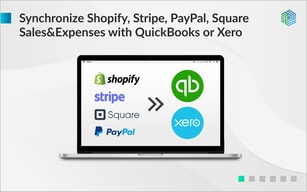
Synder is powerful automation software that enables easy accounting for e-commerce businesses. Automate reconciliation of sales from e-commerce systems with accounting for always accurate reporting.

| Capabilities |
API
|
|---|---|
| Segment |
Small Business
Mid Market
Enterprise
|
| Deployment | Cloud / SaaS / Web-Based, Desktop Mac, Desktop Windows, Mobile iPhone |
| Support | 24/7 (Live rep), Chat, Email/Help Desk, FAQs/Forum, Knowledge Base, Phone Support |
| Training | Documentation |
| Languages | English |






Compare Synder with other popular tools in the same category.
It's a "set it and forget it" application. Once it's set up, you will very likely never need to log in again.
It takes a little work to get Quickbooks to sort actually which type of transaction Synder has synced. Mine just show up as "Stripe" but I'm guessing that's a set up issue on my part.
Auto-syncing transactions from Stripe to Quickbooks for accounting purposes. Without a product like this, I would not be using Quickbooks for my online business.
The support team is super fast and helpful, Felix responded in seconds and the issue was fixed in a few minutes with a clear explanation.
nothing is to dislike so far all good and running
synchronizing transactions from Square and Amazon with Xero, a detailed and customizable solution
Thank you Synder for working with me for over an hour on getting it set up and working the way I wanted to. Great service thanks to Renata. Cheers.
It was a little bit of troubleshooting but not a big deal.
No issues at all now.
What I like about Snyder is the idea of Snyder automating transactions from different platforms. It is amazing! that would be and is difficult for a small business owner to do who also has a lot of transactions and to hire a bookkeeper to do it would be extremely costly. I was also very appreciative that I ended up having a customer service Rep named Felix who was amazing. He was so helpful, he asked questions to make sure that we were on the same page and he was answering my question. He provided screenshots with arrows and instructions to provide better clarity. I explained an issue or something I was concerned about he identified it as a historical import and showed me how to do it and then also said he could do it for me as well. I am very grateful for this since I have recently had surgery and everything as of late has seemed like a huge task. I can't thank Felix enough for the time and the effort and the extra mile he put into providing the best customer service I've had thus far from Snyder!
I think it is a bit complicated for a novice like me. I also wish they could automate transactions directly and categorize from your business bank account. ie: checks. ach deposits. credits etc
making sure my transactions are synchronized by two different platforms. i did not realize it had that capability. It leaves me time to focus on other important things
It easily integrates with our Square and Woocomerce platforms, bringing in all the data to Quickbooks.
No dislikes so far, just some quirks from Square that I wish Square would fix already.
We have a small staff and trying to keep an ecommerce platform running and juggling other day to day task becomes a bit much. Synder just saved us so much accounting time and now we can focus on other things.
I had a great experience today with Tina. Within a few minutes she had my problem resolved and offered to check back in tomorrow.
Nothing I can think of! It is working as I need it.
I have been able to link all my payment accounts, and as of today with Tina's help they are auto synced so its less work for me.
I really love synder because the support service is great! Thanks Helen for your help.
Everything is perfect for me, for now i do not have regrets
Integrate QB with stripe and paypal.
- Imports customer information from Stripe into QBO. - Imports transactions from Stripe into QBO. - Great value for what you pay. - Excellent customer support, thank you George!
- Updating payment method under Snyder settings is a bit glitchy.
We use QBO for our monthly bookkeeping, but we use Stripe as our payment processor. Having our transactions imported into QBO for us to easily reconcile them under the right customer removes a lot of the double-entry we would otherwise have to do.
Seamlessly entering each Stripe credit card transaction into Quickbooks Online. Excellent customer service. Felix helped me today via chat and got a stuck transaction synced. He also helped me improve my settings and my ongoing experience. I learned a lot about how the settings work!
We are a small non-profit organization. We signed up with Synder when it was free with a limited number of transactions each month. That worked well for us. Of course we don't like to have to pay now, no matter how few transactions we process. :(
We used to try to enter credit card donations into Quickbooks as they came in, but inevitably something got missed and required a lot of time to reconcile. Now it's 100% every time.
Easy way to connect Stripe to Quickbooks with complete transaction information syncing. Great service from Tina when I had a question and needed help!
I didn't realize that I needed to enable auto-sync, so it would have been helpful to make that more clear.
Syncing transactions from Stripe into Quickbooks online.