
Zoho Assist Reviews & Product Details
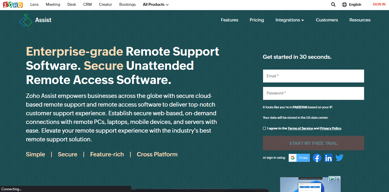
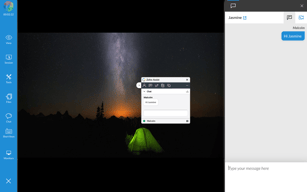
Zoho Assist is a cloud-based remote support and remote access software designed for businesses to provide seamless customer and employee support. It enables secure, on-demand connections with remote devices, including PCs, laptops, and mobile phones. With features like multi-platform support, unattended access, real-time collaboration, and customizable branding, Zoho Assist ensures efficiency and user convenience. Its advanced security measures, flexible pricing, and quick deployment make it an ideal solution for businesses of all sizes.
| Company | Zoho Corporation |
|---|---|
| Year founded | 2000 |
| Company size | 10,001+ employees |
| Headquarters | Chennai, Tamil Nadu |
| Social Media |

| Capabilities |
AI
API
CLI
|
|---|---|
| Segment |
Small Business
Mid Market
Freelancer
Enterprise
|
| Ease of use |
Beginner
Intermediate
Advanced
|
| Deployment | Browser Extension, Cloud / SaaS / Web-Based, Desktop Chromebook, Desktop Linux, Desktop Mac, Desktop Windows, Mobile Android, Mobile iPad, Mobile iPhone |
| Support | 24/7 (Live rep), Chat, Email/Help Desk, FAQs/Forum, Knowledge Base, Phone Support |
| Training | Documentation, In Person, Live Online, Videos, Webinars |
| Languages | Bulgarian, Chinese, Dutch, English, French, German, Italian, Japanese, Korean, Portuguese, Spanish, Swedish |


Compare Zoho Assist with other popular tools in the same category.
The ease with which I could connect with our partner was really amazing. Zoho is simplicity with strong technical support. I recommend the use of assist instead of running to clients for each small details.
It was my first use and we could connect on video chat but phone connection was fine.
I had a issue in cloud software program which was solved by Zoho technician easily.
I like the easy-to-distribute installers for unattended access. The client is lightweight, runs in your browser.
There isn't much to dislike, I hope they decide to include Linux support for unattended access.
I provide remote support to several businesses in a county 300 miles away. This is is exactly what I was looking for.
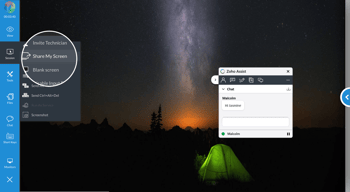
We love how simple/straightforward it is to provide remote assistance to end-users. Simply click a button to start a new session, and either send a link to the end-user or direct them to a web address and provide a support ID code. No plugins or programs needed!!
There isn't anything we dislike about Zoho Assist.
We frequently deal with job applicants and other non-employees who need help with completing new hire paperwork, etc., so being able to see their screen to help walk them through a workflow allows us to better support them and ultimately get them hired quicker.
ease of use, easy setup easy deploy, assist on demand easy for end user to get started
ability to link it with crm and service desk
i can connect remotley unattended
I can connect with almost any device including IOS and Android it only take seconds to connect and very easy to use. you also can have multiple sessions or techs as well.
would love a installable app for my desktop
Immediate possibility of help with almost any problem. Also use for training people to use new software.
Ease and integration. It seems that Zoho people have thought of everything
Canned replies from people, not robots (this applies to all zoho products)
Everyday customer and internal issues
Ease of use. Was very quick to learn and works.
Can be slow sometimes, but that was more a connectivity problem at my end.
Rapid customer service. Server side client is great to access client's servers and stations for routine maintenance.
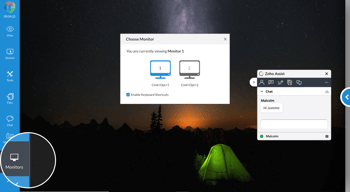
Multiple Screen capability & Unattended mode is very good. Point and click and you're in.
End users still need to download an agent
Remote Access capability. We use another Vendors product, but it is sometimes too complex to get people to be able to get a session connected. That just makes the Frustration levels rise. ZOHO's assist, still has a download of an agent to establish the session, but it does appear to be easier to use.
I love the way this product gives you all the professional features of "other brands" but their pricing is affordable.
There is not much I dislike at the moment. If there is one thing, I guess if you can make it easier to add this software to computers to use in the future.
We solve computer related issues for clients that may be ignorant to certain operating procedures. It allows us to fix a lot of user error issues saving us on the cost of shipping systems back and for for repair of simple issues.
How easy it is to use and tell customers where to go to join a session
maybe a few missing features that could make it as a contender to logmein or team viewer
Windows problems. email problems, 365 problems