

Unclaimed: Are you working at Adobe InDesign?
Adobe InDesign Reviews: 4.6/5 — Highly Rated
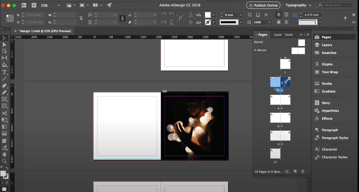
InDesign is another component of the Adobe Creative Cloud ecosystem, available as part of the whole library or as an individual purchase. The software‘s features is specific to publishing and designing online publications, brochures, creating info sheets, and similar materials. Adobe InDesign provides extensive access to stock images, supports team collaboration with robust tools and features, supports a great range of formats, and has access to regular updates and design features.

| Capabilities |
AI
|
|---|---|
| Segment |
Small Business
Mid Market
Enterprise
|
| Deployment | Desktop Mac, Desktop Windows, On-Premise Linux |
| Support | 24/7 (Live rep), Chat, Email/Help Desk, FAQs/Forum, Knowledge Base, Phone Support |
| Training | Documentation |
| Languages | English |
Adobe InDesign Pros and Cons
- Simplicity: Adobe InDesign is much easier to use than other Adobe products like Photoshop. It’s easy to add a range of features to your publication, including tags, anchor text frames, tables, captions, and more.
- HTML support: Adobe offers HTML exporting so you can easily share simple code with your colleagues during the web development process. You’ll also get functionality built into the app to assist with getting rid of DIV tags that aren’t necessary for your code.
- Industry standard: The fact that this product is the industry standard for publishing means you can find plenty of forum support and help out there to get you started.
- Connections to creative cloud: If you choose to do so, you can access InDesign and Photoshop at the same time, alongside other creative apps in the Creative Cloud.
- This is a product designed for people who know how to build publications
- Quite expensive compared to other products
- PDF comment integration is a little clunky in places






Compare Adobe InDesign with other popular tools in the same category.

Industry standard, easy to use. I learned how to use InDesign in University and have been using it for the past 5+ years in all my jobs. Great for marketing content like datasheets, whitepapers, brochures, guides. Great for alignment, consistency, etc.
The font compatibility and associated errors when passing from team member to team member is frustrating. Even though all team members have the fonts installed, sometimes errors in InDesign is still present. More collaboration capabilities
Consistency and templating makes it fast for creating additional documents. Time to publish is greatly accelerated.

You have the possibility to create some mastro pages and put inside many different link o immages or text in a specific position. In addition to that you can create your personal layout or take a free layout. Also you can link and match with other Adobe product and make esier your work.
Sometimes InDesign doesen't open pdf or other files, but i think it is unimportant problem.
Create different layout for any occasion and create a common layout for an agency or company. At the end, make more different options in a few hour for a client.
Adobe InDesign makes creation of many pages as easy as counting ABC but what is even more amazing is that it can perform any exercises no matter how many they may be and how large they may be. The design tools for Adobe InDesign are simple to use The Availability of great design and layout features like table creators, a great number of fonts, so many color potions, ability to resize images without altering their shapes and alignment lines make InDesign so great to work with.
Resizing images is one of the problems I usually face when using InDesign because one may end up not resizing the image but the coat of the image. Then also when I was using InDesign for the first time, I was confused by the points of measurement owing to the fact that they are not measured in inches or centimeters.
I have been able to create any kind of business cards, brochures, newsletters, magazines and any other documents that need design for my company. It is easier for me to create posters and small sized books about my company. I have also been able to create and design content for web.
Style sheets and advanced format tools make white papers, brochures, and e-books a breeze. A liquid layout is important when making changes at every stage of design. As well, I enjoy being able to drag elements on it's current x- and y-axis, something I can't (or can't figure out how to) do with Adobe Photoshop or Illustrator.
The interface isn’t as nice to use as Adobe Illustrator’s. As well, drawing shapes isn't as easy as I'd like. I find myself going back and forth between other Adobe products to achieve the look I want.
I’m bridging the gap between a boring MS word document and an overly stylized poster. InDesign allows me to create professional (and sometimes wordy) marketing collateral with effective design.
Adobe InDesign is great for projects such as flyers, reports, ads, etc that require both text and graphics. Easy to edit once you get the hang of it.
You need to spend some time learning how all of the features work in order to avoid frustration, but it's worth it in the end.
I frequently need to draft proposals and create ads and this software ensures that everything I produce looks like it was done by a veteran designer.
InDesign is the best platform for doing layout and design jobs. It has Adobe reliability and integrates with everything in the creative cloud seamlessly.
It does take a while to learn all of the ins and outs of InDesign.
InDesign allows my team to create the most professional looking layouts and subsequently the best product we can. It is easy to use for collaboration and integrates with other apps.
InDesign is a smart intuitive interface that delivers the most professional looking results. It's easy to use for all levels of users. It delivers the most layout options that are easily shared files among many teams to make sure all final pages are on brand and okayed across multiple teams. InDesign is my company's go-to to produce the most professional looking product.
I'm not sure this is a dislike, but the robust options make it tedious to learn all of the options and functionalities of the program.
InDesign allows my company to keep layout design in house to cut costs. It also allows multiple teams to have input in the final product.
What I love best is how well InDesign handles monstrous file sizes, and how well it can output the final product in a condensed package. InDesign has so much flexibility in creating templates, linking in files of all different types, and even editing on the spot in some cases. InDesign also allows for you to keep up aesthetics of presentations as a whole by using templates and imported libraries. The best of course is the ease of adding in and updating links. A simple click and it's done!
What I dislike is the major learning curve to InDesign. Since it such a powerful program, you have to know that you want to do before you do it~this can sometimes be wearisome for new users. Additionally, The layer management system within InDesign is clunky, and isn't as clear cut as programs like Photoshop. With this is the confusing aspect of placing items and the difference in 'crop' boxes and scaling these items. You must make sure you're clicked 'within' the item if you want to scale it within the 'artboard' boundary set by InDesign. This becomes even more tricky with the not fully 'functional' (when compared to Illustrator) in lining up items within. You can snap to these 'artboards' but not the actual content.
We are distancing ourselves from using clunky and not as strong programs such as PowerPoint. We have so much more control and design potential by using InDesign, and this has allowed us to benefit from presentations that have the same feel, and professional look throughout project's lifetimes. We also hadn't realized how much faster we could work when turning down the 'preview' quality, it allows for us to work more efficiently.

Adobe InDesign is a top, leading tool for professional layout, yet it's simple and straightforward to use.
It can turn your computer quite slow at times.
I use InDesign for a number of tasks, including tbuinding a professional-looking interactive portfolio that I can send out to prospective clients, presenting projects to prospective partners, presenting the development of current work in progress to clients and working on the layout of my own self-published books.
InDesign gives the ability to bring together graphics and produce a print-ready document within one platform. The functionality to create custom sizes is fantastic. There are a large range of presets available to be edited.
The only thing I could possibly dislike about this programme is that sometimes the CC Library drops out and doesn't allow you to feed over images easily. There is very little else that I can say about InDesign that I don't like.
We are solving our issue of being able to produce high quality content in house rather than outsource to external companies. By doing this, a major benefit is the cost. The cost of package compared to the charges for external agencies is large.


