Unclaimed: Are you working at GIMP?




GIMP Reviews: 4.3/5 — Solid Choice
The Gnu Image Manipulation Project, or GIMP, is a well-known alternative to Photoshop, given its affordability and similar features, including the ability to work with professional layers and fine-tune snap functionality. GIMP has a full photo editing interface available which you can customize to suit your needs. It features photo enhancement features that allow users to fix perspective distortion and explore filters. Digital retouching tools are also available, and users can save work in multiple file formats, including PNG, TIFF, and GIF. Because the GIMP environment is powered by a community of developers, you can expect a lot of regular updates and new features as well.
| Company | The GIMP Development Team |
|---|---|
| Year founded | 1995 |
| Company size | Myself Only employees |
| Headquarters | The GIMP project is developed by volunteers and does not have a physical headquarters. |
| Social Media |
| Capabilities |
CLI
OSS
|
|---|---|
| Segment |
Small Business
Enterprise
|
| Deployment | Cloud / SaaS / Web-Based, Desktop Linux, Desktop Mac, Desktop Windows |
| Training | Documentation |
| Languages | English |
GIMP Pros and Cons
- Regular updates: Because the GIMP environment is powered by a community of developers, you can expect a lot of regular updates and new features.
- Tons of flexibility: Aside from offering a range of file formats, GIMP also supports a host of platforms, including GNU, Linux, Microsoft, Mac, and more.
- Community: Community support is excellent, with plenty of brushes, texture packs, and extra features to download online.
- Free open-source software
- Excellent digital retouching and touch-up tools
- The adjustment layers are difficult to work with at times, and can be quite buggy
- The interface isn’t well-suited to mac users.
- Learning curve for beginners
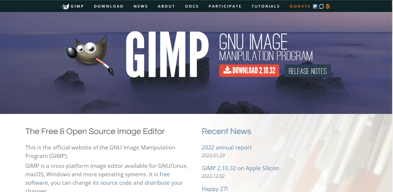
Compare GIMP with other popular tools in the same category.
Gimp has a free version that has basic photo edit software. My favorite is the batch sizing feature. It is easy to use. The feature keeps images sizes the same, so they don't become pixelated.
The batch sizing feature is slow and takes longer the more images it has to batch size. Another downside is there is no clear blur feature. I often need to blur out certain portions of the photo. One thing I would like to see is the ability to batch name the photos. Currently, it keeps the same name, and I have to go in and rename each one by hand. If this was implemented it would increase my use of the program.
I am able to batch size photos. This helps with time management and overall productivity.
GIMP is essentially a Photoshop of the free open-source software world. Again, it is free, that is the main benefit. It has basic tools for photo editing - curves, layers, filters, etc, so it is entirely possible to substitute Photoshop for basic editing. GIMP made a lot of progress recently and now looks much better than before. Especially I'd like to point out that it now occupies only one window, not multiple ones like few years ago - that is a huge improvement.
It took GIMP a lot of time to catch Photoshop like it is used to be 10 years ago. Unfortunately, a lot changed in these years, so GIMP is again trying to catch up. It still looks not very polished, and does not have as many features as Photoshop. Of course, there is no cloud behind it (like Adobe cloud), so there is no synchronization or other cloud-based features.
Raster graphics (photo and scientific visualization) editing. GIMP is free, that is the only benefit of it.
Gimp was the first software I used that introduced me to photo editing. Alongside with Paintshop back in 2005, it was simple enough to use. I liked how everything is very straightforward and more advanced than MS Paint. The best thing about it is that it is free.
The minimal options for photo editing in general. It is incomparable to Photoshop where their product is very user friendly and has easy to use keyboard short cuts.
Budgeting and improving photo editing therefore marketing and branding.
The fact that it is publically available and easy to obtain.
It's glitchy, slow and overall not a well-rounded software.
Editing pictures for use in presentations. Making graphics.
The easy to use interface is perfect for beginners
Its a bit too basic and for beginners to use
Used to create basic codeing for animation
The ability to use many of the same tools as adobe creative suite programs for free
Not very user friendly, if you haven’t used similar programs you would be lost
Editing visuals without needing adobe software
I wouldn’t recommend it for heavy photo editing, but the tools work well for quick cropping and exporting. It’s also free so that’s a plus!
The usability is poor. It can be very slow and tools are hard to find.
I use it for quick photo cropping and exporting.

Gimp is a free, open-source "image editor". Photoshop is pretty pricey, so this is a nice alternative without spending big (or any) bucks.
Gimp definitely isn't as robust as Photoshop is. If you're looking for a basic alternative, it might be ok.
I tried to use Gimp to create some basic marketing collateral pieces, but ultimately was frustrated by the program and ultimately recommended purchasing Adobe CC.
Easy to use, easy overview, small features
There are not enough features, the PSD to gimb feature doesnt work as good as it should be
Its easy to use for an entry level designer
It’s free, so of course you get what you pay for. It is also easy to download and compatible with most operating systems
The editing options are severely limited, It would be very difficult to access certain options. If I wanted to edit a photo in a specific manner I would use other software
I was trying to find software that could help me edit graphics, but this did not succeed in helping me with this task.
The Gimp app is below average for me as it's quite complex to use starting from image editing down to the photo editor really frustrating to use.
Very frustrating downloading and using it on my phone and the image quality is poor.
I am not getting the required results for my Photoshop work,so to me it's not solving my problems.
It has similarities to Photoshop but less user friendly
Gimp is NOT beginner - friendly. Free is nice, but I found that learning even the bare basics took more time than I had to put into it.
I really never got far enough to have an opinion.

I like best that this program is free and provides nearly the same tools as Photoshop does.
This program is almost impossible to navigate and half the time I cannot select tools or switch from one tool to another. It is harder to use than Photoshop and many other programs. I am sure there are better free programs out there.
This program was to be used mainly for graphics design, however, it has proved to be an inefficient resource. There was no harm done, however, because it was free to download.
You can't beat a free photo-editing tool, and it does allow for basic edits.
The interface is pretty unintuitive, and many of the basic actions you would do in other photo editors are impossible or much more time consuming.
This allows me to edit photos for clients, including basics like brightness and contrast, with a little more control than any built in software.
I like that its free, but it is terribly difficult to use. Its like the annoying little brother to photoshop. Everything takes longer, text is harder to use, the tools are harder to use, the set up is harder to work with. Its a good FREE program, but Adobe's Creative Suite is only $30/month. If you are doing a ton of editing, just pay for the best program.
Everything is just hard to use. It takes up a ton of space on my computer. For the longest time, every time I opened PDF it would open in GIMP. It did weird things to my desktop.
We switched because it took too much time to use. Previously, it was good for tiny edits. I still have it on my computer, but I never use it.
That it is free. That's literally the only thing good about it.
This program should only be used if you absolutely don't want to pay for photoshop and are done with its free trial. Its hard to use, there aren't tutorials like there are for photoshop and it sucks the space from your computer. All of my files started opening in gimp every time I clicked a pdf. Not a good product.
Literally zero.
I like that it's free and available to people that wouldn't otherwise have access to design tools.
I have tested GIMP myself repeatedly and simply do not care for it at all. yet to see any impressive graphics come out of GIMP compared to the industry standard software and I would never permit someone on my staff to use it for client work. It's a less intuitive interface and an inferior system.
None at all. I found GIMP stressful to use and have quickly uninstalled it every time I try to give it another chance.
This has some basic editing that can be helpful
It's not as good as photoshop, I would rather it be more fleshed out.
Photo editing
I love the open source and the quality of the tool that is a powerful Photoshop competitor for free. Good for kids and high school students who can't afford Photoshop to get their feet wet with digital painting and retouching.
The open source format creates a backdoor for viruses and Trojans. After a year and a half of using gimp, my computer slowed down so much I couldn't turn it on. Several hundred dollars and an uninstalled GIMP later, I switched to Photoshop.
It does not solve problems for business as it is a free app and no business should use it. It's good for a learning tool if you can't afford Photoshop
The first thing that comes to mind is the price. It's free. But you get what what you pay for. I would have to be be pretty desperate to use it. It has a few of the basic functions that Photoshop has but the interface doesn't exists so it was impossible to evaluate the full potential of this product. The best attribute is the ability to open a Photoshop document and do some limited image editing.
Since it's free, it's going to affect how a lot of would be designers and artists think about design software. It will give them a bad impression. Photoshop, the industry standard it difficult but GIMP is almost impossible to use. The thing I dislike the most is the lack of a user interface. No layers panel, etc.
WHEn I was re-starting my business after a catastrophe I did use GIMP to do a couple basic things like manually erase the background from an image. But since there is no layers panel, I had a hard time finishing the project in GIMP and switched back to Illustrator ASAP. Now I have Photoshop and don't have to deal with GIMP ever again
The leading FOSS digital imaging software title. Opens PSDs, which is a huge benefit for people who don't have Adobe CC, but need to export delivered files to different formats and sizes, for example.
GIMP is a great example of an open source project with a terrible name that should've been changed years ago. Getting it installed on school machines is an uphill battle, at the administrative level, strictly because of that name. It doesn't signal seriousness, and some may see it as crass. Ultimately, I stopped using GIMP because it couldn't keep up with Photoshop. Things like the AnimCouleur and AnimDessin animation extensions for Photoshop and PS's more robust support for non-destructive editing. GIMP is historically important, but at this point it feels like a bit of a relic.
For a long time it was a serviceable Photoshop replacement. It's still extremely useful, but in the last few years Photoshop has jumped away ahead in terms of features, especially for animation.

I'm so sorry and maybe lots of readers will hate on me for saying this but I've had multiple chance of using GIMP and I still consider it bad. So I like: nothing.
It's just a brutal version of anything graphic-related-software. It's not intuitive and not easy to use at all. I saw many people recommending it for beginners but I go against them and strongly say that this is not a good tool for beginners.
Noone.
The fact that there is a huge price difference between this and PShop is a huge advantage
The thing that I dislike the most about Gimp is that it isnt photoshop.
I tried it as a free download. Im not sure that I used it to the full potential though, and discarded it soon after returning the PShop
It is a free tool and it has improved in its latest versions, which with the plugins add-ons can reach a good level of editing.
The interface looks a bit obsolete, and it is not as intuitive as Photoshop (if you are used to the shortcuts)
Image retouch

As a starting graphic artist, GIMP was a great beginner program. It allowed me to get used to drawing via tablet and working with layers. I used a free version which was a perfect way to see if graphic design and art was something i wanted to do. Free is better than spending hundreds of dollars on program you won't use in the future.
Finding a usable version of GIMP was hard for me. All the files i found were either corrupted or containing viruses of some kind. You are also limited to pixel graphics using GIMP. This is fine for graphic illustration but for designers, there needs to be more variety.
Simply creating art. I have a side business creating digital art and GIMP was most useful.
Its cheap Is the only thing I can say for it
Almost everything , didn't find software user friendly
None
It was free. Photoshop is expensive so I thought this would be a good substitution. It isn't.
This program is very difficult to use. It doesn't have the same capabilities as Photoshop, contrary to what the description says. I don't even like the way the program looks.
I was hoping to use this program for photo-editing. It didn't work the way I needed, at all.