
Unclaimed: Are you working at Google Analytics?





Google Analytics Reviews: 4.5/5 — Highly Rated
Google Analytics is a platform that runs on the internet designed to give users in-depth insight into their website traffic as well as user behavior. Google Analytics is well known for its ability to track site visitors, monitor website performance, and review user engagement so users can improve their visitor’s site experience and boost conversions.
Google Analytics is also often used as Digital Analytics of choice in Indie Hacker and Marketing tech stacks.


| Capabilities |
AI
API
|
|---|---|
| Segment |
Small Business
Mid Market
Enterprise
|
| Deployment | Cloud / SaaS / Web-Based, Mobile Android, Mobile iPad, Mobile iPhone |
| Training | Documentation |
| Languages | English |


Compare Google Analytics with other popular tools in the same category.
I love being able to get a lot of insight from Google Analytics. This has helped us understand our website activity and maximize conversions from our active users.
Sometimes it can be hard to understand data and takes a long time to learn and understand. It is hard to understand the meaning of stuff without doing further google searches
Conversions on our website, user activity, behavior, demographics, understanding what people are doing on our website. We want to know what type of users we are getting and where they are coming from
I like the google analytics application, it shows real-time visitors on my website also, it shows me various metrics that help me to know which traffic is good for me and from where I am getting traffic.
I did not think i dislike google analytics web version or application.
Google Analytics application is just too good, it is on my fingertips. I can access it anytime. Also it help me to finalize my business model and create plan for each month like which medium is good performing and where should i have to improve on my website.
It allows us to track and understand customer behaviour, and content reach.
It's samples users data, No access to raw data, it grants you only aggregated information presented in summarised format. Restrictions on hits available for a user
You need to work with basic options such as standard reports,
I like that there are hundreds of data points you can filter by.
I don't like how some of the custom reports export.
I'm able to figure out how my audience interacts on my website and that helps with customer retention.
What I appreciate about google analytics is the richness and diversity of data and reports. Also the integration with other google tools like google ads or google data studio make it an essencial if you are into marketing data.
the non paid version sometimes has some trouble dealing with big loads of information, mainly when exporting it. I can never export at once the information for a full month of sales transactions. I have to download it week by week.
website traffic analysis, customer funnel, CR analysis
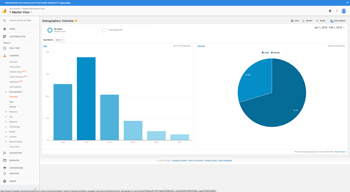
The best part about Google Analytics is that you can find the number of users from certain demographics who are coming to our website. This helps immensely in targeting the paid ads also to the right audience
I am not sure whether I can tell I dislike this but I wish there was a functionality where I can also get the revenue data recounted for the refunds we have done.
I am using Google Analytics to analyze the kind of audience who are coming to our website, their age, geography, device, OS. All these data help me in optimizing my website and ads accordingly.
I love being able to track a bunch of different things on my websites. User behavior and lead reports are just two of my favorite things I can do with this software.
Some features require a higher plan to set alerts for example. It is not a huge dislike but it definitely is a bit annoying.
I can track my websites and see where clients are coming from and where I lose them to fix problems and or market differently
I love how easy it is to see all of your analytics in one place, along with the breakdown of every category in an easy-to-read manner.
I don't particularly appreciate that it can be glitchy sometimes.
I can see how well the business is going and where I need to improve.

Google Data Analytics automatically make it Business-Ready.
when, and how user struggle is affecting
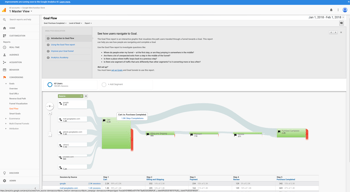
Smart funnel See visually how your users plod at your internet site or app. Decide in-case the path you generated for them works as expected.

It's a great way to discover who is visiting your website and to understand who you are reaching through your website. I use a simple plugin on the website dashboard that works easily.
I can't say anything that I dislike about Google Analytics. It takes a little bit of knowledge to start your first Google Analytics account, but once it's created it gets easier.
Not that I'm solving problems, but I am learning who is visiting my website. I get the times the viewer is looking at my site information and I can learn what devices they are using.

I love the ease of use, and the depth and breadth of the analyst is provided. I was able to gather information such as how many viewers went to a blog post, how long they were on the page, and more!
The learning curve was steep, but once I got past it, I was good to go! It is absolutely worth getting past the learning curve, as the data provided is critical to getting a gauge on content interaction and website traffic.
We were gaining a deeper understanding of website traffic to blog pieces and web pages. It was insightful to see which blog pieces were most popular. That allowed us to modify our trajectory based on the popularity of specific posts.
Google helps us to understand the traffic to our website, who comes to visit our website, from what sources, what products they look at, what is the conversion rate.
Sometimes it is difficult to find the data you are looking for.
It helps us to understand our target audience and traffic sources.

Regardless of any other kind of web analytics out there, two things just make sense using Google Analytics, it is a Google product which means you can rely on it and secondly, it is absolutely FREE. Now, really, nothing can top this. It is one of the best if not the best web analytics platform ever made and so many other tools use Google API anyway.
Now, this is one is very challenging for me to decide on. However, I will say the new GA4 to replace the normal analytics we are used to lack some few features or its been hidden or move around, which makes it a bit difficult t understand the new platform. However, its still a very good tool
I am solving a ton of issues with this one especially the ability to create a dashboard for clients to see their website analytics and also able to create many other analytics views for them as well.
A very powerful tool to better understand how people access your websites and the results
You see how many people access your site, but not who. For it you will need, for example, Ruler Analytics
Website analytics and campaigns metrics
Very easy to integrate within the organization if you already use googles suite of office products.
Features and functionality wise this still has some catching up to do when compared to adobe analytics. Googles data also takes quite some time to aggregate, so real time analytics are limited
Google analytics really helped us identify friction points on our marketing website . We were able to run experiments and monitor CTA performance very easily, without a lot of technical help

Google Analytics is incredibly powerful. The insights it provides are almost scary. I totally agree it's a little intimidating to get started. But even if you don't totally understand what you can do with it, just install the code for starters and figure out the rest later.
Google Analytics is SO powerful and there's SO much you can do with it, that it's really overwhelming to learn. There's no other way to put it. Take all the training from Google you can find, and pay people if you have to, to figure it out.
Google Analytics provides vast amounts of data about website visitors. It also integrates directly with Google Ads so you can take the audiences Google Analytics makes based on your website visitors and market to each segment directly.

You can track your website's traffic and get the data to make informed decisions for what helps you best to increase quality traffic and grow your audience.
Is it not that easy to understand and use you hace to investigate a lot to know were to find the relevant information your need for making decisions for improving quality traffic
We can attribute quality traffic to each network, analyze the reboot and what can help us to improve our marketing strategies and improve the quality of our site
What I like best about google analytics is that it does all the work that revolves around measuring application sites and network applications so that it is able to be used for making decisions on marketing strategies and search optimization.
The downside for google analytics is that it sometimes provides unuseful information that will not necessarily be helpful to most people and the data generated is not always accurate since some information can be missed.
Benefits being realized feom google analytics is that the data they generate allows for being able to understand the target audience for products and also unerstanding user behavior so that it can influence successful marketing techniques in the future to generate increased sales and market value.
Google Analytics allows you to track many things to help you improve your marketing efforts. It provides valuable insight to our company and shows us where we can improve.
It takes a lot of learning at first, but once you get the hang of how to use it properly it gets a lot easier. Don't let it overwhelm you!
We use this daily to ensure our website and marketing campaigns are operating at their fullest potential. It definitely helps to be sure you aren't missing any potential revenue.
I like that Google Analytics is a free tool for your website. It is very accurate and it displays very useful information related to website traffic.
The UI should be simplified for beginners. There is a learning curve and the current design can be very overwhelming for new users.
It is useful to improve traffic to your website and to track streaming sources. One of the huge benefits is using the software to perform SEO analytics.
Google analytics is our single source of truth internally in the marketing team. We do not have any other web analytics in place, so GA is really valuable to us.
It's proving very hard internally to migrate to GA4, both from an approach point of view but also because of the implementation.
Analysis, analytics, session based reporting and benchmarking and reporting on our key business objectives.

You can create rules and monitoring a lot of event in website. It gives various data about your website. You can linked other google tools and measure this data.
Sometimes it can be difficult to get data on the same day. I think data issue needs to be developed. For example It may not be possible to see the results of a campaign I made on the same day.
I can measure my campaign easily. I can decide whether I should continue with the ads by measuring the performances. For example facebook, google ads, criteo etc. I can see user behaviour and I can improve my website according this data.

The ease of using the website and the app is the best thing I like about this and it is absolutely terrific in terms of all the analytics and the traffic to be tracked on the website. It certainly helped me increase sales and capture new users.
The difficulty level of the website in terms of too many reports and the terms for a novice makes it difficult at first but then it becomes easy to get the groove of it.
Used it to increase the traffic for the website I owned and this software made my job easy on how to properly make use of the insights and enhance the business models. Helped me track different sale models and how to implement them. Even the mobile app is beneficial in tracking the data on day-to-day basis.
The best part of Google Analytics is the vast majority of data and insights offered, all for free in a simple, user-friendly platform. The integration with Google Tag Manager makes Google Analytics a premium product.
The only thing I dislike about Google Analytics is the lack of customizability. There are some customizable aspects, like creating a custom report, but you can't customize the look and feel of anything within the platform.
Google Analytics helps me understand user behavior on my website and my client's website.
The consistency of all the data, very good application. I love how you're able to get details by drilling down in specific pages and URLs. That's extremely handy.
The organization of the different sections, it's not easy to find the different aspects. For example, someone wanting to build a funnel may get confused about the different steps and need to integrate code on their page.
It helps us identify which pages are doing good and which pages are not doing so good. The quality of the data collected was amazing, it's amazing quantitative data.
That is free! Apart from that (if something's free, you are the product...), Google Analytics includes several sets of data gathered from the site or the app you want to monitor and lets you sort them out in various ways, according to your needs. You can also set up custom dashboards to show the most relevant metrics and send them automatically via email every week/month.
The learning curve is not linear. It's pretty straightforward to read the main graphs and tables, but when it comes to display more in-depths correlations, things start to get more complex. There is plenty of Google Analytics official and third-party guides, though, so you can find your way among numbers with a little effort.
It's my one-stop choice to measure the traffic, the conversions, and the success of a website or an app. The data Google Analytics provides are a helpful instrument to adjust your online presence to maximize its ROI and obtain the best results. It indeed suits small to medium traffic websites. I cannot speak for big websites with thousands of pages and million pageviews a week as it's not my market niche, but I guess it works just flawlessly. It integrates seamlessly with Search Console and Tag Manager, as well as Ads.

Google Analytics is one of the most useful software you can have regarding your website traffic performance and other platforms to get traffic on. For instance, Redbubble print on demand or Teespring allows you to connect your Google Analytics account to them. The analytics give you insight into your traffic and where it's coming from. They also show the countries from which the traffic is being generated, and keywords for which you are ranking.
I can't say a bad word about Google Analytics. The software is free to use and connect, they have many insights, and it's hard to find a bad thing. The only thing they might improve on is the mobile application and how information is showing on it.
Google Analytics helps me in a great way to track the performance of my websites. It gives me insights regarding my traffic and the keywords I am getting search traffic from. The software is free and I can't recommend it enough. If you are still not using Google Analytics, there are tons of tutorials on Google and even on Youtube, if you find videos to help you understand easier. The realized benefits are huge and the info this software gives back to your is immensely helpful.

Gives a ton of insight into what is working on your site vs what needs improvement. Also tells you a lot about your audience
It is a little difficult to learn how to use it but after taking some of the classes, you can figure it out.
Collecting information about the audience and how to best target them, it provides information without taking advantage of the user
The insights it provides helps me understand how effective my content is on a website. It gives detailed analysis of the web traffic. The click through rate and clicks received. The conversion rate it provides helps me understand how many people we have targetted.
Would like some more detailed analysis on demographics. This is something I dislike a bit about Google analytics
It is the best software to understand web traffic. Amazing detailing helps me save a lot of time. And detailed analysis helps me understand how effective my website is.
I love that I can see which campaigns my customer went through to make a final purchase.
I really dislike Google analytics for properties. They don't have as extensive metrics as I want. But, it seems google is pushing it onto me.
Looking at what traffic comes to the website and where people go before making a final purchase or conversion.