

Kinsta Reviews: 4.8/5 — Highly Rated
Kinsta is a cloud-based host that offers managed WordPress plans backed by reliable server power and optimization that is hard to beat. It’s famous for easily overtaking competition in performance tests and being very easy to use while ensuring that everything–from hosting to server setup is taken care of for users.

| Capabilities |
API
CLI
|
|---|---|
| Segment |
Small Business
Mid Market
Enterprise
|
| Deployment | Cloud / SaaS / Web-Based |
| Support | 24/7 (Live rep), Chat, Email/Help Desk, FAQs/Forum, Knowledge Base, Phone Support |
| Training | Documentation |
| Languages | English |
Kinsta Pros and Cons
- Very reliable teachnical support
- Can reliably accommodate traffic spikes
- Optimized for ecommerce
- Incredibly fast platform
- No phone support
- More expensive than average
- No email hosting provided






Kinsta’s WP 2 plan gives you two WordPress installs and 20 GB of storage — 10 GB per site. Its WP 40 plan gives you forty installs and 60 GB — 1.5 GB per site. Installs multiply twentyfold across that range and server bandwidth twelvefold, but total storage rises only threefold. So the more sites you host with Kinsta, the less room each one gets, and by the top Business plan the allowance per site has fallen 85%.
- What it is: A premium managed WordPress hosting platform used by 230,000-plus businesses.
- Best for: Agencies and businesses that want performance and support over raw storage.
- Pricing: Single site from $35/month; Business from $70 to $450/month; annual billing gives 2 months free. Verified July 2026.
- The honest catch: The free first month applies only to the two cheapest plans.
What Is Kinsta?
Kinsta is a premium managed WordPress host running on Google Cloud, aimed at people who would rather pay more than think about servers. It holds 4.8 stars from more than 1,200 G2 reviews, carries SOC 2 and ISO 27001, and offers up to a 99.99% SLA on enterprise agreements.

Billing rests on three meters — bandwidth, visits, and WordPress installs — though on the published Business ladder visits are not actually capped; bandwidth and installs are what move.
Above the standard plans sit dedicated servers from $300 a month and Enterprise from $500 a month, the latter with custom terms, wire payment, and account management.
How Kinsta Works
- WordPress installs and bandwidth are the meters.
- Annual billing gives exactly two months free on every tier.
- Storage scales far slower than installs.
- The first month is free on the two cheapest plans only.
- Unlimited free migrations on every plan.
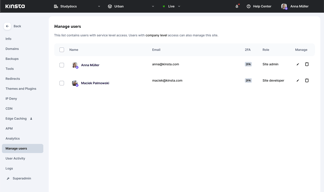
- Unlimited users with flexible access management, at every tier.
Kinsta Pricing
Captured from Kinsta’s pricing page in July 2026 in US dollars, reading both billing intervals. Prices exclude tax.
| Plan | Monthly | Annual total | Installs | Server bandwidth | Storage | CDN |
|---|---|---|---|---|---|---|
| Single 20GB | $35 | $350 | 1 | 20 GB | 10 GB | 125 GB |
| WP 2 | $70 | $700 | 2 | 40 GB | 20 GB | 250 GB |
| WP 5 | $115 | $1,150 | 5 | 65 GB | 30 GB | 500 GB |
| WP 10 | $225 | $2,250 | 10 | 125 GB | 40 GB | 750 GB |
| WP 20 | $340 | $3,400 | 20 | 250 GB | 50 GB | 1,000 GB |
| WP 40 | $450 | $4,500 | 40 | 500 GB | 60 GB | 1,500 GB |

What actually decides your plan:
- Storage is the allowance that does not keep up. Between WP 2 and WP 40 the install count rises 20×, server bandwidth 12.5×, and CDN bandwidth 6×. Storage rises 3×. Per site that means 10 GB falling to 1.5 GB. For forty brochure sites that is probably fine; for forty WooCommerce stores with product imagery it is not, and storage is the constraint you should size the plan against rather than the install count.
- Per-install cost genuinely improves. $350 a year per install on WP 2, $230 on WP 5, $225 on WP 10, $170 on WP 20, and $112.50 on WP 40. That is a real, steep volume discount — unlike several products reviewed here this month, Kinsta’s ladder rewards scale consistently and never reverses.
- The two-months-free annual claim is exact everywhere. WP 2 is $70 monthly and $700 annually, WP 5 $115 and $1,150, WP 40 $450 and $4,500. Every annual price is precisely ten times the monthly one, which is what “2 months off” should mean and frequently does not.
- The free first month stops at WP 2. Single 20GB and WP 2 both carry it; WP 5, WP 10, WP 20, and WP 40 are all marked “No”. So the plans most likely to be evaluated seriously by an agency are the ones that cannot be trialled free.
- The annual price is displayed as a monthly equivalent. WP 2 shows “$70” and “$59” side by side — $59 is $700 divided by twelve, not a rate you can pay monthly. Compare $70 against competitors’ monthly rates and $700 against their annual ones.
- Ecommerce readiness starts at WP 5. Kinsta’s own table marks WP 2 as not recommended for ecommerce or membership sites, with every tier above it marked yes. If you are hosting a store, WP 2 is not the entry plan regardless of how few sites you run.
Who Should Use Kinsta
- Agencies managing client sites. The clearest case — per-install cost drops steeply and the agency tier adds directory listing, unbranded admin, and account management.
- Businesses that value support over specification. The premium here buys people and uptime, not gigabytes.
- Sites needing compliance. SOC 2 and ISO 27001 as standard.
- Teams of any size. Unlimited users with access management on every plan, which is rare in hosting.
It fits poorly for storage-heavy portfolios, given 1.5 GB per site at the top; for anyone wanting to trial a larger plan, since the free month stops at WP 2; and for budget-conscious single-site owners, where Hostinger or SiteGround cost a fraction.
Honest Pros and Cons
Strengths
- The two-months-free annual discount is exact on every tier.
- Per-install cost falls steeply — $350 to $112.50 a year.
- Unlimited free migrations on every plan.
- Unlimited users with access management, at every tier.
- SOC 2 and ISO 27001 as standard, not enterprise-only.
- 4.8 stars from 1,200-plus G2 reviews.
Limitations
- Storage rises only 3× while installs rise 20×.
- 1.5 GB per site on the top Business plan.
- The free first month excludes WP 5 and above.
- WP 2 is not recommended for ecommerce by Kinsta itself.
- Annual prices are shown as monthly equivalents, which invites mis-comparison.
- Prices exclude tax.
Kinsta Alternatives and How It Compares
- WP Engine is the closest premium managed-WordPress competitor.
- Flywheel targets designers and agencies with a similar philosophy.
- Cloudways gives managed hosting on your choice of cloud provider, usually cheaper.
- SiteGround and A2 Hosting sit in the mid-market.
- Hostinger, Bluehost and DreamHost are the budget options.
- Liquid Web competes on managed VPS and dedicated infrastructure.
For a broader survey, browse our managed hosting directory.
The Verdict
Kinsta is expensive managed WordPress hosting that mostly earns it. SOC 2 and ISO 27001 on every plan, unlimited free migrations, unlimited users with proper access management, and 4.8 stars across 1,200-plus G2 reviews add up to a product bought by people who would rather pay than debug. Its volume pricing is also honest in a way that stood out this month: per-install cost falls from $350 a year on WP 2 to $112.50 on WP 40, steadily and without reversing, and the “2 months off” annual claim is exactly true on every single tier — each annual price is precisely ten times the monthly one.
The allowance to size your plan against is storage, not sites. WP 2 gives 20 GB across two installs; WP 40 gives 60 GB across forty. Installs multiply twentyfold and server bandwidth twelvefold over that range, while storage merely triples — so per-site space falls from 10 GB to 1.5 GB, a drop of 85%. An agency running forty small marketing sites will never notice. An agency running forty WooCommerce stores with real product catalogues will notice immediately, and the fix is buying a bigger plan for storage you would not otherwise need.
Two smaller things to know before committing. The free first month applies only to Single 20GB and WP 2 — every plan from WP 5 upward is explicitly marked “No”, which means the tiers an agency would actually evaluate cannot be tried for free. And Kinsta’s own table marks WP 2 as not recommended for ecommerce or membership sites, with everything above it marked yes; so if you run a store, your entry point is WP 5 at $1,150 a year rather than WP 2 at $700, however few sites you have.
FAQ
How much does Kinsta cost?
Captured in July 2026 in US dollars, excluding tax: the Single site plan is $35 a month or $350 a year, and the Business plans run WP 2 at $70/$700, WP 5 at $115/$1,150, WP 10 at $225/$2,250, WP 20 at $340/$3,400, and WP 40 at $450/$4,500. Dedicated servers start at $300 a month and Enterprise agreements at $500.
How much storage does Kinsta include?
Less than the plan names suggest as you scale. WP 2 includes 20 GB across two installs, WP 5 30 GB across five, WP 10 40 GB, WP 20 50 GB, and WP 40 60 GB across forty installs. That works out at 10 GB per site at the bottom and 1.5 GB at the top. Storage rises threefold across a range where install counts rise twentyfold.
Does Kinsta’s annual billing really give two months free?
Yes, exactly. Every annual price is precisely ten times the corresponding monthly one — $70 becomes $700, $115 becomes $1,150, $450 becomes $4,500. Note that the pricing page displays the annual figure as a monthly equivalent alongside the true monthly rate, so WP 2 shows both $70 and $59; the $59 is $700 divided by twelve, not a payable monthly rate.
Which Kinsta plans include a free first month?
Only the Single site plan and WP 2. The pricing table marks WP 5, WP 10, WP 20, and WP 40 as “No” for first month free. That means the multi-site plans an agency is most likely to be assessing are the ones without a free trial period, so evaluate on the smaller plans or negotiate directly.
Is Kinsta suitable for ecommerce?
From WP 5 upward, according to Kinsta. Its own comparison table marks WP 2 as not recommended for ecommerce or membership sites, while WP 5, WP 10, WP 20, and WP 40 are all marked as suitable. So a single WooCommerce store points you at WP 5 at $1,150 a year rather than the cheaper multi-site plan, regardless of how many installs you actually need.

Compare Kinsta with other popular tools in the same category.
Our experience with Kinsta as our business web host for nearly twelve months has been absolutely exceptional. It has, without a doubt, been the best supplier experience we have ever had. The transition from AWS to Kinsta was seamless, thanks to their efficient and knowledgeable support team, who made the process simple and jargon-free. Kinsta's tech support has been outstanding whenever we needed assistance. Their team is always available, and they go above and beyond to help us with any technical challenges we face. Their expertise has been invaluable to us. With Kinsta as our web host, we have complete confidence in our website's security, speed, and reliability. Having our website backed up by their first-class support has been a great relief, as it means one less thing for us to worry about on a daily basis. We highly recommend Kinsta to any business seeking a reliable web hosting solution. Their exceptional services and support have made them stand out from the rest by a long way, and we are extremely satisfied to say our business is powered by Kinsta.
There are no downsides to using Kinsta. We have been using their services for almost twelve months, and thus far, there is neither a dislike nor anything we would change. They have done and do as they have promised, which is to keep our site up, running fast and secure.
Kinsta enables us to run our business without worrying about our web host. Put simply, prior to Kinsta there was always a doubt that our service/s were not always performing optimally. With Kinsta, we have experience in benchmarking their support and service and find it to be outstanding. The problems that Kinsta are solving for us is they mitigating any/all problems thus far.
Kinsta has very reliable hosting and uses the AWS backbone which is great for speeds and uptime. Nice to have the SSL certs automatically generated.
No real issues, slightly pricier hosting than some of your more budget options, but the speeds are much better.
Reliable Hosting
Kinsta works. We are exceptionally happy that we selected Kinsta for WP hosting. Kinsta support is amazing.
Would like options to more easily improve site speed.
Kinsta offloads one of our WP key sites from one off our other mission critical servers.

Highly reliable host with responsive support and an easy control panel.
A little pricey, but still a great value for the peace of mind.
Optimized for speed and simplicity of hosting, backups, whole site migrations, etc. I have spent at least 80 less time administering our site since migrating to Kinsta.
Their chat support is always available and actually understands your issue - they don't outsource to people who don't understand tech the way so many hosting companies do
Have not had any problems. Not the cheapest host but you get what you pay for
With Kinsta we have a reliable host for our marketing site - our traffic grows every month and it's never a problem

Speed, performance, security and fantastic support.
Just the cost, but then you get what you pay for with web hosting.
Solid and super reliable web hosting.

The customer service is not only fast, but efficient and very friendly. They make me jelous.
The cost is high, but you get what you pay for.
KInsta gives me the fastest load time in my local market, which is important because I'm a photographer. I use large, high-ish res images and they need to load fast.

Can't recommend Kinsta highly enough from the support, free migrations and superb speed. Add in the superb control panel and it's an unbeatable mix.
A little expensive, but you get what you pay for. Would be nice to be able to add individual sites rather than blocks of 10 too
Uptime, security alerts
Kinsta is an all in one Wordpress hosting environment with easy to access features like Cloudflare, plug-ins, themes, PHO, redirect management etc. They provide access to their CDN network too all under one roof. Backups are super easy to manage with self hosting options on AWS and Google as an option.
I dont have any dislike yet and don think i will to be honest.
When its came to our business website, we wanted everything under one roof, from hosting, DNS, CDN security etc and thats exactly what Kinsta provides.
The best thing about Kinsta is the customer service. I have not had any real problems with my service but whenever I've wanted to do something a bit different or a bit specific and I've hit the end of the road in what my Googling allows - I know I can hit someone up in the chat window and they'll do everything they can to help me. I run my website myself and whilst I have some very basic technical knowledge, I can only get so far on my own. The Kinsta team always respond really quickly when I ask "What is this and how can I do Y" and just take care of it for me. I'd really miss that if I left. The hosting seems fast enough and the interface is simple to use with lots of things designed to make it more efficient.
The main downside is that it does cost more than similar providers and I can't really work out if it's much faster than them. In my head, I'm paying pennies for an assistant web engineer (as mentioned in what I like best) but I can't say it's the fastest out there compared to others.
I host my website with Kinsta and being able to have a reliable high quality and supportive team behind the scenes working on my website when that's my primary way of making income makes me feel very secure as opposed to other platforms where I haven't felt valued.
It was really easy to set up my hosting account, my Wordpress instance and email MX records. I am not very tech-savvy but it was easy to start and easy to maintain. The greatest compliment is that I don't have to think about it. My hosting environment just works. My site is super fast also.
I haven't had any issues honestly. Whenever I had any questions, their support was there to provide assistance. I would like billing in CAD$
I needed a fast, secure and easy to set up host for my Wordpress site. I am very happy with the result.
Could not be more happy with Kinsta. They have excellent customer service and are generally on top of everything. It's very valuable to any business owner.
Nothing. Things are running smoothly and in the event there is an issue, Kinsta fixes it immediately.
Kinsta does a great job with our hosting. We have an excellent website and can trust that it is in good hands with Kinsta.
Its excellent user interface which is very easy to use. It provides all the info and stats needed to manage our website.
Don't have any dislikes relating to how Kinsta operates.
It provides excellent response for our users all over the world.
I've used many of the "Top" hosting services over the years and nothing quite compares to Kinsta. Their interface is easy, the tools are well thought out, and the support is incredible. I've spent thousands upon thousands of dollars on developers and previous hosting plans simply trying to improve my site speed. The moment I migrated over to Kinsta, might site loads lighting fast, and easy-to-restore backups give me confidence to make updates and changes without losing sleep at night.
My one quarrel is standard daily, hourly, weekly, and manual backups only last for 14 days. You can bypass this by connecting an S3 or Google cloud account, but it would be nice to store backups directly in the system for a longer duration than this - I can easily see a scenario where my site has been quietly hacked and I don't notice for, say 15 days. In this scenario, I would not be able to override the hack. Again, you can accomplish this by simply logging into an S3 or Google Cloud account, but it's an extra step that doesn't seem necessary to lock in one or two long-term backups.
Kinsta is an easy-to-use hosting platform with convenient tools and really great support. I used to lose sleep at night thinking what would happen to our websites until Kinsta came along.
Stable, great support. We were coming from a chain of miserable hosting platforms attached to various sad experiences - getting to Kinsta was a wonderful surprise!
Nothing to dislike! We did not have any problem with Kinsta.
Safe as in no site takeovers (which did happen with other hosts), watchful eye if something isn't right, stable (no timeouts).

Kinsta is extremly fast and easy to use. the tech support is amazing and helped us reach 90+ pagespeed on mobile and desktop. Next to that it is hassle free, al insdustry standard serivces are included such as cludflare and their CDN
Kinsta lacks room for a mail server, so we have to arrange that seperatly now, that's the only dislike next to the high price ( that's worth it tough!)
Fast and reliable website without any hassle
Ease of use, service and fast site speed
Premium price - you get what you pay for
I have a Wordpress photography blog and small business website. I previously used a budget host, performance was slow and I wasted time tinkering with plugins. Migrating to Kinsta led to an immediate boost in performance greater than any plugin came close to achieving. Also I have found Kinsta's customer service to be quick and incredibly helpful. The user interface is easy to use, and the 1-click staging facility is incredible. 10 out of 10 thank you Kinsta.

Kinsta makes starting and running a WordPress site absolutely mindless. I have used so many other shared-hosting providers (Siteground, Bluehost, HostGator, Hostwinds, and several others), and nothing can even come close to the value I receive from Kinsta. I remember discovering Kinsta 3.5 years ago (I looked through my emails to verify the date I first signed up) and was totally shocked by how simple Kinsta made every single task, from starting up a site to securing a site to managing DNS records. Complex tasks and configurations that took days to accomplish with other hosting services took literally minutes to accomplish with Kinsta. And the loading speeds are also a world better than any other service I've used.
Kinsta is much more expensive than other providers, but it has always felt overwhelmingly worth it. I have always enthusiastically recommended Kinsta to everyone who has needed hosting.
Making web hosting super duper simple, secure and quick. I can always rely on Kista to help me get a site up and running within literal minutes.
Great customer service, very easy to get in touch with the customer support, instant real human help :)
Pricing could be more competitive, compared with some of the other companies.
One stop solution for my hosting needs.
Kinsta has always been really useful to manage my own website and all my clients websites from the same place. I love how Kinsta is informative and always keeps us up to date by sending the relevant information and warnings before it could become critical .
I preferred the previous website and dashboard layout but I think it is just a matter of time for me to get used to it.
I love the fact I can access all my clients' companies websites from the same page in a matter of click and administrate them without having to login to each separately.
I've tried hosting from all of the "major" players like GoDaddy, BlueHost, etc - and nothing has come close to the security, performance, and support that Kinsta offers.
This isn't a dislike, because I'm aware you get what you pay for - but the price is a little steep. At the end of the day, though, it's been worth every penny. When I've used cheaper plans in the past, I end up paying more in the long rong when issues arise. I've never had any issues with Kinsta.
I've had my own Wordpress development business for the last decade, and I've experienced everything from downtime, hacked accounts, and lost files with other providers. Since moving to Kinsta, I haven't experienced any issues at all with Wordpress or managed hosting.
As a website developer, I have used many different hosting providers over the past decade. I have been blown away by the hosting speed, stability and customer support I've experienced with Kinsta.
As a premium cloud hosting provider, Kinsta can be costly, but you are 100% getting what you pay for when it comes to quality service.
For the type of company that I have, quick and reliable website hosting is a requirement. Our website pages often contain large amounts of media content, some of which are high in file size, so we regularly utilize the speedy hosting that Kinsta provides.
After using my own server for years, Kinsta provided me a very fast, efficient, secure and reliable alternative.
More options in pricing would be great to have.
Kinsta is solving the problem of having to manage my own server. How everything is monitored and I get notified of any issues is just wonderful.

Kinsta has been unwaveringly fantastic since I first started using them ~10 years ago. Their hosting service is unparalleled for WordPress hosting; it's speedy and secure. Their support is phenomenal. I have hosted over 10 different websites on Kinsta and have rarely had any technical issues. However, when I do, their support team is friendly, fast, and extremely helpful. They'll dive into my website code, help me troubleshoot, send new code via the chat window to try out, and more. They're amazing.
I wish the pricing was more flexible to add a third website. I have 2 in my account right now, and want to add a third, but the next upgrade option hosts 5 and the price jump is more than I have budgeted.
Provides a critical hosting need, with every bell and whistle you could want for website speed and security.
It is easy to use. The websites are faster than other hosting sites. The tech support is very helpful and know what they are doing.
There is nothing I dislike about Kinsta.
The speed of the websites are faster then other hosting sites.
We have been using Kinsta for 4 years now. Everything from the platform, the customer service, the speed of the website is just wonderful. Much better than the competition and the previous hosting services we used. Especially beneficial was the knowledge database that thought us a lot about developing a better website.
The pricing is high, especillay for small businesses like ours. It would be nice if there were chpear options with less features. Also for first time users the amount of features and details is a bit overwhelming.
We have been using Kinsta to host an E-commerce website with an external developer. There are a lot of picture videos and customized and interactive features for our website which take a lot of space.
Instant Support and server uptime are the most important factors of Kinsta for us as a website design business.
At present we have not experieced any issues to complain about. The only mention would be if there were slightly cheaper options for bulk server hosting.
Server speed is great for those heavy built WP sites that we create occasionally, Kinsta server config really does boost the speed.
Extremely easy to use, doesn't hide technical details by pretending to be magic, and 100% reliable.
Nothing to complain about at all so far.
We switched to Kinsta due to reliability problems with Bluehost. The switch was trivially easy, added several useful features, and has run with 100% reliability ever since.

A few years ago, our company made the switch to Kinsta for our web hosting needs, and it has been a truly transformative experience. Kinsta offers an unparalleled combination of performance, reliability, and customer support that has positively impacted our online presence. Their cutting-edge technology, powered by the Google Cloud Platform, ensures lightning-fast load times and smooth website performance, keeping our visitors engaged and satisfied. The scalability that Kinsta provides has been a game-changer for us, allowing us to effortlessly adapt to our growing audience and business demands. The Kinsta team has been incredibly supportive from day one. Their 24/7 customer service is exceptional, always going above and beyond to answer our questions and resolve any issues promptly. Additionally, the wealth of knowledge available through their blog and online resources has been invaluable in optimizing our website and staying up-to-date with industry best practices. Since making the switch to Kinsta, we have seen a significant improvement in our website's uptime, load times, and overall performance. We highly recommend Kinsta to any business or individual looking for a top-notch web hosting experience. Their services have truly exceeded our expectations and have been a driving force behind our company's online success.
Slightly higher pricing compared to some competitors, but the exceptional performance and support make it a worthwhile investment.
Kinsta is solving a variety of web hosting challenges for our company, providing significant benefits in terms of performance, reliability, and customer support. By delivering lightning-fast load times, Kinsta ensures a smooth and engaging user experience for our visitors. Their top-notch scalability allows us to grow and adapt to increased traffic and business demands without any hiccups.
Kinsta has always powered a fast and hassle-free hosting experience for my site. Support has been responsive and their platform is easy to use.
It is a bit on the expensive side, and there is no phone support.
It is providing me with fast and easy hosting for my website.