
Unclaimed: Are you working at LastPass?
LastPass Reviews: 4.5/5 — Highly Rated
LastPass is a popular and easy-to-use password manager with premium features and great security tools and multiple account recovery options. Adding an advanced layer of security, the platform offers multi-factor authentication and time-based one-time password protection, dark web monitoring, a one-to-one authenticator, and secure notes. LastPass also offers effective pricing, with a freemium plan that covers extensive features and tiered plans with more robust security features and tools.
| Company | LogMeIn, Inc. |
|---|---|
| Year founded | 2003 |
| Company size | 1001-5000 employees |
| Headquarters | Boston, MA, United States |
| Social Media |

| Capabilities |
API
|
|---|---|
| Segment |
Small Business
Mid Market
Enterprise
|
| Deployment | Cloud / SaaS / Web-Based, Desktop Chromebook, Desktop Mac, Desktop Windows, Mobile Android, Mobile iPad, Mobile iPhone |
| Support | 24/7 (Live rep), Chat, Email/Help Desk, FAQs/Forum, Knowledge Base, Phone Support |
| Training | Documentation |
| Languages | English |

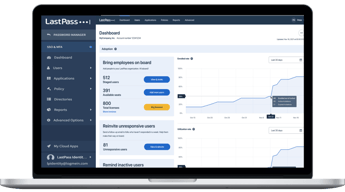
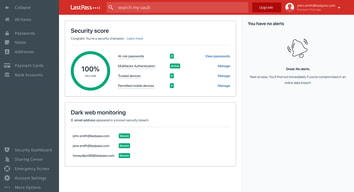
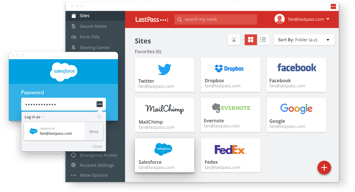
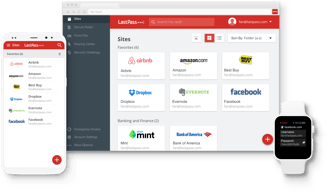





Any honest review of LastPass has to start with 2022, when attackers exfiltrated encrypted vault backups for the company’s entire customer base. The vaults were encrypted, and well-protected ones remain so. But that data is permanently in criminal hands, and researchers have traced cryptocurrency thefts to it as recently as late 2025. For a product whose only job is safeguarding secrets, that history is the review.
- What it is: A password manager with autofill, sharing, dark web monitoring, and business administration tooling.
- Best for: Existing users with strong master passwords who value the mature admin console — and who have already rotated anything sensitive.
- Pricing: Free (one device type). Premium ~$3.37/mo, Families ~$4.53, Teams ~$5.13/user, Business ~$7.54, Business Max ~$8.84. Billed annually.
- The honest catch: The free plan works on computers or mobile, never both, so it cannot sync your phone and laptop.
What Is LastPass?
LastPass is one of the longest-established password managers: a browser extension and app that stores credentials in an encrypted vault, autofills them, generates strong replacements, and shares them with family or colleagues. The business tiers add an admin console, security policies, directory integration, and single sign-on.
Functionally it is a capable, mature product. The admin console in particular is well developed, with over 100 configurable security policies on the Business tier, and the family plan covering six people is priced competitively. Dark web monitoring and a security dashboard are included even on the free tier.
The company operates on a zero-knowledge model, meaning your master password never reaches LastPass’s servers and the company cannot decrypt your vault. That architecture is what limited the 2022 breach from being an outright catastrophe — and understanding exactly how far it limited it is the point of the next section.
What Happened in 2022, and Why It Still Matters
The breach ran in two stages between August and October 2022. Attackers first compromised a developer’s laptop, taking source code and technical secrets. They then used what they had learned to target a DevOps engineer’s home computer, which gave them access to AWS S3 buckets holding customer vault backups. They obtained encrypted vault backups for the entire customer base.
Three things make this worse than a typical breach:
- Some data was not encrypted. Vault contents were encrypted, but metadata including stored website URLs was not, giving attackers a map of which accounts each vault held.
- Disclosure was slow. LastPass did not publicly connect the two incidents until 27 February 2023, months after the intrusion, and the communication drew heavy criticism from security researchers.
- Stolen encrypted data does not expire. Attackers can attempt to crack those vaults indefinitely — “harvest now, crack later.” Blockchain analytics firm TRM Labs has traced a years-long series of cryptocurrency thefts to these vaults, with incidents continuing into late 2025, typically where master passwords were weak or accounts predated later security hardening.
The consequences have been formal as well as technical. LastPass settled a class action for $24.5 million in 2025, and the UK’s Information Commissioner’s Office issued a monetary penalty against LastPass UK Ltd in November 2025.
What LastPass did in response: it raised the PBKDF2 iteration count to 600,000 rounds for all accounts, a substantial increase that makes brute-forcing a stolen vault far more expensive. Older accounts had been running on dramatically lower counts — some as low as 5,000 — which is precisely why certain vaults fell and others did not.
If you held a LastPass vault before August 2022, the actionable advice is unambiguous: assume that vault is in criminal hands and rotate every credential it contained, prioritising cryptocurrency seed phrases, financial accounts, and email. Changing your master password now does not help, because the copy they hold is encrypted with the old one.
LastPass Pricing
LastPass injects prices via JavaScript and blocks automated rendering, so the figures below are third-party reported for July 2026, while the plan structure, user counts, and trial terms were verified from LastPass’s own pricing page.

| Plan | Reported price | Users | Notes |
|---|---|---|---|
| Free | $0 | 1 | One device type only — computers or mobile, not both |
| Premium | ~$3.37/mo | 1 | All devices, 30-day trial, 30% off for new users |
| Families | ~$4.53/mo | 6 | Shared folders and family dashboard |
| Teams | ~$5.13/user/mo | up to 50 | Admin console, 25 security policies, 14-day trial |
| Business | ~$7.54/user/mo | Unlimited | 100+ policies, Families for employees |
| Business Max | ~$8.84/user/mo | Unlimited | Unlimited SSO apps, advanced MFA |
- The free plan’s restriction is severe and easy to miss. You choose either computers or mobile devices. Since the entire value of a password manager is having credentials wherever you are, this is a plan that cannot do the job. Bitwarden’s free tier, by contrast, syncs across all devices.
- Families is the best value in the lineup. Six people for ~$4.53 a month works out under $1 each.
- All paid plans bill annually. There is no monthly option, so the trial is your only low-commitment evaluation.
- Business Max is where SSO lives. Unlimited SSO applications and advanced MFA require the top tier.
Who Should Use LastPass
- Existing business customers with a working deployment. Migrating an organization’s password manager is genuinely disruptive, and the admin console is good. If your accounts postdate the breach and enforce strong master passwords, staying is defensible.
- Families wanting cheap coverage for six. The per-person economics are strong.
- Teams needing a mature admin console. Policy depth on Business is a real strength.
It fits poorly for anyone starting fresh, where equally priced competitors carry no comparable history; for cryptocurrency holders, given the documented and continuing pattern of thefts traced to these vaults; and for anyone wanting a usable free tier, which the one-device-type limit precludes.
Honest Pros and Cons
Strengths
- A mature, capable product. Autofill, sharing, and generation all work well after many years of refinement.
- Excellent admin console. 100-plus security policies on Business, which smaller competitors do not match.
- Strong family value. Six users for roughly $4.53 a month.
- 600,000 PBKDF2 iterations. A genuine and significant hardening after the breach.
- Dark web monitoring included, even on the free tier.
- Zero-knowledge architecture. LastPass cannot read your vault, which is what prevented the breach being total.
Limitations
- The 2022 breach is unresolved by nature. Stolen encrypted vaults cannot be recalled, and thefts traced to them continued into late 2025.
- Unencrypted metadata. Stored URLs were not encrypted, revealing which accounts each vault held.
- Slow, criticized disclosure. Months passed before the incidents were publicly connected.
- Regulatory and legal consequences. A $24.5M class action settlement and a UK ICO penalty in November 2025.
- The free plan cannot sync devices. Which defeats the purpose for most users.
- Annual billing only on every paid tier.
LastPass Alternatives and How It Compares
- 1Password is the most common destination for departing LastPass users, with a strong security record and comparable pricing.
- Keeper is the enterprise-oriented alternative with a robust compliance and security posture.
- Dashlane competes closely on features with a clean interface and bundled VPN on some plans.
- Zoho Vault is markedly cheaper and compelling for organizations already running Zoho.
- Bitwarden is the open-source option, auditable and with a genuinely usable free tier that syncs across all devices — the direct answer to LastPass’s free plan restriction.
For a broader survey, browse our password manager directory.
The Verdict
Judged purely as software, LastPass is good. The autofill is reliable, the admin console is among the best in the category, the family plan is excellent value, and raising PBKDF2 iterations to 600,000 was a serious and correct response. Nothing here is incompetent.
But a password manager is not judged purely as software. It is judged on whether you should hand it every secret you own, and LastPass is the only major option in this category asking that question against a breach in which encrypted vaults for its entire customer base were taken. The severity is not hypothetical: researchers have traced cryptocurrency thefts to those vaults into late 2025, the company settled a class action for $24.5 million, and a UK regulator issued a penalty in November 2025. Stolen encrypted data has no expiry date, and no amount of subsequent hardening retrieves it.
So the recommendation splits. If you are choosing a password manager today, choose a different one. 1Password, Keeper, Dashlane, and Bitwarden cost about the same, do the same job, and carry no equivalent history — there is no benefit LastPass offers that offsets the risk of starting here. If you are an existing customer, particularly a business with a working deployment, staying is defensible provided your account postdates the breach or your master password is long and unique. Migration is disruptive and the product is competent.
If you held a vault before August 2022, act regardless of what you decide about the software. Treat every credential in that vault as compromised and rotate it, starting with crypto seed phrases, financial logins, and email. Many affected users never received a direct warning, and the thefts have continued for years precisely because people assumed encryption meant safety. It meant time, and for weak master passwords that time has run out.
FAQ
Is LastPass safe to use in 2026?
The software is technically sound and now uses 600,000 PBKDF2 iterations, a substantial improvement. But encrypted vault backups for the entire customer base were stolen in 2022 and cannot be recovered, and cryptocurrency thefts traced to those vaults continued into late 2025. Accounts created after the breach with strong master passwords are in a materially better position than pre-2022 accounts, but the history is a legitimate reason to prefer a competitor when starting fresh.
What exactly was stolen in the LastPass breach?
Attackers accessed AWS S3 buckets containing encrypted customer vault backups, obtaining them for the entire customer base. Vault contents were encrypted, but metadata including stored website URLs was not, revealing which accounts each vault contained. Source code and technical secrets were also taken in the first stage of the attack. LastPass did not publicly connect the two incidents until February 2023.
I used LastPass before 2022 — what should I do?
Assume that vault is in criminal hands and rotate every credential it held, prioritising cryptocurrency seed phrases, financial accounts, and email. Changing your master password now does not protect the stolen copy, which is encrypted with the old one. This applies whether or not you still use LastPass, and whether or not you were ever notified — many affected users received no direct warning.
Is the LastPass free plan any good?
Not really, because of one restriction: it works on a single device type. You choose either computers or mobile devices, so your phone and laptop cannot both hold your passwords. Since having credentials available wherever you are is the entire point, this makes the free tier impractical for most people. Bitwarden’s free plan syncs across all devices and is the obvious comparison.
What is LastPass best for?
Existing business customers with a mature deployment who value its admin console and its 100-plus security policies, and families wanting six-person coverage cheaply. For anyone selecting a password manager for the first time, competitors at similar prices without a comparable breach history are the more sensible choice.

Compare LastPass with other popular tools in the same category.
Simple to use interface Multi browser compatibility Multi platform compatibility Mobile compatibility The ability to share user accounts with family/friends/coworkers for selected accounts The ability to enter multiple accounts for the same site to choose from Secure password generator Ability to view stored passwords in your vault Auto Fill credit card information for online shopping
Can be somewhat intrusive when it comes to auto form filling with Chrome's built in form filling or if the site you're on has it's own auto form fill LastPass will pop-up over it's list blocking it. Isn't very clear when you're not logged in and are on a site trying to log in or save new credentials - gives no actual notification / reminder, just changes color in the toolbar.
Being able to share account login information for websites, devices, physical codes for things in a secure environment with authorized co-workers. Save time by creating unique but secure passwords for various websites without having to duplicate passwords and always having the ability to view the actual password if needed from the vault.
One of the things I like best about LastPass is it two factor authentication ability with Google Authenticator. It provides great ease of use while also keeping all your private information even safer!
Compared to other password management tools, LastPass seems to have one of the more inferior UIs. However, I will say over the past couple years they have made great strides to improve this UI experience.
Since the basic version of LastPass is free I use this for all of my personal password management needs. However, I would also recommend LastPass to anyone who is looking for more power password management tools. For a small monthly fee, you get access to a ton of awesome features (including their mobile app).

There are many pros to LastPass that I don't think I can list them all in this review. First, and foremost, if you do not currently use a password management tool, please do yourself a favor and do look into it. It will save you tons of headaches in the long-run if you start early enough. In today's modern world, there are increasingly more and more need for security -- from the rise of identity theft to securing all our applications with passwords. LastPass is what you need to give yourself a peace of mind. One of the main benefits of LastPass is securing and keeping your passwords synchronized between all your devices and the LastPass servers. LastPass uses AES-256 encryption and secure one-way hashing security algorithms (the same ones used by the US Government) for top-secret data storage. There is a very robust free version, a full documentation guide on getting started, and works on all major browsers.
There are not many cons of LastPass - as some sort of encryption of two-factor authentication in between your logins is better than none. However, there have been times (rare, though) where customer service wasn't top-notch. There is a very long delay in responding to any issue tickets that you open with them, and most of the time, you would have to reset your passwords manually if they cannot help you.
Securing passwords across multiple applications and multiple devices. A lot of users today reuse their passwords and do not realize the security hole that they pose upon themselves. This includes reusing passwords for sensitive information such as bank accounts and personal e-mails. With LastPass, you do not need to type in the passwords manually -- this is already an added benefit since your keystrokes cannot be tracked.

- The web interface - The feeling of security (they use the same encryption standard of the US government) - The multi-browser extensions to easy access to your passwords - The installation and import procedures: in a few minutes you can install the software, import each key you have already saved into the Apple keychain, google account or other key manager applications. A dream!!
- The mobile app is paid, so I have to use the web-application when I want to access my passwords from smartphone
I want to change my password management system because the browser extensions are paid and I want a more flexible solution

The best features of LastPass in my opinion are: - secure aes-256 bit encryption (also used by u.s. government); - folder organization of passwords; - totally web-based with cross-browser compatibility (via extensions) and mobile application (all platforms);
Mobile application is paid, I would like it for free. A short trial version is available.
It's an optimal solution to remember also password you don't use frequently. With one password you can: - save your time without typing long password for important accounts; - automatically create passwords for one-time login web applications;
I consider LastPass to be the best for cross-platform availability and ease of use. Combined with centralized management for enterprise & business users it's truly a best-in-breed product. With LastPass I have access to every password or critical piece of account information that I may need for work or pleasure on every device that I use. I can make a change on my iPhone and then login using the credentials on my Windows, OSX, or Linux computers. Need a WiFi key the first time on-site for a client? No problem as long as you saved it to LastPass just pull it up in your phone, enter it into the PC and connect. Need a unique secured password for each & every site? No problem, let LastPass generate the password and save it, then use it. I use LastPass premium so I also take advantage of X-Marks and keep all of my book marks in sync between all of my browsers on all different platforms too.
Honestly I can't say that there is one single feature that I dislike about the product. It works on everything, everywhere, and it's there when I need it, how could I possibly dislike that?
As a Sr. Systems Engineer I'm the "goto guy" for all of our clients. When the information about a password, or security key is not in our shared documentation my entire team know that if they ask me, I can pull it out of my LastPass and provide them with the answers they need. When I need to access a client system and I don't have access to our shared information, LastPass is my savior. I recommend it to our clients and those who have chosen to use it are extremely satisfied and pleased with the recommendation.
this is the most usefull software, that i install at first on my computers... it is everything what you need, only one password, that has every anothe password, of course you could save you password to chrome, but lastpass is on mobile app too... and there you need deep integration to android and google OK. but there is apple and windows too... so there we are the LastPass. also you can install android/iphone app and, its free (PC, browser)... mobile is about 1,99$ but you get, what you pay ;) and on new version > 4 ... this is best update ever, new UX, automatic logo and many many more
there is a concurent OnePassword, which have UX friendly layout and self-hosting option, but this OnePassword is comercial solution and you need to pay about 49$... another bad thing is implemention to the system, on MAC os i miss shortcut on top bar, just cklick and open, but in chrome is fine :)
security, every page, every hosting has another, random password :) easy to use, easy to setup, just install, login and ready to go :)

I think it's really important to have secure, complicated passwords. It is especially important at my job. I really like LastPass because it manages all my passwords without me having to remember a million different combinations. I enjoy how seamlessly it fits into other services, I get into my email, my notes, and various other accounts with just one click. I also access a lot of my information remotely and LastPass makes it easy for me to log in and validate my identity without slowing down my workflow. I use it both at the office and at home for my personal accounts. I have also gotten my mother to use LastPass which is a great improvement from the list of passwords she used to keep on the refrigerator.
I'd like if it could give secure recommendations for passwords. I'd also like to be able to have tied but split accounts so I could have one for work and one for personal.
I work with clients who have a lot of private information. Having secure protected information is a must but I also need to be able to access it quickly. LastPass allows me to have the most secure passwords without the hassle of having to look up various passwords every time I log in. Lastly, in the past I have struggled to get people in my office to use more complicated passwords. Without the need to remember all of them, people are more willing to use secure passwords.
I love that LastPass manages my passwords across multiple devices and browsers. To me this the killer feature of the software. Once its integrated and setup, so easy to use! A close second is the secure password generator. Now there really is no excuse not have secure passwords for all of your online accounts.
At times the reminders that it displays get annoying. I realize that the reminders are there for my security, but once I dismiss something I should be given the option to never see it again. This is a small gripe and for the majority of users a very good thing. It is just a small annoyance for me.
I am web developer so I spend 16 hours a day online and have many. many online accounts. I no longer have to worry about managing my passwords, creating secure passwords, etc., LastPass does it all and does it well. Now that LastPass is integrated into my workflow I can worry less about making sure my accounts are secure and more about getting work done!
While there are many password managers out there, LastPass has been my go to for several years primarily because of it's mobile integration with Android. I keep only complex passwords and typing them on a touchscreen keyboard was a nightmare. Having LastPass fill them in automatically is a true lifesaver.
I don't like that it asks you to save your newly generated password before you submit it to the requesting website. Sometimes it generates one that is unacceptable due to special characters so really you shouldn't save the password until you know it was accepted.
This ensures that all of our IT products have different administrative passwords.
The ability to track 100s of passwords securely and easily with the ability to also securely share those passwords with other users. Truly perfect security as I don't even have to know the passwords I will be using. I have also started to use this at home for all my personal passwords after experiencing how amazing it is for use at work.
Honestly the only thing I dislike is needing to pay for premium to use last pass on my phone and devices other than on the computer. This isnt a huge cost, but it would be nicer if it were completely free!
The ability to track passwords for 100s of client sites and pages without keeping them written down in an insecure manner. I'm also able to share them to my fellow admins if they need to access the servers as well. Customers are made more comfortable by the fact that we only store their passwords with top notch security that has a perfect track record.
Easy to use and work on almost all websites. It can easily used on different browsers and different machines. Auto-fill feature is great
The mobile apps are not free. Difficulties with setup and configuration when attempting to support more than one platform or browser, or if users want to add two-factor authentication. Uses email address as your user name
Easy to store password for multiple websites and can be easily shared on different browsers and devices.

I have tons of password to manage not just for myself, but company and other users. Last pass allows me to manage these wonderfully and integrates into Firefox and other browsers seamlessly
The chrome integrations is probably the least cleanest, but using Firefox primarily resolves that.
Password management
I have been using Keepass2 and storing the password database on 3rd party services like Dropbox for years but lately I needed to store my passwords and reach them from my smart phone. LastPass is a great service especially for mobile phone users. LastPass integrates with almost all the browsers available like Google Chrome, Firefox and Safari. It also supports mobile, which is a key feature nowadays.
LastPass import and export options are not satisfying. If you are migrating to LastPass from a different software like Keepassx, you have to move all the passwords manually. LastPass doesn't support .kdb files. Support for different languages is not complete yet, I'm waiting for Turkish language support.
I setup LastPass on my Android smart phone, Windows 10 and Ubuntu computer to organize and synchronize all my passwords. As an active computer user I have hundreds of different passwords and it is quite hard to remember each of them. LastPass does it's job and keeps the passwords safe for me.

This product allows you to manage all your passwords in one easy place. You can access them via any browser, windows software, or phone app!
Nothing, this product is absolutely excellent, the free version has tons of options and the paid version allows for everything under the sun.
Memory and security. You no longer have to write down a password and try to find it or remember it.
I have been using LastPass from past 3+ years to store my credentials and notes. It increases my productivity by not entering the details in the field. Also, no need to remember passwords. It generates powerful password in few clicks. Web portal is awesome and fast loading. LastPass can offer more flexibility in terms of free trial.
UI can be much improved by implementing it in Angular JS and the mobile support can be extended and can be offered for free for 3 months at least.
No password to remember; Auto login, Envryption, and simple and intuitive UI.
LastPAss Saves all passwords and recommends new ones. It works on all devices and is smooth and easy to use. It has. Built in browser for easy use.
Some password save twice when LastPAss sees a mobile site and doesn't know it has already saved the desktop site.
Staff members are requesting less password resets. When asked they say they have different passwords for different accounts making our domain more secure.
I love that it integrates with all of my browsers, my phone and even hooks into mobile safari to make password management really easy. I also love using the generate password feature so I don't have to come up with random passwords myself.
The integration with Firefox was really nice, now that I'm using Chrome more I find it's kind of clunky, but that might be more of an issue with Chrome. It's also doesn't work 100% of the time with different websites. That probably has more to do with the website than LastPass, but at least I can always copy and paste my username and password out of LastPass to fill in myself.
Instead of using the same password on all of my websites I can create random secure passwords that are different for each site. I don't have to remember any of the passwords, they are always with me.
Autofill passwords on apps and passwords
The autofill process with multiple popular.
Storing multiple passwords, many infrequently used, but only occasionally
I like that I can use LastPass as an extension on Chrome to backup my Chrome keychain. I also like the "master password" on LastPass that allows me to lock the passwords if needed. I also like that I can copy the password without ever seeing it.
I don't like that LastPass will save different iterations of the same site's login, and instead of replacing an old password with a new one, it will just save a second account for that site. I have a lot of passwords in LastPass that aren't current.
I'm keeping everything important safe, and backing up my Chrome keychain. I use the saved credit card feature, and that helps make purchases and other business operations more efficient.
Last Pass is a great password manager, with decent integration into web browsers, a great security model, and best in class password generation. It currently stores about 400 passwords for me, which is a huge weight off of my shoulders. I also use the 'Shared Folders' functionality to share passwords with my wife.
I dislike how it was recently sold to LogMeIn; a company who has been extremely flakey in the past by lying to it's customers about increasing prices and it's free tier product. Another thing I dislike about Last Pass is that it is not open source. This is a huge pitfall for the product. An open source project like KeePass is much easier to trust. Finally, I wish the 'auto change my password' feature worked better and on more websites.
I no longer need to remember any passwords. (Well, except for my master password)
I can choose a login from a dropdown, and it loads up the password without me having to know it at all (and without the other consultants knowing it).
No check in/check out system to keep us from logging in at the same time and kicking each other out.
We had terrible passwords and bad practices for sharing those passwords. When employees leave, we need to change the passwords. LastPass keeps us from having to look up a client's password to go in and support the client account and keeps us from having to change the passwords when consultants leave the team because they never know the password to start with.
So easy to work between many devices and sync the passwords. In addition can also sync secure notes.
No much information on security of encryption and database.
Issues with multiple devices
These days, you've got to use a Password Manager of some type to avoid re-using passwords or generating "easy-to-guess" passwords. I chose LastPass specifically because I can create passwords on one computer and have them instantly available on other computers (eg desktop & laptop, work & home machines). I also like the "Auto Fill Forms" feature that automatically enters my credit card details when making purchases (after prompting me again for my LastPass password). I like the ability to generate one-time passwords for use in insecure environments (eg public computers).
Sometimes the automatic form-filling feature enters my address details in the wrong fields, or it captures addresses that I don't want to re-use. But, it's easy for me to correct the data because LastPass highlights the auto-filled fields in yellow.
LastPass allows me to manage my site-specific passwords in a secure manner, yet makes them available to me when (and where) I need them. I try to get other people using LastPass, just to make it easier for them, too.

I love that lastpass makes it easy to have unique, secure, random passwords for each and every website. I have 232 sites in my lastpass vault. Could I possibly remember 232 different passwords?? No, of course not. Do I want to carry around a piece of paper with 232 passwords on it? No. And I certainly don't want to have the same few passwords for every site - just one security breach and all my accounts are compromised. So, that's the case in general for a password manager. Lastpass is particularly great because the mobile app is awesome, and makes it easy to login to site when I'm on the go. The security score is also good because it helps me identify ways to make my logins more secure (eliminating duplicate passwords, strengthening weak passwords, regularly changing passwords, etc).
This is picky, but the mobile app doesn't work seamlessly with all apps/websites. Usually it does a good job, and pops up a password chooser with the proper login, but for some apps it pops up the wrong website. I wish I could correct it and tell it which login to associate with which app.
My business is more secure because I don't have duplicate passwords.

In the world we live in keep a check of lots of unique and incomprehensible passwords is absolutely vital, and it's impossible to do that all in your head. That is why you need do use a password manager to manage your log-ins, if one site is compromised then the password that is stolen won't compromise any of your other website log-ins because that password is unique. Not only that, but if you have multiple log-ins for the same website it's incredibly easy to just select which log-in you want (which you can name) and then log-in with it, without having to try remember which email address corresponds to each different account. You can also set-up numerous accounts in one place for a family lastpass
The interface is very old hat and I've always struggled to understand certain aspects of it, thankfully if you're anything like me you won't need to to go into all the intricacies. My biggest issue is that my mobile account logs-off far too easily (but security has to come first so fair enough I suppose). Finally you are also trusting to have all passwords in one place, it's basically a honey pot for hackers that you fear one day will be broken into fully.
It's a huge time saving, and not having to keep information in my head that simply isn't necessary to know. So it's more time focused on adding value and doing great things online.

LastPass has plug-ins for the popular web browsers allowing direct integration in desired and appropriate interjection when it comes to filling in online login pages and forms. With LastPass, online ordering is easier with the ability to click into an order form and have LastPass plug in my credit card info. Of course, security is of paramount importance. With how my data is encrypted, I feel confident that my data is safe, despite the fact that LastPass has been "hacked". Unless I'm sloppy with my master password (and that's definitely not the case), all my encrypted LastPass data is safe. With the ability of LassPass to create unique and "strong" passwords, I have LastPass create unique and complex/strong password for every website. I have no password that is the same at any other site, so if some site gets hacked, they're not going to be able to use that same password at any of the other sites I use. The whole point of LastPass is that it remembers the passwords. Sharing of IDs/passwords with others is also extremely useful in a family setting. For the same reasons, it would work well in a work situation, but my employer hasn't bought into the idea of password management, yet... Also useful is the ability for LastPass to evaluate security and let you know where you have weak passwords or used the same password more than once.
While I like the idea and ability to share information with others, the interface on sharing is a bit "klunky". Most functions can be performed from the browser add-on, but it seems sharing has to be done at the LastPass website. To be forced out of the add-on and directed to a website is a bit jarring. It's not awful, but the interface on everything else is intuitive and all within the add-on that it seems odd to have that ability jump out of the add-on for just that. It's relatively minor. Just odd.
Password management and memorizing all the various accounts and passwords persists in being a plague in an ever increasing computing world. Without decent password management, and useful tools such as LastPass, computer users would apply appalling securing tactics, such as using the same passwords and IDs at every site and then storing those on a sticky-note on the bottom of the keyboard. It happens! It's frightening and sadly done by so many that should and do know better. Still, human memory being limited as it is, we need help. LastPass provides us mere mortals a means to know a few bits of secure info, and utilize more advanced security measures such as 2-form factor authorization (a personal favorite), to prove a more than adequate level of much needed online security.

Password capture, storage, automation/retrieval, protection, and generation, all in ONE tool. Integrating into all the major browsers as well as the mobile platforms (with subscription). It is also possible to store more than just passwords, you can upload important documents, credit card information, notes, pretty much anything else. LastPass support multi-factor authentication using a few methods, my favorite being the Google Authenticator application. I have access to my passwords anywhere that I have a browser, and the reviewer that said that it is difficult to manage multiple logins must not have realized that if you uncheck autofill or autologin that you can EASILY select from multiple profiles (I do this all the time on a site where I have 8 different logins, you click the * IN the Username box, and select the username you want to login as).
I dislike that I have to have such a long crazy "Master Password" I'd rather use another method of login like some other information or an SMS message to my phone with a one-time password (yes, they already have a way that you can do this with the one-time-password tables, but then I have to transport that information on me or my phone and it seems less secure). Over all though, there really is nothing to dislike.
creating VERY STRONG passwords without having to remember anything, and having UNIQUE passwords across various webpages. As well as being able to share login information without actually sharing the login/password.
The security check tool. It analyzes all of your passwords to identify duplicate passwords and the actual password strength. The password generator is really easy to use and allows you to strengthen your passwords across the board.
The mobile app. I wish there was a way that it would "just work" with safari on mobile devices instead of utilizing the LastPass browser.
It definitely saves time. Being able to login to multiple sites quickly with one or two clicks is a huge help.
That I don't have to remember my 5,000 passwords and I feel that they are in a secure place. I love the ability to create identities for my personal and business functions. It makes it easy to access anything I need from any computer.
Nothing this product is awesome sauce. Woot.
Makes it easy for me to do business from anywhere and access what I need, when I need it.