

Unclaimed: Are you working at MailerLite?
MailerLite Reviews: 4.7/5 — Highly Rated
MailerLite is straightforward and easy to use. The platform’s simplicity is actually its strength–but only because MailerLite’s simplicity is paired with robust features that are designed to help businesses grow their subscriber base and in turn, the growth of their business. With MailerLite, users can create professional-looking emails without having to use code. Subscribers can get access to advanced targeting features, A/B testing features, supports email delivery by timezones, and offers extensive tracking and monitoring reports.

| Capabilities |
API
|
|---|---|
| Segment |
Small Business
Mid Market
Enterprise
|
| Deployment | Cloud / SaaS / Web-Based, Mobile Android, Mobile iPad, Mobile iPhone |
| Support | 24/7 (Live rep), Chat, Email/Help Desk, FAQs/Forum, Knowledge Base, Phone Support |
| Training | Documentation |
| Languages | English |
MailerLite Pros and Cons
- Offers a forever free version
- Has an auto resend feature
- Click map feature delivers great audience behavior insight
- Supports time-zone based sending
- Deliverability can greatly improved

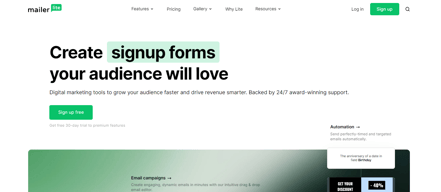








MailerLite has spent a decade as the recommendation for people who found Mailchimp bloated and expensive, and the product still deserves that reputation. The pricing story has changed sharply, though. The free plan that made MailerLite famous was cut to 250 subscribers and 2,500 monthly emails in June 2026, and further feature caps arrive in August. Any review that still describes a 1,000-subscriber free tier is out of date.
- What it is: An email marketing platform with newsletters, automations, landing pages, websites, and digital product sales, built around a clean and unusually pleasant editor.
- Best for: Creators, bloggers, and small businesses who want good design and straightforward automation without paying enterprise prices.
- Pricing: Free for up to 250 subscribers, then Comfort $10.80 and Power $22.50 per month at 500 subscribers on annual billing. Verified in July 2026.
- The honest catch: The free plan has been reduced twice, most recently on 16 June 2026, and from 13 August 2026 free accounts are limited to 3 automations, 3 forms, 1 landing page, and 1 website.
What Is MailerLite?

MailerLite launched in 2010 and built its reputation on two things: a genuinely well-designed editor and prices well below Mailchimp’s. For years it was the standard recommendation for creators and small businesses who wanted their emails to look good without hiring a designer or learning a complicated tool.
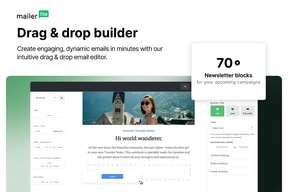
That design quality is real and still the main reason to choose it. The drag-and-drop builder produces clean, modern emails without fighting you, and the landing page and website builders share the same aesthetic. Where competitors bolt on extra modules that feel like different products, MailerLite’s feel coherent.
The platform has broadened over time into landing pages, websites, digital product sales, and paid newsletter subscriptions, which puts it in direct competition with creator platforms as well as email tools.
The independent rating is excellent: roughly 4.7 out of 5 on Capterra across about 2,322 reviews, with ease of use and value for money the most consistently praised dimensions.
How MailerLite Works
- The editor. Drag-and-drop with a strong template library, plus an HTML editor for people who want control. This is the product’s standout quality and the reason people stay.
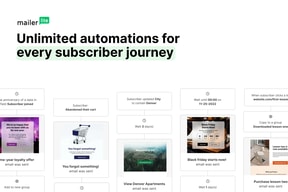
- Automations. Visual workflow builder for welcome sequences, abandoned carts, and behavioural triggers. Comfort includes 50 visual automations; Power makes them unlimited.
- Landing pages and websites. Full page and site building included rather than sold separately, which is unusual at this price.
- Digital products and paid newsletters. Sell downloads or run a paid subscription directly, competing with dedicated creator platforms.
- Segmentation and personalization. Standard tagging, segments, and dynamic content, competent rather than exceptional. Teams needing deep behavioural automation will find ActiveCampaign stronger.
MailerLite Pricing
MailerLite prices on subscriber count, with a slider running from 500 to 200,000. Figures verified in USD on MailerLite’s pricing page in July 2026, at 500 subscribers on annual billing.

| Plan | At 500 subscribers | Monthly emails | Seats | Notes |
|---|---|---|---|---|
| Free | $0 (up to 250 subscribers) | 2,500 | 2 | Chat support for first 14 days only |
| Comfort | $10.80/mo ($129.60/yr) | 5,000 | 3 | Unlimited templates, 50 visual automations, 24/7 email support |
| Power | $22.50/mo ($270/yr) | Unlimited | Unlimited | Unlimited campaign sending and automations, 24/7 live chat |
The important context, which most reviews have not caught up with:
- The free plan was cut on 16 June 2026. MailerLite reduced it from 500 to 250 active subscribers and from 12,000 to 2,500 monthly emails. That follows an earlier reduction from the 1,000-subscriber tier the platform was known for. Seats did increase from 1 to 2, and free users gained custom templates, blogs, pop-ups, and the HTML editor.
- Further free-plan caps land on 13 August 2026. From that date free accounts are limited to 3 automations, 3 forms, 1 digital product, 1 landing page, and 1 website. If you are relying on the free tier, check your current usage against those numbers now.
- The 2,500 email limit binds before the subscriber limit. With 250 subscribers you can send roughly 10 campaigns a month. A weekly newsletter with any resends will hit the ceiling.
- Paid pricing rose alongside the free-plan cut. Plans were also renamed, with the former Growing Business and Advanced tiers becoming Comfort and Power.
- Annual billing saves 10%. Smaller than most competitors’ discounts, so monthly billing is less punitive here.
- Comfort caps monthly emails at 5,000. For a 500-subscriber list that is ten sends a month, so heavy senders need Power.
A 14-day trial of premium features is available on every plan, including the free one.
Who Should Use MailerLite
- Creators and bloggers. Design quality, digital product sales, and paid newsletters in one platform at a low price is a strong combination for this audience.
- Small businesses that care how emails look. The editor is the best-designed in this price bracket, and it shows in the output.
- Teams wanting pages and sites included. Landing pages and websites bundled rather than charged separately is genuinely good value.
- Anyone leaving Mailchimp on cost. This remains the most common migration path, and it is still usually justified.
It fits less well for teams needing deep behavioural automation, where ActiveCampaign is meaningfully stronger, for large ecommerce operations that need tight Shopify integration, where Omnisend fits better, and increasingly for anyone hoping to run a real list on the free plan, which the recent cuts have made much harder.
Honest Pros and Cons
Strengths
- The best editor in its price class. Clean, modern output without fighting the tool, and consistently the most praised aspect in reviews.
- Excellent value on paid plans. $10.80 and $22.50 at 500 subscribers undercuts most competitors at comparable capability.
- Pages, sites, and products included. Landing pages, websites, digital products, and paid newsletters bundled rather than sold as add-ons.
- Strong independent rating. 4.7/5 across roughly 2,300 Capterra reviews, with value for money singled out.
- Genuinely good support. 24/7 email on Comfort and live chat on Power, well regarded in reviews.
- Unlimited sending on Power. No email cap at the top tier, which is uncommon at this price.
Limitations
- The free plan has been cut twice. Now 250 subscribers and 2,500 monthly emails, well below the tier that built its reputation.
- New free-plan feature caps from 13 August 2026. 3 automations, 3 forms, 1 digital product, 1 landing page, 1 website.
- Free chat support lasts 14 days. After that, free users have limited support options.
- Comfort’s 5,000 email cap is tight. Roughly ten sends a month at 500 subscribers, which pushes regular senders to Power.
- Automation depth is mid-tier. Fine for welcome sequences and basic triggers, well behind ActiveCampaign for complex behavioural logic.
- Prices rose with the plan rename. Worth checking your renewal rather than assuming continuity.
MailerLite Alternatives and How It Compares
- GetResponse offers deeper automation plus webinars and funnels, at a higher price.
- SendPulse is cheaper and adds chatbots and SMS, with a dated interface and weaker design tooling.
- ActiveCampaign is substantially stronger on automation and substantially more expensive. The right choice if behavioural logic drives your revenue.
- Omnisend is the ecommerce pick, with better Shopify integration and commerce-specific automation.
- Beehiiv and Substack are worth comparing if paid newsletters rather than general email marketing are the actual goal.
For a broader survey see our guide to the best email marketing software.
The Verdict
MailerLite remains a genuinely good email platform and, on paid plans, excellent value. The editor is the best in its price class, the bundled landing pages and websites are real rather than token, and the 4.7/5 rating across thousands of reviews reflects a product people enjoy using. For creators and small businesses at $10.80 or $22.50 a month, it is easy to recommend.
The free plan is a different story now, and it is the part of MailerLite’s reputation most in need of updating. At 250 subscribers and 2,500 monthly emails, with automation, form, and page caps arriving on 13 August 2026, it is a trial rather than a home for a growing list. If you chose MailerLite specifically for its free tier, check your usage against the new limits before that date, because the change is recent enough that most coverage online still describes the old numbers.
The practical read: evaluate MailerLite on its paid plans, where it competes strongly, rather than on a free tier that has been reduced twice in under a year. Comfort at $10.80 suits light senders, and Power at $22.50 is the right pick for anyone mailing weekly, since Comfort’s 5,000-email cap binds sooner than the subscriber count does. On that basis it is still one of the best-value email tools available.
FAQ
What happened to MailerLite’s free plan?
MailerLite reduced its free plan on 16 June 2026, from 500 to 250 active subscribers and from 12,000 to 2,500 monthly emails. This followed an earlier reduction from the 1,000-subscriber tier the platform was long known for. Free accounts did gain a second user seat plus custom templates, blogs, pop-ups, and the HTML editor. From 13 August 2026, free accounts are additionally limited to 3 automations, 3 forms, 1 digital product, 1 landing page, and 1 website.
How much does MailerLite cost in 2026?
At 500 subscribers on annual billing, Comfort is $10.80 per month ($129.60 per year) with 5,000 monthly emails and 3 seats, and Power is $22.50 per month ($270 per year) with unlimited emails and unlimited seats. Pricing scales with subscriber count up to 200,000, and paying yearly saves 10%.
Is MailerLite’s free plan still worth using?
As a way to try the product, yes. As a home for a growing list, much less so than before. 250 subscribers and 2,500 monthly emails allows roughly ten campaigns a month to a small list, and the August 2026 caps limit you to 3 automations and 1 landing page. If you need a more generous free tier, compare alternatives before committing.
Is MailerLite better than Mailchimp?
For most small businesses and creators, MailerLite is cheaper and has a better-designed editor, which is why it has been the standard Mailchimp alternative for years. Mailchimp offers a larger integration ecosystem and more advanced analytics. If cost and design quality are your priorities, MailerLite usually wins; if you need breadth of integrations, Mailchimp may still fit better.
What is MailerLite best for?
Creators, bloggers, and small businesses that want well-designed emails, bundled landing pages and websites, and the ability to sell digital products or run paid newsletters, without paying for enterprise-grade automation they will not use.

Compare MailerLite with other popular tools in the same category.
The shopify integrations are my favorite part. I also really love how simple the UI and how easily I picked up the platform.
There are no SMS integrations at the moment.
Email automation
Mailerlite is a bargain compared to other providers like Mailchimp. The free account gives you access to powerful features not available with rivals. Easy to use interface, great email design tool & free email automation tools.
Fewer integrations than other providers so may not be as useful for everyone
Emailing my subscriber base at a low cost.
It's about half the price of MailChimp and actually runs faster. Seems to have a simpler interface too. Definitely will be using it on more projects. Their chat support is available for everyone too, not just paying customers.
It only lets you have up to 1000 subscribers for free (MailChimp allows up to 2000).
Needed to send a bunch of marketing emails that were personalized and had open/click tracking. I've been very pleased.
The pricing structure is the best. Most campaign software only gives you limited access until you are a paying customer. Mailerlite doesn't. You get full access and then they charge you on a sliding scale according to how many subscribers you have. The monthly fee starts when you have 1000 subscribers.
Nothing major. One little thing, though. Scheduling a campaign or sending it happens on the same page, but when you select schedule, the button on the bottom doesn't change. It still says send. I have a date filed saying that it is sending later and it never messes up, but it always makes it nervous to push send. I really wish it would change to schedule.
Marketing is automated. We have it sent up so that when customers sign up on our website, they receive several videos in a series explaining how our company works. They are sold before anyone even talks to them.
I love that the automation features (and all of the features, actually) are available on the free version. Also, very user friendly!
You have to have your website set up in order to start using it. They do this to avoid spammers - which I totally understand - but it would have been nice to set up a basic landing page while my website was under construction. I ended up setting up the bones of the site, submitting to MailerLite to review, and then going back and finishing the site. I do wish there were more design features (fonts etc.) for creating landing pages.
For small online businesses, everything costs more money, and it takes slow, steady, consistent work to win. With MailerLite I am able to do all of the automation features and landing pages I would want as my business grows - and that will allow my business to grow - without having a monthly expense until I reach 1000 subscribers. Even then, the monthly expense is more reasonable than some of the other good email providers.
MailerLite is set up in a very user friendly format and has helpful tutorial for each section. The automations and campaigns are set up in blocks so you can edit piece by piece.
I haven't found a way to save default template for a confirmation email so I consistently reformat certain emails. However it will save previously used templates for campaign emails.
MailerLite has helped me automate my opt in freebies and courses.
Customer service. They provide it on free account, which mine is until I get subscribers. MailChimp offered no live customer service on the free plan. They had an extensive help library, but that only gets you so far.
So far, nothing. They have answered all my many questions promptly.
I need a mailing list provider.
It is free until you pass 1000 subscribers, but you get all of the features.
I can't think of anything I dislike. Not even something I thought could be improved.
It is much easier to capture the emails of those that visit our site now.
Mailchimp who? vertical Response Who? been using them for 6 month now, what do i like best almost 100% delivery rate, excellent price.like, seriously if you arent using these guys what are you doing
Seriously Cant think of anything so just go with it.
email delivery issues , Mail chimp and all those other emails had dificulty with Network solutions btu these guys work well with em.
I found mailerlite when I was searching for an alternative to the high cost options like mailchimp and convert kit. It has been a staple of my arsenal since finding it several years ago and I recommend it to all my customers
Needs more flexible landing pages. And more conversion items
Easy to use, easy to train on and a great price!
I love that I can change the design of our mailings up each time I send it out. This aspect allows us to keep it interesting and relevant.
I dislike that adding video clips/gifs is harder than adding photos and images. We try to share moments with our alumni through these emails and sometimes short video clips are best.
We are using MailerLite to reach out and maintain contact with our alumni organization members through monthly newsletters and updates. MailerLite is a wonderful format for designing and sending out mass mailings.
One of the best thing - is support. I had a lot of questions for all using time, but support had helped me with each of them. And every time I was exicted :))
Oh, there is no such thing. I like all in MailerLite)))
On the start my web site was just like a web-form. But MailerLite allowed me to use the services. And now my subscribers base is bigger. On the last week I faced with trouble of delay and this one was solved in a minut.
price of this compared to other email programs
nothing so far has been a problem, they have great support
bulk emailing to a cross section of clients/prospects

We were attracted to MailerLite because their free tier is way more forgiving than the competition and then, once you jump into paid, it's extremely reasonable.
Not a lot. API docs could be a little better? Maybe.
MailerLite provides ALL the functionality of the "bigger guys" at a fraction of the cost. We're able to use the API to send our email signups directly into the platform. Segmentation. Etc. Zapier integration is nice too.
I love this mailer, it's so easy to customize and the mobile view actually matches what is shown, unlike mailchimp. We switched over to this one because mailchimp is just so overpriced. MailerLite is so easy to use and let us design and put together a cohesive newsletter. We really enjoy this
Only that the free subscriber limit is 500 and not higher but its so inexpensive
newletters, promos, ads all kinds of fun things to promote your business.
You can do Auto responders for free. They keep adding new features that are free. Very helpful customer support.
Nothing that I dislike so far. I would recommend to anyone.
Building email list, email marketing.

Many features, automations, easy drag and drop template editor. More cost effective than competitors' apps.
It would be fine if more predefined templates were available.
Informing customers about new products and changes.
I love how user friendly it is. I switched from MailChimp and won't go back!
I wish there was a walkthrough tutorial in the beginning, but definitely not necessary.
Sending mass emails and newsletters to customers.
Easy to use, and a/b testing capabilities are very useful. They have an attractive referral program as well.
So far, I haven't found anything I dislike to be honest. The app defaults to spanish because of my location/browser language and the spanish translations aren't that great but I don't really mind.
E-mailing at a medium volume (something we don't do with our Mailchimp account)
It's easy to use and has tons of free features and templates to make your emails stand out. You also get great data.
There is not anything that I dislike. MailerLite has exceeded my expectations.
When we used MailChimp, our emails would say "delivered" and people would complain about not receiving them. Not with MailerLite!
It's an integrated platform containing the right set of tools to implement a successful marketing campaign. From list to automation to landing pages and popup forms!
It's a young product but it's growing fast. Actually i do not like much the lack of a "select type" ore "date type" custom fields.
If you want to setup a marketing campaign with opt-in pages and an automation cycle thi is the tool to go for even in its free tier.
The customer database is one of the more flexible ever seen, from the one-field database (email address only) to the most complete. It's flat, mailers are not CRMs. Maintining it, importing and exporting it's a piece of cake - even if all can be always enhanced. Searching is fast. Editing a customer record has been recently improved, and now it's simple to keep the history of subscriptions and unsubscriptions. The email text/image editing is full of options and very simple to use. Everyone can get super results with little knowledge. Never broke a session in more than 2 years I use it.
The validation procedure changes often, even if it now make sense. It's free for small database use (up to 1,000 users), great for non-profit, startuppers and personal use. The pricing plan is very honest and simple.
I use it for all the consultancies I'm involved in, and for small personal projects. It's very effeicient in getting the uesrs answer, disabling automatically the bounces. A must !
Easy to use No learning Curve Landing pages
So far the only thing I have disliked is the limited customizations to the landin pages
Email marketing is easy with mailerlite

I like very much since I have moved to MailerLite that for a lower price I get the same open rate on my emails. I am paying now with 60% less than his competitors and this is a very big advantage for me because we have a big list of around 50.000 subscribers. I also like that I can have multiple accounts using a single admin area. Another interesting option is auto resend feature which sends after a few days another email to whose subscribers who did not open the first e-mail.
Sometimes when I try to edit a newsletter it takes 2 minutes until it loads the editor. I have to refresh the editor several times until I am able to edit the newsletter. The reporting feature could be improved.
We are using mailerelite with optinmonster and we have some integrations with zapier. All these together are very powerful for us. We are increasing our list each day and we are very happy about this.

Mailerlite is extremely affordable, up to the first 1,000 subscribers are free. You can send as many emails as you want every month and you can delete and add subscribers easily. I LOVE the drag and drop email builders. They are so easy to work with and they look very professional. I also enjoy that they have many templates available. My readers seem to enjoy their emails and I haven't had any major complaints. They have all the features that I want and I've implemented an opt-in box on every page of my blog. Since moving to Mailerlite, I have increased my subscribers by 1000% since I started using Mailerlite.
Sometimes my customized pages don't display properly. For example, I have a page setup that shows after someone subscribes and it has a "wood" background. I don't know why but the background never shows up. The page still looks nice, it just doesn't match some of the other pages I have set up. Not a huge deal, though, and I doubt my readers notice.
I am able to email my readers with new blog posts as well as personal updates that I don't post anywhere else. I have increased my email subscriber list by 1000% since I joined Mailerlite. I have it set up to display on every post using PopupAlly (a highly recommended Wordpress plugin, it doesn't just do popups).
I switched from Mailchimp to Mailerlite a few month ago. Mainly because of the price of Mailchimp, Mailerlite is 2times cheaper. I admit it consists of less features but I don't need them. I like auto-repeated campaigns, that are sent to people who didn't open the last email for example...
reporting is quite poor, hope this will improve in the future
sending emails/newsletter to customer (who ordered our products) creating new campaigns is easy and fast
Nice interface, everything's very clear.
Wouldnt know, very happy with MailerLite for the things we use it for
Sending newsletters and press releases in a professional manner
Customer support has been great, with issues being resolved promptly. I find the platform very intuitive and easy to use. Plus the Mailerlite Academy is super helpful!
I haven't been using the platform long enough to give a solid answer here.
I'm using MailerLite to build my subscriber list and generate client leads
I haven't built a campaign yet, but so far it all looks very intuitive and when I got stuck, a very nice contact person in the live chat was able to solve the problems.
Was a bit difficult to upgrade the plan.
The tool makes it possible to reach many people with quality newsletters.
Whenever I need support, it is available within minutes. This saves a lot of time and effort!
I would like to have the option to bring generated groups in a new order.
Reaching my community.