

Quo Reviews: 4.8/5 — Highly Rated

| Capabilities |
API
|
|---|---|
| Segment |
Small Business
Mid Market
Enterprise
|
| Deployment | Cloud / SaaS / Web-Based, Desktop Mac, Desktop Windows, Mobile Android, Mobile iPad, Mobile iPhone |
| Training | Documentation |
| Languages | English |

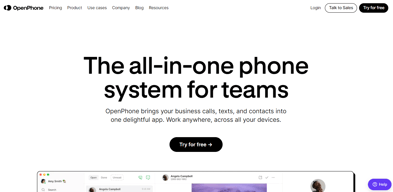
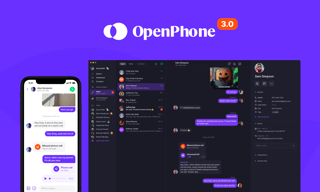
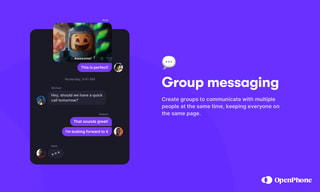
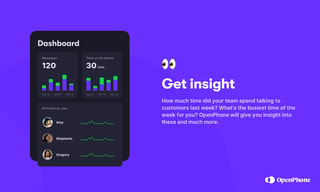
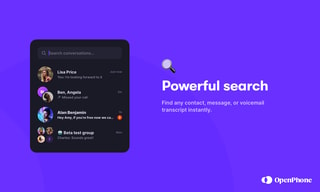






OpenPhone is now Quo, and openphone.com redirects to quo.com. Same product, same team, new name — and a decade of reviews, tutorials, and recommendations still under the old one. Underneath the rebrand is a genuinely good small-business phone system starting at $15 per user, with a set of US messaging fees that sit outside that headline and catch people at checkout.
- What it is: A business phone system built as a shared team inbox for calls and texts, with AI transcription and CRM integration.
- Best for: Small teams that treat the phone number as a shared channel rather than a personal line.
- Pricing: Starter $15, Business $23, Scale $35 per user monthly on annual billing. Monthly is $19, $33, $47. Verified July 2026.
- The honest catch: US messaging carries a one-off $19.50 registration and $1.50–$3 monthly maintenance, plus $5 per extra number, none of which appear in the per-user price.
What Is Quo?
Quo’s design premise is that a business phone number belongs to the team, not a person. Calls and texts arrive in a shared inbox where colleagues can see the history, leave internal notes on a thread, and hand a conversation over without losing context. Anyone who has tried to run customer communication through personal mobiles will recognise the problem it solves.
That makes it a different proposition from traditional VoIP. Systems like RingCentral or Nextiva are built around telephony — extensions, PBX features, call trees — with messaging bolted alongside. Quo is built around the conversation thread, with telephony underneath, which suits sales teams, support desks, and service businesses where texting customers is normal.
The 2026 product leans on AI: call summaries and transcripts on Business and above, AI call tags on Scale, and Sona, an AI agent that comes with 1,000 free automation credits on every plan. Voicemail transcripts are included throughout.
How Quo Works
- Shared numbers and inboxes. Multiple people work one number, with internal notes on threads.
- One number per user included. Extra numbers cost $5 a month each.
- Unlimited US and Canada calling and texting on all plans.
- AI transcription and summaries. Voicemail transcripts everywhere; full call summaries from Business.
- CRM integration. HubSpot and Salesforce arrive at the Business tier.
- Sona AI agent. Included on all plans with 1,000 automation credits.
Quo Pricing
Captured from Quo’s pricing page in July 2026, in US dollars. The page notes that applicable taxes and fees are added at checkout — see the messaging costs below.

| Plan | Yearly | Monthly | Annual saving | Key additions |
|---|---|---|---|---|
| Starter | $15/user | $19 | $48/yr | Basic AI, manual call recording, up to 10 open tasks |
| Business | $23/user | $33 | $120/yr | AI call summaries and transcripts, group calling, transfers, phone menus, HubSpot and Salesforce, auto recording |
| Scale | $35/user | $47 | $144/yr | AI call tags, dedicated onboarding, priority and inbound phone support |

The costs that decide your real bill:
- Annual billing is a genuine discount, not a token one. Business drops from $33 to $23, roughly 30%. Across a five-person team that is $600 a year for the same product.
- US messaging fees sit outside the plan price. A one-off carrier registration of $19.50 and ongoing messaging maintenance of $1.50 to $3 a month apply. These come from the US A2P 10DLC regime that every business texting from a standard number must register under — they are not a Quo invention, but they are also not in the headline, and they arrive at checkout.
- Extra numbers are $5 a month. One is included per user. Teams wanting separate numbers per department or campaign should count them.
- The free trial is short. Seven days, which is enough to test the inbox model but tight for evaluating call quality across a full sales cycle.
- Business is where the product becomes itself. AI call summaries, transfers, phone menus, and CRM integration are all Business-tier, and they are the features most teams are actually buying.
- Scale is mainly support and tagging. Priority and inbound phone support plus AI call tags. Worth it if you need a human on the phone about your phone system.
Who Should Use Quo
- Small teams sharing a number. The clearest case, and the product’s whole design.
- Businesses that text customers. SMS is a first-class channel here rather than an afterthought, which is unusual.
- Sales teams using HubSpot or Salesforce. The Business-tier integration logs calls and texts against records automatically.
- Companies replacing personal mobiles. Getting customer conversations out of employees’ private phones is a real operational and continuity win.
It fits poorly for enterprises needing full PBX capability, where Nextiva and traditional systems go much deeper; for international calling, since unlimited coverage is US and Canada only; and for solo users who just need a second number, where cheaper single-line options exist.
Honest Pros and Cons
Strengths
- The shared inbox model genuinely works. Threads with internal notes and clean handoffs are better than any call-forwarding arrangement.
- SMS treated as a first-class channel. Better than most business phone systems.
- Good AI features. Voicemail transcripts on every plan, call summaries from Business.
- Real annual discount. Around 30% on Business.
- Clean, modern interface. Consistently the most-praised aspect.
- Straightforward per-user pricing. No minimum seat counts.
Limitations
- Messaging fees outside the headline. $19.50 registration and $1.50–$3 monthly, added at checkout.
- Unlimited calling is US and Canada only. International is charged separately.
- A seven-day trial. Short for a system your customers will call.
- Key features gated to Business. Phone menus, transfers, and CRM integration are not on Starter.
- Extra numbers add up. $5 each beyond the one per user.
- The rebrand creates confusion. Most existing documentation and reviews still say OpenPhone.
Quo Alternatives and How It Compares
- Nextiva is the fuller traditional VoIP platform, stronger on PBX features and enterprise telephony.
- Aircall targets sales and support teams with deeper call-centre tooling and analytics, at a higher price.
- Grasshopper is the simpler virtual number service for very small businesses and solo operators.
- RingCentral and Dialpad are the larger incumbents most often shortlisted alongside, with broader UCaaS feature sets.
- JustCall competes closely on CRM-integrated calling and texting for sales teams.
For a broader survey, browse our VoIP providers directory.
The Verdict
Quo is the right answer for a specific and common situation: a small team where several people need to handle the same phone number and text customers, and where the current solution is personal mobiles and forwarded calls. The shared inbox with internal notes is a genuinely better model than traditional telephony offers, the interface is clean, and at $15 to $23 per user it is priced sensibly for the job.
Budget past the headline, though. The per-user figure excludes US messaging costs — a one-off $19.50 carrier registration and $1.50 to $3 a month in maintenance — which stem from the A2P 10DLC rules every business texting from a standard number falls under. Quo did not invent these and competitors charge equivalents, but they appear at checkout rather than on the pricing page, and if texting is why you are buying, they belong in your comparison. Add $5 per extra number and take the annual discount, which is worth around 30% on Business and is the single easiest saving available.
The tier that matters is Business. Starter is a capable shared line, but call transfers, phone menus, AI call summaries, and the HubSpot and Salesforce integrations all begin at $23, and those are the features most teams are actually buying. Treat $23 as the real entry price, use the seven-day trial to test call quality specifically rather than the interface, and be aware that almost everything written about this product still calls it OpenPhone.
FAQ
Is Quo the same as OpenPhone?
Yes. OpenPhone rebranded to Quo, and openphone.com now redirects to quo.com. It is the same product and company under a new name. Because the change is recent, the substantial majority of reviews, tutorials, comparisons, and support articles still refer to OpenPhone — if you are researching this product you will encounter both names, and they describe the same thing.
How much does Quo cost?
On annual billing, Starter is $15 per user per month, Business $23, and Scale $35. Billed monthly those become $19, $33, and $47, so annual billing saves $48, $120, and $144 per user per year respectively. Each plan includes one phone number per user and unlimited calling and texting to US and Canadian numbers. A seven-day free trial is available.
What extra fees does Quo charge?
Three worth knowing. Additional phone numbers cost $5 per month beyond the one included per user. US messaging requires a one-time carrier registration fee of $19.50, and ongoing messaging maintenance runs $1.50 to $3 per month. These stem from US A2P 10DLC regulations rather than Quo policy, but they are added at checkout rather than shown in the plan price.
Which Quo plan should I choose?
Business at $23 for most teams. Starter covers a shared number with basic AI and manual recording, but call transfers, group calling, phone menus, automatic call recording, AI call summaries and transcripts, and the HubSpot and Salesforce integrations all require Business — and those are typically the reasons a team adopts the product. Scale mainly adds AI call tags, dedicated onboarding, and priority phone support.
What is Quo best for?
Small businesses and teams that share phone numbers and text customers regularly — sales teams, support desks, agencies, and service businesses wanting conversations out of employees’ personal mobiles. It is a weaker fit for enterprises needing full PBX functionality, for businesses with significant international calling, and for solo users who simply need a second number.

Compare Quo with other popular tools in the same category.
It's easy to use and I love the office hours feature and the ability to use auto-reply texting.
In the browser version, it's easy to accidentally call someone without meaning to. You can't see anything marked as "done" in the app version. You can't see previously saved outgoing voicemails in the browser version. It would be nice in general to be able to save a few auto-replies and choose between them depending on the situation, but OpenPhone does not allow you to save any unused auto-replies in general. Occasionally callers will get the auto-reply sent to them twice, although that seems pretty rare.
It allows me to create and use auto-replies, which was a big need for me. The office hour feature was critical for me, as it just transitions from one message and set of auto-replies to another on a schedule. These benefits were HUGE for me.
I had an awesome experience with the support team, very helpful! The interface is also easy to use, very aesthetic.
We had issues porting our number and it was confusing how to do that.
Open Phone has created an easy and approachable way to communicate as a team with different numbers in use.
Open phone has access to a large pool of local and toll free numbers. You are able to perform vanity searches from their pool of numbers. After your 30-day trial, you are able to maintain your phone number even if you do not pay your bill.
There seems to be a glitch on the Android version of the app which automatically presses the last pressed button upon switching between open apps and back into open phone. I also would prefer sip access and more flexibility with the behind the scenes under the hood technical side of their VoIP service.
Open phone is allowing me to obtain phone numbers for various companies that I help to form and manage. This helps me be more productive as many of the rest of the internet service environment all require a company phone number and open phone allows me to On Demand draw up a virtual phone number.
The ease of adding staff to new and existing numbers, the ease of business hours set up, and the mobile app. It helps my team stay connected across locations and time zones.
Notifications are not always reliable. I wish there was a way to save recorded voicemails (i.e. for holidays, etc.) so I did not have to re-record everytime. I wish you had more control over the settings in the mobile app.
We are a company that is spread across time zones and teams. OpenPhone helps us have a reliable experience for our clients and staff. It is also helpful to be able to check messages opened by teammates to help with responses and jump in when needed.
We like the UI and the fact that it is so easy to send messages and make calls. Integrations with CRMs and Slack means that we don't need to rely on checking Openphone to make sure we are on top of staying in touch with those who need to hear from us.
The drawback with openphone is that it is not built for outbound calling efficiency. So it might not make sense for teams that need to make as many calls in a day as possible.
A calling software that is easy to use, and integrates nicely with the rest of your tech-stack.
Texting and contacts are beautifully done
Calls drop, also Ill ring out and it says I make the call but Ill have to re ring out 2 or 3 even 4 times for it actually to dial the person
picking and choosing numbers for my reps on the fly is lovely. too many times you are lock to a # but we are able to adjust market to market for new reps
It was very easy to access call profiles when calls were returned. I quickly found names, and any notes I had written. I give this aspect a "10/10." The price point is what brought me on board.
My number popped up as "potential spam" too often. I was calling to address their online submissions. If I had to make repeated calls and they got annoyed, customers mark it as "Spam" and it disseminates through the carriers. OP needs a better way to help clear the label. You may need 2 or 3 lines to help avoid the problem, Google "Why does my phone come up as spam?" to better understand the issue.
Economical way to have a business phone with a helpful CRM. Helps me keep my cell phone private unless I want to release it to specific clients. Mobile app helped let me know someone was calling when I wasn't at my desk, however, there is no access to profile notes from the mobile app.
Support and price are excellent. The app is growing in functionality over time.
- Voice quality is sporadic and has issues for about 10% of my calls - The app can be improved a bit more on iPhone in terms of the Dial Pad
Allowing phone use during travel
I have been using openphone for about 6 months now. For the $13 per month, it is a tremendous value. I am able to make calls directly from my computer as well as from my cell phone. Additionally I can text my contact through the app
Occasionally calls will drop and/or it will have some static and I will have to call the person back. When I call back it resoves the issue
I like the fact that I am not on a long term contract and having to pay the large fees that a traditional landline company will charge
Easy to set up, easy to use, well priced
I would prefer the ability to have different extensions until the same main company phone number.
Replacing our existing VOIP service at a better price
It's easy to use and integrates well on my laptop as well as my cell phone... and for a reasonable price.
The service doesn't always work well. The people I'm talking to using OpenPhone regularly have troubles hearing me, and there are a number of services that will not accept my OpenPhone number as a legitimate phone number.
Maintaining a low-cost and portable business number, along with integration between laptop and cell phone. I get to present a professional experience to my clients for $10/month.
I like being able to access my phone and messages across devices, and especially to text my clients using a keyboard.
I would have call quality issues if I couldn't get good internet, which often happens when sharing broadband or in remote areas.
Functions I really appreciated were the converting to text of my phone messages, the ability to group contacts, the ability to access my phone call across devices, and to text using a keyboard for clients who don't use email. I was also in Poland when I first started using OpenPhone, and this allowed me to get a cheap sim card in Poland with data so that I could still call and text my Canadian clients while I worked from Poland.

I'm a huge stickler for great UI/UX design, and OpenPhone has it. I love the user interface, it's usability is simple and straightforward, and it offers everything at very affordable pricing. I also love the text messaging features and text transcriptions of voicemails.
The ONLY thing that bothered me greatly with OpenPhone is their call quality, which is the reason why I had to switch to another provider. I used OpenPhone for several months via their mobile app, and desktop app... over wifi, and cellular. The audio on my receiving end (what I hear) sounds very "crunchy/robotic", similar to as if one was speaking into a small metal box. I did all of the troubleshooting possible (as stated in their help docs), however I just realized that it's just the call quality itself.
OpenPhone is very simple to setup, manage phone numbers, and have a very affordable business phone system for everyday users.
The primary reason for my acquiring a number from OpenPhone was twofold: 1) So that my Canadian work colleagues, research subjects and friends would see a Canadian number when I called or texted and 2) So that my Canadian work colleagues, research subjects and friends would not be charged long-distance rates. I have been using this service for a month and so far so good. Waiting to hear about any unexpected charges.
At times the sound quality is poor. I live in a major metropolitan Canadian city and so it should not be connectivity, but.....? Also, the number I was given was previously assigned to a local company, so that when people get my call/text they often think it is someone else. The OpenPhone support people are trying to get this addressed.
When call and text work colleagues and research subjects they are seeing a Canadian number and so are less hesitant to answer or respond.
The UI for both the phone and computer app are great! The low price point is also a plus.
Inability to switch a call between devices. Call quality is poor when not on WiFi.
I am having the current problem of the inability to have 2FA set up with the number. It is super easy to set up a new user, connect lines, and customer support are excellent.
I like that I can choose what I want and it explains what it is.
I wish there could be more than five phone numbers since there are many examples.
I am solving how I am getting better at it; benefits I have realized are that it gave me more free time to do what I want
Open Phone's dashboard has a simple to use interface. It seems built to enable multiple team members to communicate, follow-up, and reach out to contacts. Auto-replies based on different triggers (e.g. missed call or VM) is unique to open phone and sadly not offered by any other VOIP providers.
The advanced IVR/auto attendant option is too basic. I'd like to do more extensive call flows but the functionality I'm looking for isn't there. Open phone does not have online fax. There is no phone call to reach customer service/technical support - mostly through email or looking through help center. I'm not a fan of the dark mode of the interface. Wish there was a way to change the theme of my dashboard.
I need a business phone system where I can receive and f/u on client calls. It has a basic IVR/auto-attendant, and I like the ability to message clients who call in. Has integrations but those don't apply to me.

The price is affordable for anyone and the crossplatform apps make working from my phone and computer a breeze.
Continual bugs plague the usefulness. I've been using OpenPhone for a little more than a year and there are often buggy aspects that ruin the experience. Bluetooth issues & notification issues are the most common problems.
The ability to have a quick CRM right in the phone/text app is great and saves using mulitple apps to track customers.

The interface is very easy to organize, in a single screen you can see all you need to work, shared contacts and the notes about each one of them is very very helpful, the activity of your team and managing of your teamwork is very simple
I dont know where to start: 1. the connection of the headsets, forget about the default, you have to select them when cvonnected and sometimes doesnt work the previous configuration you use 2. text messages fail frequently 3. text messages wont be up to date among all your devices (this one is pretty bad), if you send a text from your Ipad, it wont be visible in your phone and/ot your desktop app 4. support is not quite dilligent. I sent a request for caller ID 2 weeks ago and it hasnt been approved yet. they said it will take 3 working days. If I contact support they may resolve it but the ticket and the request is already in place
contact customers
Integrates well with apps like Hubspot for seamless call logging. Calls also integrate into iPhone Phone app.
The app can be difficult to use to pull up a call history, and it's not a great app for out and about cell service. It uses heavy data, so if I am in an area with so-so data coverage, I end up using my cell phone without OpenPhone.
Call tracking - OpenPhone makes it very easy to log and track calls with our CRM integration.
OpenPhone is an excellent solution if you want to text clients or customers and organize your client or customer numbers in a way that is entirely separate from your personal number.
I run into issues with hearing the person on the other end if I call them or if they call me on my OpenPhone line with a decent wifi signal from my phone. Instead, I have to disconnect from wifi or make a call from my computer, which is frustrating.
I need to have a business number available to clients, and I don't want them to have access to my personal number. OpenPhone is a solution to this problem because it is affordable.
The functionality of having a text messaging and phone calling platform on my phone is useful. I was also told that I can use it from both my work phone and my personal phone which is helpful.
The porting process took 1.5 weeks longer than it should have and there was no one who was able to catch this as their customer service seems more focused on sales than they are on providing technical help. It was ultimately fixed by 1 or 2 helpful CS agents but it took a while to get honest information.
It is solving that my business needs a phone number that is separate from my personal, my work, and my partners mobile numbers. This is the major reason that it will be helping us.
Everything is recorded, including text messages and voicemails.
The quality of the calls is unreliable, sometimes it breaks up communication, resulting in poor quality.
Recording client interactions meets my need.

I love their sign up process, ability to pick a phone number and the ease of use on the app and desktop
I've been having too many connectivity issues lately with OpenPhone not being able to switch to my earpods when I'm connected to them. It's extremely painful
Not having to share my personal phone number when calling customers. Ability to text customers and to be able to do so over a wifi only connection
Convienient for testing and was good for automated testing as well.
Slow login, re-occuring login issues including the new captcha which is preventing automated browser testing for our application.
Allows for testing of our messaging service
The enterprise version allows us to control company numbers
There are times when the app is inoperable forcing staff to use their unmasked phone number
The need for masked numbers
The ability to text customers - makes it easy to solve issues expeditiously so we don't waste time talking.
Ability to answer phone inconsistent. Push notifications would sometimes show, but most of the time they don't so we end up missing most of our calls and then have to call clients back. Has made for awkward customer service standards. Data recording for the better part of this year has been made largely unhelpful due aforementioned issue as well as usernames being switched for who has answered, some calls showing erroneous duplicates
Expanding accessibility to clients
Very convenient way to make calls to the US
Too many spam calls, needs some kind of way to filter them and for some reason it stopped actually ringing to the phone when people call - I checked all the settings....
Easily allow US phone calls from when I am traveling abroad.
When it was working, the service was very good. The UI is clean and stable, whether on iOS, the web, Android, Windows or MacOS. The call quality is very near parity with regular cell service and text messages might even be faster than straight cell phone text messaging. I believe it's great mix of base features at a good price.
I use OpenPhone as a second line for texting friends, family and coworkers. I paid up front for a full year of service starting in May, 2023. A couple of months ago, I was asked to register my number for text message campaigns. After my outbound messages started getting blocked, I was forced to register and pay $15 (and an additional $2 every month). However, I've had my applications rejected twice because I don't ask my friends for consent to text them; my usage does not require registration, see https://www.campaignregistry.com/faq/ - I don't send anywhere near 6000 text messages a day and I don't have a tax ID. I called the FCC to get more information about the campaign registry and they informed me that it was OpenPhone blocking my messages, not US carriers. After some research, from my understanding, the provider OpenPhone uses is blocking my messages.
OpenPhone is the same UI cross platform, with any device, anywhere access. It's not like some other products where iOS is great and Android is terrible or vice versa. It's a stable service from the apps to call quality with a useful base feature set. The search feature has been great and while I have had it take a second to connect audio, I have never had a call drop.
Simple IVR system does what I need it to do, apps work decently well on web and android, quite a few features that make it a really great service. Scheduling messages and message snippets are really handy, and I haven't had any issues with call quality.
I switched from Google Voice as a personal user, and have since been dealing with a few of my text messages being undelivered due to "violating carrier guidelines" presumably due to lack of understanding context or treating my personal communications like a business. I don't need to make sure that the handyman who came to my house and told me to text him is on an opt-in list for my messages, and discussing tobacco products with my father in law supposedly violated some usage guidelines. I received no indication that these messages were blocked from the mobile app, only discovering it sometimes weeks or months later using the web interface and trying to figure out why the person never responded. Openphone support has been lackluster about these issues, and continue to simply not respond while their automated ticketing system tries to close out my tickets for inactivity. There is significant lack of parity of features among the mobile app and web interface, so some tasks are impossible to accomplish on one platform or the other. For example, you cannot choose a previously recorded message for your voicemail message from the web interface, but you can from the Android app. Contact syncing seems only possible through costly business-focused utilities like Hubspot, or Google Contacts. Not supporting basic CardDAV contact servers, used by many small businesses, is rather limiting. The workaround is using the mobile app's contact sync, but lately this has become buggy and generates duplicate contacts the longer I let it sit. I regularly have to clear out my entire contact list and allow it to sync again to be usable, otherwise I end up with 5 of every number. Incidentally, you can only delete your full contact list from the web interface. Blocking numbers often still triggers missed call notifications on mobile, so the phone doesn't ring but I still get notified that a blocked number called me... kinda defeats the purpose.
I prefer to have a digital primary phone number to avoid the complication of number porting when changing mobile carriers. I also prefer VoIP solutions as they allow me to continue my communications from a computer or other internet connected device even when my primary phone is unavailable.