

Unclaimed: Are you working at Scoro?






Scoro Reviews: 4.5/5 — Highly Rated
Scoro is a well-known, end-to-end work management software that lets users manage their entire workflows from a single dashboard. It offers a robust suite of project management tools, and CRM features, as well as reporting and billing capabilities. Given all its key features, it lets users streamline different workflows with ease.





| Capabilities |
API
|
|---|---|
| Segment |
Small Business
Mid Market
Enterprise
|
| Deployment | Cloud / SaaS / Web-Based, Mobile Android, Mobile iPad, Mobile iPhone |
| Support | 24/7 (Live rep), Chat, Email/Help Desk, FAQs/Forum, Knowledge Base, Phone Support |
| Training | Documentation |
| Languages | English |

Compare Scoro with other popular tools in the same category.
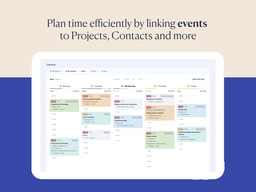
The best thing about Scoro is the detailness. Sometimes, administrative time spent in Scoro will take a lot of time, but on the other hand, it will gather together all the necessary elements of the project that are needed to evaluate the process. It is a great tool for managing the team by giving tasks. Very cool feature is the smart e-mail that will keep the important information outsourced from the company mailbox - also, You can simply connect the e-mails to certain projects so You will have all essential parts of the project in one bucket.
It is a bit tricky to learn the software quickly. Also, there are some obstructive steps e.g. automation of filling the form blanks takes a lot of time.
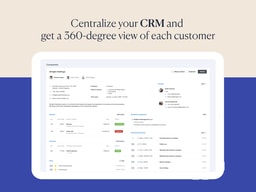
You could basically run entire company with Scoro. There are very good tools for CRM, evaluating team work and hours. For me, Scoro is a big amount of organized transparent buckets where every bucket has its specific and intended content. The way that all the details are managed and connected is amazing - it will give a much faster and convenient way to manage a project by cutting down on the daily administrative time - except the initial input when setting the parameters and elements,but that will take time anyway.
The software is easy to use because it is logical and easy. The software is color-rich and contains enough information. The software can transfer tasks to other members of the organization. The software can create tasks that are beautifully in sight and you will not forget to deal with them in a few moments or days. The calendar is very convenient because you can mark your reminders in days or years. The software reminds you of the tasks and reminders that you entered in the calendar. The software will quickly find the customer from its database. The software reminds you if someone has a birthday party in the organization. The software leaves the client with all the information that has happened to him. I like this software.
The software does not show the content of the contract. It does not indicate which equipment is a contract with the client, does not show the latest transactions and does not show the valuation and the terms of the contract. Does not show customer balance. The filtration system is a bit complicated or not enough to teach us. For me, filtering is difficult. If you mark Make Task done, you will have to create a new reminder for yourself - it disturbs that there will be additional movement for me in this regard. The most disappointing is the fact that you do not see the contents of the agreement.
Scoro reminds me of my most important work activities during the day. It does not happen that I forget some of the batteries.
I have much better overview of my work. Scoro draws together calendar, e-mail, notebook, document management etc. I can share simply all the information with colleagues, if needed.
I would be very happy if there were app for phones. Software is not so comfort to use with phone right now.
it gives me and my team a better overview about our work. It helps to share information and solving communication issues.
- good overview of customer - good dashboards - user friendly system
- integration with billing system and billing logic - daily workflow dashboard for sales reps
It enabled us to manage customer relations from the first call till the end of the lifetime.
Gives a great overview of the jobs in process, jobs confirmed, jobs cancelled etc. Gathers together valuable information about clients, assortment, purchase history, revenue-cost-margin data. Efficient when a loyal client wants to order the same product again --> with just a few clicks and with the help of purchase history a few minutes and the first step of the work is done.
Unable to delete customer data who has purchased something before. Unable to change description of other details on the invoice, that do not affect the sum, once the invoice has been transferred. Sometimes the need for too many filters the get the data required.
Sales, customer feedback, client base analysis, sales and assortment analysis, cost-revenue-margin analysis.
I recently started using Scoro and so far I'm very happy with the service it provides. Scoro is easy to use, it keeps all my data in one place without the need for other apps.
So far I have no negatives for scoro so far and any issues I have had have been solved with the amazing customer service.
Project management I use it to plan all up coming events.

The system works fine. It allows for project and time management, with easy quotations and invoicing.
The commenting function is very limited, and you can't add freelancers without paying a full license fee for each. Also, there is no client onboarding, which limits functionality. The notifications are silent, so important things are sometimes missed.
The system works fine. It allows for project and time management, with easy quotations and invoicing.
Scoro is very useful to keep updated with your team's work and your daily schedule. What I like most is the fact that the time entries allow you to divide a big task into smaller ones and split it into different days.
You have to be properly trained to use it correctly. Since it has many different functions and pages, I found it difficult to navigate it in the beginning. I'd like to be able to see immediately what a page/a button does, maybe by scrolling on it and seeing a short comment about it (with a link on a more comprehensive page about it, like a guide).
It's helping me with tracking time and organizing my task on a daily basis. It also helped me reduce overtime as I can immediately see how many hours I have planned.
The reports can be really great. I like that I can setup multiple views and book marks to quickly review the reports based on predefined data that I want to see.
Dislike the lack of automatic calculations and how some of the features integrate with other tools (like Google calendar integration is not great). There could be a better emphasis on some automation within Scoro. I also dislike that there's no user levels variation. I'd like to be able to give access to Freelancers and clients Scoro but the inability to assign tasks makes it pointless to use. I don't like as well that the CRM has terms like "gender" when that's irrelevant and it should be pronouns and I should be able to put whatever pronouns they identify with.
We were able to get rid of a lot of spreadsheets that we had personally made in order to run our business. It's nice having one master software piece to manage most of the day to day tracking that we need. It would just be nice if Scoro went one step further and also would have smart calculations (like auto calculating expected expenses if we have all tasks setup in the project).
Speed and accuracy with tasks and budgets.
It can be cumbersome, and users' privileges are not well defined. Some tasks are difficult to manage.
All kinds of planning the team, managing budgets and monitoring resources time logs.

We have built a system that I think works for us. System is reasonably adaptable to fit our particular needs. We use it for tracking time and are getting into more projecting requirements and building our projects moving forward - takes time to learn to use it.
Some little quirks are still being sorted out with the program. Things like making it easier to track all projects and connect individuals for the CRM. Sometimes there are quirks with connecting the calendar for instance as well.
We are mainly building our projects out and tracking time right now. I really appreciate the opportunity to reflect on how I use my time thanks to Scoro - I'm not sure I would ever want to operate without something like this in the future.
GUI is great. It's pretty easy to collaborate with the team. There are a lot of integrations that can connect through Zapier. The reporting takes the cake. This was something my team was most excited for.
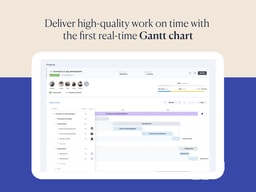
There are a lot of features we have had to request from Scoro that we feel would have made sense from the beginning. E.G., Task creations/the Gantt chart view is somewhat complicated. Dependencies don't work very well. It looks like there are still some bugs to test there.
We are solving problems we had with scaling up. Scoro will be a great tool to grow with. We can now integrate with Jira, which was a problem for the team. We are able to create projects quicker.
Opportunity to form a price offer and after confirming it you can make tasks out of it to where you can log time
price. We are a small architect&planning company and our specialist use Scoro only for tracking time
Have tried to manage tasks with it, but it did not work. Right now works only for time tracking for most of us, but for project managers like me Scoro has benefits of having overview of bills and price offers also.

Almost everything in one place, I can see how my company is doing.
I have to use additional programs to manage workload, like MS project. And I cant link workers and invoices. Also dont like that all users are priced the same, ex. I have a about 9 users who uses Scoro maybe once a day to enter theyr hours. And also I cant assign task to my subcontractor, whitout to make him a user.
Almost everything in one place
I like that there's a lot of functions..
Not agile enough for my needs, I need some custom fields to be taken off, but they are there for good.
Mainly all CR problems, orders archive.
Scoro has many functions one of them is its control center in which you can visualize in different ways all the pending tasks, it has many performance indicators with which you can measure the performance that each person has in their certain tasks, Scoro can be the perfect tool for any manager who loves controls, it organizes the important events of your organization through the calendar and organizes all the tasks, the interface is another positive point since this has a great design and groups all the functions in one place
Its capability as a budget management and invoicing software to a is not very consolidated however with an update this could change, the performance of the mobile applications is still very poor compared to its other versions, the pricing model of this software is certainly expensive and unjustifiable and to conclude adding more support options would be excellent
Business management has improved a lot since using Scoro functions like task assignment and performance monitoring are now done in a simpler and more automated way this way we can control all the work of the organization from a single point, it has saved us a lot of time when it comes to project management thanks to functions like Gantt charts, Kanban boards, collaboration tools and budget management that work very effectively

I really like the function of managing contacts in scoro and more specifically the ease of viewing contracts, assigning the contracts to projects and keeping an eye on invoices. Great to assign tasks to different people. It's great that you can make your own front page view with things that are important to you, including paid invoices, unpaid invoices and active proposals.
Managing IT related projects is rather bulky there or we have just not gotten to a point where we have a solid and unified system to filing all the information in Scoro. It's sometimes hard to find information about a related client from the client view and it might get a little messy if different tasks are completed and time entries are inserted. When someone assigns a time to the calender to a certain client profile, them there could be a different view for assignments from calendars rather than being in completed stuff under the client. I sometimes use this completed list to look what has been done but mostly to search for recent tasks.
Managing a project with different team members. Assigning tasks and keeping track on deadlines. Finding information about clients from Scoro. Creating contracts and sending out offers; creating new projects. It's nice to see when a team member, for example a developer has completed some tasks then I can quickly see what has been done by the developer, when and how much there still is to do. Another great thing if every person fills their tasks in scoro correctly, to see references for future projects for how long some task or project might take time.
What I liked the most about Scoro was its adaptability, the fact that it has easily adapted to my business in a matter of a few hours seemed most impressive to me, since it has allowed me to get the most out of it. powerful tool, starting with its reporting system, which has been very useful for me when performing data analysis of my company, another positive aspect of Scoro is the fact that it does not force you to carry out activities based on a Only tool, if not that you can organize your board in the best way and find the option that best suits you and your needs. Basically it constitutes an excellent tool when it comes to wanting to improve the control of projects or sales of the institution since it provides us with ideal functions to have a greater control of time, finances, inventories and any other material of value for the execution in a way positive of the project to be carried out.
Its price is very high for small companies, we for little and we did not hire the services only that we had heard so many good references that we decided to make the investment.
Within our organization Scoro has been helping us to innovate and improve the sales processes within our company, in the same way it has been very useful in the management of projects of the institution where we can make a comprehensive monitoring of all the tasks necessary for the project to be completed to our satisfaction.
Calendar, and the task bar, also we use client data from the scoro task bar.
it is not connecting to our payment system, so payment section is useless
Client relationship management mostly. Keeping records about the clients.
is feature allows users to manage the entirety of a project from a single webpage. This is what I love
I wish the function of users can also allocate billable and non-billable work, create budgets and compare these against actual results. The project portfolio can be managed by configurable statuses, like in-progress or completed, and tags, like type,
Billing, project management, efficent work task management
The quoting software and the ability to scale teams as needed.
The look of the database, and some features are not straightfoward.
We use as a database for jobs. It has made quoting much quicker
Ability to gather intel into how we work, and how we can be more efficient
Sometimes not as intuitive as i would like
- Efficiency - adjustments to scoping projects that increase margins - change in behaviour that contributes to the bottom line
The system's features and functions and user friendly interface.
The mobile app is lacking a lot of common functions which should be made available. Not user friendly at all
Project management and accounting.
-Planner functionality - provides great solutions for project team work planning -Financial and work reports are both a great help in organization’s daily activities
No Gantt charts in the tool (project milestones and schedule does not solve the issue)
-Financial analysis -Resource planning and provisioning
That software has lots of features and easy to adapt.
Lack of plug and play integrations with third paties.
We are using Scoro as internal CRM to manage payments, orders and etc.
Everything is quite easy to use. It is in my mother language.
When I want to put a reminder to myself, this "to do" page is very uncomfortable to use. I would litke to see my reminders all the time at the same page as calendar view. So thats why I don`t use to do list. I put my reminders to calendar with zero time usage.
I use mostly calendar, invoices and client list
Scoro has a very efficient way of organising our clients projects and enable us to quickly oversee the performance and status of the work.
If there was something to improve with Scoro, it would be the use of colour. Since it can be quite text heavy, the lack of colour throws me off
Scoro has allowed us to record all the nitty gritty information from each project and oversee what tasks require completion and who is responsible for certain tasks.

One of the things that I most like about Scoro is the reallocation of tasks to different team members so that the management of activities is more dynamic, saving time in resetting a specific task. Alerts functions are very useful for remembering tasks or events to perform that you previously configured in the calendar. The invoice tracking is done in a great way giving you a complete overview of all the information I need.
Searching for contacts is sometimes complicated as they completely disappear from your list for no apparent reason, the lack of synchronization of your contact list with some of the most important email providers such as Gmail. There is a steep in the learning curve so it is not a software to use immediately, it takes time to be able to understand all its functionalities and make the most of it.
I help us solve complicated projects of remote sales teams with the help of a modular dashboard where we can see all the activities planned for the week that provides me with a constant feedback on the progress of current goals as well as the performance of the sales agents. The ability to adapt to the specific requirements of each project made Scoro a fundamental part of our company's workflow, with clear evidence of productivity gains across entire teams.

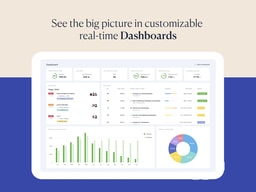
Good dashboards highlighting invoicing / project progress etc and all editable.
I don't particularly think that Scoro has a timekeeping feature that really delivers against a production teams needs. Calendar view with Tasks and the like isn't a seamless experience and often needs manual adjustments.
Ability to manage all projects in terms of budget allocation, resources and deliverables burn down etc
I like the ability to track many different metrics using the dashboard which can be customised to different users.
The thing which I dislike the most is that there are often glitches in the system which mean information has to be input many times. Things can just disappear and then show up spontaneously.
It is great Value For Money and helps us to speed up sending Purchase orders, finding out which bills need to be paid soonest, tracking our orders for the whole company. It has helped us be a more efficient and streamlined company.