

Unclaimed: Are you working at Synder?
Synder Reviews: 4.7/5 — Highly Rated
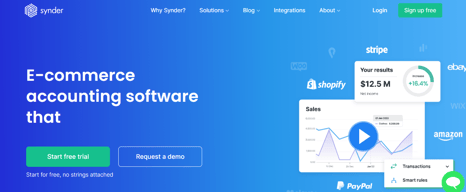
Synder is powerful automation software that enables easy accounting for e-commerce businesses. Automate reconciliation of sales from e-commerce systems with accounting for always accurate reporting.

| Capabilities |
API
|
|---|---|
| Segment |
Small Business
Mid Market
Enterprise
|
| Deployment | Cloud / SaaS / Web-Based, Desktop Mac, Desktop Windows, Mobile iPhone |
| Support | 24/7 (Live rep), Chat, Email/Help Desk, FAQs/Forum, Knowledge Base, Phone Support |
| Training | Documentation |
| Languages | English |








Compare Synder with other popular tools in the same category.
Synder has been a game-changer for syncing our Shopify sales platform with our QuickBooks Online (QBO) accounting software. Its highly customizable features allow us to have granular control over how each transaction is synced, thanks to the smart rules that can tailor the process to our specific needs. The interface is intuitive, making navigation and operations straightforward and user-friendly. Another plus is the manual sync option, which gives us the flexibility to oversee the synchronization process on our terms. Above all, the service is outstanding; fast and efficient. A special shoutout to Clarissa, who went above and beyond in assisting us, ensuring that our experience was smooth and productive.
The initial setup process can be somewhat time-consuming, requiring a bit of a learning curve to fully understand and utilize all the features effectively. However, once you're past this stage, the benefits definitely outweigh the initial investment in time. Additionally, while the pricing provides great value considering the functionality and support you get, it could be a little less expensive. Nonetheless, for the efficiency and control it offers, Synder is well worth considering for anyone looking to streamline their e-commerce and accounting processes.
Automation accounting
Well designed app supported by very efficent and helpful customer service. Thanks Viet!
I didn't fiind it immediately intuative to use but soon got the hang of it.
Syncing all transactions from payment platforms into accounting software
If you need to sync your Stripe transactions with Quickbooks I would recommend this tool, it will save you a lot of time. The support is also very responsive, Tina was very helpful in helping us transition our profile from one Quickbooks account to the other.
There is nothing that I dislike about this software, I haven't had any issues since I first purchased it.
I use Synder to sync all my transactions in Stripe with Quickbooks and it works great, it is saving us a lot of time!
I've interacted with Snyder's support on three occasions while getting our account set up. The things I wanted to do were not simple (e.g. not just enabling a setting) and they've been able to help me with all of them. The support stay on with me for as long as I need to get the solution, and they actually help me get to the solution rather than brush me off. They don't ask silly questions too. As someone who works with many software companies, Snyder's support has been the best I've experienced (and I'm quite hard to please ;)). It makes the world of difference to us as an agency to work with companies that we can rely on to help and care to solve our problems. Special shout out to Sophie, Vili and James, who have been great help these past couple weeks getting us set up. P.S. they even created a script to achieve something that wasn't out of the box!
Nothing so far! It has been able to do the things I need.
It is automating how transactions are passed over to Quickbooks and that means our bookkeeper doesn't have to manually add transactions going forward.
Thank you Synder.com for your awesome tool connecting my stripe wiht QBO! You have amazing customer service also. Sophie and James Plummer have helped me tremendously get everything up and running!
no downsides yet. thank heavens!!!!!!!!!!!!!!!!!!!!!!!!!
qbo and stripe integration
I can forget about collecting data from Stripe or PayaPal and have it entered into quickbooks for me! We get lots of small donations that would take forever to get into QB. Not anymore. I just sit back and watdh the funds come in then get transferred to the bank.
Wish I had more control over payment inforation that was gathered and the ability to update a custome filed in QB. Maybe I do... maybe i need to explore that.
Gives me hours back when reconciling stripe transactions
This product is a lifesaver if you need to reconcile a lot of stripe transactions. Literally saves me hours of admin every week. Couldn't do without it. Really easy to implement and great customer support.
Nothing negative - does exactly what it says it does.
Syripe reconciliation with Quickbooks
So happy that I found this app! After using a different one for almost a year, I appreciate how easy it is to use Snyder. I had some questions getting setup and James was quick to answer and very helpful!
Haven't found anything I dislike yet! It's been great
importing large amount of transactions easily
I needed help with account management. When I asked my questions by chat to to human, Sophie responded immediately with the exact solution to my problem. Every experience with Synder support has been a pleasure and exexmplary of top tier support.
I've yet to find any myself, they've addressed everything needed
Syncronizing thousands of transactions in Stripe to Quickbooks online
I have been using Synder for integraions for a while now and the product is great and support is great too. I had an issue with an integration and Sophie was able to quickly resolve the issue in the chat support and get us back up and running. Great support and saves so much time using the program.
At this point we havn't come across anyting that would keep us from using the program
Keeping accounting and ecommerce sales organized and syncronized
The ability to se the genesis of each summary detail.
There are so many nuances in Shopify it is very hard to capture them all.
We need to have the infomation summarized daily for our clients and Synder does this most easily. Having every sales receipt in our accounts was resulting in 2-3 hours of work weekly to reconcile. The Daily Summary style creates a much manageable amount of information to sift through.
James Plummer is what we find most helpful about Synder! The program itself is very user-friendly and comfortable to use. We find that in our office we are not great with technology, so we hit some obstacles along the way, and James was incredibly patient, supportive, sent screenshots and clear instructions to resolve any issues we had. This process made Synder the main reason I would recommend the program to others, because there is mothing more important than support when it is needed.
We don't believe that we found many downsides. In our case, we are new to the program and thought it would be easier to reach out for help than figure it out ourselves. However, after James took us through the process it was very evident that if we had just read through the available options more carefully we would been able to get to that answer.
We currently needed to connect our desktop Quickbooks account to our new Retail website. It was important for us to reduce the time we spent retyping orders, and have a system where the order would come in directly into Quickbooks, to a specific account. This was done easily and quickly, saving us TONS of time in the process!
Their support staff always understand whatever the issue is and really have the drive and desire to help their customers.
Sometimes the syncing lags. I wish they would change their automatic syncing from once every hour or so, to a constant refresh. I do have the option of bringing in the orders, so that is very helpful!
Getting our transactions into QuickBooks Desktop without having to hand create each order is paramount. Synder seems to instinctively understand how we need our processes to work (even a step above our settings) and will change to adapt (like payments coming in days later, etc). We always had to hand enter those type of transactions before along with anything that wasn't just straightforward. It's an awesome program. The best thing of all is their support staff. They are incredibly helpful! Lana recently helped us with a syncing issue and she stayed right with it until it was resolved! So professional and dedicated!
1. Integration between Stripe and Quickbooks online. Saves me a lot of time. 2. Knowledgeable & quick support turnaround. Felix was amazing!
I can't think of anything that I dislike.
Time saver with automatic import of transactions from Stripe to Quickbooks Online.
Once synder is setup, the complex work is automatically done and you can forget about it. If there is an issue, it's super easy to trouble shoot the problem and re-sync your transactions.
The downsides of Synder might be the pricing model for the rules. I believe you have to pay extra per rule. I'd like to create a few more but prefer not to pay extra per month.
It is helping me catergorize my processing fees. It also allows me to automacationall apply loan payments to my balance sheet for any finance paydown transactions.
One of the best experiences I've had with any company. Synder fully automates all your sales entries and associated costs directly into QuickBooks seamlessly. This is a major time saver for us and correctly setting up clearing accounts to deal with all our sales receipts, payment partner expenses and payouts is literally a dream. Fully aotmated now. I cannot recommend this service highly enough and although we had some difficulty during setup as we have quite a uniqe WooCommerce multisite, George in support was brilliant in constantly communicating and keeping our case up to date right until the final resolution.
Really so far its a great service so not much to dislike, the UI can feel a bit overwhelming but for what it does I can fully understand.
Correctly account for our sales and the relevant expenses applied by our payment processor as well as all the related sales tax associated with each product.
WOW- after years of the stress of payments and invoices, this app has saved me SO much stress. I am blown away by it and it has saved me so much time. My customers are also happier too. The support is the best I have ever known, the team answer your questions within seconds every single time. Andrew and Viet have been incredible, I know anytime I am stuck they help me instantly. Could recommend any more!
Nothing much, because anything I havent liked, its been my fault lol once the team help me, IT is sorted again.
Adding payments quickly Generating invoices Drawing in all payment platforms in one Skipping repeated payments
Their services are extremely helpful and easy to install. Their support team has been amazing with quick responses and amazing assistance. Can't see myself not using Synder!
Nothing! All of my questions and concerns have been quickly answered by their support team, nothing to complain about :)
We use Stripe for our payments and Quickbooks for our bookkeeping. Synder helps us sync every single transaction over to Quickbooks and automatically categorize it where it needs to go without us having to worry about it.
Very easy to use but most importantly the service. Andrew has been unbelievable every step of the way!
Everything is working fantastically. Love the product
Moving all information from our processor to QBO
Synder is a time saver for me! It integrates with my accounting software and automatically updates my transactions list.
Not being able to easily purchase additional syncs.
Synder reduces inaccuracies with data transfers. This saves time and money.
I needed something that could help me reconcile paid inv from a different app to payments received through stripe. This has been very helpful. I had a question and their customer service rep, Andrew, was very helpful!
I would like to see more training videos and step-by-step instructions—overall great product. However, you never go wrong with more training resources for clients.
I needed help running a report. I wasn't in the correct scene. The customer service representative, Andrew, was very patient as he helped me navigate my way through my dilemia.
Synder is a great solution that worked flawlessly with our Stripe account.
So far so good, I haven't faced any difficulty.
For those looking to easily and accurately comprise their financial data and have it accurately organized, Synder is by far one of the quickest solutions out there. Easy to use and great customer service. Thank you Andrew for going the extra mile.
I have been with Synder almost a year now. While there have been some glitches, they work quickly to resolve them. I have worked with Andrew quite a few times and he is always helpful and responsive.
Sometimes making changes in my account without my knowledge to try and fix issues has caused duplicate work
Time savings for inputting sales receipts
Automation of transactions. George covered all issues on one call and resolved each one well the first time. He is quick with answers and knows right away where to navigate to find the issue. Mark Woodin, Accountant, Easy on Hold
None. All is working well. No changes necessary.
Less transactional level time spent by the accountant.
highly recommend this integration to anyone who is looking to sync their transactions to QB from Stripe, PayPal and WooCommerce. Saves me (and my bookkeeper) well over 20 hours a month. (my bookkeeper is nervous for her job! haha). also SYnders support is so responsive and so thorough. huge thanks to Felix for all of his help setting me up!
Honestly - can't think of any downsides at this time!
Syncing Woocommerce, stripe, paypal data to quickbooks.
Using Synder to import all our Amazon sales transactions into our accounting software alleviated hours of manual order and expense data entry, streamlined our monthly reconciliation process and eliminated many data entry errors resulting from Amazon's complex reporting systems. The program's default template options seemed very well thought-out and tied out to Amazon's reporting layout, and I also like that we can create custom rules to map and customize the transactions to our unique GL and reporting needs. Synder's customer support chat platform is also top-notch! Regardless of the issue or the time of day, I've found their support team to be knowledgeable and polite, and it seems like someone is always there and ready to help answer questions and work through issues quickly. For example, Pauline helped me with an import & sync issue late one evening, and she even hung out with me until it was resolved. Then there was Vilena, who was there to answer my billing and subscription questions and then went one step further and came up with a better solution for us, which totally made my day!
The program did tend to bog down and eventually stop working when I had a relatively large volume of historical transactions to import and sync, so I had to scale back and work with the data in smaller time-period chunks. I also wish I could sort the order of the transactions on the data review Platform.
Amazon has a very complex reporting and inventory tracking system. As a rapidly-growing start-up with a small team all working overtime to make big things happen, Synder has made it possible for us to have more accurate and timely sales data and reports so we can continue to grow this side of our business.

Synder helps me focus on the other essential aspects of my business while the accounting side can run smoothly without me having to check on transactions being synced every hour of the day. It's just a fantastic tool! Plus, their customer service has always been ultra-friendly AND available for me. I've had numerous (small) issues and questions in the past when I started integrating all my marketplaces on Synder (1x Amazon account, 3x Shopify account, 3x Paypal accounts...) but all of those issues/questions were handled by their support team very quickly. Thanks to Vita for taking time to get on a Zoom call so we could fix the ongoing issues I had with some transactions. The software works very well, but sometimes it's the settings you've selected that make the syncs fail, and it's not Synder's fault.
We own 3 brands, and I use a feature that adds Quickbooks "classes" to my transactions to classify each brand's sales. I pay Synder extra for a rule system that makes it possible to classify my transactions automatically. It works well 90% of the time (except for refunds transaction types), and I wish I wouldn't have to pay extra for that. Using QBO's class system should be included in the basic pricing, and not something I have to set up manually via their "custom rules" settings.
Synder helps me sync e-commerce transactions between my different stores and my accounting software (Quickbooks Online). It helps automate my accounting department.
The fact it can takes all transaction from the popular marketplaces and sync them into QuickBooks with no issue
Sometimes it can process a little slow but it is to be expected with the work load it has
Solving having to do manual book keeping on a daily basis
Awesome service and the support team know their stuff! I had a nightmare finding a platform which could sync our WooCommerce sales and transactions from 3 different payment gateways and after a dreadful experience with a different company, I tried Synder as a last attempt before outsourcing our bookkeeping needs. It has made my life so easy! All transactions and fees are imported with no issues. I needed to migrate my subscription to a different account after an issue at the beginning with our QuickBooks Online account and I was so impressed at how quick Andrey got this done. All sorted on live chat in less than 2 minutes - really glad I chose Synder!
I don't have any issues with Synder, it's working great for me.
Imports all of my sales and payment transactions in one place.
it snyc my stripe to quickbook any create fee expanse and save me time to create it myself, save alot of time
still learning the system , i will keep you posted
fast syncing with stripe invoice and QuickBooks