
Zoho Assist Reviews & Product Details
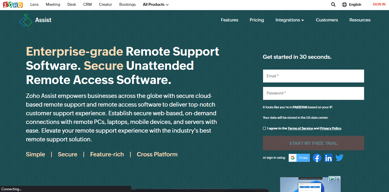
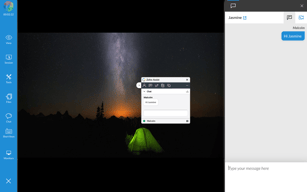
Zoho Assist is a cloud-based remote support and remote access software designed for businesses to provide seamless customer and employee support. It enables secure, on-demand connections with remote devices, including PCs, laptops, and mobile phones. With features like multi-platform support, unattended access, real-time collaboration, and customizable branding, Zoho Assist ensures efficiency and user convenience. Its advanced security measures, flexible pricing, and quick deployment make it an ideal solution for businesses of all sizes.
| Company | Zoho Corporation |
|---|---|
| Year founded | 2000 |
| Company size | 10,001+ employees |
| Headquarters | Chennai, Tamil Nadu |
| Social Media |

| Capabilities |
AI
API
CLI
|
|---|---|
| Segment |
Small Business
Mid Market
Freelancer
Enterprise
|
| Ease of use |
Beginner
Intermediate
Advanced
|
| Deployment | Browser Extension, Cloud / SaaS / Web-Based, Desktop Chromebook, Desktop Linux, Desktop Mac, Desktop Windows, Mobile Android, Mobile iPad, Mobile iPhone |
| Support | 24/7 (Live rep), Chat, Email/Help Desk, FAQs/Forum, Knowledge Base, Phone Support |
| Training | Documentation, In Person, Live Online, Videos, Webinars |
| Languages | Bulgarian, Chinese, Dutch, English, French, German, Italian, Japanese, Korean, Portuguese, Spanish, Swedish |

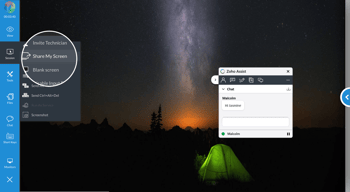
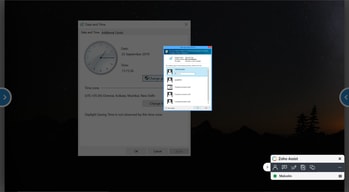

Compare Zoho Assist with other popular tools in the same category.
Cross integration into other Zoho tools, makes the overall experience and integration wonderful. Utilization across ALL operating systems and devices is wonderful.
Coming from TeamViewer, we find the "Unattended Access" to systems a bit more cumbersome, not as quick and easy as the other interface.
Getting away from the exceptional costs and issues of TeamViewer, to an included and powerful solution. The automation and flow integrations are nice add-ons, also the assist.companyname with SSL cert makes directing clients over super easy!
Remote support with administrator access. Will able to use administrator in all type of OS
Some time it is has been slowness and It will depend on internet
We have realized administrator access from the zoho assist tool. before that we have getting lot of challanges
Excellent feature set, technician management and easy to set up remote sessions.
macOS requires some security hoops to be jumped through for a users first session, although I believe this is the same for all remote support applications due to macOS security requirements.
Remote support of clients, particularly those isolating or at risk.
Ease of use and set up. You dont need any special software to control the other end!
Sometimes non technical people can find it difficult to set up on the customers end. But its not too difficult
Remote support email issues. I no longer need to meet clients in person, especially in our covid-19 era.
Easy set up / loaded with features / Integrates with other tools
Nothing - may be too early to say, I can say that we like it so much after just a few days we paid instead of waiting for the trial to end. OK, actually we paid because we needed to do a file transfer and unable to do that in the trail. This is really minor. Had to reach for this one.
Tools allows us to manage remote system with ease. Our previous tool was too expensive(3 time the price)
The unattended access is excellent to grant support to remote user without interaction from the users.
Sometime the screen freeze when I in a remote session
Configure machines for remote users and grant support
Quick and Easy way to get Remote Support to Clients. It allows those who need quick support get their issues resolved. Very good for COVID and long distance customers. Having your own Branding makes it more Professional.
Unattended Access Cost can be a bit much. Otherwise its great.
Good for COVID, Good for Quick Support. It helps those in a situation that requires instant support if you cannot get out to the site straight away. If you have to back of house, out of business hours maintenance, then it makes it easier if you can do the work remotely rather figuring out going in.
The ease of use and the simplicity of implementation. It was very simple to setup with my domain so that I could direct my clients to a web address and get remotely connected with them quickly in order to begin working on their issue remotely.
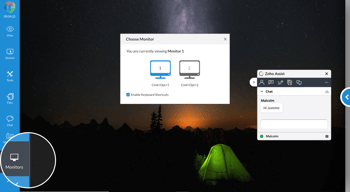
I wish there was a way to see multiple screens at the same time. It is great that the ability to see multiple screens is there, but you can only see one screen at a time.
Remote connection to client computers to remotely troubleshoot issues. I wanted a simple, affordable way to remotely connect to my clients that also integrated with the ticketing system I'm using.
Lightweight, yet robust and very cost effective. Built in mobile remote support for android devices. Most other services are geared towards Large Enterprises at high cost. Zoho offer fully functional software testing, no limits and no hidden cost and excellent friendly customer service.
Not a dislike but others cant, lack of remote support for IOS mobile devices
Ease of use and express rollout cross platform. It's also geared towards small business and individual customers.
We have tried many remote support tools, and Zoho Assist has consistently been the easiest for our clients on multiple platforms to use. We use both on demand remote access unattended access sessions, on Windows desktops, Windows servers, and Mac clients. Unattended servers consistently remain available, and remote reboot and tools work well. On demand sessions by email and instant message invitations are easy, and we appreciate that the on demand URLs are simple enough that a user can manually enter them if needed.
The only downside so far is that the price jump between the free/personal end the enterprise versions is a bit steep. It would help if there were more options for plans.
With everyone working remotely, we have been able to give users access to their in-office PCs, as well as provide remote support sessions to them in their home offices. We also can monitor and reboot PCs and servers in our central office.