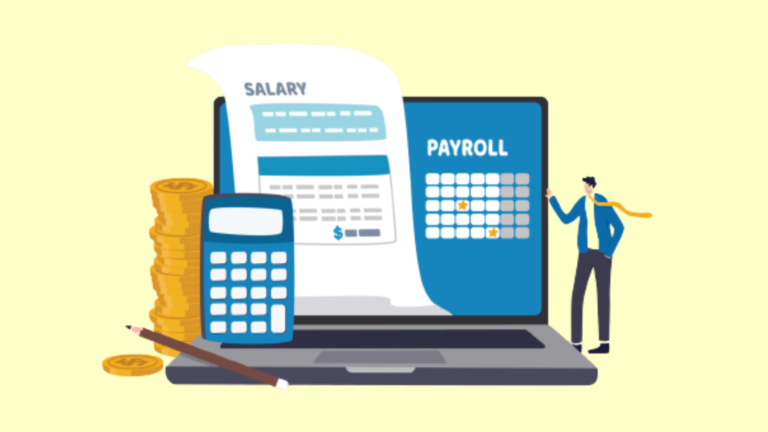
Payroll software is a category of business applications designed to automate the process of compensating employees accurately and on time. These tools handle the end-to-end payroll cycle, from calculating gross wages and applying tax withholdings to generating pay stubs and distributing payments via direct deposit or other methods. Modern payroll software has replaced the error-prone manual calculations and paper-based processes that businesses once relied on, offering a streamlined and reliable way to manage one of the most critical and recurring obligations any employer faces.
At its core, payroll software ensures that every employee receives the correct compensation based on their salary, hourly wages, overtime, bonuses, commissions, and deductions. Beyond simple wage calculations, these platforms manage the complexity of tax filing at federal, state, and local levels, calculate employer contributions for benefits such as health insurance and retirement plans, and maintain detailed records required for payroll compliance. The automation of these interconnected calculations eliminates the risk of costly errors that can result in penalties, employee dissatisfaction, and regulatory issues.
The evolution of cloud-based payroll solutions has made sophisticated payroll processing accessible to businesses of all sizes. Where payroll management once required dedicated in-house staff or expensive outsourced services, today’s platforms allow small business owners to run payroll in minutes from any device. For a closer look at specific solutions, see our roundup of the best payroll software. Cloud payroll software automatically incorporates tax rate changes, regulatory updates, and filing deadlines, reducing the burden on employers to stay current with constantly shifting compliance requirements. This accessibility has transformed payroll from a dreaded administrative task into a manageable, largely automated process.
Why Use Payroll Software: Key Benefits to Consider
Accurate and timely payroll processing is not optional for any business with employees. The consequences of payroll errors range from damaged employee trust to significant financial penalties from tax authorities. Implementing dedicated payroll software addresses these risks while delivering meaningful operational improvements. The key benefits of payroll software include:
Accuracy in Wage Calculations and Tax Withholdings
Payroll involves a web of interconnected calculations that must be precise every pay period. Gross pay must account for regular hours, overtime rates, shift differentials, tips, commissions, and bonuses. From that figure, the software must correctly apply federal income tax withholdings, state and local taxes, Social Security and Medicare contributions, and any pre-tax or post-tax deductions for employee benefits. Payroll software handles all of these wage calculations automatically based on current tax tables and employee-specific configurations, virtually eliminating the mathematical errors that plague manual payroll processing. When tax rates change or an employee updates their withholding elections, the system adjusts future calculations accordingly.
Automated Tax Filing and Compliance
One of the most valuable capabilities of payroll software is its ability to manage tax filing obligations automatically. Employers are required to file payroll taxes on specific schedules, submit year-end tax forms to employees and government agencies, and comply with regulations that vary by jurisdiction. Payroll software calculates tax liabilities in real time, generates the necessary filings, and in many cases submits them directly to the appropriate agencies. This automation is critical for maintaining payroll compliance, as missed deadlines or incorrect filings can result in penalties and interest charges that quickly add up.
Time Savings and Operational Efficiency
Processing payroll manually is enormously time-consuming, particularly as a business grows. Every pay period requires gathering time and attendance data, performing calculations, preparing payments, updating records, and filing documentation. Payroll software compresses this entire workflow into a fraction of the time by automating data collection from time-tracking systems, performing all calculations instantly, initiating direct deposit payments, and generating required reports. For many small businesses, what once took hours or even days can be completed in just a few clicks, freeing business owners and administrators to focus on higher-value activities.
Enhanced Employee Experience
Employees expect to be paid correctly and on time, and payroll errors erode trust faster than almost any other workplace issue. Payroll software contributes to a positive employee experience by ensuring consistent, accurate payments and providing self-service access to important information. Most modern platforms include employee portals where workers can view their pay stubs, access tax documents, update personal information, and review their benefits deductions without needing to contact HR. This transparency and accessibility demonstrate professionalism and help employees feel confident that their compensation is being managed properly.
Reduced Risk of Penalties and Audits
Payroll mistakes carry real financial consequences. Government agencies impose penalties for late tax deposits, incorrect filings, and failure to comply with wage and hour laws. In serious cases, payroll errors can trigger audits that consume significant time and resources. Payroll software mitigates these risks by maintaining accurate records, automating filing deadlines, and applying current regulations consistently. The detailed audit trails generated by payroll systems also provide valuable documentation in the event that a business does face an inquiry from a tax authority or labor agency.
Who Uses Payroll Software
Payroll software is essential for any organization that compensates workers, though the complexity and scale of payroll needs vary widely across different types of users. The most common users of payroll software include:
Small Business Owners
For small businesses, payroll is often managed directly by the owner or a single office administrator rather than a dedicated payroll department. Payroll software designed for this segment prioritizes simplicity and guided workflows that make it possible to process payroll without specialized knowledge. These solutions typically handle direct deposit setup, tax calculations, pay stub generation, and basic tax filing, giving small business owners the confidence that they are meeting their obligations without needing to hire a payroll specialist. The affordability of modern cloud payroll tools has made professional payroll processing viable even for businesses with just a handful of employees.
HR and Payroll Departments
In mid-size and larger organizations, dedicated human resources and payroll teams are responsible for managing compensation across a larger and more diverse workforce. These professionals handle complex scenarios including multiple pay schedules, varied compensation structures, benefits administration, garnishment processing, and compliance with regulations across different jurisdictions. Payroll software for these users offers advanced configuration options, robust reporting capabilities, and integration with broader HR software systems. The ability to manage exceptions, run off-cycle payments, and generate detailed analytics is essential for payroll departments handling hundreds or thousands of employees.
Accountants and Payroll Service Providers
Accounting firms and dedicated payroll service bureaus process payroll on behalf of multiple client organizations. These professionals require payroll software that supports multi-client management, offering the ability to switch between client accounts efficiently, maintain separate configurations for each organization, and generate consolidated reporting across their entire client base. Many payroll platforms offer accountant-specific portals with batch processing capabilities, client dashboards, and tools for managing filing responsibilities across numerous employer identification numbers simultaneously.
Businesses with Hourly and Shift Workers
Organizations in industries such as retail, hospitality, healthcare, and manufacturing often have large workforces composed primarily of hourly employees who work variable schedules. Payroll processing for these businesses must accurately capture hours worked from time and attendance systems, apply overtime rules correctly, handle tip reporting where applicable, and manage compliance with wage and hour regulations. Payroll software with strong time-tracking integration and automated overtime calculations is particularly valuable for these employers, as the complexity of variable pay makes manual processing impractical and error-prone.
Multi-State and Multi-Location Employers
Businesses that operate across multiple states or jurisdictions face layered payroll compliance challenges, as tax rates, filing requirements, and labor laws differ from one location to another. Payroll software that supports multi-state processing automatically applies the correct tax rules based on where each employee works, manages filings with multiple state and local agencies, and ensures compliance with jurisdiction-specific regulations. As remote work continues to expand the geographic distribution of workforces, this capability has become relevant to a growing number of employers.
Different Types of Payroll Software
Payroll software solutions fall into several categories based on their scope, target audience, and delivery model. Understanding these distinctions helps buyers identify the right fit for their organization:
-
Full-Service Payroll Software: These comprehensive platforms handle the entire payroll process from calculation through payment and tax filing. Full-service solutions typically include automatic tax calculations, direct deposit processing, tax form generation and filing, and year-end reporting. Many full-service providers also assume responsibility for tax payment accuracy and filing timeliness, offering guarantees or penalty protection. These solutions are well-suited for businesses that want a hands-off approach to payroll processing and are willing to pay a premium for end-to-end management.
-
Payroll Modules Within HR or Accounting Suites: Many human resources management platforms and accounting software solutions include payroll as an integrated module rather than a standalone product. This approach offers the advantage of a unified system where employee data, benefits information, time tracking, and financial records all reside in a single platform. Integrated payroll modules reduce the need for data synchronization between separate systems and provide a more cohesive experience for administrators who manage both payroll and related functions. However, integrated modules may offer less depth in payroll-specific features compared to dedicated payroll solutions.
-
Enterprise Payroll Systems: Large organizations with complex payroll requirements often need enterprise-grade payroll systems capable of handling massive transaction volumes, intricate compensation structures, union rules, global payroll across multiple countries, and deep configurability. These platforms are typically part of broader enterprise resource planning or human capital management suites and require significant implementation effort, including configuration, testing, and training. Enterprise payroll systems offer the scalability and flexibility needed by organizations with thousands of employees and highly specialized payroll needs.
Features of Payroll Software
The feature set of payroll software has expanded significantly as platforms have evolved to address a broader range of employer needs. While all solutions cover the fundamentals of payroll processing, the depth and sophistication of specific capabilities vary considerably.
Standard Features
Payroll Processing and Wage Calculations
The core function of any payroll software is the ability to calculate employee compensation accurately for each pay period. This includes computing gross pay based on salary, hourly rates, overtime, and additional earnings, then applying all required deductions and withholdings to arrive at net pay. The software must handle multiple pay frequencies, various compensation types, and different employee classifications while maintaining accuracy across every calculation. Batch processing capabilities allow administrators to run payroll for the entire workforce in a single operation.
Direct Deposit and Payment Distribution
Payroll software facilitates the distribution of employee payments, with direct deposit being the most common method. The platform collects and securely stores employee banking information, generates payment files, and initiates transfers to employee accounts on the designated pay date. Most solutions also support alternative payment methods such as paper checks and pay cards for employees who do not have bank accounts. The ability to split deposits across multiple accounts based on employee preferences is a standard feature in modern payroll platforms.
Tax Calculation and Filing
Automated tax management is a defining feature of payroll software. The system calculates federal, state, and local tax withholdings for each employee based on their filing status, allowances, and applicable tax tables. Beyond withholding calculations, payroll software manages employer tax obligations including Social Security, Medicare, federal and state unemployment taxes, and any jurisdiction-specific levies. Many platforms also handle the preparation and electronic filing of quarterly and annual tax returns, as well as the generation and distribution of year-end tax documents to employees.
Pay Stub Generation
Payroll software automatically generates detailed pay stubs for each payment, providing employees with a transparent breakdown of their earnings, deductions, and net pay. Pay stubs typically include gross wages, itemized tax withholdings, benefit deductions, retirement contributions, and year-to-date totals. Electronic pay stub delivery through employee self-service portals has become the standard approach, reducing paper waste and giving employees immediate access to their compensation records.
Employee Self-Service Portal
A self-service portal gives employees direct access to their payroll information without requiring intervention from HR or payroll staff. Through the portal, employees can view current and historical pay stubs, access tax documents, update their personal information and direct deposit details, adjust tax withholding elections, and review their benefits deductions. This feature reduces the administrative burden on payroll teams while empowering employees to manage their own information and find answers to common payroll questions independently.
Reporting and Analytics
Payroll software provides a range of reporting tools that give employers visibility into their compensation expenses and related metrics. Standard reports include payroll summaries by department or location, tax liability reports, labor cost analysis, and benefits contribution summaries. The ability to generate custom reports, export data in multiple formats, and schedule recurring report delivery helps finance and HR teams monitor trends, prepare budgets, and satisfy internal and external reporting requirements.
Key Features to Look For
Benefits Administration and Deduction Management
Managing employee benefits deductions is a complex aspect of payroll that goes beyond basic wage calculations. Advanced payroll platforms support detailed configuration of pre-tax and post-tax deductions for health insurance, dental and vision coverage, life insurance, retirement plan contributions, health savings accounts, and other benefit programs. The software should automatically apply the correct deduction amounts based on employee elections, adjust for life events or open enrollment changes, and ensure that deductions are reflected accurately on both pay stubs and tax filings. Tight integration between payroll and benefits administration eliminates discrepancies and ensures compliance with regulations governing benefit plan contributions.
Time and Attendance Integration
For businesses with hourly workers, the ability to seamlessly import time and attendance data into the payroll system is essential for accurate and efficient payroll processing. Strong time-tracking integration eliminates manual data entry by automatically pulling approved hours, overtime, paid time off, and other attendance records directly into payroll calculations. This integration ensures that wage calculations reflect actual hours worked and that overtime rules are applied consistently according to applicable labor regulations.
Garnishment and Deduction Processing
Employers are legally required to process wage garnishments when they receive court orders or agency directives. Payroll software with garnishment management capabilities calculates the correct withholding amounts based on the type of garnishment, applicable limits, and priority rules when multiple garnishments are active for a single employee. Automating this process helps employers comply with garnishment orders accurately and avoid the legal liability that comes with incorrect or late processing.
Workers’ Compensation Management
Payroll software that includes workers’ compensation features helps employers manage their insurance obligations by tracking employee classifications, calculating premiums based on actual payroll data, and facilitating pay-as-you-go workers’ compensation programs. This integration eliminates the need for manual premium calculations and year-end audits, ensures that coverage accurately reflects the current workforce, and helps businesses avoid overpaying or underpaying their workers’ compensation insurance premiums.
Important Considerations When Choosing Payroll Software
Selecting payroll software is a decision that directly affects employee satisfaction, regulatory compliance, and operational efficiency. Beyond feature comparisons, several practical factors should guide the evaluation process:
Compliance Coverage and Tax Jurisdiction Support
The most critical consideration when choosing payroll software is its ability to handle the specific tax filing and regulatory requirements relevant to your business. This includes support for all federal, state, and local jurisdictions where your employees work, as well as the ability to stay current with tax rate changes, new filing requirements, and evolving labor regulations. Businesses should verify that a platform covers their specific jurisdictions and evaluate how quickly the provider incorporates regulatory changes. For businesses expanding into new states or localities, the ease of adding new jurisdictions without changing platforms is an important factor.
Integration with Existing Systems
Payroll does not operate in isolation. It connects to time and attendance tracking, human resources management, accounting and general ledger systems, benefits administration platforms, and potentially other business tools. Evaluating how well a payroll solution integrates with your existing technology stack is essential for avoiding manual data transfers and maintaining consistency across systems. Native integrations with popular platforms are ideal, but API access provides flexibility for connecting with specialized or custom tools. Poor integration capabilities can negate much of the efficiency that payroll software is meant to provide.
Customer Support and Service Quality
Payroll is time-sensitive and high-stakes, which makes responsive and knowledgeable customer support particularly important. When a payroll issue arises close to a pay date or tax filing deadline, the ability to reach a support representative quickly can be the difference between resolving the problem and missing a critical obligation. Businesses should evaluate the support channels available, typical response times, and whether the provider offers dedicated support representatives or account managers. Reading reviews from current customers about their support experiences provides valuable insight beyond what providers claim on their websites.
Data Security and Employee Privacy
Payroll data includes some of the most sensitive information an employer handles, including Social Security numbers, bank account details, salary information, and tax records. Any payroll platform must demonstrate robust security practices, including encryption of data in transit and at rest, multi-factor authentication, role-based access controls, and regular security audits. Businesses should also understand the provider’s data retention policies, disaster recovery capabilities, and compliance with relevant data protection regulations. The consequences of a payroll data breach extend well beyond financial loss to include legal liability and severe damage to employee trust.
Payroll software often operates as one component within a broader ecosystem of workforce management and financial tools. Understanding the categories of software that complement and connect with payroll solutions helps businesses build a cohesive technology stack:
Human Resources Management Software
Human resources management software handles the broader spectrum of employee lifecycle management, including recruitment, onboarding, performance management, and offboarding. While payroll software focuses specifically on compensation and tax processing, HR platforms manage the employee data that feeds into payroll, such as hire dates, job titles, department assignments, and employment status changes. Integration between HR and payroll systems ensures that employee changes are reflected in payroll processing without manual updates and that both systems maintain consistent records.
Time and Attendance Software
Time and attendance software tracks when employees work, including clock-in and clock-out times, break periods, overtime hours, and paid time off usage. This data is essential for accurate payroll processing, particularly for businesses with hourly employees. Dedicated time-tracking platforms offer capabilities beyond basic timekeeping, including scheduling, geofencing for mobile workers, biometric verification, and labor law compliance alerts. A strong integration between time and attendance software and payroll ensures that approved hours flow directly into wage calculations without manual intervention.
Accounting Software
Accounting software manages a company’s overall financial records, including the general ledger, accounts payable, accounts receivable, and financial reporting. Payroll represents one of the largest expense categories for most businesses, and the connection between payroll and accounting software ensures that payroll costs, tax liabilities, and related transactions are accurately reflected in the company’s financial statements. This integration eliminates the need for manual journal entries and helps maintain the accuracy of financial reports that inform business decisions and satisfy audit requirements.
Benefits Administration Software
Benefits administration software manages employee benefit programs, including health insurance enrollment, retirement plan contributions, flexible spending accounts, and other voluntary benefits. Because benefit elections directly affect payroll deductions, integration between benefits administration and payroll software is essential for ensuring that the correct amounts are withheld from each paycheck. Changes made during open enrollment periods or qualifying life events must flow into payroll calculations automatically to avoid errors in deductions and maintain compliance with regulations governing benefit plan contributions.
Featured Expert Reviews
For hands-on analysis of leading payroll tools, explore our in-depth expert reviews: