
Unclaimed: Are you working at Adobe InDesign?
Adobe InDesign Reviews: 4.6/5 — Highly Rated
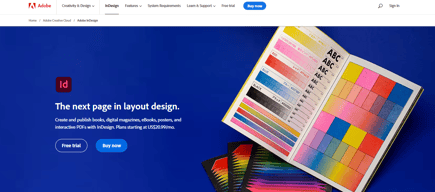
InDesign is another component of the Adobe Creative Cloud ecosystem, available as part of the whole library or as an individual purchase. The software‘s features is specific to publishing and designing online publications, brochures, creating info sheets, and similar materials. Adobe InDesign provides extensive access to stock images, supports team collaboration with robust tools and features, supports a great range of formats, and has access to regular updates and design features.

| Capabilities |
AI
|
|---|---|
| Segment |
Small Business
Mid Market
Enterprise
|
| Deployment | Desktop Mac, Desktop Windows, On-Premise Linux |
| Support | 24/7 (Live rep), Chat, Email/Help Desk, FAQs/Forum, Knowledge Base, Phone Support |
| Training | Documentation |
| Languages | English |
Adobe InDesign Pros and Cons
- Simplicity: Adobe InDesign is much easier to use than other Adobe products like Photoshop. It’s easy to add a range of features to your publication, including tags, anchor text frames, tables, captions, and more.
- HTML support: Adobe offers HTML exporting so you can easily share simple code with your colleagues during the web development process. You’ll also get functionality built into the app to assist with getting rid of DIV tags that aren’t necessary for your code.
- Industry standard: The fact that this product is the industry standard for publishing means you can find plenty of forum support and help out there to get you started.
- Connections to creative cloud: If you choose to do so, you can access InDesign and Photoshop at the same time, alongside other creative apps in the Creative Cloud.
- This is a product designed for people who know how to build publications
- Quite expensive compared to other products
- PDF comment integration is a little clunky in places





Compare Adobe InDesign with other popular tools in the same category.
I can do anything and work with most anyone who uses the same software.
It’s difficult to mast and hard to teach to someone who isn’t familiar.
Any design issues.
I LOVE INDESIGN. I used to not love this software as much as other Adobe software. But the layout and layering capabilities are so great! There is nothing better out there in my opinion for layout and finishing touches.
I think I would like a little more vector capabilities as it really does not have a ton of that.
I do design, so it solves a lot! I love that it really is a great finishing software for alot of my designs.
ID is my go to program for designing in print. Its user-friendly and reliable. Im very happy using this program.
The cloud based subscription is problematic because the program is not sold individually.
I have used indesign for years and have been very happy with it.
It is very efficient for layout work, especially once you know the shortcuts and “hidden” tricks.
I’m not sure that there’s anything I dislike.
My work involves laying out book-type products so the style of Indesign is perfect for that.
Although intimidating at first, InDesign is very easy to use. Auto generated placeholder text is a great feature when I don't have all the copy I need for a particular project. Data merge is a new feature I just learned and it's a lifesaver! Easy to transfer photos and graphics from other applications into InDesign. Use this program everyday.
Steep learning curve, export options limited.
Using data merge, I am able to generate coupon inserts for our products in-house instead of paying a company to do that for us. Very useful and a fun tool to use!
I've been using InDesign for years. Quick keys have saved me so much time and integration with other Adobe Suite products of course.
Subscription model. I liked it better when I could purchase a license, then use the product as long as I wanted until I wanted to upgrade. Left more freedom.
Time saving and layout. Typography is the bomb in InDesign. I teach and have a ton of students still using Illustrator or Photoshop to lay out their type! ugh. Don't do that. They are NOT type programs. InDesign is.
Once you work out the kinks and pitfalls of this application's user interface, InDesign is a must-have for print and publication design.
InDesign is NOT an intuitive program, and could go miles in terms of usability. The most common phrase I've heard in response to "Do you use InDesign?" is "yes, but it's awful."
InDesign is great for portfolio compilation and for linking updated design material into overview pages and publications. Same goes for publications. In terms of collecting and linking up-to-date material, it's golden.
InDesign is great for so many things in my role. It's easy to create desk drops, event decor and invites, and communication collateral. You can design virtually anything you need using the program. It's easy to learn and to us!
Some more design intensive items can not easily be done. Logos are better kept in Illustrator.
Better employee and client engagement because of marketing materials and internal communications. We have more brand awareness internally and externally as well..
This software takes the text ease of word and combines it with my want to lay things out exactly how i want them without distortion or movement which drives me nuts about word.
Not everything about the software is user friendly and easy to navigate. Knowing what you want to do and what you want the end result to be is half the battle.
I believe that this software functions better than most other word processing softwares and allows for the user to manipulate the page as much as they see fit which is really useful for layouts, both large and small.

I love its thorough use of styles, it streamlines work very efficiently.
Nothing in particular. It quits unexpectedly sometimes which is obviously problematic.
Adobe Indesign is a huge timesaver, and the team keeps reintroducing new optimizations that make everybody's life easier. It is the best software for layout design.
I love InDesign for its immense page layout capabilities. When I started designing, I was exposed to Illustrator first, but InDesign is so much more powerful. It's saved me lots of time when designing multi-page documents.
It's hard to find things I dislike, because usually I can Google and find a solution to any problem. The only thing that frustrates me is moving from facing pages to single pages isn't seamless. I like designing in facing pages, but a lot of printers want single sheets with full bleed, and it requires more setup at the end because master pages don't update fluidly.
Any and all visual communication issues are solved with InDesign. I'm able to keep consistent branding throughout documents with master pages and create professional looking flyers, booklets, and more.
Of all the Adobe products, this one is my favorite. It is so easy laying out books, posters, presentation boards... You name it.
It can get slow when using too much. Also it can be challenging collaborating with someone - you can bundle the files, but it can be tricky.
Makes presentation boards and books easy to layout! It reduces the stress. Much more precise than PowerPoint.
I love how easy InDesign makes large projects like booklets. You're able to make multi-page pieces with ease and can change page locations and elements with simple drag and drop. The program is printer friendly and allows you to create crop and bleed as part of the finishing options.
You've got to remember to export your work if you want to save as something other than InDesign. And like most Adobe software if you are working on an older version it may not be compatible with the newer versions.
We use InDesign to create all our pamphlets, brochures, manuals and journals for customers.
Makes book and Ad layouts easy, as well as linking files
I do not dislike anything. I wish that Illustrator would integrate some of InDesign's features into their platform.
ad design, other print designs
Indesign is great for laying out print media and integrates fantastic with the rest of Adobe Creative Suite
I do wish there were more image and text editing options, but that is what illustraotr and Photoshop are for...
I use illustrator for all of our print materials. It has streamlines our process from just using Photoshop
Love that I can take Adobe Illustrator and Adobe Photoshop elements and add them to make a final product. InDesign is great for booklets and anything involving text. You can flow text in and out of text boxes over multiple pages. Great for someone who like to use a mouse or hands on then Microsoft Publisher. Easy, and simple to use tools to create amazing layouts and designs.
Love it all. Highly recommend if you are looking to make brochures, booklets, posters, and pretty much any sort of layout. You can flow in designs from other adobe programs as well!
Graphic Design Freelance ones.
Most of the capabilities of InDesign are common sense and simple to figure out if you have used other Adobe programs. It is a really great way to create top-quality products
Like all other Adobe programs, there is a learning curve. Don't expect to pick it up in a day.
This has been a great help with creating sales brochures, business cards, posters, and newsletters.
Great program for creating multi paged documents like books or brochures.
Horrible program for logo design and photo manipulation.
files size is typically small when creating multi paged documents. Also great at collecting files for output. The warnings feature comes in handy with file production.
InDesign is the perfect tool for any type of print layout. It has the tools, it's easy to use and fits well into the Adobe suite.
There aren't many things to dislike. To me, it is the perfect layout tool.
The creation of all print media. The integration of tools like TypeKit, Bridge and Adobe stock makes life super easy.

I love how easy it is to use Adobe InDesign and how beautiful the final product is. This was the first Adobe product (aside from Acrobat) that I learned to use as a marketer and nothing else has been able to produce such seamless results paired with ease of use. It offers so much flexibility when designing anything involving pages (brochures, flyers, eBooks - everything).
I dislike a few things that are difficult to understand within InDesign. The first thing is colors. I work with a specified color palette and unless I open a template on InDesign, the colors that I have plugged into the app are not there every time I open it. It's also frustrating that every picture that's placed onto an InDesign document has to be saved on your computer. I don't understand why such a sophisticated application can't save photos within each document.
InDesign touches nearly every aspect of my role, but it overall benefits engagement because the look and feel of every asset is so much more inviting. More clients are attending our events because the invites are beautiful, joining our client loyalty program because the email blasts are more interactive, reading our eBooks because the graphics are inviting, and so on. InDesign will take your documents from boring to engaging.
I have used InDesign for several years having been introduced to it at college. It was easy to grasp and does so much.
For a non-designer it can be a little counter-intuitive.
It's great for all design needs and I used it for newsletter layouts in particular.
Easy to use (if you are familiar with the Adobe workflow). Extremely connected with the rest of the Adobe applications. I love the drag and drop feature which has been incorporated some versions ago.
Despite I'm actually familiar with the rest of the adobe suite, sometimes the learning curve is not quite fast, so that would be something to improve. An even more intuitive interface would be appreciated.
Elegant presentations, digital presentations in pdf format, editorial design.

The functionality of InDesign is exemplary. Without fail, it's the one program that I find myself using each and every day for work. In addition to the seamless transition from each Adobe program, InDesign has helped me improve my abilities thanks to all the features it boasts.
There's little to nothing to dislike about InDesign. The one addition that I would be curious to see is a version of layers similar to Photoshop that would allow you to better manipulate projects.
Books and magazines are being produced every day. Using this over Quark has sped up the process on what sometimes can be a timely issue.

Canvas is SO flexible! Integration with lecture materials, ease of adding students to their lab groups makes this an excellent replacement for Blackboard.
I'm still fairly new to using it and haven't found anything to dislike yet.
I'm realizing the benefits of having the freedom of creating multiple classroom shells for multiple needs. For example, I can have a Canvas site with just lab videos that students can access to review for exams for as long as they are students, but the lecture sites can be designated to students currently enrolled in the course.

The thing that I like the best about InDesign is how incredibly easy it is to produce marketing material through all of the many innovative tools and high end features. It works seamlessly with the other Adobe products which makes going back and forth between them for various design projects necessary, especially in situations where we need multiple types of files produced, it is nice to have a system that works so cohesively with the others.
I'm not a designer by education or experience, I am a marketing manager, so when I was told that I needed to learn InDesign for some of the tasks I need to complete at my job I found it incredibly daunting and I was frustrated trying to learn the system. I don't feel that it is built for a beginner, which is honestly a positive feature if you are using it for more than just basic stuff. I feel like this is something that would not have frustrated me so much if I had known a little more about design and Adobe products before being forced into learning InDesign.
The main thing that InDesign helps us with is that it is one of the very few systems that will work with our marketing collateral software. We use Marcom Central as a marketing collateral library, and in order to program templates into Marcom to be used, they must be designed and programmed using both InDesign and FusionPro. Without InDesign, we wouldn't be able to use our collateral library in the way that we do and would lose a major edge to our clientele.
InDesign is precise enough for true print production and design. It's a wizard and handle high-end typographic concerns including the best in multiline composing. It's efficient when dealing with a pile of pages and images. You can quickly restyle text and reuse grid templates.
Because it still shows some of the lineage from Aldus Pagemaker a few of the features and menu items don't match up with Adobe's native two applications (photoshop and illustrator) which can make it hard to learn.
Allows designers to create print-ready perfect layouts and even output interactive PDFs.
I work on book interiors; designing, typesetting, and correcting. Adobe Indesign is the easiest way to work on multi-page projects. It gives me full control of the page design. Since using it in my current job, I find it difficult to use other word processors.
The footnote functions could be improved. It's difficult to keep footnote text on a baseline grid. I've use InDesign books on a few of the larger books I've worked on, which has helped speed up working on the files. It would be nice if there were ways to make global changes to all files within the book, and keep page numbers automatic.
It's just the easiest way to work on book interiors!
I like to use InDesign more than Illustrator and Photoshop when doing layout, even for web page mockup. It's just easier to resize and crop images and to control shapes than the other two programs.
Sometimes the animation I created for digital PDF file just doesn't work. It plays fine in preview mode, but once I export it to interactive PDF, the animation either disappears or not play as what I set up.
I use InDesign to make 90% of the marketing collaterals at work. It's good for editorial design and text-heavy design.

This is the best program for designing no question! Super user friendly and easy for different kinds of design products.
All adobe software is really expensive including this
It helps me get projects done much faster cause it's so user friendly. I don't have any dislikes.
This allows me to create multi page documents with ease. I can easily have files linked and not worry about the file management.
The tool structure could be a bit better. I wish that it was easier to find some of the tools.
I can easily create multi page documents easily.