

Unclaimed: Are you working at Adobe Premiere Pro?
Adobe Premiere Pro Reviews: 4.6/5 — Highly Rated
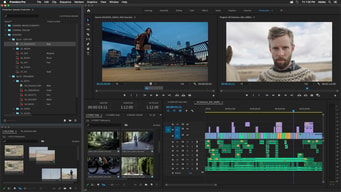
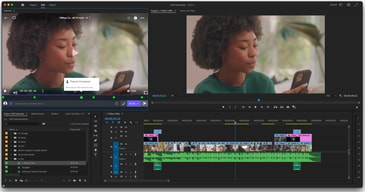
Adobe Premiere Pro is the industry standard for video editing software and offers a huge selection of features to choose from. It can be purchased as a standalone product or as part of the Adobe Creative Cloud. Regardless, Premiere Pro offers a feature-rich selection of tools used for the creation of short films, TV shows, and YouTube videos. Access to a host of smart tools in an ever-evolving portfolio means Premiere Pro users can easily design and edit 4K, 8K, and even VR videos to suit different needs. It also offers access to other Creative Cloud apps, so you can easily access photos, effects, and other tools.

| Capabilities |
AI
|
|---|---|
| Segment |
Small Business
Mid Market
Enterprise
|
| Deployment | Desktop Mac, Desktop Windows, On-Premise Linux |
| Support | 24/7 (Live rep), Chat, Email/Help Desk, FAQs/Forum, Knowledge Base, Phone Support |
| Training | Documentation |
| Languages | English |
Adobe Premiere Pro Pros and Cons
- Extensive professional features for photo editing
- Create and edit your photos in various file formats
- Access all the features of the Creative Cloud for touch-ups
- Frequently updated feature set
- Filters, adjustments, and fixes
- Takes a while to learn





Compare Adobe Premiere Pro with other popular tools in the same category.
Deep feature set that allows you to work on a professional level.
Crashes frequently, pricing model isn't to be admired.
Allows me to edit footage, quickly and to a high standard of quality.
I am not a huge fan of Premiere Pro. I think that you can get a lot more done at a much reduced cost with Apple iMovie.
I don't like the cost. If you don't have creative suite or an in at the company you may find it quite expensive. It has the same or quite similar features as that of iMovie.
This for me cerated more problems than it was worth. It takes too much time to load and the files produced within take up too much room.
I like the customizable panels because it allows me to easily customize the screen to each part of the project I’m working on.
I dislike the clunky-ness of the relink feature because it fails frequently. It’s a waste of time when I have to search for files.
It’s a good tool for collaboration.
The editing timeline is very helpful when reading content. It is great with communicating content to the growing social media audience in this day of age. It is very great and I would suggest it to anyone looking to create good quaility video content.
The complex tools can be tricky. Once you learn the software it is very useful and easy to use.
How-to's and DIY'S for my company.
It’s quite common NLE software in small-medium post production studio.
Seriously, It’s unbelievable how they can’t manage to fix bugs and stability problem after all these years in the market.
We use it when the project have to be passed between other studios.
I do not care for this product so I cannot say what I like best.
The product is extremely difficult to use.
It has helped with video editing but when I export videos I have created I get errors.
Nothing, I paid for the program for several months and could never get it to work properly. When I cancelled my membership I was charged an $86
This program did not seem to be very user friendly at all. I taught myself Photoshop through Youtube videos and instruction books but this program was horrible. Not only did it not accept video from my DJI drone, but as I went to forums it seemed to be a common problem.
None from my standpoint. Waste of money
This product is a total joke for a professional editor. If you've never used another editing program like MC or FCP you may do okay because you won't know what you are missing but for a professional, this is a world class bang-your-head-on-your-desk and pull your hair out program. I've tried to edit a few things on it and while yes, you don't have to have all the footage be the same frame rate, blah, blah, blah, it doesn't make up for the idiot lack of functions and un-user friendly set up.
Ugh. Where do I start!?! Like I said, if you're a professional that has used FCP or MC and know how you can pop into either of these and quickly figure it out, this is not one that falls in that category. Every action takes a laboriously long time and sometimes you have to do an internet search to find out how to do something as simple as a music ring out....still never figured it out. Basic, yes. If you're comfortable with limited programs like iMovie, this is for you. Professional? Don't bother. I signed up for a one year contract and after 2 months, called and demanded my money back. I won't use it EVER again and I hear from my friends whose companies are too cheap to pay for MC that their productivity has slowed immensely. Its a joke.
This isn't something that solves problems as much as it creates them. The only benefit is that....well, there aren't any.