
Unclaimed: Are you working at Dropbox?



Dropbox Reviews: 4.4/5 — Solid Choice
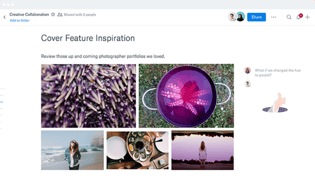
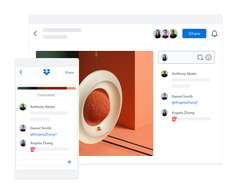
Dropbox is a storage and collaboration platform that runs on the cloud. Dropbox is best known for letting users store, share, and access files securely, as long as they have access to the internet. The platform empowers users with core features that make it easy to share and collaborate, such as file syncing, collaboration tools, and version history tracking.


| Capabilities |
API
|
|---|---|
| Segment |
Small Business
Mid Market
Enterprise
|
| Deployment | Cloud / SaaS / Web-Based, Desktop Mac, Desktop Windows, Mobile Android, Mobile iPad, Mobile iPhone |
| Training | Documentation |
| Languages | English |

Compare Dropbox with other popular tools in the same category.
Dropbox is way better than Google Drive. It is also cheaper. Very much easier to use. I've been using Dropbox since 2010 and there's no looking back.
There is really nothing to not like about Dropbox.
I'm a photographer. Dropbox solved my storage and cloud-sharing problems. It is so much easier to upload and share content on Dropbox.

I am a photographer, I use Dropbox everyday. It is very useful for moving and organizing images; as well as sharing images for others to download and view.
Sometimes the UI can be a bit clunky on desktop, but on mobile it works very well.
Ease of image delivery to my customers and family/friends.
I like everything about dropbox, there's not much not to like. I think the interface is easy to use, it's convenience and reliability and always available, I've had no issues with it.
Some of my clients might not be as tech savvy, would love a way to make it easier one them.
Ease of sending content to clients

I store my client's files for them to access at there convenience. Easy for both sides!!
No easy way to manage shared files or folders where I can delete from my storage as I see fit.
Full access for my clients to their files is immensely simple and convenient for both parties.
It just works. It's compatible across so many browsers, OS's, and devices.
It's not the cheapest option, but the fact it works and integrates well with so many different platforms still makes it worth it.
Organized cloud storage with ease of access across platforms
It syncs so quickly and allows my editor and I to work back and forth seamlessly
I've had to increase storage a few times in order to have enough space
Allowing me to work with someone in a different state and time zone

that its free and there are other options for subscriptions that I think is/was at a good price last I checked.
that it lost its place (to me at least) to google's drive cloud services.
saving storage from my devices and clearing up space.

I am constantly receiving tax information for 2 properties. I instantly download to by db.
I am guessing i only use 10% of. DB. I wonder if they had a turorial video?
Saving tax receipts.
Keeps all of my docs at disposal anywhere
Generally very helpful but believe there is not much to change
Allows all team members to see data at their disposal.
I can have access and/or all my files on several computeres at the same time and in real time.
sometime it loses files and or corrupts active files - sage for instance
file sharing
I like that my computer can automation save anything I need as long as I have the folder set to sync for all of my saved documents and photos. Very easy to use.
Would like to be able to pick the folder I upload my photos too on my phone, not entirely sure I can do that or not, more tutorials would be helpful.
Having all documents exactly where I want them.
The syncing is really quick. Reliable apps on the computer and phone that seamlessly syncs everything.
Nothing, please never change your formula.
Accessibility of files across multiple devices is painless.

Sharing with friends and family, but keeping your files safe and sound!
Haven't experience anything untoward to dislike.
Keeping my photos and documents safe in one place!
Dropbox is easy to use across multiple platforms, sharing files with others, and automatically backing up pictures or files from your computer or mobile device. I use it constantly for all my files.
The various bonus storage amounts vary based on usurs connected in a set time, so will go up and down. (Not an issue if you are paying for the extra storage)
Dropbox allows me to share files across platforms easily (cell phone, computer, and online)
I like the fact that I am able to use Dropbox for playlists and be able to update in real life!
Not too much of a downside but more of an inconvenience is not being able to rename folders while keeping the same link to files.
Dropbox is solving the problem of manually updating my devices one by one

I love the ability to save documents and pictures/videos and never lose them. I also love the fact that I can access Dropbox from any place.
I do not have any dislikes. Amazing product.
I do not have any problems with Dropbox.

Simple and easy method to transfer files, especially in advance of meetings and events.
I have no complaints at this time, everything has been going smoothly.
Quicker and much faster than trying to email files
The maximum storage size and ease of use
I wish the prices were cheaper. Maybe over 2024 it can be.
I hope it continues to improve storage and pricing
Multiple syncs across multiple devices behind the scenses, so no worries about lost data or using multiple backups I can even link it to my NAS!@
Expensive, but American Express gives me a rebate
Seamless transfer/update across devices, behind the scenes! Never need t oocntact Support because everything works!

The ease-of-use on desktop and phone application. Quick and easy sharing capabilities. Ability to increase storage capacity by inviting other users.
This isn't an issue most of the time, but on occasion the time it takes to upload files can be an inconvenience.
Dropbox makes it easy to share files with my clients. I can add them as an administrator or give them view-only access. The platform makes it easy to collaborate with my customers and for them to provide direct feedback on files, making the creative process smoother and easier. I also use the platform to back-up files and allow me to access them whether I'm away from my desk or traveling without my desktop or laptop.

I am a photographer and I need to allow clients and team members to access specific folders to view images, provide feedback and or download. I also prefer to have a digital backup at all times, this allows me to access my files while traveling and adds a layer of insurance to protect my image library.
It can be time consuming to disable file access to larger folders with subfolders. While I appreciate. While I appreciate being able to tailor access it would be convenient to be able to disable access to all subfolders in one action rather then needing to go into each subfolder to do so.
File sharing, access and backup.
I'm a photographer and have been using Dropbox to store my images for about 3 years. The phone app makes it so I can access the images on my pc as well as my iPhone! The price is fair and anytime I've had to get a hold of customer service, it's went well. I would definitely recommend Dropbox over any other online storage service!
Only downside I've found is that sometimes it will cause a catalog corruption in Lightroom, but I found a way around that. Mainly by allowing it to load ten min before and after opening the Dropbox Lightroom catalog. Dropbox is very easy to use though and I am using it everyday in my normal workflow.
Solves my storage issues when I store big 4k raw files as I'm a photographer.
The greatest feature of dropbox is the seamless integration with my desktop. As soon as I import photos or videos from my camera, they are automatically uploaded to the cloud. As I have a fiber connection, this is almost instantaneous. They are than accessible from my phone, iPad, and laptop instantaneously.
The user experience for someone just viewing a photo or video could be a bit improved. In other words, the aesthetics are not very pleasing for showcasing, artistic work. While I do understand that this is not necessarily what the program was created for, it could be improved in just a few simple tweaks.
Dropbox has saved me countless hours of dragging and dropping files from my desktop to the web. It has also allowed me to easily organize my files, so that they are searchable and findable.
I have been a loyal user for over 12 years. I love that everything syncs well with all of my devices. Years ago before larger files were accepted everywhere now, it was 1000% the best service to use. Now as a photographer, it still is the best thing to send files to colleagues or clients.
The only thing I do not like is that if you host files on your computer it does take up that space on the computer.
The transfer and hosting of large files or folders across my whole company.

Plenty of space for the money and ability to share folders with non members as well as members
Sometimes, there have been issues where something should be shared(a folder) but when I put something in the folder, it doesn't show up for the other user so I have to share a link. That and word does not let me autosvae to Dropbox. And kindle create does not see it.
Let's me keep my important files I want to access on other devices, as well as share jeeelry photography with clients
We use dropbox for all aspects of the business and love that we can request upload files from clients! Has been super helpful with corporate clients. And Love being able to share specific folders with people!!
Sometimes people have to have an account to access files - and they don't always want to create an account.
It allows us to access files from devices at work and at home - making mobile work spaces super easy to do!

I love how I can manage my documents across my computers from anywhere.
Nothing, it works great across all my computers.
File management
Accessibility. It is accessible from everywehre
Takes time to update. Simetimes I need to update it manually.
Helps sharing information without flash drives
Desktop plus browser option is great. Huge storage capacity. Seamless syncing. Easy sharing and collaboration features
The annual fee should be discounted for those working at non profits
I like that it's secure and I can easily share sensitive files with others. Managing users on a shared folder is also easy
Works seamlessly across difference operating systems and devices
Limited options in the free version and recent problems with delayed syncing
Collaboration and file sharing