
Unclaimed: Are you working at HubSpot CMS Hub?
HubSpot CMS Hub Reviews: 4.5/5 — Highly Rated
Hubspot CMS Hub is a content management platform that makes website management simple and accessible so users can focus on managing their audience and customers with ease. It lets users create and manage website pages with personalized features. The platform is also optimized for various devices and conversions making it a particularly powerful and easy-to-use CRM system.


| Capabilities |
AI
API
|
|---|---|
| Segment |
Small Business
Mid Market
Enterprise
|
| Deployment | Cloud / SaaS / Web-Based |
| Support | 24/7 (Live rep), Chat, Email/Help Desk, FAQs/Forum, Knowledge Base, Phone Support |
| Training | Documentation |
| Languages | English |
HubSpot CMS Hub Pros and Cons
- Lets users keep all their marketing data in one centralized place
- Extensive integration partners
- Access to Hubspot Academy
- Platform easily scales to your needs
- More expensive than alternative options
- Limited customizablility and configurations







Compare HubSpot CMS Hub with other popular tools in the same category.
Look and feel, fast publishing, word press compatibility,
Complex to normal UI designer user, hard to do something without a tutorial
Inbound marketing
One feature I like most is the use of modules for webpages as they can be modular and used across various sites and pages. The helps keep the look and feel of the site consistent and easy to maintain.
The only thing I dislike is that you are unable to schedule a page update on a page that has changes while the previous version is still live. The page becomes a draft and no longer accessible as a live site.
The problem I am solving with HubSpot is daily web updates that need to be made across all site pages. This is made simple with HubSpot through the interface which is easy to navigate through.
HubSpot is user friendly on the backside. It's very easy to post blogs and all.
It's hard to change the design on the front. You have to be really good at coding and have the time to watch all the tutorials.
HubSpot is beneficial to view who is coming to the website and getting information about them.
A complete platform with many tools needed in one location.
See functionality is very weak. Website pages are not amp compliant and pages are hosted on sub domains, Plus no featured snippets for blog posts.
Keeping marketing items organized and automated.
I like that it has everything in one place. They also have a large library of information and certifications for their programs which is nice.
I don't like how difficult it is to use, you really have to get certified and read their how-to guides to really know how to do anything.
We use HubSpot for marketing on our blog, email, work flows, among other things.

Hubspot can be used for the website and marketing automation software. Doing both gives you a decent amount of analytics surrounding prospects.
Hubspot has a terrible sync with Salesforce. At two different companies, I had major issues getting records to sync properly.
Hubspot provides a place for housing prospects and sending out automated emails. It was a good tool for a small business, as it's easy to use without much training.
I like that it is easy to navigate, and easy to find things on the website.
There isn't anything I dislike about hubspot.
We currently use HubSpot to post for social media as well as post blogs.
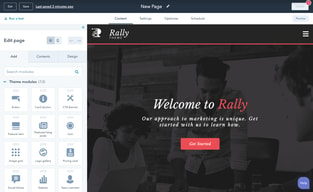
Drag and drop design tools are rather intuitive and make cosmetic changes and updates quick and easy.
Simple changes can result in major SEO problems and if you aren't a web developer it will be virtually impossible to fix without hiring or outsourcing.
Makes it easier to make quick changes and updates to the website that would have taken much longer to figure out using Wordpress.
Marketing, Analytics, User Trackability.
Hubspot limitations, table view, can't edit if we try to edit one. It just moves around; sometimes code doesn't work as expected, 10k storages, 10 hubdb calls per page, limitations on giving feedback per user, no way to compare what changes between revisions. Modules cant be nested
Rapid Development. Marketing, User tracking
I like the Hubspot platform especially its learning centre, the customer service tends to be fast enough, although limited in what they can do for the customer. I like the design and the constant updates, so I have good hopes for this CMS
Very limited SEO tools, no integration with add-ons like YOAST, which exists in e.g. Wordpress. The page builder is exhausting and buggy and plug-ins are not easy to distinguish, can't be categorised and can't be previewed, so you need a long time figuring out which one is the one you're looking for. Also GDPR options are not enough for EU customers.
Overall, it's a very ambitious project and it will be great once the above problems are fixed. The available templates and designs are professional-looking and attractive to the eye, relatively easy to customise, although quite often you need 3rd party intervention, as customisations need to be made on the HTML level.

Hubspot collects a lot of information in a dashboard within Wordpress backends, which is what our company specializes in. It collects and routes forms, has an analytics system that shows data on those collections, and helps to create marketing automation processes which can be really helpful. If you're starting from zero, this is a great building block. The form creation, editing, submission collections, and analytics around that is probably the single best part of the platform. It can also suggest and help to create landing pages, marketing automation emails, and inbound marketing lead generation hooks. All of this might seem pretty easy, but it's helpful to have a piece of software making the recommendations based on analytics instead of just pre-supposing what is needed in the next step. For years, we utilized the free version of Hubspot so that we could take advantage of these featured. Unfortunately, at some point, you're going to hit a ceiling of what is possible with this system. That's a pretty minor criticism, it's a great tool depending upon your level of marketing sophistication. For the vast majority of small businesses, this is going to be a great tool. I do not suggest the paid version, as it is quite expensive and it sort of locks you into a specific type/mode of marketing. I like the agility of being able to create different solutions. As a tool, it has its uses, but businesses should evaluate other options too. Just because it is free does not mean it is the only option.
The paid version is extremely expensive. I'm not a big fan of paying exorbitant fees for marketing automation software and none of my clients use this. There's not a lot about the system to dislike if you're new to the marketing world. Having to get clients to pay for their own account, login to it, and have a whole team that develops the "solution" on their site is a huge pain. It requires more work from the client than most are comfortable with and incurs additional costs that do not obviously help the client or the agency - only Hubspot. I get why they do it this way, and certainly for some clients it is well worth the cost, but for our purposes it was a tough sell.
We used to use it quite a bit for form submissions collection, routing to the client, and analysis of results. It did enable us to diagnose some issues quickly, which was very helpful. Ultimately, it did help us to ensure clients were getting the leads they wanted quickly and responding to them quickly. When it came time to stop using it, we weren't thrilled about it. It had made life pretty easy - so it was hard to separate.
I like that you are able to post to multiple platforms from the same page. You can even copy a Twitter post and schedule it right to Facebook without opening a new tab. It's very efficient.
Unfortunately, you do not have the ability to post GIFs or reactions through Hubspot. You can't post multiple photos to Instagram or change the size of the photo. For all of the social platforms, posting photos is a little too involved, and I often find myself using the apps ease. This means that some of my tweets and most of my activity on Instagram are not contained in the social analytics on Hubspot.
Like I said, Hubspot's best feature is the ability to keep everything in one spot. Though it's not always convenient to post through Hubspot, I have the ability to do it all in one place.
web content manager is very powerfull and easy to use.
The Workflow are not very flexible. The if-then branch just admit 2 variables
leads and contacts assignment to sales rep
I really like how Hubspot is consistently rolling out updates and new features to the platform
The content management system and marketing email creator do not offer enough customizability options for non-technical users (users who do not have at least some knowledge of CSS and HTML)
Automating our membership emails, managing, and scheduling content on our website
Fairly self explanitory and user friendly.
It could be a little confusing. More drag and drop features would be nice.
We use hubpsot for email and website building. It is nice to have all the list of our contacts easily accesible yo use and edit.
I like that HubSpot offers a single platform for me to manage my website and landing pages, email automation, performance analytics, as well as our blog and social media. It offered us a platform to start our automation and website management as new marketers.
The user interface is less than intuitive and recently HubSpot is pushing updates to add and remove features without notification to me as a user. This has caused tremendous issues with my marketing automation programs. For website management, the usability is poor. To access different features for one webpage, I may have to access up to four different drop-down areas as each function is siloed.
The original business solution for HubSpot allowed the company to begin with marketing automation and social media. Today, we may have outgrown its capability.
I guess one of the things that is appealing is that your HubSpot Marketing platform, and Sales Hub if you have it, are all on the same platform as your CMS, which does make integration easier, although with WordPress, you'd just have to enable a single plugin.
The CMS does not have the same ease or range of functionality as other CMS's, like WordPress. If you don't have someone to code in-house, hiring a HubSpot-specific developer could be cumbersome.
The HubSpot CMS Hub doesn't solve anything in particular that cannot be solved with another CMS. In fact, it probably makes more issues than it solves. Custom coding is an issue.
SEO tools are excellent. I like the drag and drop feature.
Everything else. It's a mess, and overall hard to code in it.
No benefits for me as a developer, but our SEO team love this CMS.
Most of my experiences with HubSpot are negative, but I do appreciate the HubL system - that is, when I'm not bogged down by restrictions. I also appreciate the HubDB system which allows for the quick creation of dynamic pages.
My only interactions with HubSpot is that of website creation. I'm not sure in what other ways my company uses HubSpot, or how it performs in other aspects. I dislike how difficult it is for me to work with HubSpot. As a software and web developer, I understand that I'm not the target demographic. However, I find HubSpot to be extremely restrictive and intuitive. Performing basic tasks is often hidden behind several layers of menus, and the site itself is extremely sluggish. This leads to a lot of frustration whenever I need to create or maintain a page. It often feels like HubSpot is comprised of multiple systems, stuck together with duct tape.
We utilize HubSpot to interact with clients, current, prospective, and potential. We also use HubSpot to document our APIs and provide client-facing information.
HubSpot did have some familiar drag and drop elements I have seen in Joomla page builder and WordPress Elementor.
I had to find workarounds for a few buggy elements.
I just built the website - we will see if they need my assistance in the near future.
Hubspot is user friendly for Marketers and Hubl is simple for developers to learn.
Hubspot does not work very well for large blogs with multiple categories, nor does it work well for large sites with multiple languages and managing multiple users.
HubSpot allows me to quickly build pages and modules. The ability to reuse modules and templates and hook up HubDB to them is crucial to rapid page builds.
Great Systemized platform if your team is specifically built for their platform.
Being tied into their systemization as well as the amount of content needed to be successful
We discontinued use as well as had several clients cancel
Nothing - IMO: The only reason it still exists is due to its integration with the HubSpot products/services.
It's a clunky CMS that requires lots of research to get even the basics to work. You have to buy/updgrade (spend more $$$) to get needed features that are included in most other CMS platforms.
HubSpot CMS is NOT solving problems for me. In fact... it's just the opposite. It's entirely too clunky and disjointed to efficiently manage a medium to large website. Don't even get me started on the lack of real SEO functionality.
I like that its a one stop shop to Marketing.
Massive painpoint is i can't @ Linkedin users or companies through the scheduling app. Also its a bit clunky to navigate when adding copy to a website. The templates also limit design.
workflows, scheudling, general day to day marketing.
The only thing I like about it, is how integrated it is, as far as the dashboards go. It's easy to see what status leads are in, etc.
From the perspective of using hubspot as a web hosting/platform tool, it's terrible. Nothing works with it, it's slow, has horrible google ratings, isn't scalable or extendable.
Manages leads coming into the system well, that's about it.

The forms were easy to create but not visualling appealing.
Make sure you read the fine print and know what every feature really means. Some of the features are misleading. I made some assumptions which ended up being very costly for me. For example, the product I subscribed to indicated automation. There is no automation unless you upgrade. Automation means manually going in and scheduling what you want and when you want it sent. You can go in and schedule an email to go out to a list, but that is it. There are no other automation options available. As a small business, I need better automation features, so I don't have to go in each time I get a new person on my list and make sure they receive all my materials and information. This is too time-consuming. We also asked about canceling our subscription, and we read their website. But we still went in and asked. So, when we contacted their help, they inferred that we could cancel the subscription, including future payments. This was misleading and not true. They will continue to take money out of my account for the end of the subscription. I will pay for it because I subscribed, and I will use their extremely limited features available to me. But I would not recommend it for any small business. We now use ActiveCampaign, which has more usable features, especially for a small business.
Make sure you read the fine print and don't subscribe until you are positive the program is what you need.
Easy to use for starting up. Extremely bad as you scale up.
- terrible support - terrible website speed due to poor servers - no ecosystem - very limited developer ecosystem
None
I am not sure that there is anything I love about the CMS and website building, maybe that it is easy to do the SEO on the pages.
I dislike that it isn't very agile. They don't have many templates that don't cost a ton of money, the drag and drop interface is not intuitive, and they don't have very good plugins that don't cost a ton of money. It is also very confusing to have to build each page as a separate page and not have the blog in the same place as the rest of the website. I find it to be bulky and not easy to design.
I haven't solved a problem and don't see any benefits.
HubSpot's training platform is well built. However, the delivery of the content is patronising it's best, and mind-numbingly boring at it's worst.
Every time HubSpot decide to "refresh" or update their platform, it feels like starting from scratch. They seem to move things around almost at random and it makes for a very poor experience.
Our engineering team is in china, so often we build pages ourselves in HubSpot to save time.
I like the fact that you can build several module to make different pages. I like the menu which is build automatically.
I don't like : - You can't see what others are doing or what they have done. You have to refresh to see the changes... - You can't easily overwrite some css on CTA, links, menu, ... - You can't put several window of code on the website design tools
Modules are great to make pages with repetitive pages. So, you can save a lot of time.