

Unclaimed: Are you working at Jira Core?






Jira Core Reviews: 4.4/5 — Solid Choice
Jira Core is a customizable workflow software solution that allows users to organize projects and tasks into one central location, accessible via a single dashboard. The platform provides the infrastructure to automate business processes and increase productivity for teams, thanks to its core features that prioritize a company’s ability to scale and organize workflows.





| Capabilities |
API
CLI
|
|---|---|
| Segment |
Small Business
Mid Market
Enterprise
|
| Deployment | Cloud / SaaS / Web-Based, Desktop Mac, Desktop Windows, Mobile Android, Mobile iPad, Mobile iPhone, On-Premise Linux, On-Premise Windows |
| Support | 24/7 (Live rep), Chat, Email/Help Desk, FAQs/Forum, Knowledge Base, Phone Support |
| Training | Documentation |
| Languages | English |
Jira Core Pros and Cons
- User friendly, customizable workflows
- Easy to tailor dashboards and task lists
- Support advanced reporting with end to end traceability
- Reported bugs causing issues with tracking


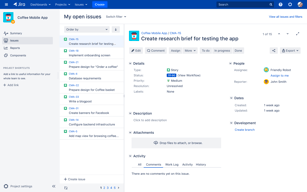
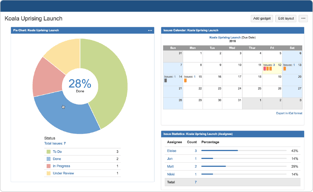
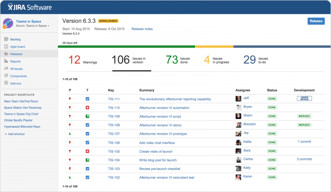
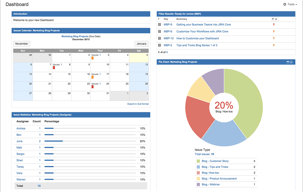
Compare Jira Core with other popular tools in the same category.
Jira Core is a platform that offers one of the best workflow management systems. This includes functions that allow establishing due dates for projects, assigning responsibilities and adding attachments to the platform, in addition to this, it has a varied set of predefined templates that allow following up the projects that are being executed
Jira Core has an antiquated and not very intuitive interface, it is software that lacks integration with third parties, it does not have views in Gantt diagrams as well as it does not offer views of the progression of projects in time line, in terms of resource management it is still far behind other programs
Jira Core is very frequently used in our organization mainly to manage projects and assign tasks for business teams, thanks to the flexibility of this software we use it in different departments such as marketing, legal, manufacturing and human resources, besides this it has offered us a lot of tools to develop applications such as access control, software development and accounting testing. I consider that our organization has made a leap in quality since we implemented Jira Core
Jira Core is a very robust solution to manage large projects and maintain the organization of the teams, the service is excellent for tracking tasks, provides very robust and customized dashboards that allow you to work comfortably, has its drag and drop function that is very useful to organize the most priority tasks, the service is cloud-based which provides easy access to users. The service allows to measure the performance of the tasks executed through very colorful graphics, I love Jira core's interface because it is very updated, it has a design that represents very well the service because it is very elegant.
Jira Core is a product that has a very wide interface and this helps to have a learning curve for beginners, which has made it a little difficult for us to integrate new people to work with the software, its cost I consider it high compared to other alternatives, but because its operation is very good we consider to continue working with this product.
Jira Core is a system that we have implemented in our organization in order to be able to manage and administer the projects in an efficient and high performance way, the service provides us with control of all our operations, we can quickly identify deficiencies and correct them without any problem, it provides us with easy access. In conclusion I can say that jira core is a very useful product for our company.
It tracks tasks with coworkers and other team members.
hope it can provide some video tutorial associated with help
in our team, we use mainly for tracking the bugs and deployment .
1. i like the simplicity and the easy-of-use 2. It is easy to intergrate with github and slack so that multiple issues could be tracked in one place. 3. Easleir to create different releases and manage them , plus sending out release notes to the client 4. Adding new users and educating them about the tool 5. Creating different issues, and integrating with other add-ons for creating test cases and running regression tests
1. Sometimes it just takes too long to load 2. For some of the in-built tools like Xray, the users have to buy the licences 3. Unbale to load the images/files on a smaller screen computers/laptops
We are managing multiple projects using Jira, with a team spreaded all over the globe. The whole SDLC is dependent on Jira with the requirements being turned into stories. The developers then pick up the stories/bugs and create new pull requests in Github. Then the QA tests/retest the issues and close the issues. The stories can have sub-tasks as test cases that could break down the functionality for further testing.

The ability to track tasks with coworkers and other team members.
Colleague can lock a task so you can't mark as complete. This has required me to waste time tracking down the person who locked it, and then getting them to either release it, mark it complete themselves, or give me override authority. As a result, time is wasted on an administrative task.
We have been able to coordinate well between my content department and the software development staff. If they spot a bug, they can bring it to my attention, and Jira will notify me. I then can either handle the issue myself or assign it to a subordinate, while tracking progress each step of the way.

Its user friendly and highly customizable
Layout of buttons is cluttered in some pages
We are using jira for project development using agile SDLC method. It has hleped us in managing stories.
Integrations with GitHub help track code for all efforts. Whether it is a bug or feature, it can help a lot of see when the code was changed and why.
Navigation; Depending on what you are trying to do and where you are trying to get to, navigation usually feels a big sluggish, clunky, and hard to use. There are so many options and features, but it can be hard to really just focus on the ones that I care most about.
We're using JIRA to coordinate our efforts across the team, but also track individual work done and reasoning behind code changes. It is really useful when the developer, QA, and PMs use this correctly and since it is open to so much customization it allows use to put in rules that help enforce good habits.
Connectivity with Salesforce, time stamping, real-time updating, dashboards, customization ability
Configuration is not intuitive, I frequently have to Google in order to figure out
Our team uses Jira Core as a link between the commercial and operations teams. The sales team can track their issues directly from Salesforce, and ops has an easy to-do list. The ease of file sync between the two platforms is a key feature for us. We also use it as a data repository that all users can access, since the per-seat costs compared to Salesforce are much lower.

I really like how wide this tool is, it is incredible the management capacity that it has of the projects, and not only that but the way in which tasks can be divided, and the alerts with respect to the different deliveries, without a doubt It is the best project or task management tool I know. I really like that it offers diagrams of flows that are very visual to update the status of the project, it helps a lot for self-motivation and determination to complete projects as soon as possible. The details of the tasks can be very specific and offers some reports that are usually very useful at the time of showing or present that what has been done so far.
I think the only bad thing is the cost of subscriptions, but outside of that I think it's an excellent tool, even to manage physical and infrastructure projects.
I have benefited a lot from this tool because it has allowed me to manage the project at any time, to do it through this tool and to have all the professionals constantly update the progress of the project and in this way I will present the advances to the superiors, it is incredible how intuitive is the tool and how capable it is, I feel that it has many functions including many of which I have not been able to enjoy yet, but without doubt there are people whose demands go all the way there.
This tool has been very helpful during our project works. It's really easy to keep a track of the workflow and processes.
I believe if there were videos and official tutorial to learn about the tool, it could have been more handy
Tracking the workflow of all the processes


