







LiveWebinar Reviews & Product Details
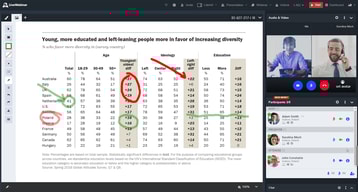
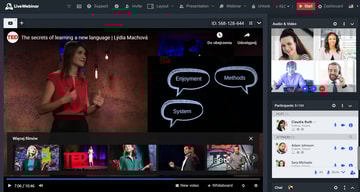
LiveWebinar is a cloud based webinar option that allows companies, both big and small, to easily manage webinars and online meetings. The platform is especially useful for marketing teams and HR departments to host industry related gatherings virtually for their audience. It features like screen sharing, presentations, and broadcasting to major social media platforms like YouTube, Facebook, and Vimeo. The platform also allows users to personalize registration forms to boost branding opportunities and provides numerous engagement features such as voting, surveys and polls.





| Capabilities |
API
|
|---|---|
| Segment |
Small Business
Mid Market
Enterprise
|
| Deployment | Cloud / SaaS / Web-Based, Desktop Chromebook, Desktop Mac, Desktop Windows, Mobile Android, Mobile iPad, Mobile iPhone |
| Support | 24/7 (Live rep), Chat, Email/Help Desk, FAQs/Forum, Knowledge Base, Phone Support |
| Training | Documentation |
| Languages | English |
LiveWebinar Pros and Cons
- Offers a WhiteBoard feature that helps make presentations more engaging
- Fully mobile responsive webinar room
- Allows main rooms to split into break-out rooms during live meetings
- Can host up to 1000 attendees
- Complicated user interface that demands a steep learning curve for first time users
- Users often report issues when trying to upgrade services

Compare LiveWebinar with other popular tools in the same category.
Livewebinar has lots of options and the look is customizable. Webinars, meetings and permanent rooms are all available.
I had the "Waiting Room" option turned on and I had to let in each person individually. That was so frustrating as the term "Waiting Room" sounded so friendly. I was ready to resort back to Zoom until I figured out what the problem was, turned it off, and was back in business. Here's the main thing: People are familiar with Zoom now. Zoom alternatives have to act pretty much exactly like Zoom or people will get really frustrated and leave.
It replaces Zoom for meetings and provides a waaaaaayyy cheaper alternative if you need Webinars (guests can only listen). Zoom (for whatever reason) has no affordable webinar options. Live Webinar does.
We were happy to find out that LiveWebinar works with both desktop and handheld devices without downloads and is fully compatible on all browsers. Live streams look great also on other platforms and can be recorded in HD for re-use or even evergreen purposes and the whiteboard has been really helpful. We even broadcast video's during webinars and presentations, so it covers most if not all our needs.
It took some time to get to know all steps and integrations to make full use of LiveWebinar, though after a week or so, feels like easy and straightforward.
During and before Covid we organised online trainings, workshops and presentations as well as one-to-one meetings (we did with up to 5 people) to discuss and have meetings online.
We like this app because is native browser, no install nèeded to launch this app. Stabil app and no need worry about the poor connection
No thing dislike for this app. I like the app for professionap webinar.
I use this live webinar to conduct evergreen webinar. This function save my time
The webinar is easy to use and most importantly no need to download anything
it would be nice if can multiple window so that can adjust the size of video & the presentation
love it that it can easily be used to create webinar
All of the feature and functionality of it's competition for a one-time fee.
Nothing of note. Would like to have a few of the higher-tiered features (like branding) in the lower tiers as well.
I am able to reach a distanced and disparate audience with live and recorded sessions

I was looking for a platform where I could manage my entire webinar strategy; I was satisfied with the features as it allowed me to create live webinars, video calls, and evergreen webinars. It has been easy to use for both my agency team and users.
Some platforms offer better subscription landing page designs; in this case, I'm not interested because I am dedicated to developing and designing pages and landing pages. Anyway, it is a weak point that many could use improvement.
I have saved time in automation and linking to my email marketing platform. Also saved some money cause I get the lifetime deal and I'll be usin in for some time.
That it wasn´t necessary to download a program and it was light for the internet connection my students had
I could not share videos from my computer
To have classes with no time limit as it is in zoom. Also, the use of the internet is lighter than google meet

Easy to use, convenient, useful for business
Once I had a problem to record a webinar (you have to press rec button twice, not once)
Helpful in business events, trainings and meetings.
I can upload slides instead of having to share the screen.
in the cloud where I can't record to my computer.
I am presenting to large audiences 200. I can present slides and my video on. I like the break out rooms.
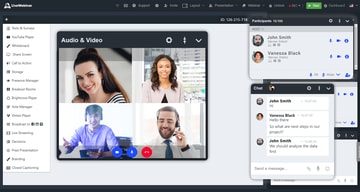
Apart from live chats and screen sharing, it gives me the ability to stream my sessions live on Youtube and Facebook giving me a wider reach. Extensive webinar tools are available and they make it possible to interact with my audience properly and proficiently share content.
LiveWebinar works well for my training sessions and it is most useful when the visual materials are not overly detailed. No much of a dislike for this software.
Preparing of presentations, inviting attendees by customized invitations that are sent via text messsages and email. Having control of the whole webinar as a presenter and engaging the audience through Polls & Surveys, live chats and screen sharing.