

( 128 )
Unclaimed: Are you working at Mailmodo?
Mailmodo Reviews: 4.6/5 — Highly Rated
Mailmodo is an email marketing platform that allows users to create and send interactive emails with embedded forms, surveys, quizzes, and other widgets directly within the email, enhancing user engagement. It bypasses the need for recipients to click on a link to fill out a form, streamlining the process and potentially increasing response rates. Mailmodo also provides comprehensive analytics and automation tools to optimize email campaigns and manage subscriber data effectively.

| Capabilities |
API
|
|---|---|
| Segment |
Small Business
|
| Deployment | Cloud / SaaS / Web-Based |
| Training | Documentation |
| Languages | English |

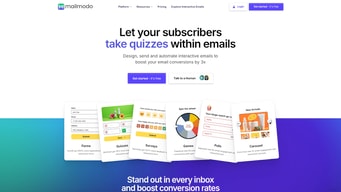






Mailmodo lets people fill in a form, answer a survey, or book a meeting inside the email itself, without clicking through to a landing page, and that genuinely lifts conversion. It is the best implementation of AMP email available. The constraint you must understand before buying is that AMP does not render everywhere, and notably not in Outlook desktop, so a portion of your list will always see a fallback.
- What it is: An email marketing platform built around AMP interactive emails, with journeys, segmentation, and templates.
- Best for: Teams running surveys, feedback requests, or lead capture by email to consumer audiences that are heavily Gmail-based.
- Pricing: Lite $27 and Pro $79 per month at 500 contacts, billed annually. Max is custom. Verified on Mailmodo’s pricing page in July 2026.
- The honest catch: The $27 Lite plan carries Mailmodo branding in your email footer and excludes A/B testing, and sending credits are tight at every tier.
What Is Mailmodo?

Mailmodo launched in 2020 around a single idea: the click-through to a landing page is where email conversion goes to die. Every step between reading an email and completing an action loses people, so the fix is to remove the step entirely by making the email itself interactive.
The technology enabling this is AMP for Email, a Google-backed standard that allows dynamic, interactive content to run inside a message. With it, a recipient can complete a survey, submit a form, pick a meeting slot, or browse a product carousel without ever leaving their inbox. Reviewers report two to three times more form submissions and survey responses after switching, which is a large effect for a change this contained.
Mailmodo is widely regarded as the strongest AMP email implementation available, and that is its reason to exist. Everything else it does, journeys, segmentation, templates, is competent but unremarkable against dedicated email platforms.
The independent ratings are good on modest samples: 4.6 out of 5 on G2, and 4.6 out of 5 on Capterra across 27 reviews. Findstack’s own user reviews put it at 4.6 across 128 ratings. Consistent, but built on far fewer data points than the mainstream email tools.
How Mailmodo Works
- AMP email creation. A drag-and-drop builder with interactive blocks: forms, surveys, NPS widgets, calendars, carousels, and quizzes, all functioning inside the message.
- Automatic HTML fallback. Where AMP is unsupported, recipients receive a standard HTML version with a link. Nothing breaks, but those readers get the ordinary experience, which matters for the reason below.
- Journeys. Automated sequences triggered by behaviour. Active journeys are capped by plan: 1 on Lite, 10 on Pro, unlimited on Max.
- Templates and AI. A template library plus AI-assisted creation, with template uploading reserved for Pro and above.
- Analytics. Standard reporting plus email click maps on Pro, showing where recipients interact within a message.
The crucial technical point is inbox support. AMP for Email works in Gmail, Yahoo Mail, and Mail.ru, and does not work in Outlook desktop clients. If your audience is B2B and Outlook-heavy, the feature you are paying for will not reach a large share of your list, and you will effectively be buying a mid-tier email tool at a premium price. Check your list’s inbox distribution before committing. Most email platforms can tell you this.
Mailmodo Pricing
Mailmodo prices on contacts, with sending credits metered separately. Figures verified in USD on Mailmodo’s pricing page in July 2026, at 500 contacts billed annually.

| Plan | At 500 contacts | Sending credits | Team | Active journeys | Notable exclusions |
|---|---|---|---|---|---|
| Lite | $27/mo | 2,000 | 1 | 1 | No A/B testing, no send time optimization, Mailmodo footer branding, no template upload, no click maps |
| Pro | $79/mo | 3,000 | 3 | 10 | No API data export |
| Max | Custom | Unlimited | 5 | Unlimited | — |
The parts that decide whether this is good value:
- Sending credits are the real constraint. At 500 contacts, Lite’s 2,000 credits is four full sends a month and Pro’s 3,000 is six. For a weekly newsletter with any resends, that is tight, and it is a much lower allowance than comparable platforms offer.
- Lite puts Mailmodo branding in your emails. At $27 a month, your footer advertises the vendor. Removing it requires Pro at $79. Many competitors drop branding at their lowest paid tier.
- A/B testing requires Pro. Excluded from Lite entirely, which is a meaningful gap for a platform whose pitch is conversion improvement.
- Pricing scales with contacts. The figures above are at 500. Reviewers specifically note costs becoming elevated for larger lists, so model your real list size.
- The free tier is generous by comparison. Reviewers cite 10,000 monthly emails on free accounts, which makes evaluating the AMP experience genuinely feasible before paying.
Who Should Use Mailmodo
- Teams collecting survey or feedback responses by email. The strongest case. Removing the landing page step measurably improves completion, and reviewers report two to three times more responses.
- Consumer brands with Gmail-heavy audiences. AMP support is best in Gmail, so B2C lists benefit far more than B2B ones.
- Lead generation from email. In-email forms convert better than click-through forms, and that difference compounds across a campaign.
- Booking and scheduling flows. In-email calendars remove real friction from meeting requests.
It is a poor fit for Outlook-heavy B2B audiences, where the core feature is unavailable to much of the list, for high-frequency senders, given the credit allowances, and for teams needing deep integrations, since reviewers consistently describe the integration stack as small and Zapier-dependent.
Honest Pros and Cons
Strengths
- The best AMP email implementation available. Consistently described that way by reviewers, and the differentiator that justifies the platform.
- Measurable engagement gains. Two to three times more form and survey responses is a large, repeatedly reported effect.
- Fast to get started. Reviewers report sending a first AMP email in under ten minutes, with clean onboarding.
- Automatic HTML fallback. Unsupported inboxes still receive a working email rather than a broken one.
- A usable free tier. Reported at 10,000 monthly emails, enough to test the core capability properly.
- Responsive support. Praised across review platforms.
Limitations
- AMP does not work in Outlook desktop. The single most important caveat. For Outlook-heavy lists, the reason to buy Mailmodo largely evaporates.
- Mailmodo branding on the entry plan. Your $27-a-month emails carry their footer.
- Tight sending credits. 2,000 on Lite and 3,000 on Pro at 500 contacts is restrictive against competitors.
- No A/B testing on Lite. A notable exclusion for a conversion-focused product.
- A small integration stack. Heavy reliance on Zapier, and reviewers describe integration setup as time-consuming.
- Segmentation is fiddly. Creating segments is repeatedly described as harder than expected.
- A modest review base. 27 Capterra reviews is a thin sample, though G2 and Findstack ratings corroborate the score.
- Automation changes are not retroactive. Edits to journeys do not apply to contacts already enrolled, which is an easy operational trap.
Mailmodo Alternatives and How It Compares
- MailerLite is far cheaper with a better editor for conventional email, and has no interactive AMP capability.
- Omnisend is the ecommerce pick, with stronger commerce automation and no AMP focus.
- GetResponse offers broader marketing features including webinars and funnels at comparable cost.
- ActiveCampaign is substantially deeper on automation logic, and more expensive.
- Typeform paired with any email tool is the honest alternative if in-email surveys are the only reason you are considering Mailmodo, and your audience is not Gmail-dominant.
For a broader survey see our guide to the best email marketing software.
The Verdict
Mailmodo does one thing better than anyone else, and if that thing matches your problem it is an easy recommendation. Interactive email genuinely removes a conversion step, the reported gains in form and survey completion are large and consistent, and the implementation is the best available. For a consumer brand running feedback programmes to a Gmail-heavy list, this is a differentiated product rather than another email tool.
The qualification is not a minor one. AMP for Email does not render in Outlook desktop, so if your list skews B2B you are paying a premium for a capability much of your audience cannot use. That is not a flaw in Mailmodo, it is a limitation of the standard, but it determines whether the purchase makes sense. Find out what your list’s inbox mix looks like before you decide, because that single number answers the question better than any feature comparison.
On price, treat Pro at $79 as the real plan. Lite at $27 places the vendor’s branding in your emails and removes A/B testing, which is a strange combination for a conversion-focused tool. And watch the sending credits, since four to six full sends a month at 500 contacts is meaningfully less generous than what MailerLite or Omnisend provide at similar prices. Use the free tier first, on your actual list.
FAQ
Does Mailmodo’s interactive email work in all inboxes?
No, and this is the most important thing to know. AMP for Email is supported in Gmail, Yahoo Mail, and Mail.ru, but not in Outlook desktop clients. Recipients on unsupported clients automatically receive a standard HTML fallback with a link, so nothing breaks, but they do not get the interactive experience. If your audience is Outlook-heavy, the main reason to choose Mailmodo does not apply to much of your list.
How much does Mailmodo cost in 2026?
At 500 contacts billed annually, Lite is $27 per month with 2,000 email sending credits and one team member, and Pro is $79 per month with 3,000 credits and three team members. Max is custom priced with unlimited credits and five members. Pricing scales with contact count, and reviewers report it becoming expensive for larger lists.
Does the cheapest Mailmodo plan include branding?
Yes. The Lite plan at $27 per month includes Mailmodo branding in your email footer, along with no A/B testing, no send time optimization, and no template uploading. Removing the branding requires the Pro plan at $79 per month.
Is Mailmodo worth it compared to a normal email tool?
It depends entirely on whether interactive email applies to your audience and use case. For Gmail-heavy consumer lists running surveys, feedback requests, or in-email lead capture, the reported two to three times improvement in response rates justifies the premium. For general newsletters to mixed or Outlook-heavy lists, MailerLite or Omnisend deliver more sending capacity and better value.
What is Mailmodo best for?
Collecting responses by email. Surveys, NPS, feedback forms, lead capture, and meeting booking, where removing the click-through to a landing page measurably increases completion, and where the audience is concentrated in Gmail and other AMP-supporting inboxes.

Compare Mailmodo with other popular tools in the same category.
i love how they are able to create a wow factor to anyone opening the email by letting them use the AMP interactive elements. Their team (especially Rahul, Dharmesh and Surya) are extremely helpful not just in resolving bugs but also in implementation (connecting with platform's backend), fixing templates and more. Given their competitive market pricing, it's a no brainer tool to invest in.
A few features could be improved - whether it be providing version history for templates, autosave, and more. Also send time optimization would be amazing to have!
Simply put - it reduces a ton of friction the users would face otherwise. If you want them to send in an agenda before the meeting, instead of asking them to login our platform and type, they can just type and submit it in the email and we update it. This makes activation a whole lot easier!
The template and its features! The fact that we can design and create our templates avoids the usage of other planning tools. The other email marketing tools aren't as advanced as mail modo!
We wish we could reach out to more than 30,000 customers at a time
Mail modo is helping us bring back dead/engaged leads!
Mailmodo has convenient and practical templates which we can use to create engagement campaigns for our business. Also, they suggest using email as a marketing channel is the best practice.
Although they have a very clear product roadmap in the public domain, having a few new ideas, like videos in the AMP email, could make this tool more interesting.
Making it possible to use interactive emails via AMP technology. This is very helpful as in case of normal emails drop off increases even after making them click and land our website.
My name is Vinesh, and I am Product Manager at Turito. We use mailmodo for both promotional and transactional email communications. I am responsible for the transactional one, and without any doubt, I can say the best thing about mailmodo is its app interface. It's very user-friendly. Adding templates, creating campaigns especially the trigger one, integrations, viewing campaign summary and the admin panel are some modules we use very frequently. These are designed in a very structured manner. Their customer support is also outstanding, and they are there whenever we need help. Time is not a boundary for them. Especially their account management team (Pratik and Sanjana).
We haven't seen any downside to date with mail mode.
It's easy for us to create trigger campaigns and send transactional emails for our portal using trigger webhooks.
It's AMP Template and a very cooperative team.
None. Everything is wow, especially its Product Recommendation Template.
It has gamified templates. Customer play games and interact. Our open rate and click rates are improved.
AMP emails is the top reason for choosing Mailmodo. Pricing and payment models are flexible. Easy to create templates. Triggered emails is another good option. Dashboard comes with a lot of information. Easy to integrate with platforms like webengage and clevertap
There can be more featured templates for each use case.
Email communications are no longer one-way. We can get the leads, confirmations etc., in the email itself. No need to create separate landing pages for the email campaigns.
AMP emails was feature that brought me to Mailmodo but if i compare it to Mailchimp, our previous solution, user experience was significantly better. From changing a simple configuration or designing a template to checking my reports everything is more intuitive and easy. And bes
Ability to edit uploaded HTML templates is a feature that is missing and makes a bit difficult to work
We needed a fast, reliant and cost effective email solution for our transactional email requirements. Mailmodo with its easy integration and support has seamlessly integrated with our solution from day 1.
It is straightforward to use. Lots of templates are available that I can click and edit as I need.
There is a limit on images. We can not update the profile picture.
I don't have serious problems with Mailmodo, but i have seen some UI changes that are good.
Mailmodo is very user-friendly, has good template options, and email deliverability is great. Reached up to 40% open rate for some of our campaigns. New updates regularly. Best tool for Start-Ups. The tool is very affordable in terms of pricing when compared to other tools in the market.
There is no option to exclude campaigns on the weekends or pause particular days when you want to run the campaign for up to 7days. Also, there is no option to view all contacts in a particular list. It shows just a few sample data.
As a startup, we were looking for a tool that is affordable, has a good deliverability rate, and makes our email marketing activity easy, and just at that right moment we received an email from Mailmodo and we started exploring the tool and found that this tool was the best for us and ticked all our requirements. Shabharish & Mehak have been very supportive and initial training plus new feature update training from Mehak has also helped us in understanding the product better.

Overall I am satisfied with the use of the tool in terms of value for money. I believe I will continue to use Mailmodo for a long time.The structure is very simple and practical. I can build campaigns and automations without too many problems.
It would be better if Mailmodo had more design tools suitable to the company's style. Overall nothing to say.. So far the best email marketing tool compared to other competitors
It solves our email automation to our marketing leads and it actually benefited us adding more value to our clients
Mailmodo`s interface is user-friendly, and that's what I like about it the most as I have recently started using mail mode, and it was easy to get my hands on the platform. Also, the post-sales team is very cooperative if I face any issues or need guidance.
For now nothing as such for me things are going smoot as of now.
Reaching to millions of customers on daily basis.
Customer service and overall e-mail nudging features. Regular updates on more features and support
Sometimes the updates or errors (random) which impacts the work
Customer relationship journey and engagement It's impacting my ROI directly in a positive way
The customer support is incredible. Kunal from MailModo was always on top of everything. If he didn't have the answer, he'd get it, and was always quick to respond. Also, their API and docs are way easier to use than Sendgrid, which I used in the past. UI is intuitive and friendly.
Would be nice to have a Javascript SDK. However, this wasn't much of a problem either way to get app working in my node.js environment.
Sending well crafted, good looking emails to our users. Our users receive emails from us on a consistent basis and we have an easy to use UI to create them.
The ease of creating templates to send out newsletters is unmatched compared to other platforms. We've tried other competitors before going ahead with Mailmodo, and it felt that sending out campaigns consumed much more time than actually creating the content. The entire user journey, from bulk uploading contact lists to creating standardized templates to track campaign data, is perfectly curated on Mailmodo.
Some interactive elements provided as pre-made blocks will lead to emails being marked as spam.
Mailmodo helps us create highly interactive newsletters and roll out campaigns to thousands of subscribers with minimal effort.

- Easy to use "what you see is what you get" editor - Consolidated dashboard to get actionable insights after every campaign - Ability to send AMP mails
Not much, text editor can be a little better but not a big issue.
Mailmodo allows the building of interactive and attractive emails without much hassle. We are able to maintain health open and click through rates because our mails are consistently good.

Getting a response from users (Gmail) directly from email, no redirect to an external website Pay-as-you-go plan Easy to create templates Easy to create segments Contact management Scheduling emails up to the next 7 days
While it has a lot of features and after working with it I don't think there's something to not like. Each feature is well crafted with the thought of making emailer seamless.
Mailmodo is solving a lot of problems marketers are facing with their email campaigns. Many of the features such as getting responses directly from users, scheduling emailers for up to 7 days, sending emailers in a fragmented manner, easily creating audience segments etc.
The simple and intuitive dashboard. Be it creating or viewing the results of a campaign.
Restriction on sender emails. Nothing else so far.
Creating and sending AMP emails
I love the dashboard, UI & UX which are provided to us by mailmodo. It is easy to use and even non-tech people can use the platform without facing any major issues.
I am still exploring the platform and till now I didn't get anything which will make me dislike the platform.
Below are the problems which I am solving with the help of mailmodo. 1. I can automate my overall work with Mailmodo 2. The pre-defined templates are helpful and it gives a clear picture to us regarding the campaign creation

Interactive UX - No landing page is required for the user to take action, user even can do transactions over the email.
That Microsoft & Yahoo do not support AMP email - Yahoo Japan does!
User experience and engagement solutions will lead to loyalty and advocacy.

From the first, we were really mindblown with the AMP features that Mailmodo had to Offer. The customer engagement and interactive features that Mailmodo AMP email provides got us and our customers. We have had a great experience using the service and getting to know our customers better through feedback, data forms and other engagement emails.
One thing where we needed a customized AMP template for our business use case, we requested them. Their support team couldn't really help with our request as they being a small team had bandwidth issues to entertain such special requests. In the future, if they accommodate such requests it will increase user stickiness.
We used Mailmodo for the following purposes: - Manage and Track Campaigns - Send data forms/ sliders/ feedbacks/ cart to add products and 100+ other features - Open rates/ bounce rates/ unsubscribe/ clicks/ any interactive submissions can be tracked in a seamless manner - Email automation for Payment success/ Cart Reminders/ Birthday messages and more - Several integrations with Zapier/ Google Sheets/ Hubspot/ Salesforce CRMs All work seamless with 100% accuracy in data.

Easy to use. Delivers exactly as it promises.
More themes for other use cases needed to complete the use case
Biggest problem that mailmodo solves is making the email more interactive. we have seen 3X the amount of click through rates by using mailmodo

I am in awe! I am a copywriter and I was looking for a tool that would allow me to create interactive emails quickly and without the hassle of designing. I love Mailmodo's clean, simple UI and UX. I can add a form or a quiz in seconds, which is what I need to contact leads and capture leads' information.
That not all email providers have the capability to display interactive emails - but for them, Mailmodo provides a static email!
With mailmodo, I am able to create interactive emils where users are able to fill in a quiz or a form without needing to link out of their email client onto a website

Email marketing is difficult for small business owners because it can be confusing and time-consuming, however, Mailmodo has an attentive staff that takes that extra time to help business owners understand the software and how to use it.
The learning curve that occurs with any software.
Automated email marketing

I am a UX designer, and recently, I have to do many email marketing templates. I found mailmodo, and it's fantastic. It's fast and straightforward. Some unique features are very new to me, like AMP forms.
As a designer, I find many features missing. But I can't compare this with Figma or Adobe XD. It does a great job, that's it.
It's quick. It's simple. Many pre-made blocks and dummy templates are there to start from scratch.
It's very easy to plan, build and distribute the campaigns that needs to be sent. There's so much more flexibility in terms of what you can do to send out quality email campaigns.Defining a journey is so easy and so is making the template. It integrates with all the tools I need.
There's nothing to dislike. It is working great for us.
With Mailmodo, we now build and send better campaigns that are resulting in more conversions, at least 3x. We get accurate reports that help us to understand what is working and what is not.

Ability to get the desired action from user - feedback, appointments, ratings, etc. in the email itself
You still need Google to approve your domain to be AMP eligible
As a VC, we asked all of our portfolio companies to use mailmodo for their email marketing campaigns. The platform was easy to sign up (self serve), the companies were able to see improvements in conversion rates immediately. These are Seed/Series A stage companies. We also use mailmodo to send our quarterly newsletter to our LPs and get feedback.
I loved the Editor interface. Straightforward to use, minimalist, and user-friendly flow.
Not all browsers are supporting AMP emails right now. But that's a very few percentages. Hoping other email clients will support it soon.
We regularly share our works with our clients. But we rarely get feedback from them. Thanks to mailmodo interactive forms (like star rating, nps), we are getting 100% response which was not possible a few months back.

Drag and drop feature and how easy it is to setup amp emails
Nothing so far, perhaps a user doc as well
Automated emails as part of my onboarding journey
1. AMP 2. Email Deliverability 3. Best results in terms of easy meeting booking, more responses on NPS 4. Excellent UX
Nothing as such. SInce I started using, I am able to get more than 50% of the results I was getting.
1. Meetings 2. NPS
The best and most sought after feature is AMP!!! never heard something like AMP from an email platform. Most of the time, our users doesn't want to click and move out of their inbox. Scheduling a meeting without going to another browser amazes me! The other thing I love about MailModo is Smart Trigger and now I can send transactional emails!
Connecting my own SMTP and limited templates... I'm sure team is very responsive and hope they will consider this!
The first thing, my users donsen't have to leave the inbox to fill the survey or schedule the meeting. Second thing, it's extreemly cost effective for transctional emails.