

Unclaimed: Are you working at TeamGantt?






TeamGantt Reviews: 4.8/5 — Highly Rated
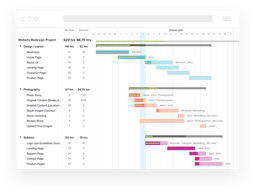
TeamGantt is a cloud-based Gantt chart and project planning solution specifically built for small, midsize, and large enterprises. With its comprehensive project collaboration tools it facilitates better efficiency within teams using Gantt charts, time tracking, file sharing, and task-level communication features. A drag-and-drop interface also ensures better usability and ease of use.





| Capabilities |
API
|
|---|---|
| Segment |
Small Business
Mid Market
Enterprise
|
| Deployment | Cloud / SaaS / Web-Based, Mobile iPad, Mobile iPhone |
| Support | 24/7 (Live rep), Chat, Email/Help Desk, FAQs/Forum, Knowledge Base, Phone Support |
| Training | Documentation |
| Languages | English |

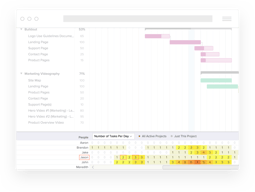
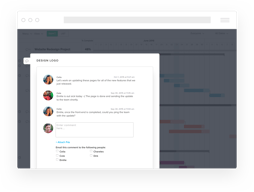
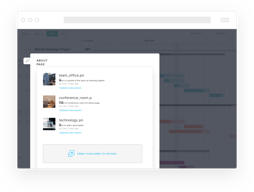
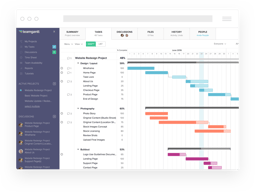
Compare TeamGantt with other popular tools in the same category.
It's perfect for agile working and very easy to build projects. I also love the dependencies and the fact you can create project templates.
Getting visibility on a group of projects isn't simple, it requires that you click to view them in a particular order. In addition, you can't drag the projects to change the order.
Project management for my team.
As part of our start up we are short on structure and planning discipline. TeamGantt is a step in the right direction. We held workshops to get a high level plan (and since added more details). So now across 50 people who are infrequent project planners they can view and as guest users can pin comments to tasks as no cost...our plan is over 1500 tasks and being actively used rather than collecting 'dust' lost in a share drive.
Response time is now an issue... so during team catchups I need to take notes on such things as updates to start, end, percent completes because to apply these changes during meetings is not possible due to lag times in the tool.
Large program coordination and status tracking...this provides a helpful data point to track status when combined with other non plan indicators

- I like that one can try it out with all the function fore free so that you can see whether it's a good fit for you or not. - Another thing I really love, is the ability to see different views of your items added. For example, you can go to the list view, or the gnatt view.
I think the UI can use some touch up. The user experience is pretty good, but the user interface isn't amazing....
I use TeamGantt to create timelines for my web development projects. It makes things really organized
This has helped me on larger projects to keep everything in order and know when to start contacting my subs for the next stage.
The app still needs some updating, you can't see the gantt chart on the app
Keeping everything organized, helping with scheduling, and projecting completion time for the project.

Great look and feel, very intuitive for beginners. Have all the functionality needed for a project -- gantt chart, time management, discussions. Is good for small teams.
If I already have a project plan in excel, then transitioning the excel plan to TeamGantt would take a long time. Having to login via browser everytime I want to update the project status. Spending too much time updating these charts instead of spending time on project content.
Managing projects easily, giving team members in the organization visibility

I really like the user interface, it's quite simple and attractive. TeamGantt has very practical functions, being able to update all the projects of the different departments in a single cloud is fascinating, we can be up to date with the constant updates that we generate. Finally it seems quite important that I can use it from my mobile device, I can use the software this where it is.
I consider that the software does not have anything negative that I can mention or make notes. It is very easy to use and you also have multiple use options.
Thanks to TeamGantt we can interact between all the departments, we can work more together and support each other in the tasks in order to generate and obtain a better result, besides doing the work in a better way. The workflow has improved, and we can better manage our daily tasks.
Its drop and drag functionality, and that it can be converted to a list or calendar
canot add columns, I would love to be able add a "client" column. The fact that i cannot drag off screen. I need to drop, scroll and then drag again, is quite frustrating.
we call it the Air Traffic Control. it gives us a great overview of all the moving parts in our business with personell allocations and deadlines

The simplicity of TeamGantt facilitates the possibility of having everything in one place and with the possibility of sharing it, as well as being a very fast way to keep track of the procedures and their development with the rest of the team. It is a great possibility to get something more graphic to do instead of other tasks that are pending in the market.
The negative of TeamGantt is a bit expensive, I need it for my private use, it could be cheaper. For the business scope, the cost is understandable. On the other hand I would like to personalize the tasks better.
What has made it possible to improve this TeamGantt in the company is the ease to cut and work in groups, perform statistics and also order much more efficiently the distribution of the work, since having several large teams, it was necessary to increase organization in each of them. Extremely amazing. TeamGantt has strengthened the ability to leave the office and have a constant conversation regarding each task and each project. The time that saves me is very useful.
Overall visibility for all projects. Views on which days/weeks are loaded. completion percentage and notifications for users.
Moving projects back/forward is a bit clunky.
Lack of visibility for all projects in the pipeline. Task progress updates.
the easy to use the free trial to test and have good to management your team team notification is very useful to me
the resource management some difficult have some not easy to use the resource and people as admin
product management and PD tracing
This site is very user-friendly. I like that you can update a project timeline, and all of the milestones automatically adjust to fit the new date. I think it's an attractive site, that is easy to use and great for managing group projects.I also like the push notification system.
The one downfall is that the mobile/tablet applications are a little clunky. If the apps were improved, we would move to TeamGantt as our primary project management software.
Project management for our marketing and communications team. This helps us manage short term and long term projects for our organization's marketing efforts. It has been a great accountability mechanism and a great way to communicate progress in real time.
Compared to several diffrent products with free online proposition TeamGantt is very intuitive for the amount of incredible features they offer on the free account. You will run with all your projects in a matter of minutes. I have intermediate knowledge of project management tools, and was able to get a WBS plan for multiple milestones in minutes. Also, great support features (not obnoxiously interrupting your work, yet easily accessible / visible in case you need to). This is based on my private test period use with only myself using, but it's very likely I will propose to our team to test collaboration features. If you would like to start with something this is the best one I've tried.
At the moment I haven't found anything that would get me to cancel account within minutes of using the product for the first time. The team I'm testing the tool for cannot afford time for steep learning curve, so getting everyone on board with minimum effort is essential. If I can't set up the basic structure of the project within minutes, or I find myself spending more time looking for answers on how to use the tool instead of actually using, I'm cancelling the account immediately. This is the first one I have not cancelled and that I can't wait to see what more I can do with it.
Process efficiency, completion of projects, tasks tracking, effective planning.
The interoperability between calendars, lists, and gantt charts, as well as the live updates between team members.
The interface can be overwhelming with all the possible paths to take.
Timeline and progress of projects. We've also been able to keep up with incoming deadlines and how saturated certain team members are.
We mostly enjoy the ability of interacting with the gantt chart on the website, it comes handy most of the times.
The price I would say, almost $ 50 a month to five people is discouraging.
Project management mostly. We now can see how distributed the work is and can track easily the choke points of the project based on the updates
TeamGantt is really intuitive and easy to use. I remember when a PM introduced me to TeamGantt: I thought it was yet another PMy tool which is going to be a pain
Although it is trivial to use, sharing require an account. It would be great if people could see the chart without having to login.
The number one issue we are solving with TG is visibility of our deliverables. We have a lot of teams that rely on our API so it makes it easy for us to communicate the dates internally.
What I like about Teamgantt is that it helps me manage and organize my project easily. It helps me make my project timeline. It help me to a list of things that is needed to be accomplish.
What I dislike about teamgantt is when I'm creating a group and sub group. It's quite confusing.
I have solved a lot of problems using teamgantt, especially when it comes to timeline. It helps me align the deadlines and development of the project. I have realized that with the help of Team Gantt it is really helpful for project managers because it produces an effective timeline for a certain project.
Classification into tasks, milestones, and group of tasks
Slow loading of the checklist and comment sections
I am solving internal audit scheduling with TeamGantt and I realized that it helps me easily break down problems into actionable tasks.
One of the major reason to move on this platform is just a timeline feature which really helps me to organize the tasks/projects with proper planning.
One of the major disappointing feature is the time sheet management. I really cannot grab the detailed information for the team work hours, neither the team cannot lock the hours with customized title/heading instead of selection of tasks as required field. Another disappointing feature is about loading multiple projects at a time. If we have just 6 - 7 peoples of team and each person has multiple projects/tasks assigned. So, If we load all projects It will take pretty much time to load. This is the one I really dislike and takes a lot time every time.
One of the best feature ever is a timeline which forced me to move on this platform. It really resolve my problem to manage the team and tasks/projects. -- Looks super awesome to me!
TeamGantt has been awesome to help my team and I stay organized and up to date on all the projects that are due at work each week. Before we used Gantt we definitely didn’t remember everything we had to do and weren’t as organized.
It’s kind of hard to read and navigate things. Sometime I lose my projects just because I don’t remember where I put them.
We are able to stay more organized with the projects and things we need to get done every week. It’s been very beneficial because I know exactly what I need to get done and what others are working on for the week.
TeamGantt has a beautiful open interface. It's also super fast allowing me to time sketch real time in a meeting as I am talking with my team leads.
You kinda wish it did more. And maybe have more color options in gantt view.
A clean and easy to read timeline you aren't afraid to put in front of clients. Fast and easy to update time planning.
The interface is easy to use and very intuitive for all the users we have, it allows us to schedule out the timelines for the longer projects with ease and manage resources easily.
I wish it had more integrations, namely freshservice. the trello integration needs some help to be really useful.
scheduling projects and balancing resource workloads.

The resources management is very helpfull.
In some cases is difficult to create sub-tasks.
We have used teamgantt to manage one big project in one of our customers. We have used the baseline to see the deviation from the original plant and to plan actions.
Collaboration - assigning tasks Flexibility with tasks - moving, updating with comments and further tasks
Paying for it - but that's the same for most things...
Big GDPR project that needed various parties, and had a strict deadline. Needed to be flexible with tasks and who did them.
Look and Feel. I have a Ganntt chart watch quick short my commitments over time.
Add a top Group sometimes seems confusing. Hiding is a little bug and still do not know how to unhidden.
Mapping out school holidays and work projects.... Okay not using it for what you would call project management, it's more of a tool for sorting out a time-line of high level work and when children not at school. NOT using a lot of the feature, however understand most of these and would consider using if running a Project.
I've tried Asana and others, and really just groove on TeamGantt's graphical at-a-glance approach. In particular, tasks aren't either "done or not done," it's not a binary checklist. You and your team see them as progress bars across a period of time. Add colour coding, and real-time Google Docs style group viewing and editing, and these folks have got it all sewn up IMO.
No iPhone app...? Might be nice to be able to check status or update a project on the go.
I'm a communications consultant and I work with coalitions of organizations, with multiple stakeholders. I like that I can add any of these stakeholders as team members, so they can check in and see where the project is at without emailing or calling me.

Ability to receive a daily update as well as a reminder when tasks are due
Organization doesn't want to invest in the subscription
Allows one to know how much time is left for a project
I like how my customers can use the software with me.
There are no dependencies. When I use a template I also have to delete each date one by one.
Showing my customers the status of tasks without having to send them a status report.
Nice graphic interface, easy and intuitive to use even for novice users. Logical process for creating a timing plan that is responsive and deals with dependancies elegantly.
The undo feature is very useful, but hard to keep track of as it breaks down each action into too many steps e.g. if I delete 5 days of activity in a block, rather than that just being one action to undo, it becomes 5. So if you make large changes to the overall plan it quickly becomes very complicated to track.
Quickly create timing plans that can be shared and worked on collaboratively across multiple offices and countries. So much quicker than Excel!
Big improvement over project bc it's so easy to use and manage projects. Just needs improvements in integrating with other services.
Not enough integrations. A little pricey.
Tracking business and software projects and deliverables.

I was looking for a complete and easy to use tool to manage time sheets and planification for my team. I've tested TONS of tools and found TeamGant very powerful. Even if some feature can still be improved (in particular the reports) the UI is quite clear and simple and the GANTT view is really useful. TeamGantt allows a better global view, better collaboration and great Team Availability vision.
Reports are very basics. I'd like to add comments to each time entry (day by day) and by now it is not possible. A better integration of leaves (sick leave and vacations) would be really appreciable.
My main concern is to have a good vision of the workload: which team member is overloaded, which one is not, when I'll have free ressources to plan a new project... Several tools on the Project Management market don't provide good solutions/visualizations for that. Of course we need time sheets and reports but the Team Availability for future projects is as important as Time spent on current projects!