

Unclaimed: Are you working at Trainual?
Trainual Reviews: 4.7/5 — Highly Rated
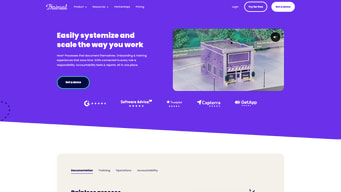
Trainual is an all-in-one platform for training/onboarding, process and policy documentation, knowledge management, and basic operations tools. It helps teams document, organize, and deliver the information people need to do their jobs, and includes built-in AI features for content search, Q&A, and content imports.
| Company | Trainual, LLC |
|---|---|
| Year founded | 2018 |
| Company size | 51-200 employees |
| Headquarters | Tempe, Arizona, USA |

| Capabilities |
AI
API
|
|---|---|
| Segment |
Small Business
Mid Market
Enterprise
|
| Ease of use |
Intermediate
|
| Deployment | Cloud / SaaS / Web-Based, Mobile Android, Mobile iPhone |
| Support | Chat, Email/Help Desk, FAQs/Forum, Knowledge Base |
| Training | Documentation, Live Online, Videos |
| Languages | English |
Trainual Pros and Cons
- Unified platform for training, documentation, role responsibilities, and basic operations alignment.
- Strong content features: step-by-step topics, media embedding, searchable AI assistant.
- Extensive integrations with HRIS/payroll, file/content tools, and SSO providers.
- Built-in AI to surface context from your knowledge sources.
- Solid mobile support, version history, and in-app translation.
- Not a full project management tool; lacks complex task dependencies and Gantt-style workflows.
- No permanent free plan; only a 7-day free trial.
- Official pricing for many tiers is contact-sales only; public pricing is inconsistent across third-party sources.
- Some API functionality (content authoring via API) is limited or still in development.
- Scope of UI localization/translation is unclear from public documentation.






Compare Trainual with other popular tools in the same category.
Keeping everything organised and in one place Holding everyone accountable
Need to introduce ways or features to make completing tasks more engaging
Keeping all our policies, processes and training all in one spot that can be accessed at any time
Being able to test employees knowledge of written material. Tracking progress.
Dashboard can be confusing. Not intuitive.
Assessing staffs comprehension of policies and procedures.
With a remote workforce, it's great to have a resource to provide training to new employees. It's also nice for an employee to have a place to search for answers before asking another employee.
It is time-consuming to populate the training. We are also maintaining our old system of "written policies and procedures" while we are testing out this new system meaning we have to update new policies and procedures in two places. I do believe that once the initial trainings are created, it will be much easier to update as needed. It has been very time consuming to put policies and processes for my department into trainual. I am also required to take all the trainings that have been added to Trainual for my company. Each time I am close to finishing the trainings assigned to me, more seem to be added. The cumulative hours spent on this project have to be considered. For departments that do a ton of training of new employees, this would definitely be advantageous. If you rarely have to train a new employee - I wouldn't recommend it.
Trainual is helping us create and organize new-hire onboarding materials that allow new employees to self-train. So far it hasn't benefited me because I have not had to train a new employee. If I did need to train someone, I think it would be very helpful.
Trainual is simple and user-friendly and provides a lot of support and templates to help make creating the content you need even easier.
Its simplicity is also slightly its downfall. I would like an option for steps to also have the ability to mark as a draft and behave similarly to a subject.
Global information to the company all at the same time and finally training material for new hires to make onboarding so much more efficient and comprehensive.

1. Easy to use. 2. A lot of templates are available to choose from.
I don't have a dislike about Trainual. It is all good for me.
I am solving the knowledge-based information that my client needs. I realized that Trainual has a lot of functions that most organizations can benefit from.
All in one place, easy to search subjects. Makes it easier for us to conduct onboarding and training. It's also a great tool for communicating process & procedure changes.
Sharing capabilities are limited to ALL. It would be nice if we could share changes with only specific people rather than sharing it with everyone that is assigned to the subject. Also, the formatting can be a little cumbersome.
It's helped us have a more consistent onboarding & training experience. It also puts all of our process and policies in one place, without having to print it on a bunch of paper!
Extremely user-friendly platform for all levels of employees for everything from training to policy review.
The platform interface would be better for general users.
Getting the platform and interface to be viewable in the same interface to all employees.
I love how simple the platform itself is to access content for training and learning. The interface is also easy to understand with uploading and updating the library for employees.
I wish there were more interactivity capabilities on the platform such as leaving comments for videos/content that are given for training purposes, so employees can more easily ask questions or give feedback on the training content they are given!
I am building the training for my dept and using it when we are trained on new programs/platforms that are used company-wide!
I like that I can search by a word. I also like that videos are readily displayed, and it is SUPER user-friendly.
I think it needs a better search engine. Most issues may be our team and me not knowing how to set up yet best.
None just yet.
My favorite thing about Trainual is the ability to scale to what you need when you need it. You can start out with one training module and build to 50 over time. It's a platform that will grow with you and your business.
From an Admin standpoint, the interface can be a little bit confusing at first. You need to switch back and forth between Admin and user view on different pages and it is not always intuitive what view you are on.
We are solving our need for an online training platform that also supports continued learning. Since this is housed in a digital way, anytime a procedure changes we are able to make updates.
Trainual allows for progress tracking during onboarding to ensure all new hires complete the necessary assignments under My Desk. The Forum and Library functions are useful for department-specific materials.
Seeing my progress compared to others (even anonymously) could benefit engagement. Such a function might be possible (I am not sure); my company may not use it.
We are simplifying the onboarding process so that basic (but important) topics are covered. We can also track progress for each staff member while giving employees ownership of their new hire training.
flexibility and meets the needs of rolling out training /replaces documentation with visual images for repetitive or new tasks
Not sure yet, Need to become a more regular user and then will be able to offer more insight
Helping new staff understand what to do for client onboarding Showing staff how to do things and how to resolve problems Less time wasted with asking others how to do things
I love the end user design. It's simple and efficient. I love the completion tracker. I also love the new subject owner feature. Overall a great tool and very user friendly for new admins!
I wish Contributor roles were more customizable. I wish the invitation were customizable. Basically any place there is a feature, I wish that feature were customizable, even with code if it were required.
We are looking into the Slack integration because some of our users have limitations during the day which would prevent them from taking time to open the page.
I like that Trainual is completely customizable, and for a small organization that is scalling very quickly - having this kind of training is important. Finding solutions that are affordable and flexible, that are not home grown helps to get ahead of the curve when it comes to growth.
While Trainual is customizable - there is a learning curve and it takes time to get trainers up to speed. I think you need to have a lot of background in corporate training background to intuitively use trainual.
We are working on self-training and building training modules during non-operational hours.
My favorite part about Trainual is that i can watch videos and it grades me on my progress. i can track how much I've done and how much a have yet to complete.
At this point, i haven't found anything i don't like about Trainual. Everything is very well organized.
Definitely, the way i learn. I'm more of a visual learner and being able to have videos and photos rather than a written out step by step process helps so much.
Being able to break down Subjects into individual Processes and Procedures is very useful. The ability to add links or screenshots helps too. I REALLY like how it converts Word docs for you into standard text so you don't get caught up doing formatting forever. It's clean and simple and easy for an end user to understand if it is set up properly.
There seems to be a lot of features I'd like to see. If they are available, it's not intuitive to find them. Examples are: The ability to directly edit a picture. It would be great if someone could upload a screenshot very easily but then you could draw on the picture, like a circle showing which button to press. Instead, a staff has to take that screenshot, go into Photoshop, draw the circle, then save, then upload to Trainual. There should be a "photo gallery" where this stuff can live and you can do simple tasks. Nothing fancy, just highlight text maybe and draw on it. Another example is that you can't easily move up categories. Let's say for example I wanted my Subjects to actually be one level down and I wanted all of the subjects grouped under one higher category. You can't do that easily. I don't see why it isn't infinitely scale-able to whatever you want. It's also quite slow when you get a lot of Subjects in there because it has to load. I'd like it speeded up and would be willing to pay more for a faster version.
I'm able to train staff more easily by forcing the Directors to property document their procedures, in order, and train the staff on those procedures via Trainual. It becomes quickly apparent where any problems lie and it's easy to debug. Both directors and junior staff are happy. As an executive, it's very easy to manage the Departments
I love the ability to basically create a knowledgebase that can be shared with anyone.
I wish there were more formatting options.
We are able to send training information to internal and external users. This has been crucial.
I work at a small construction company and the ability to include pictures and very customized questions is crucial. It is also super user friendly and professional looking. I feel that plays a role in how serious employees are taking the trainings.
There isn't anything glaring that comes to mind.
Like I stated before, there is a lot of professionalism with Trainual. Its accessibility makes it easy to be shared across the company and can be edited and changed at any time. As the business grows we will require more training and our Trainual will always progress with us!
Easy to use, simple navigation and user interface.
Nothing at the moment. Library function needs more options.
Corporate training, internal.
Simple interface that is relatively intuitive to use right away. Easy to add users and to track their progress. The ability to add quizzes to training materials increases engagement. The iOS app works very well, however it lacks an Android version at this time. The basic price is reasonable considering the volume of unique users it supports. The ability to assign Subjects to Company Roles is very helpful.
Not overly robust, but it gets the job done. Trainual has very basic design and layout options which make it look and feel dated, both on the front and backend. We are still working through our workflow to best suit our needs. We are still assessing how to best deliver the materials we want within the limitations of "subject & topic". The option for Drip Courses and such would be nice.
We are looking to online all our training and educational needs. The challenge is finding an affordable LMS that can grow with us. Our biggest fear, investing time building materials within a system that we later outgrow. Ideally we would use Wisetail, but the initial setup and pricing is structured for mid-large size business.
I like the option of using several different forms of media (words, photos, videos) to create my content to appeal to all learning types.
I’m finding that I have to create a ton of subjects. Still trying to determine the best way to organize everything.
I like being able to track the progress of assigned subjects!

I like the ease of use, intuitive functionality and the quick return on investment!
There is not much that I dislike about Trainual
We have been able to get a quick turn around on distributing processes and procedures to our team
How easy it is to build Standard operating procedures
Could have a bit more flexibility in the structuring section
Getting documents all in one flow and having team sign off on policies
The upsides is the guided process in creating training content. Breaking it into pieces makes it easier to absorb for the team.
Could be a little more stylish and visually gripping.
None yet, we're just getting started.
Ease of use. Everything is all in one place.
Capabilities on app aren't all there. Would like to be able to record in app without premium service.
Office Training and Accountability.
I liked the flow-chart feel of making subjects.
It feels awkward sometimes that it goes to a new page everytime you click next. If it had more of a slideshow transition feel it'd feel smoother.
Not many problems really. Benefits like being able to assign users to be in charge and able to manage certain subjects is nice.

Trainual has several features that make it great at what it does. When starting out, you can easily outline your subjects and sub-topics. Content is nested in a structured way, and I'm happy Trainual took an opinionated approach to that structure, rather than allowing for endless customization of folders, etc. In general, I appreciate that Trainual is a pretty focused product, so it's not cluttered up by unnecessary features.
One thing that could be improved is the color/design choices. Overall I appreciate the simple and clean look, but there are some areas where the contrast between white and light gray is lacking, and on some screens hard to discern.
My company is solving the problems of onboarding new agents, creating a central knowledgebase, and developing robust internal documentation. We are still in the process of building it out.

We like the simplicity of using Trainual. It is easy to use and we build out around one training per week.
Wish it was available in different languages.
being able to document processes with video and pictures is amazing.
Trainual is easy to navigate and use as a learning tool. It is also very simple to add information to.
It has been difficult trying to get others from out team to use it. I wish there was a short training video I could send out to encourage more people to use it.
Training our team on processes. We are using this as a training tool as well as storage for info.
Really like how the ease of use and straight to the point the UX of Trainual is not much of fancy effects and the clean professional look of it. You don't even need a manual to get started on Trainual you can get started creating your materials and breeze through everything including images, text, videos, audio clips added on your material. Adding the test at the end of each subject you created would let you test out possible new team members if they did go through your materials.
There is not much I can think of here, as the simplicity and ease of use Trainual pleases me much! The only thing I can think about is that there is few integrations available and maybe a possible option for color scheme.
Before, we use to train each new recruits one by one and over and over, now that we are introduced to this we have lessened the time needed to train or orient our recruits. Creating all the materials needed for the knowledge base for new recruits it sure is a breeze to onboard new team members.