
Unclaimed: Are are working at WebinarGeek ?




WebinarGeek Reviews: 4.5/5 — Highly Rated
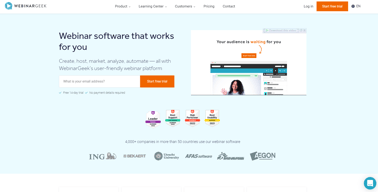
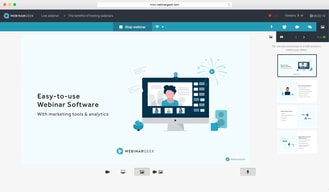
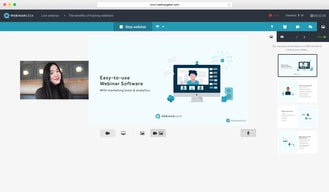
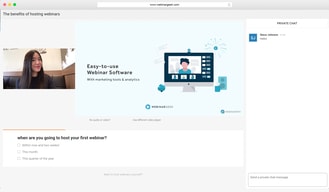
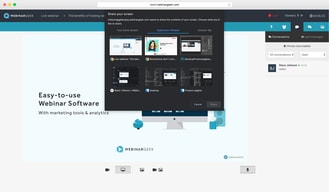
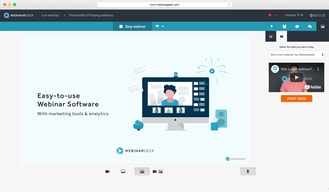
Largely considered one of the most user-friendly webinar software available today, WebinarGeek ensures seamless efficiency through powerful interactions and marketing tools. Users can enjoy real-time interactive virtual presentations that allows brands to easily customize events and present in high-definition quality. Users can also share PowerPoint of Keynote presentations with the audience, and easily switch between them during webinars. The platform also supports full screen or single window sharing.





| Capabilities |
API
|
|---|---|
| Segment |
Small Business
Mid Market
Enterprise
|
| Deployment | Cloud / SaaS / Web-Based, Desktop Mac, Desktop Windows, Mobile Android, Mobile iPad, Mobile iPhone |
| Support | 24/7 (Live rep), Chat, Email/Help Desk, FAQs/Forum, Knowledge Base, Phone Support |
| Training | Documentation |
| Languages | English |
WebinarGeek Pros and Cons
- Supports live, automated, and hybrid webinars.
- Offers SEO settings for the registration page.
- Provides sales tools including CTAs and a sales page that lets you push leads
- Takes quite a while to set up.
- No integrated attentiveness tracking or metric
- Doesn’t let you send customized emails to viewers or non-viewers

Compare WebinarGeek with other popular tools in the same category.

It allowed me to bring my business to a higher level, offering high quality webinars with very simple means. Plus with the "interactions" they offer I can even make my webinars interactive and convert to sales in a very simple way.
There are not really a lot except that there is no direct connectio to activecampaign (only via Zapier). It would be great if there would be a direct connection (like there is with mailchimp) to activecampaign / mailblue. Because this is one of the most used email marketing & CMS programs.
I can reach a lot of people at the same time with my information, interact with them and also sell my products. So it solves time and sales 'challenges'. Plus webinars stay available on demand so that makes it possible to create an automated flow of clients.
WebinarGeek is very userfriendly for us creating events but also for the people attending events. We create 1 webinar and simply copy this template for other events. No need to do the work twice. I also love the analytics, we can see you actually attended and reviewed the recording. This is very important to us, as we need to check attendance.
You cannot upload powerpoints.Not a big issue, cause you can still show a powerpoint by sharing your screen.
We needed a platform that is safe to use by our customers. We tried different products, but almost always stumbled on customers who couldn't access the platform due to safety issues. With WebinarGeek, everyone is able to access the platform. We also needed a platform where we can set up events in Dutch and English. Also out english speaking customers find the platform easy to use.
Het vraagt weining technische kennis om WebinarGeek te gebruiken en door de koppelingen die je kunt maken met andere tools past het perfect binnen geautomatiseerde verkoop- en marketingprocessen.
Het is een detail, maar sommige beheerderstaken zouden eenvoudiger/ sneller kunnen. Als ik nu bijvoorbeeld oudere webinars wil archiveren, moet dat 1 voor 1 en springt de interface na het verwijderen steeds naar het overzicht met toekomstige webinars. Hierdoor zijn dus veel handelingen nodig om een reeks webinars te verwijderen. Overigens merk ik wel dat met elke update de software nog gebruiksvriendelijker wordt, want de meeste taken gaan al heel handig en per keer wordt er weer iets aangepast dat de software echt verbetert.
Ik gebruik WebinarGeek om kennis te delen met grote groepen deelnemers en dit herhaald te doen. Ik vind het ontzettend handig dat ik webinars eenmalig kan verzorgen en vervolgens de opnames on demand kan blijven delen op mijn website totdat de inhoud niet meer relevant of up-to-date is. Ik zet dit in in mijn marketing en gebruik de webinars bijvoorbeeld om abonnees voor mijn mails te krijgen en om de bekendheid van mijn bedrijf te laten groeien. Daarnaast verzorg ik ook betaalde webinars, deze verzorg ik altijd live en het scheelt me heel veel tijd dat de hele afhandeling hiervan, financieel gezien, geautomatiseerd kan.
Good support, quick reactions at questions and everything is adjustable to your personal needs. No need to download apps or anything.
You can change so much, takes some time to make it your own if you're not using it on a daily base
Being able to give online trainings and be able to watch them on a later moment
The software works very easy! You will be taken step by step in the system to create your own webinar with the various e-mails. You don't have to be a computernerd to do this. If you can't figure it out, the helpdesk is great! They really think along and help you very quickly. Even when I was on maternity leave I still got an email about something we talked about before my leave. So my data wasn’t lost, because they still thought about me 3/4 months later! Really great!
The only thing that was a pity, was that I couldn't download my webinars with my onhold subscription, but as I wrote above, Werbinargeek thought along very well. So we also found a solution for that!
Webinargeek ensures that I can give webinars to my customers in an easy way. They help with the registration, making the webinar, recording the webinar, the emails before and after the webinar. You can also analyze the statistics and of course sell services or products through the webinar. You can also have the webinars run automatically, which is also great!
I like the friendly website how I could easily make my webinar subsription form
It has improved so much in the 7 years I use the programm, so I do not have a dislike
It's has helped me to meet people i normally would not meet. It helped me to get new prospects and clients
Professional, user-friendly, it makes it easier and fun to do my work and present it to my students
Students/participants can only chat, not speak
When something is not working out, they are immediately there to give a hand

The support and the ease of use. Its a tool with a very good interface.
In comparison with another tooling, I don't have dislikes in WebinarGeek.
I reduce the time spent for sales. I can group a couple of people in one session so I don't have to do one-one ones to get to know this prospects.
It is an easy tool to connect with people. Very easy to use as teacher. Before class there is possibility to chat with your clients. It doesn't matter at what time you start. You can wait till everybody is in or people are able to start 5 minutes later. My clients work very easy with the tool it's just one click and they can join the meeting. The replay is very useful. Beside that I appreciate it very much that there is a helpdesk with personal contact instead of a robot.
In the beginning there was also the possibility for high quality, now sometime I think when it is very busy on internet the qulity is not always perfect. But for me and my yoga lessons it is ok.
The problems I had was because of Covid 19 I couldn't connect with my clients in the Yoga studio. Webinargeek gave me the possibility to connect with them. I didn't want to use another provider because i love the way I can work with webinar geek. There is no distraction during lessons. I don't need to see or hear at that moment people on a little screen. It is ok for me this way. It is peaceful and my clients feel save.
I love the support, always available and ready to answer with informative, direct, timely solutions
I do not like the video upload, slideshows, and "live" during automated broadcasts. The process of downloading the video could be more simple. Slideshows should be able to run at the same time as the video with no problems, there should be an option to have your automated webinars still have the live up top
Able to host on a platform that will automate everything I do to make it less tedious for me
