

Unclaimed: Are are working at WebinarGeek ?




WebinarGeek Reviews: 4.5/5 — Highly Rated
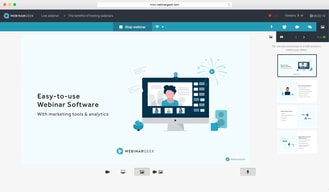
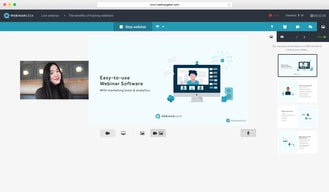
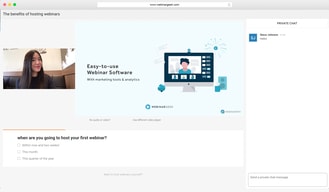
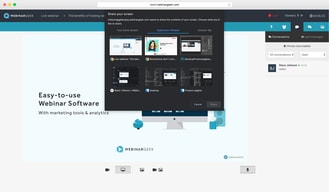
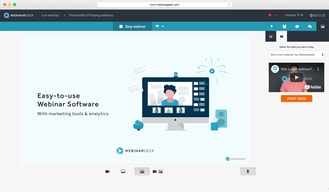
Largely considered one of the most user-friendly webinar software available today, WebinarGeek ensures seamless efficiency through powerful interactions and marketing tools. Users can enjoy real-time interactive virtual presentations that allows brands to easily customize events and present in high-definition quality. Users can also share PowerPoint of Keynote presentations with the audience, and easily switch between them during webinars. The platform also supports full screen or single window sharing.





| Capabilities |
API
|
|---|---|
| Segment |
Small Business
Mid Market
Enterprise
|
| Deployment | Cloud / SaaS / Web-Based, Desktop Mac, Desktop Windows, Mobile Android, Mobile iPad, Mobile iPhone |
| Support | 24/7 (Live rep), Chat, Email/Help Desk, FAQs/Forum, Knowledge Base, Phone Support |
| Training | Documentation |
| Languages | English |
WebinarGeek Pros and Cons
- Supports live, automated, and hybrid webinars.
- Offers SEO settings for the registration page.
- Provides sales tools including CTAs and a sales page that lets you push leads
- Takes quite a while to set up.
- No integrated attentiveness tracking or metric
- Doesn’t let you send customized emails to viewers or non-viewers

Compare WebinarGeek with other popular tools in the same category.

Het is erg gemakkelijk in gebruik, binnen een paar minuten kun je jouw webinar online zetten.
Ik kan niet zo goed bedenken wat er nog aan de software te verbeteren valt.. ik ben een tevreden klant.
Potentiële klanten vinden het fijn om waardevolle informatie tot zich te nemen, via Webinargeek kan ik binnen een handomdraai webinars opzetten.
Ik ben heel tevreden van de gebruiksvriendelijkeid om met WebinarGeek boeiende webinars te geven. Ook opvolging van deelnemers achteraf is een plus. De helpdesk is steeds vriendelijk, correct en reageert snel.
Als je niet zo vaak websinars geeft is het wat aan de prijzige kant
Op een gestructureerde manier informatie kunnen overbrengen en ook achteraf kunnen opvolgen. Dit is wat WebinarGeek echt voor me doet.
The tool is very user friendly, and when you have any questions or some problems, the customer support is easily approachable and fast. We like the integration with HubSpot!
We dislike the somewhat limited options for designing the landingpages. Besides that is it not possible to couple a unique viewer link to a lead when the lead subscribes for more webinars than one. This is sometimes a struggle in our HubSpot process. Also adding lead ads as a subscription form is not possible yet.
WebinarGeek helps us when we have some issues with the integration with HubSpot and the push from leads. They also helped us with the download of the replay from our webinar what didn't work out last time.
Webinargeek is set up easily and logically and because of that is easy to use. Next to that, via chat we always received an answer to questions very quickly. Another positive aspect is that you can arrange per department and it is structured.
We did not experience any difficulties with Webinargeek
Effectively informing our (new) customers without losing a lot of time, because we can inform them via an online webinar. Which is well arranged for both sides, Easy to use for the attendees and on the back well arranged for the users.

It is a great and simple to use software for your webinars. They walk you through the platform step-by-step to set up your webinar, which is very helpful. They also have a great helpdesk if you have questions. There are also lots of statistics available, so this is also very helpful for me as a marketeer.
The possibilities to edit the e-mails, you are stuck to the boxes they have set up for you. You can't add another title or textbox in the e-mail, or at least I couldn't find this possibility.
There is no stress about the software when hosting a webinar. You know this is working properly and withal the set-up in advance (like polls, e-mails, automatic replay) lots of things you don't have to think about anymore when hosting the live webinar.
Het gemak. Je kunt zonder technische kennis webinars geven en daarnaast zijn er veel extra opties om ook bijvoorbeeld interactie met je deelnemers te hebben.
Het heeft alles wat ik zoek in het (gemakkelijk) geven van webinars.
Kennis delen, verbinding maken en producten verkopen.
Platform contains all the necessary bells and whistles to set up a webinar.
Navigation is not very intuitive nor clear in some instances. I had to jump through a couple of hoops to get to what I thought was the destination but was not. A couple of trials and errors. The broadbasting options (low definition, standard definition, high definition) is at times not very useful - example - my internet connection can broadcast at a higher speed, and therefore "HD is recommended", the recipient may not be able to view HD quality due to their internet connection. So, this had created some unviewable sessions.
Some platforms have a web platform although a "local installation is recommended" to use all the possibilities the platform has to offer. Webinar is, as far as I know, a web only platform therefor it doesn't have that problem and offering all the possibilities via the web.

Very user-friendly Easy to develop online webinars Great support in chat Online guides to help A lot of upgrades
In the beginning some time to find your way, but once you get it, it's easy to use. Some more options to lay-out e-mailings would be great.
During corona we had a very large online reach with our audience! LOVELY!
The ease of use, the flexibility, the ability to customize and the customer service. There are so many nice and usefull features this software has to provide a very complete customer experience.
There are not enough languages available and the options for uploading video's are to limited.
Our audience needs an easy link to click to follow a webinar. WebinarGeek does exactly this.
It is very useful you can check who subscribed to your webinar and who actually watched, and for how long.
I haven't discovered any downsides of the program yet.
Before I used another webinar program. People didn't like that other people could see they were also watching. Now it's kind of anonymous. I still can check which people attended to my webinar and aim my marketing directly at them.
