

Unclaimed: Are you working at Adobe Experience Manager?
Adobe Experience Manager Reviews: 4.0/5 — Solid Choice
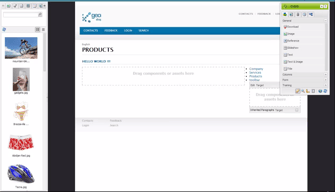
Adobe Experience Manager is a cloud-based content management solution to help businesses create websites, mobile applications, and web forms. The AI-enabled platform lets content creators create, manage, and deliver marketing content to customers using machine learning algorithms. Additionally, it enables content designers to create, modify or publish web pages using the in-context WYSIWYG interface and drag-and-drop functionality.

| Capabilities |
AI
API
CLI
|
|---|---|
| Segment |
Small Business
Mid Market
Enterprise
|
| Deployment | Cloud / SaaS / Web-Based, On-Premise Linux, On-Premise Windows |
| Support | 24/7 (Live rep), Chat, Email/Help Desk, FAQs/Forum, Knowledge Base, Phone Support |
| Training | Documentation |
| Languages | English |
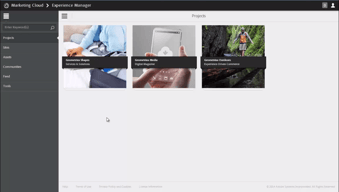
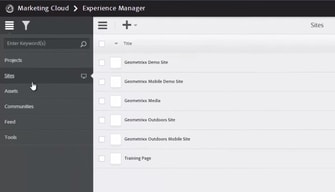






Compare Adobe Experience Manager with other popular tools in the same category.

Content management is very easy with Adobe. As well as being able to create pages easily from scratch, team collaboration is possible with easy sharing.
Generally I really enjoy Adobe. The only feedback I may have is inregards to spacing between texts. Sometimes it can be difficult get rid of unwanted spacing.
Managing and constantanly improving Toyota Turkiye's user experience. Improving conversations through better structured pages.
It comes with an easy-to-use user interface that helps to easily manage the content and organize folder structure. It also allows us to manage multiple sites and templates, and the UI is just awesome.
It is very expensive for small businesses or freelancers, which restricts us from training and getting certified before implementing it in a real work environment.
It is a great tool for creating editable templates that can be used on multiple sites, as it comes with an intuitive Wisywig interface. It also comes with great add-ons such as Adobe Learning Manager, which is really helpful for us to create courses for our internal users.
It is so well integrated with our website that we can change the content, text, colors, title and whatnot. Components provided in AEM are the best in business and make life easy.
UI needs to be enhanced a bit in AEM. It is good but can be improved in UI.
It has mainly solved the Web content management problem for us. We can save time by using components for the various website pages just by authoring and publishing the content directly. The DAM repository, where we can store and fetch our data quickly. This is the best content management and A/B testing tool.
With Adobe Experience Manager, you can do whatever you want! His high integration with all adobe products helps you create a complete customer experience and optimize it.
Adobe Experience MAnager is not for all, needs experts to be managed very well.
The high integration with all adobe products helps you to optimize and create a complete customer experience.

Adobe Experience Manager is a CMS and as a product it has been evolved a lot. It's popularity is growing rapidly. Following features I just like about this CMS - 1. Built-in DAM 2. We can build and manage mobile sites and responsive designs from one single platform 3. Improved Search 4. Easy to perform authoring activities 5. Through forums, ratings, blogs and more, we can encourage interaction with your customers and employees. 6. We can build custom approval process using workflow.
Slowness issue that I have encountered a lot with different projects. But , we need to understand behind this slowness issue. It could be happened due to custom logic also.
As a Solution Architect I am working for multiple applications and those are built using Adobe Experience Manager. I am providing solutions on below requirements - 1. Personalized content 2. Managing different types of files 3. Multi channel coverage 4. Helping customers to create content 5. Managing versioning of content Easy to use to address different kinds of requirements/issues.
Quickness of the action, design, navigation menu.
Bugs, releases, problems with Digital Assets Manager.
Contact with clients via website, presenting offer.
I love how different products are well tied into a suite of products offering an overall solution. An amazing integration between the products and third party softwares making it one of the best in the market for marketing and content management needs
The only thing that bothers me is high price. Compared to many other solutions in market it is much expensive. But having said that, it is the overall experience they provide that although justifies the cost if you have the right budget to implement it
I recommend my clients to use AEM for their marketing and content related use cases and they have seen wonderful results in terms of centralization of assets, real time collaboration of assets, targeting to customers and many more.

Digital Asset Management (DAM) platform because it gives a central hub for organizing, storing, and retrieving rich media.
The cost of the program is high and it will take extensive time to learn how to use it, the program’s useful tools make it a wise investment, especially now that it’s bundled with Adobe Experience Cloud programs.
Staying up to date
I am currently building a website with AEM, and I love that it makes me have all my content super organized. It's easy to use when you get the hang of it, and it makes the design of my sites consistent throughout the different pages. I can manage my assets easily, configure SEO, duplicate content between sites and much more. One of my favorite features is the 'Live copy' because I manage sites for three different countries, and this way, I can edit easily just one time.
The only thing I don't like about AEM is that I can't use templates to generate similar content without much effort. Maybe the feature exists, and I don't have it or don't know how to use it, but for example, if I want to have a blog, I have to build articles page by page instead of just having one template. I was used to WordPress, so I'm missing that feature.
AEM makes it easy to have an extensive site, very well organized, and easy to manage. I'm not a developer, and I find it easy to use once you learn the basics. In my case, I have three versions of one site in different languages, and it has been the best platform to manage them at the same time.
AEM is incredibly robust and easy to use.
Works best with integrated Adobe marketing products (can get pricey).
We built on an older, on-premise version of AEM. That created some expensive development work. However, the newer implementations I've seen are incredibly smooth and would mitigate these issues.

I have been using aem for the last 6 months,here I liked the touch UI and web sites can be published easily through multiple platforms like mobile and desktops
Initially,I felt learning it very difficult as it is a complex tool,no proper resources but later on practice I am into it.
I am creating sites, templates and components using Aem where we can easily have lay out for multiple devices

As a digital marketer, we are using this platform for our online business chores, which has provided us a unified system of content management along with managing our digital assets. We have been able to stay consistent in providing the best-personalized experience to our customers and helped in maintain rapid delivery of our digital assets across all of our digital channels and reach a scalable audience.
Using Adobe products can be a little tricky for new users given the fact that it is so diverse in its features. It would be better if it used the option of syntax color during the text editing process. I have experienced issues while dealing with excel format documents.
It includes end to end communications solution. It has provided the easiest way to collect customer information with auto form filling. Also, the creation and publishing of the modernized forms for any kind of device allow us to deliver relevant and timely communications with our audience and build better customer engagement. It has helped us to integrate our assets library. Also, learning its usage was not difficult because of its rich resources on its functionality on its main website.
AEM is far and away the most feature-rich CMS on the market for the Enterprise. We initially found AEM success with Adobe Managed Services, but soon found them to be too inflexible when we attempted to utilize a number of customizations that were not standard for AMS. We also wanted the ability to deploy our own code to our Production environments on our schedule. We found that we could get a superior level of service from experts that seemed to have a deeper level of AEM knowledge from Rackspace Application Services. We saved a significant amount of money, found more freedom to customize and manage our environment, and got to use the same public cloud implementation with Rackspace. We utilized their 24/7 AEM Experts to assist with AEM administration and monitoring. Adobe Experience Manager was absolutely the right choice for our multi-language, multi-site implementation.
Our biggest complaint is with Adobe Support / Daycare. We found their support to be extremely frustrating and at times even disappointing. One would expect that since AEM is a flagship Adobe product that the support provided by Daycare would be more than competent but we found just the opposite. Eventually after a persistent issue that AMS / Daycare could not resolve for us we moved to Rackspace and their Digital Support Team resolved our issue very quickly. AMS is extremely inflexible and unwilling to assist us with the multiple 3rd party integrations that we utilized.
Our translation / language copy versions of our content are extremely easy to manage. Our integrations with external SSO, data warehousing, and analytics providers are easy to configure and manage. AMS was extremely restrictive and ridiculously over-priced compared to the alternative so we moved to Rackspace and have never looked back.

It is a combination of digital asset management and substance management framework and groundbreaking content always makes a distinction. Adobe experience manager is an amazing arrangement that causes me in keeping all the essential records in a single place effortlessly. From my point of view, this application is beneficial in managing and organizing a ton of my records at one certain location with the ability to format or alter them according to my necessities and want. It offers huge help by translating all the pages in a hurry. In addition, I like its interface, which is clean and basic enough to be perceived by each kind of individual whether they are technical, or not. It is a vigorous and complex item to maneuver totally, in any case, when you adapt to it you can make the most of its different characteristics Segment based altering makes it easy for various substance editors to manufacture standard pages rapidly. AEM has also handled some business rule-heavy segments well.
There have been a couple of issues/mistakes concerning saving smart yields on photographs. Not certain how to investigate. A few capacities are easier done in Classic; however, the client has the ability to switch back and forth. The interface is not natural, and ramp-up for fresh recruits is significant compared to our old platform.
AEM gives you a large amount of information about the experiences that satisfy your clients to direct you in a superior way and have more personalized approaches to address satisfactorily with the necessities of your clients. Adobe experience manager is useful in getting your digital experiences steady across channels.
With its clean design of technical creativity, the ability to change the software types within our sites can be updated.
But there's not much I've hated to anything regarding this software.
It provides us a lot of details instead of on the experiences that clients were absolutely excited with. But now I'm intrigued by the large persistence that Adobe Experience Manager has produced all over the cloud.
I like that it is very user friendly and works as a great storage space for company assets.
There have been a few issues/errors when it comes to saving smart crops on photos. Not sure how to troubleshoot.
Storage space/drive/cloud

Adobe experience manager is an amazing solution that helps me in keeping all the essential documents at one place with a ease. Moreover, I really prefer it over other applications of this regard because it helps me in maintaining large websites containing a lot of data. Moving ahead it helps me to embed videos from YouTube and from other different applications by making relevant site ID which is convenient enough. Moreover, it enables me to find my documents with tags and metadata that enables me to spend less time on searching for my important documents on daily basis. Apart from this I really like its indexing features that helps in finding things much more faster which automatically increases the efficiency of my teamwork’s. Therefore, from my perspective this application is really beneficial in managing and organizing a lot of my documents at one certain location with the ability to format or edit them according to my needs and desire.
The source editing option is not professional as it doesn’t include syntax coloring for the code, or even the font is different. It is also difficult to read as it is same serif font as regular rich text. Its major weak point is that it requires specialized developers to use it full features and it is really difficult for new users to take full benefit from it. Its new touch user interface can be improved. Many of its small features become cumbersome when use them extensively. To use its new version, there is need to update it but after update it doesn’t work smoothly.
Adobe is providing best content management software in the form of this product that helps me by providing a digital asset management and it also offers me document management solutions, user- generated content organization and also a great helper in providing social engagement platform on the long run. It has the best features that act as a centralized workspace that helps me creative team that seamless integration connects with the present work. It helps me in managing digital customer across multiple channels like mobile applications, communities over the lifetime of all my clients. I really like its beneficial features that help me to cover digital asset management and furthermore it also offers me form and documents solutions on the long run. I really like it because it’s a user generated content organization that enables my working to a larger extent.

Ability of this software with other adobe applications is my all-time favorite aspect of this specific product. Also as a working person I had a tough job in surfing different types of web pages on daily basis. So, I don’t find enough time to get a translator to translate each one of the language of these desirable pages. For this purpose I used this software and it provides an immense support by translating all the pages on the go. Also I like its interface which is clean and simple enough to be understood by every type of individual whether they are technical or not.
It is my best solution in this huge world of technology. So, I can’t think of any major drawbacks in it that makes it my most favorite. Also, I prefer this product over other applications of this regard. It’s always a good choice for all my working processes as well.
Drag and drop interface of this product allows variety of data to be stored at a single location. Best application for maintaining lager websites where there is huge burden. Every disturbing page or files can be blocked from it and produce good results. It can translate a large number of languages with huge ease.
- Designed and optimized for Technical Documentation - This tool improve your workflow due to the ability to create, manage and share content from different sources, and also across several touchpoints. - Easy to use, and a friendly user interface - Quick Learning curve for any user - Easy setup and deployment.
Adobe Support need to improvement and become more responsive . We have created some ticket that take a long time to resolve.
We were needing a tool for technical documentations and easy to integrate with our existing workflow and Implementations. This tool worked like a charm!

My partners, the ease-of-use, integration, and intuitive design of use.
There is nothing at this time but I'm currently accessing the tool and will focus on the ease of integrations.
Building a world-class online B2B experience for all users at all stages of the journey.

I am able to freely and easily create designs using photoshop.
Nothing, I believe it is a great product and the best one out there
The packages are straight forward and easy to use, which enables me to quickly create designs
allows you to manage structured content from creation to delivery, providing a consistent customer experience across touchpoints. Improves the end-user experience to drive higher loyalty and demand by bringing marketing and technical content onto the same platform
Nothing in specific. It can sometimes be confusing when setting up. Sometimes the migration of data can be frustrating for some file formats.
achieve faster publishing, reach a larger user base and deliver a uniform website experience for all content
It is great both how many features are available out of the box and how easy it is to add to and expand upon the platform.
There can be a steep learning curve for new users, whether they are authors or developers. Sometimes there are odd behaviors that are hard to explain.
We use it to host our website. I've found it to be very flexible which makes it easy to respond to urgent requests.
Using XML Documentation for Adobe Experience Manager, small businesses can easily reduce their time to market and reduce cost of operation.
There is not much in terms of disliking as it is making the job for publishers a lot easier than it used to be.
As an IT professional, I found the XML documentation for Adobe Experience Manager very easy to use, and it does a great job on formatting documents to web suitable format and also translating some of the words. So far I am very happy using this.
Works wonderful. Does exactly as listed.
Nothing is wrong with it but some of the buttons are in odd places.
I'm not the main technical person but it helps us to organize and work efficiently.
ADOBE EXPERIENCE MANAGER works great for our needs
The AEM Assets page is a little wonky and has little bugs.
Posting media to website
Ease of use would be what i like best about this product. A photography business isn't complete without Adobe Experience Manager. Connecting with customers was a breeze and it really helped me see where I was connecting and where I really needed more work. It helped me with managing my business as a whole as well.
There really isn't much I disliked about it. If I had to pick one thing I disliked how few updates I saw for it. I only discontinued use because I found something better that filled a need that this program no longer could but for the time being it did what I needed it to do.
Problems I've solved would be management of my user base and connecting with those customers which showed a huge benefit to my business.

I’ve been using it for many years, even with updates it’s still really easy to use.
I’ve never experienced any issues with it, i’ve used it for a long time
Mostly used for marketing, advertisement and informational flyers, triptics and that sort of deals. Benefits would be creating something great and simple in a short amount of time.

AEM is a great CMS, it is so much flexible and also easy to use. The best part is the agility in it, like dividing the entire project into templates, components and then you can play with it. It has a great DAM system where Business can put their content and then use it in AEM or other places. It has great user admin screen where we can manage the user groups, it is a great feature to easily manage all this.
It is a complex system with so many screens to manage. The biggest issue which I faced was the time taken to develop application on this and the money used for its implementation.
We are building Enterprise Content Management System with this. We worked with different company and leverage the AEM Platform to build solutions for them.
I like the cloud access feature the most.
There really isn’t anything. I’ve always been an Adobe fan and user.
I’m using it to organize the tools I need to help my clients.