
Unclaimed: Are you working at Adobe InDesign?
Adobe InDesign Reviews: 4.6/5 — Highly Rated
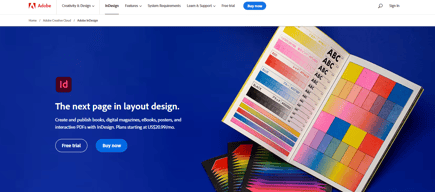
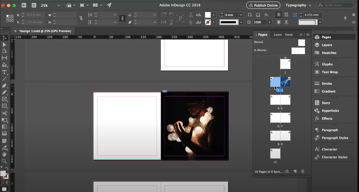
InDesign is another component of the Adobe Creative Cloud ecosystem, available as part of the whole library or as an individual purchase. The software‘s features is specific to publishing and designing online publications, brochures, creating info sheets, and similar materials. Adobe InDesign provides extensive access to stock images, supports team collaboration with robust tools and features, supports a great range of formats, and has access to regular updates and design features.


| Capabilities |
AI
|
|---|---|
| Segment |
Small Business
Mid Market
Enterprise
|
| Deployment | Desktop Mac, Desktop Windows, On-Premise Linux |
| Support | 24/7 (Live rep), Chat, Email/Help Desk, FAQs/Forum, Knowledge Base, Phone Support |
| Training | Documentation |
| Languages | English |
Adobe InDesign Pros and Cons
- Simplicity: Adobe InDesign is much easier to use than other Adobe products like Photoshop. It’s easy to add a range of features to your publication, including tags, anchor text frames, tables, captions, and more.
- HTML support: Adobe offers HTML exporting so you can easily share simple code with your colleagues during the web development process. You’ll also get functionality built into the app to assist with getting rid of DIV tags that aren’t necessary for your code.
- Industry standard: The fact that this product is the industry standard for publishing means you can find plenty of forum support and help out there to get you started.
- Connections to creative cloud: If you choose to do so, you can access InDesign and Photoshop at the same time, alongside other creative apps in the Creative Cloud.
- This is a product designed for people who know how to build publications
- Quite expensive compared to other products
- PDF comment integration is a little clunky in places





Compare Adobe InDesign with other popular tools in the same category.
Adobe Indesign is the best software for media layouts since it is easy to use. The UI/UX is easy for beginners and it is easy to implement stunning visuals and layouts in InDesign. Adobe has an excellent Customer Support backend. Adobe Indesign has a number of features which support easy implementation of Media Layouts. Designing of VMs and SELs are easily done using Adobe Indesign. It can also be easily integrated with other softwares.
Nothing as of now, Adobe Indesign is the best software for easy and effective designing of VMs, SELs, etc.
Various media designs and adverstiment materials can be easily designed with Adobe Indesign, VMs can be easily modeled with Adobe Indesign.
So easy to use with just a little training. Most control over layouts for any software I've tried
Sometimes the updates jack up my preferences and I have to reset them.
Easy proposal layouts
I really like the possibility of creating multiple Paragraphs styles and make them interactive while creating Table of Contents. This makes the document not only easy to navigate but also it maintains the style overall. I also like the integrations with Illustrator and Photoshop.
Sometimes, the app crashes whether I have multiple files open or not. Also, the integration with Illustrator is still a work in progress, since the way InDesign handles vector graphics creation is different and limited from the way Illustrator does.
InDesign is letting my team and I create and edit multiple files that will be linked in a book. The team is in multiples time zones and also uses Mac and Windows. In this aspect, InDesign has helped the team overcome multiple edits and revisions of a same file.
Indesign integrates beautifully with all adobe programs. It also exports into pdf, jpg, png, and just about anything else. We use it to design books, flyers, letters, letterheads, and just about anything else print. It is easy to integrate our brand.
Indesign is a complicated program that took me years to master. I am still learning new things.
InDesign is our go-to for graphics.
The power of Adobe InDesign is really unrivaled. You can easily build out complex print projects like magazines and brochures to simple things like postcards and posters.
I do think that sometimes it can be a bit of a challenge to navigate the interface. It can take a person unfamiliar with the product a while to figure out where all the tools are located, etc.
Adobe InDesign is a Creative Director's dream, and really solves your graphic design needs. It helps me be more productive, improves the quality of my work, and professionalizes the whole process.

It is very convenion and beneficial tool for page layout design, creating books design, magazines etc. We use this tool for multiple documents design very easily. Also can do creative design with help of this tool.
new per person can face some problem to use this tool. Some time it's took more time for page layout design.
With the help of this tool we can design the layout very easily and very creative.
It's very easy to use and doesn't make the final files too large. It also makes updating lots of copy easy with their "style" assignments. With a couple quick steps, you can make a global change to the style of copy (font size, thickness, etc.). You can also copy and paste elements directly from Illustrator into InDesign which makes things super easy!
I wish they included more options to manipulate the stroke of text like Illustrator so that it was more of a "one stop shop".
Laying out printed files – anything from a simple poster to a multi-page booklet or catalog. Mixing text and images – knowing it will all be high resolution in the end.
the flexibility and discrete compatibility with multiple outputs
Hard to understand UI at the beginning, on first approaches. Especially colouring
Reducing the dimension of files I'm working on, compared to photoshop.
The best thing about Adobe InDesign is the page layout when creating a Booklet, Magazine or just a simple ad. It is fast and friendly with many tools and plugins. You can import pictures and scale down or up and use 1000 of fonts with no problem.,
Nothing at all. This is my favorite Adobe program of all.
It's faster to use than most page layout programs and not as buggie as Quark.
Adobe InDesign allows me to create single page flyers/graphics up to multi-page layouts like magazines and annual reports. I have used it for over 15 years and always been happy with the user experience and capabilities of the program.
I generally like everything about the program, but the one thing I am sometimes frustrated with is that the commands are just slightly different in InDesign vs. other Adobe Creative Suite programs. For instance, "Save As" and "Export" behave differently in InDesign than they do in Illustrator.
InDesign allows me to easily lay out single page or multi-page publications and graphics for my organization. It lets me easily prepare files for print and export graphics for digital publication as well.
Ease of use and publishing tools. I like the QR Code generator and the interactive PDF tools.
I do not have dislikes. I love this program.
I use this program to produce most all our publications. I could not do my job without this software!

I love how it's better used for the exact print requirements
user interface looks exactly the same as illustrator and photoshop, as a designer using this I would recommend a better user interface that would align to the products it is used.
It is giving more ease at designing with regards to print ad and many more.

Ever since CC launched as a subscription service I've been with them, really happy with how the pricing now works gaining access to all of the adobe products, not just some. Adobe is the industry standard and for that reason there are other other options; however so far they're not as good.
The price can be expensive at first in comparison to something like Canva - however there is really nothing quite the same and for that reason the pricing is attainable. If anything it would be awesome if it were slightly cheaper.
High-end production of design and creative solitions for an array of tasks. Where other products simply offer templated solutions or allow it to be an open canvas without great UI - Adobe makes it really simple and easy to work out great ways to design things.
InDesign keeps things in line with the other products in the Adobe Suite. The interface is pretty familiar. As with any Adobe product there is a learning curve, but I feel InDesign is easier to pick up in that it is more focused on copy and content layout, not so much on content creation like Photoshop or Illustrator.
While I don't use InDesign as much as I used to, I never really felt there was anything missing or things I didn't like.
InDesign is best for layout, for me it is with projects like flyers/sell sheets, catalogs, and brochures. While Photoshop and Illustrator can handle these types of projects, InDesign manages them better.
It is hands down the best layout program out there. I love all of the "deep" tools like GREP and print management options. There aren't many competitors out there.
I wish I could easily export a saddle stitched booklet as a PDF. Right now I can send an imposed saddle stitch book to a printer (device, not the person) and it works from. But I want to be able to export the imposed booklet as a PDF. This is really handy for small scale printing and prototyping. I also wish that I could assign columns to the PAGE rather than a text box. We used to be able to do this in Quark.
Multi-page layouts and repeatable styles. Quickly formatting large amounts of text to match brand guidelines. The handling of accessibility is good but it could be clearer. The whole articles, structure, tags thing is a bit seems like too many similar layers for the same thing.
I create a ton of long-form reports. Adobe Design makes that process much easier for me. It integrates perfectly with other Adobe products, so it's a seamless experience.
Adobe InDesign is overwhelming for new users – though the properties panel has made quickly getting started much easier.
Report and handout design
InDesign is awesome for generating any sort of multi-page marketing material. We use it for compiling proposal PDFs and the endless features of formatting text, incorporating pictures, tables, graphics, and other visual elements is unparalleled. InDesign is such a powerful application and I feel like we only scratch the surface of all it's capabilities. If you are a marketer/designer, you have to utilize InDesign because it can do just about everything you need.
Sometimes InDesign can be a little limited when trying to add effects to text or pictures. It is most effective for formatting large amounts of text compared to making a small, simple graphics. Also, at times things can be pretty tricky in trying to get the program to do what you want it to do. There is a definitely a big learning curve, but once you start to understand it, it can really be powerful.
InDesign is our default program for compiling any sort of marketing material. We use it for resumes, project profiles, and proposals. Using the paragraph styles is a game changer and makes it easy to maintain consistency throughout any kind of document.
Integration among the adobe products creates an efficient workflow
very little. they continually integrate new tech in a smooth and seamless manner
work flow and innovation

InDesign is the gold standard. I've been around since the Quark days, and nothing nothing has come along that can top the power flexibility and universality.
If there is something to dislike it's the difficulty in working with files from different versions of ID. They limit you to two generations ago of software.
All of our clients use it and so it is absolutely necessary that we understand it at a fundamental level.
It works seamlessly with every other Adobe program. It is seamless to take a design from Adobe Illustrator and drag it into InDesign. The paragraph styles and character styles are fantastic.
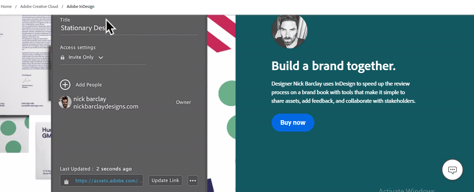
The share-for-review feature often malfunctions. It usually doesn't load and is not reliable. If there is a review of the document, I will always export it and review it outside of the InDesign review functionality.
My documentation, with diagrams, photos, and information tables, can be highly complex. InDesign allows you to drag things around seamlessly so that you can depict the information in the exact way that you need for the audience you'll be sending the documents.
You can make anything for print/visual media and it works seamlessly with Photoshop and Illustrator. Also, it makes very nice interactive PDF document files that you can place anywhere.
There's a learning curve to using it. Once you understand it, the possibilities are endless. There are lots of tutorials that help you learn the program.
It could create an interactive activities magazine published online with hyperlinks to videos. Also, it allows for unlimited creativeness because you can create any typr of document with it.
I primarily use InDesign for Event Stationery Design. There is a learning curve; however, Adobe does a great job of offering resources to educate users. There are a lot of features that you wouldn't think InDesign has to offer.
I don't have any major dislikes. You must be prepared to spend a lot of time learning the software.
I'm a Stationery Designer for weddings and special events. I'm able to prepare my designs for professional print production.
I love how you can easily create layout designs such as catalogs, ads, reports, etc. The interactive options are great, so after you make a PDF, you can tap the "hotspots," and it can jump to where you want to go. You can generate a Table of Contents and automatic page numbers, making it easy for large documents.
There isn't much I don't like about InDesign. I can also create graphics in InDesign, so I don't have to do it in Illustrator and place them in, but you are limited with the tools. Style sheets to me are difficult to understand and set up, so I do a lot of things manually, but that's a learning curve for me.
InDesign enables me to create my reports for work and have them look polished and professional. There is so much you can do there that you can't do in something like Word or PowerPoint.

I love everything about InDesign! First of all, the way you can design master pages and use those formats in the pages you need makes it so easy to be organized and come up with a super professional-looking design. I also love their customer support and tutorials that come with the software; it is very easy to learn how to use it. You can also use one of their beautiful templates.
Although it is easy to learn to use Adobe InDesign, it might be a little confusing initially if you haven't watched any tutorials. Also the documents and software can be a bit heavy on your computer
Adobe InDesign helps me create professional editorial designs and it is very easy to use, besides doing presentations you can also create mirrored pages and its so easy to have a much more realistic view of your design with those features.
After honing our datasheet template over the years, InDesign makes it fast and easy to iterate, enhance, and alter depending on the specific needs of the project.
The move to CC and subscription took some getting used to but we have adapted and continue to enjoy and utilize the CC suite. Subscription is simple but not owning the software can be difficult when changing machines.
Creation of Datasheet / Technical Documentation templates which can be edited and finished quickly and elegantly. All the Adobe magic baked in here as well. Easy continuity between Illustrator.
Lots of options and integrations, able to upload your own images and choose DPI
When i export into PDF, i have to contstantly turn off the printer marks, i'm sure it's something in settings.
Able to produce professional and quality sell sheets and campaigns.
Adobe InDesign is the best desktop publishing software in the industry, bar none. It is easy to use, easy to set up templates, easy to modify and customize and easy to work with fonts and imagery. Support is perfect and community is robust.
Younger staff have a harder time trying to learn all the ins and outs of the software. There seems to be five different ways to do each task, which can be confusing to many users as it makes the software overly complex.
Adobe InDesign is our desktop publishing solution. We won't use it for much else at this point, but it does a flawless job of allowing us to create e-books, brochures, pamphlets, PDFs, handouts, booklets and more.

The thing I like most about InDesign is the fact that if I have a rush job of 345 guest names to input, I can simply use a text variable and input the names from the XCEL sheet provided to me by the Project Management team.
I wish that the effects in InDesign would stand up against the effects in Illustrator.
It has added so many great features in the past 10 years! You can easily add QR codes, create a web-friendly PDF straight from files set up for print, and of course, the implementation of CC Libraries has been LIFE-CHANGING!
Multiple-page materials or projects with heavy text setting needs are essential to create and format in InDesign. No other software can combine the ease of layout, copy, and images/graphics in one platform.
There's a learning curve when first starting to use InDesign, with the many features and tools it has, it can take a while to become completely efficient at utilizing it.
Efficiency in creating print-ready files, compatibility with adobe libraries, and seamless file compatibility with other adobe files are the most significant benefits of using Indesign.
InDesign is the best software out there for layout design. It is compatible with all other adobe products and has many shortcuts to make work easier and more efficient.
It would be helpful to have a bit more options for pagination changes and page referencing on a thumbnail level. With long documents, I find it hard sometimes to find exactly what I am looking for to edit. Creating a book using spreads as separate files works well, but not perfect. I also wish that Adobe would allow two people to work on the same file at the same time.
It is allowing us to create great designs for packaging, event signage and catalogs.