
Unclaimed: Are you working at Adobe InDesign?
Adobe InDesign Reviews: 4.6/5 — Highly Rated
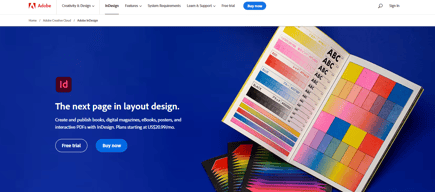
InDesign is another component of the Adobe Creative Cloud ecosystem, available as part of the whole library or as an individual purchase. The software‘s features is specific to publishing and designing online publications, brochures, creating info sheets, and similar materials. Adobe InDesign provides extensive access to stock images, supports team collaboration with robust tools and features, supports a great range of formats, and has access to regular updates and design features.

| Capabilities |
AI
|
|---|---|
| Segment |
Small Business
Mid Market
Enterprise
|
| Deployment | Desktop Mac, Desktop Windows, On-Premise Linux |
| Support | 24/7 (Live rep), Chat, Email/Help Desk, FAQs/Forum, Knowledge Base, Phone Support |
| Training | Documentation |
| Languages | English |
Adobe InDesign Pros and Cons
- Simplicity: Adobe InDesign is much easier to use than other Adobe products like Photoshop. It’s easy to add a range of features to your publication, including tags, anchor text frames, tables, captions, and more.
- HTML support: Adobe offers HTML exporting so you can easily share simple code with your colleagues during the web development process. You’ll also get functionality built into the app to assist with getting rid of DIV tags that aren’t necessary for your code.
- Industry standard: The fact that this product is the industry standard for publishing means you can find plenty of forum support and help out there to get you started.
- Connections to creative cloud: If you choose to do so, you can access InDesign and Photoshop at the same time, alongside other creative apps in the Creative Cloud.
- This is a product designed for people who know how to build publications
- Quite expensive compared to other products
- PDF comment integration is a little clunky in places






Compare Adobe InDesign with other popular tools in the same category.
For me, InDesign checks all of the boxes needed to be successful when creating a layout of any kind. From assistance with booklets to preflight checks, I have found it to be super helpful. The tools for typography customization are well thought out and have not left me wanting more.
There isn't much to dislike, but I wish there were a more straightforward tool/method for masking images, similar to the capabilities of Illustrator and Photoshop. Maybe I don't know yet, and a tutorial is waiting for me.
I am a visual designer and work with print layouts almost daily. To have a tool such as InDesign that assists you and makes things easy helps a lot. I've tried other layout programs and InDesign is the clear winner in my opinion.
The depth of what can be set in a style is extremely helpful if you want to make changes across an entire book.
There are a lot of tools that a very useful, I might add, that could be overbearing to new users.
I'm able to make and style long documents quickly and easily. I am also to make changes to the entire document very quickly by setting styles.
The amount of options and features. It can be a bit overwhelming at times, but the more I learn, the more I love the software. It can accomplish pretty much anything I want, and I'm able to create professional looking documents and forms. It makes me never ever want to use Microsoft word again.
Could be a little more user-friendly. The size and power of the program can be daunting, particularly if you're not already familiar with Adobe products and their toolbars. No highlighting option! As someone who often who needs to go back to words that are placeholders, I need a way to identify what portions of my text still need updating, and are not ready to go. Because highlighting is not an option in InDesign (and I don't understand WHY), I have to work around this by adding a brightly-colored stroke to the words instead. Cannot easily change the color of icons in a document. Although I have found a work-around, it requires several extra steps. I'm not sure why color-overlay is not an option, like it is in Photoshop. This would be much quicker and simpler.
InDesign is helping us to create more professional-looking documents, both for internal and external use. I'm able to be more creative than using Microsoft Word, and I don't have to worry about auto-formatting messing with my document, making changes that I didn't want or ask for. I also love that I can easily create and use templates, and just pop the information in, saving me lots of time and ensuring that all our documents are consistent.
Ability to move in and out of other adobe software such as illustrator and photoshop and other extensions such as ziflow.
The new version tends to be a lot more buggier than it used to be and would appreciate if more testing is done before realising each version.
Being able to work with different team/colleagues once the files are packaged and also shared within cloud which saves a lot of time consuming processes.
InDesign is incredibly adaptable and has come in handy for a wide variety of design and layout tasks, from reports to posters to brochures and much more
Many features are not intuitive or hidden, but if you know what you're trying to do the answer is usually a quick web search away.
InDesign brings a professional look and feel to the materials that our company is developing as part of our public-facing persona.
To have the ability to do so many things with the text
When packaging after you have saved the file, then you are not able to add on or edit that file and have to save a new one each time you make a change.
So easy to create documents quickly, from flyers to brochures.

I could work in this every day if my role allowed. I love the intuitiveness of the software, the possibilities of templating, and the overall ease of use. InDesign helps make page layouts look consistent, clean, and professional.
There is nothing that I can pinpoint that I dislike, honestly.
In my current position, I occasionally make booklets and flyers and InDesign is my go-to for anything like this. In a previous position that I held for a medical journal, I used InDesign to create 80+ page veterinary magazines and the software was able to lock in designs/copy on master pages so that the entire journal had a consistent look and feel.
This tool allows you to combine all adobe file formats, whether they are adobe photoshop, illustrator, or any other file from their family of products. You can also bring in outside formats such as png, jpg, gif, pdfs, etc. This tool allows you to manipulate a layout while utilizing only a screen view of the file instead of the actual file.
This program has so many tools to go through. I've only touched the surface of what this tool is capable of.
I am building out files such as business cards, garage wall art, letterheads, etc. This allows me to make changes quickly instead of waiting for files to load since it only loads snapshots of the actual file elements being used.
I use Indesign to create print and publishing materials when there is multiple pages involved. It is the best software for creating magazines, books, brochures & even newsletters. It is the most professional and well known software in its field.
Adobe Indesign has lots of great features but it lacks vector editing functionality like Adobe Illustrator which sometimes is very much needed in designing.
Adobe Indesign is a complete solution for your printing and publishing needs. It has the ability to handle 100 of pages file with ease. You can work on this software very smoothly to create a multiple pages publication.

Making graphic pages in InDesign is so easy. Infographic making in inDesign is so easy.I like the tools provided by inDesign is very good than other competitor. Good text design tools.
Photo editing not available in indesign. Not so easy for beginners. need subscription to use.
Adobe inDesign is very google for page making like special pages for newspapers. Its good for designing a book. Its solve my layout problems also.
I like how seamlessly InDesign works with other Adobe programs.
I wish InDesign would add support for Windows/PC laptop trackpads to pinch zoom in/out like Mac keyboards do.
My business mainly uses InDesign for print project layout and it is the best program, in my opinion, for that kind of work.

I've been using InDesign since its first version, almost 20 years ago. It is stable and the "go to" application for creating marketing collateral. If you are still using MS Word for this, please consider joining the rest of us in the 21st century.
There are still some inconsistencies with InDesign finding and using the correct document fonts, at times. Typekit and InDesign just need to sync better, but overall it's not a huge problem.
All of the marketing collateral I have created for the past 17 years has been in InDesign. Using image and text frames makes the document stable and predictable.
easy to use, integrates well with other software, flexible
Sometimes we have an issue with fonts, but this is not strictly an InDesign issue
Seamless layout of magazines, reports and adverts for clients
We can produce most of our jobs using this software. A lot of the functions needed to be done via different applications previously. Adobe has made great progress making this software the best. It hardly ever crashes.
That you can't package Adobe Typekit fonts for print vendors, it drives them crazy. Outlining fonts is difficult for editing copy.
We reach our audience (prospective students, donors, legislators, alumni) with materials that are produced with the program.
It's very user friendly and compatible with adobe software. It also works well with printer's software as well. I feel like the software is leading the trend and industry.
It is compatible with Widen, and you can drag and drop images from Widen directly. You don't have to save images on your desktop. It saves a lot of time and energy, but unfortunately, the plug-in for this feature from Widen is not free any longer starting from 2022 version. It's really too bad.
We create all print marketing materials with InDesign. You can easily modify photos with Adobe Photoshop and easily import them to InDesign. We also create some electronic materials with Adobe Indesign as well. I love its ability to create jobs for web.

Adobe Indesign is an excellent app for editing and designing purposes. It has all the high level professional tools to fikter and colour correct even remive adn add elements.
The interface in itself is a little intimidating as in it requires training since the interface is not very beginner friendly. With some guidnace you can get there I'm sure.
I used it to colour correct posts and images for the pagess i was in charge of. it helped in removing unnecessary elements out of the frame. It has got some good tools.

The ability to edit master pages saves a boatload of time. Also setting character and paragraph styles can keep things looking consistent and editable down the road. The 'package' feature is great for sending work files off to other designers and the export warning when images are in RGB has been a life saver in the past.
I know this is a way to protect Adobe's revenue stream, but having to save exchange files to be able to access on newer/older versions of InDesign is a pain in the butt.
InDesign helps me keep my file sizes minimal while I design and organize multi-page design documents. It's a gigantic improvement from QuarkXPress which was very rigid and not as user friendly.

InDesign works great with all the Adobe Creative Cloud software.
I wish InDesign would be able to add table summaries for ADA compliance.
InDesign is great for designing print-based solutions.
I like that I know I'm getting the most professional experience and toolset, while also having the ability to create print and interactive digital versions of publications
I've found that recent updates have removed my preferences and user settings, even though I have checked the box to keep those settings.
Layout and publication design on a daily basis.
We can easily convert our word document into the pdf format and editing the equation and images are so easy. As a content developer it helps my day-to-day work very easy.
sometimes link of the images or equation is missed after making the package of the pdf.
Converting the word file into the pdf and editing the same file is very easy with adobe InDesign.
Adobe In design allows both traditional and interactive design features, and also able to do e-publishing. All tools, shortcuts and features are similar to adobe illustrator, which made it easy to learn. the software has come a long way since the Page Maker and quark days. It is a strong testament about adobe in design why we do not hear about Page Maker and Quark anymore. I think they are going to the right direction.
there's nothing to dislike aside from frequent updates that'll require you to update your computer software update, which causing more space and ram usage, making your computer runs slower. But same can be said about all adobe products
Adobe In design allows sleek and creative layout design. In comparison to microsoft powerpoint, the result is much better in adobe in design due to the better type and paragraph grid features

Adobe InDesign is the best software to design stunning and professional magazines. I like that I can prepare and design books on this software. I have published these eBooks on Amazon that I designed in Adobe InDesign.
I never faced any problems in Adobe InDesign. All options and tools are easy to understand and apply. Only pages header and footer configuration should be easier for beginners. All other things are awesome without any kind of cons.
I have solved a lot of problems and still doing a lot of work in Adobe InDesign. I have also designed several resumes for my clients using this platform. Even I also design brochures and flyers in this software.
The multiple tools that offer and how versatile it depends on your needs. The publish online feature gives a great opportunity to present our work online and in an dynamic way
Sometimes present bugs that make us be stuck for a while trying to solve them. This is most of the time in the publish online feature.
We are able to do great quality presentations with an easy to use interface
I love how easily InDesign integrates with Photoshop and Illustrator. I enjoy InDesign and use is multiple times a day. It's easy to create files for print and digital use. Awesome program and always updating and adding new features
InDesign and the whole Creative Suite are expensive.
I am able to begin the file using the parameters needed for output. I can have multiple size/orientation pages easily within one document. My files are simple and always at the right size/resolution for what I need right from the start. No need to edit after the fact.

I really like the fact that you can draw/write/design stuff with indesign and also link files made in other softwares into indesign so that they are automatically updated in the deck when the base file is updated
I dont like the selection features within indesign, selecting and moving stuff around is not as intuitive as most other design softwares, as a result a lot of time gets wasted in that process.
At my workplace we are compiling design presentations and quick slides for client review with indesign. It comes in really handy especially when you are linking files in that are constantly being updated and reissued.

Adobe InDesign is a fantastic software that helps us design books, magazines, resumes, brochures, flyers, and book covers. All tools, features, and options are straightforward to understand.
From my point of view, the pages panel should be easier for beginners. As I have vast experience, it's easy, but for the new users, it should be more user-friendly. All other features are outstanding.
I am now designing brochures and ebooks for my clients using Adobe InDesign. They have published these ebooks on different platforms, including Amazon Kindle. So I have solved a lot of problems for my clients.

I am absolutely in love with Adobe products. From Photoshop to Illustrator to InDesign, all the Adobe software are well-designed and easy to use. In InDesign, we can create layouts in many formats such as png, gifs, jpeg, pdfs, etc. Moreover, we can import graphics from other adobe products, too, like illustrator or photoshop, easily, such that the updates made to the document in another software will also reflect in InDesign. Creating Page Layouts for publishing or printing is easy and powerful. It also lets you use Swatches for printing (supports Pantone and few others) which is a plus!
Nothing to dislike about InDesign, we use this tool actively and have no complaints!
I use InDesign for creating marketing material, ads, booklets, etc. I have also tried designing various other things like visiting cards, wedding cards, etc. for personal use. Creating beautiful and clear images for uploading on social media is also possible with this app. Truly an all-in-one product!
One of my favorite ways to use Indesign is through pairing it with templates from Envato. I have used indesign to design things ranging from social media posts to direct mail brochures, to letters, to pamphlets, to booklets, and even a photobook. I also use it for simple things including cover letter and resume design to add a little extra umph to my materials.
There really isn't anything I personally dislike about Indesign. I use it quite regularly and am happy with the product and it meets all of my personal needs when it comes to design, content creation, social media, and marketing resources.
Thanks to discovering templates on Envato that can be customized in Indesign I have been able to fully create booklets on legal information for free downloads on the website, so it has helped me to quickly be able to create lead generating materials.

Placing objects and layouting full pages for print publications.
Licensing costs since establishing a monthly subscription.
Any print products I'm producing I am doing by Adobe InDesign. There's no better way to satisfy all the printing companies.

Indesign is one of the simpler professional design programs to use. I learned from a quick lesson from a colleague and then using youtube videos when I got stuck. It is great for making things like simple posters, labels, etc.
You definitely need to have a creative idea to start with. I think there are templates but you have to go searching for them.
Its great for making custom-sized items. I have used it for posters, labels, menus, contest forms, banners, prize certificates and more.