

Unclaimed: Are are working at Adobe XD ?






Adobe XD Reviews: 4.3/5 — Solid Choice
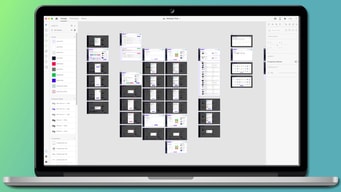
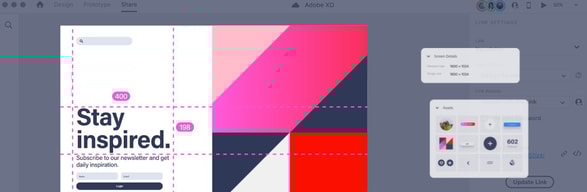
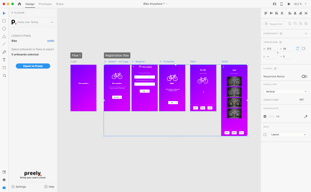
Adobe XD is an advanced n UI and UX design platform that can be used to create everything from apps to websites. The tool is popular among developers for creating and collaborating on wireframes, prototypes, and mockups. A platform is a vector-based software that is meant to turn flat images into 3D renderings and create augmented virtual reality experiences. It also offers access to features such as repeat grids, plugins, and extensions.





| Capabilities |
AI
|
|---|---|
| Segment |
Small Business
Mid Market
Enterprise
|
| Deployment | Cloud / SaaS / Web-Based, Desktop Mac, Desktop Windows, On-Premise Linux |
| Support | 24/7 (Live rep), Chat, Email/Help Desk, FAQs/Forum, Knowledge Base, Phone Support |
| Training | Documentation |
| Languages | English |
Adobe XD Pros and Cons
- 'Adobe XD boasts a functional, well-presented interface
- Prototyping is straightforward (for those with experience)- it doesn’t require additional plugins or services.
- Collaboration/co-editing is available so you can share files for review and work together in real-time.
- You can view prototypes on your phone and open files from other Adobe products.
- Although XD comes with illustration tools; you can’t draw custom shapes
- Although XD is constantly updating itself – although these provide users with great features, things are constantly changing, which can be annoying. Also, these updates sometimes come with bugs.
- If you don’t already have a ‘Creative Cloud’ plan, you’ll have to pay a monthly cost to get full use of the features.
Compare Adobe XD with other popular tools in the same category.
The user interface and learning curve is simple. You don't need to be a rocket scientist or know all the previous Adobe tools to learn or design wireframes in this software. It had really basic paint like tools to get you started at your wireframe design
Maybe it's a little too simplistic and they should provide an advanced toolbar for hose advanced users.
Making wireframes was easy and the softwares cheaper in comparison to other wireframing softwares. The software allows us to have a prototype or an early view of how the product will look.
I was able to get up and running without tutorials or guides (which is unusual for the typical Adobe product). The user interface is simple - overall I like it.
If you're a "pro" with Photoshop, Illustrator, Premiere, and other Adobe products, this is a bit different - it has fewer features but a much simpler user experience. If you're a "power user", there are probably other [more sophisticated] tools for you.
It's great for quickly drawing something (user interface elements for web and mobile apps) and planning layout / colours / etc.
Grouping features are helpful. Measurements and alignment suggestions are too good.
Assets are not a part of the software. Downloading kits is an option but it doesn't feel like an integrated experience. Also it's not collaboration friendly.
Development of User interface for AR project. Benefits are the features make it easy to replicate boards and fasten the pace of designing.
The ease of use, and the ability to quickly prototype (whether its lo- or mid-fi to some hi-fi). Even more-so, the ability to share live links with clients or colleagues at (literally) the click of a button. XD was really easy to learn how to use given my knowledge with other Adobe programs working with the awesome tutorials XD has already waiting for you when you open the program.
The transitions and lack of animations in-between interactions is kind of a let-down. This causes the prototypes to be fairly rudimentary and doesn't allow for a full explanation of how some elements interact with each other, and what all can be linked. It's capabilities like this that put other programs like Axure and Invision way ahead of Adobe, even with Adobe's clean UI.
We have incorporated this into our entire web design process, and have begun teaching our marketing department how to use XD to make quick changes in order to maximize efficiency. This is especially useful when talking with our developers because we are able to link both the working mock-up as well as design elements to help better explain what we are looking for in an end product.
Very easy and fast program for putting together usable designs.
Somewhat limited at times, especially on mobile.
Can create usable prototype designs that showcase some basic functionality. Looks great for designer and client.
This software is available with the Adobe Creative Cloud and has a standard menu commands like other Adobe products. I like how you can preview the project on mobile apps if you want to see it on your phone or on your PC screen. It is a very useful design and prototyping tool for designing websites and application interfaces.
There are some downfalls with this software, especially sharing projects with developers since it doesn't create CSS. It can also be a bit buggy from time to time.
Adobe XD has allowed me to build interactive prototypes and gather feedback from teammates. The feedback/comment section is one of my favorites because I can add comments on the go as I gain more feedback from different reviewers. It is a powerful product and simple to use!
The interface is very simple and easy to use. The tools are basic, but robust and highly functional.
I wish there was more grid functionality and that it was easier to zoom in and out of different pages. It can be difficult and tricky when using a lot of different art boards.
We are able to build out very beautiful and functional website designs that are navigational. They work on our phones and screens in real time and help us identify pain points easily.
Adobe XD is a very fast, very easy prototyping tool that allows me to really quickly test interactions and layouts.
It doesn't integrate as well with Sketch as I would like- that, and there are some limitations with the hotspots/interactions
We're solving fast prototyping problems with Adobe XD
I like the collarboration features of Adobe XD the most.
Nothing! It serves all my purposes very well.
Whenever I want to test out a new feature or idea, we want to create prototypes or wireframes to test with the customer, and that's what we use XD for.

Adobe XD is an easy-to-use design software that allowed me to collaborate with my project mates on prototypes that look and feel real. It can can also be integrated with the Adobe ecosystem and other tools like After Effects, and InVision. i never integrated it with any but that feature is there. Also, It has time-saving features and workflows such as components, states, stacks, repeat grid, auto-animate, voice prototyping. I would recommend it to anyone who want to try it.
I prefer Adobe XD because it can be accessed from Mac and Windows both, so it came in handy to meet teams when they are working with cross-platform compatibility. Plus, Its easy to learn and use, especially if we are already familiar with the Adobe interface from its Creative Cloud system. However, there is a lack of plugins compared to Sketch and Figma. Sometimes errors messages appear and its a bit difficult to export code. I think the inclusion of more features or improvements, such as video integration, animation control, or 3D support can help make it better than other softwares.
Adobe XD is solves some of the common issues that designers face when creating user interfaces and experiences for different devices. Using its intuitive tools like components, states, stacks, padding, repeat grid, we can create and edit vector-based designs easily. the best thing is that It enables me to edit designs using auto-animate, voice prototyping, responsive resize and also easy for collaborating on editing designs which can help you save time and effort.