

Unclaimed: Are you working at Chatter?






Chatter Reviews: 4.1/5 — Solid Choice
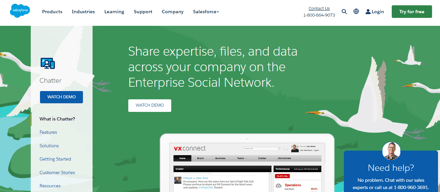
Chatter is live chat solution that connect employees with the files, data, and experts they need at the speed of need, anywhere in the world. The cloud-based platform helps users visualize data and simplifies integration.
| Company | Salesforce |
|---|---|
| Year founded | 1999 |
| Company size | 10,001+ employees |
| Headquarters | San Francisco, California |
| Social Media |





| Capabilities |
API
|
|---|---|
| Segment |
Small Business
Mid Market
Enterprise
|
| Deployment | Cloud / SaaS / Web-Based, Mobile Android, Mobile iPad, Mobile iPhone |
| Support | 24/7 (Live rep), Chat, Email/Help Desk, FAQs/Forum, Knowledge Base, Phone Support |
| Training | Documentation |
| Languages | English |



Compare Chatter with other popular tools in the same category.
using this app since few weeks. really liked the UI of this app.
the chats are not that clear as compared to other messaging apps.
one of the best UI that I have seen. benefit is that is user friendly.

Chatter has all the features that a chatting app should have, it contains features of admin only, moderation, public groups, posting updates via workflow, flows, triggers, process builder which makes it easier to configure and use.
Chatter Weekly or daily updates can be annoying sometimes which can yes be turned off but still, people can receive notifications about it sometimes which is annoying.
Posting about closed-won deals, and opportunities, lead updates to the sales team, hr team which is helpful and useful in chatter, it keeps people updated and is easy to configure.

You can post and notify anyone from your team or organization via chatter
It gives access to notify user within your organization only.
It is widely used as a social media platform for posting and notifying anyone in the organisation. But we are looking how can we make any post public as well. So that it's visible to the end users if needed.
As most of companies use salesforce to streamline their business processes so that chatter works really best with these business goals and not required any further efforts to use.
Sometimes I got irritated with the loading time issue because I am at a place where i don't have high bandwidth.
Most using as communication between and messaging tools with account manager and technical support team on different accounts.
Broadcast release updates to all Salesforce users and they can subscribe to the group updates
users has to have license of salesforce to get chatter updates
Mass broadcast to all users

Its easy to use and very smooth. It gives us freedom to chat on professional level.
Nothing negative coming in my mind regarding this feature
I can talk to my higher management in the organization and our company using this for account management. All the conversations are being recorded in salesforce and no need to post emails again and again.

Salesforce chatter is not only a chatting tool to make group chats. It is the professional management chatting tool which ensures file sharing as well as to reduce the meeting efforts.
But when compared to the slack tool the charter is a old tool which is pretty much slow and addition of users into the group chat it's very slow when compared to other tools.
Many problems were solved after implementing the Salesforce chatter tool like unwanted email conversations and instant file sharing in a smooth manner. Time saving.
I love how great the communication flow is
can be a bit confusing at times to see whats being responded to
Clearing up communication on artwork cases from Sales to Graphcs
Really easy to use. Everyone has access if they have access to sales force. Comments are in real time, email notifications when your questions are answered. Quick way to get issues resolved
Nothing! The features of chatter are great and I highly recommend
Global communication, cross functional team communication, easy access to help desk
I like the features that are available with groups, the feed is easy to follow along with.
I wish you could customize a bit more, I also wish that the knowledge was able to easily identify duplicates articles. That would reduce so many duplicates
We are able to stay aligned across the organization and able to easily answer internal questions or even share new tools/documents.

I am a salesforce developer and use the salesforce chatter functionality on the daily basis. Salesforce chatter is really a call to discuss the point related to any record or a specific. In the salesforce chatter, we can perform multiple developments around the feed as well. Salesforce Chatter is a great way to communicate between the teams and can discuss anything related to any issue or requirement.
In salesforce chatter, I haven't any dislike as such in the salesforce chatter. The only thing I have checked in the salesforce chatter is that we can modify the chatter once posted. So this functionality should be there to update any chatter.
In my daily routine of software development, I work on multiple projects and Use the salesforce chatter to communicate between the teams about the new release and work around and discuss the issue with the team. So while discussing that it is really helpful that time. I have found it pretty useful, in it we can tag any user, field updates, status and ask our doubts or anything else if we want to ask.
Easy to use and share the project workouts ,sales workouts and team discussions efficiently no matter wherever we are.The best feature is the transferring of files and accessing it among the team.
I didnt find much cons regarding it as it is doing its best workout..but with cost it can be managed to small companies while other functions are great to use.
I can keep tracks of my projects workouts,activities which helps to deliver the workout properly to the clients.Get quick responses from the teams and manages it.
I like that when you need to just leave a quick message you can do so with chatter and tag someone. Also, chatter sends reminder emails every night to let you know on what you need to catch up on.
It's kind of tough to find how to get to it in Salesforce
Documenting notes about a record so the other relevant person is aware.

Integrated into salesforce very well, seamless communication on the platform
Not sending me notifications properly so i can sometimes miss things
Seamless integration with Salesforce

As with all companies, organizations, or businesses, it is INTEGRAL to have efficient internal communication. As a marketing manager, I work with ALL departments. Chatter allows me to keep in constant contact with various departments regarding various projects.
At times, chatters can get lost amongst my Salesforce notifications.
Problem-solving: INTERNAL COMMUNICATION
The ability to @mention individuals or teams is the best feature of chatter
The time stamp feature as it sometimes shows comments as 17 hours ago and foes not give exact time stamp
It is the main broadcast tool used for managing a sales support and sales team

Chatter is very intuitive, and anyone will be able to use it. You can easily chatter on specific records in Salesforce and be able to tag groups or individual people. Tagged users will get notifications, and since the chatter is on a particular record, they will quickly go to said record to see what you are talking about.
To be able to tag someone, that person needs to be a user of salesforce. There are Chatter licenses, but that becomes a hassle to have to request all users be added constantly.
The problem that we are solving is one of internal communication and tracking these communications. We have a lot of talk about salesforce records in emails, on slack, or in instant messenger applications. Moving these communications to Chatter, we can see all the conversations that happen about this specific record. The benefit is that everyone can see the communications and nothing is forgotten or lost in the void of a messaging application.

it helps us to analyze the dataset result, and we generate the reports to easily by it
Sometimes reports are too long. Then they are not giving good results.
result anaylizing
Real-time collaboration tools let us work together and share information. Chatter connects, engages, and motivates us to work efficiently across the organization. We can use it in any browser or on our mobile phones. The mobile app has an excellent interface for collaboration. It helps us learn more about our coworkers, and we can quickly get in touch with them. We can easily discover our teams, coworkers, managers and where they located and contact them. It makes feel connected, powerful and recognized.
It isn't easy to understand there are plenty of features. Take more time than other conversation methods. Only salesforce users can access it. It has file size limits.
I'm using it to connect with people. It benefits as we can follow people, groups, topics, files, and records. We can see people's posts, comments, and likes. It's searchable and accessible anywhere, anytime. It is the best tool to connect people from different locations.
It's really simple to keep track of what is going on in your organization or with your team with all the information that you can post on Chatter. Especially to keep track of any case or difficult situation and you wish to know if there is an update or a pending item. You can also tag someone to remind them of a task or item that has not had any movement over a certain period of time.
The physical interface is not for everyone, but you can use the settings to personalize it to your liking or to maximize your team performance for them to focus only on what is important. But apart from that, there is not much to dislike. I really appreciate its simplicity. But you might need to invest some time in training for your team to fully understand how to use it.
Case Resolution, Pending Items, Communication with multiple departments within the organization that need to be looped in certain tasks or procedures. Is really good to keep track of your team performance, service level, customer satisfaction, share new standard operating procedures with your team.

The smooth document upload and share feature.
They should have to be more mainstream and easy to use.
To easily share any kind of document to a person or a group of person.

In salesforce nothing is better than chatter to collaborate with team.I like that I can log an activity share files and control over the visibility of content o am sharing.
It has some limitations that I don't like.
I am actually using it in salesforce development to collaborate with co developers and share user stories and requirements we are working on.
My teammates and myself are able to tag and notify each other on accounts they or myself could be working on that they come across/ Basically tag me like hey so and so has been on the website, I think you should reach out.
Only thing that could make it better maybe if the chatter allowed to be private message chatters. We still want to chat but maybe in a private section.
It allows my team to be more helpful and myself. So I believe it's helping us build a bond to be honest.

Chatter is conveniently built in to Salesforce's core products so it's easy to exchange record-related banter with teammates.
Chatter doesn't alert you when someone won't be able to see something because of record permissions.
We're able to communicate inside of Salesforce rather than on email.

It is very seamlessly integrated with the Salesforce, while working on Salesforce you can easily post the updates about the related records, contacts, opportunities etc. It has a lot of features such as posting a Poll to get the results from your colleagues, posting questions and we can also upload pdf and other files that we need to share. These all features makes communication with colleagues very easy and smooth.
Although it has a host of features, it still lacks the IM or personal messaging functionality and act more like a group, so that can be included and also integration with Jira, Azure will make it more versatile tool to use.
It helps in sharing the documents that we need to share within a group quite quickly and easily. We also post updates related to opportunities, accounts & contacts such as if any workflow action is pending we can directly tag the user responsible and ask for the details. This makes communication easy and also increases efficiency of the team.
Collaboration within team and cross team interactions
Too much info not related to your accounts.
Team is working closer to close deals quicker

The chatter allows users to share files securely and status updates which helps in bussiness to conclude easily
You have to be Salesforce user for full access,this part I didn't like as not a Salesforce user can't be able to access it.
Files and object sharing is pretty awesome and segmenting people into public and private groups that really help with virtual collaborations
For different teams easy to use. As a contact channel inside the organization, announcements and minor updates may be exchanged. Account notes and opportunities can be easily exchanged and awareness and incentive movements for sales managers. It has the capacity to share related posts, accessories, decks, etc. The sharing of files is extremely effective and the file search feature is extremely working. Chatter is very simple to use and provides typical social attributes, such as entering groups and after unique individuals. It is a good way to share information about a particular page without linking to the page or including an identification. A link to the page is given to the person who views the post.
There is no notification except directly to email if you directly send a message to someone else. It's quick to miss updates. The relation to the page you are referring to is not that clear. The chat's very rudimentary work. You can only take notes without the html functions or the ability to add images. Limits of file size. Open on screen style / void. The look is really ancient. The dates are often divided into months. Sometimes unnecessary tasks are recalled. Featured marker lack. It can be hard to understand (I am sure that I have used many functions). The app requires users not to reject emails, so they block the inbox. The information sent by Chatter needs to be filtered and edited.
The issue of wishing to post a message on a case without being specifically imposed on the case is solved by Chatter. It certainly helps to connect neighboring messages without being noticeable in the case. The sales team uses the system for Salesforce communication. Without exiting SFDC, Chatter quickly refers to connections, leads, openings and accounts. Capacity for group or chat surveys. Users in a thread will comment and tag. It has the capacity to share related posts, accessories, decks, etc. Allows management to view talks with various members on many occasions. Log all to Salesforce instead of skipping a G-chat conversation for future reference.
We use it in our department. With many interaction tools that change throughout the year, it’s good to have all of our work users connected in one place. It favorably affected our move to increase, as this was able to share information in a work activity.
As an administrator, I would love to get all customers to receive notifications, to help implement it in their daily techniques. If Chatter certificate users have a little more access to monitoring reports, this can be used much more by us.
In addition, we use teams. Chatter is very practical because I can label any type of item in our CRM. Instead of receiving email requests for administrator requests, I added some Chatter process features that help me deal with demands. If the instance requests a report, I can identify the new record in a comment.
Chatter, an interactive message tool from Salesforce, is important to send quick updates, notes and data to those active with Salesforce. You can monitor all activities of your team and include messages to buy orders or fund requests. You can also send emails to contacts on the system you or another person entered and save files. Finally, the chat is mobile to keep all activities in Salesforce up-to - date.
Although useful for Salesforce users, so many are available today that it seems like just another tool. It also opens up yourself and your files to a different form of hacking and you have to uninstall everything and transfer it elsewhere if you deciden not to renew your licence, or if your team takes your decision. Unfortunately , you can't access Chatter, if you're part of the squad, just not in Salesforce. Finally, chatter is not as robust as Slack or other messengers of contact normally used by organizations. You may probably claim that Chatter is rising in the early stages.
Chatter, an extension of Salesforce, helps you to connect, interact and work seamlessly within the Salesforce platform with your staff , partners and peers. If you are used to their maximum potential, you will effectively provide notes as to why a certain order or invoice is required so that acceptance and processing are not delayed. Contact my own sales staff, build and maintain e-mail templates in one location for marketing campaigns.