

Unclaimed: Are you working at Close?
Close Reviews: 4.7/5 — Highly Rated
Close is an all-in-one CRM software that allows users to manage relationships with customers and leads. The platform offers sales automation features that can support lead generation efforts and internal sales processes. Close also makes it easy to communicate with and nurture leads. By providing users with a centralized tool for lead generation, users can define a streamlined sales pipeline that can easily organize your team and work streams.

| Capabilities |
API
|
|---|---|
| Segment |
Small Business
|
| Deployment | Cloud / SaaS / Web-Based, Desktop Mac, Desktop Windows, Mobile Android, Mobile iPad, Mobile iPhone |
| Support | 24/7 (Live rep), Chat, Email/Help Desk, FAQs/Forum, Knowledge Base, Phone Support |
| Training | Documentation |
| Languages | English |
Close Pros and Cons
- Excellent support for sales team
- Free trial available for beginners
- Convenient and easy to use sales tracking
- SMS, video, calling, and other channels all in the same place
- Full context overview on every deal
- Not as well-known as some alternatives
- Fewer integrations than some competitors

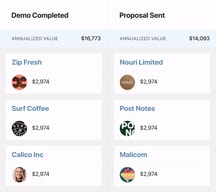
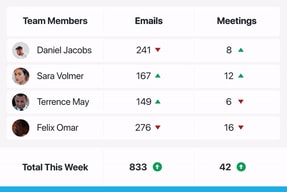
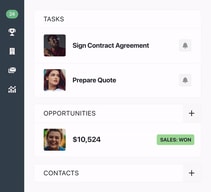
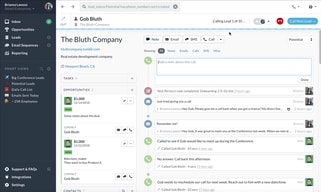
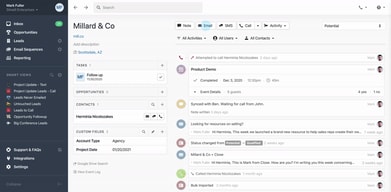
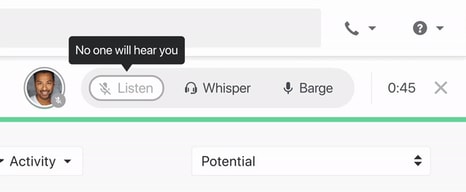






Close is a CRM built around the phone rather than the database, and that single design decision explains almost everything about it. Calling, SMS, and email are native, activity logging is automatic, and reps spend less time on data entry than in any general-purpose CRM. If your team sells by talking to people, that is a genuine productivity advantage. If your team sells any other way, you are paying for a dialer you will not use.
- What it is: A sales CRM with a built-in power and predictive dialer, SMS, email, and sequencing, aimed at inside sales teams.
- Best for: Small to mid-size outbound and inside sales teams, particularly in B2B and SaaS, where call volume drives revenue.
- Pricing: Solo $9, Essentials $35, Growth $99, Scale $139 per user per month on annual billing. Calling and SMS are billed separately at cost. Verified on Close’s pricing page in July 2026.
- The honest catch: Automated workflows, the sequencing engine that makes an outbound CRM worth buying, are not included until Growth at $99 per user.
What Is Close?
Close launched in 2013, originally as Close.io, built by a team that had run its own outbound sales operation. That origin shows. Most CRMs are databases that later added communication features. Close was designed as a communication tool that keeps records as a byproduct, and the difference is visible within minutes of using it.
The practical consequence is that a rep can work a list of leads without leaving one screen: call from the browser, log the outcome automatically, send a follow-up email or text, and move to the next record. Competing setups usually achieve this by bolting a separate dialer onto a CRM, which introduces sync problems and an extra bill.
In 2026 Close has added Chloe, an AI agent available on every plan, alongside AI credits allocated per user per month. As with most AI additions this recent, treat them as a bonus rather than a reason to buy.
The independent scores are excellent and among the highest of any CRM we have reviewed: 4.7 out of 5 on Capterra across 164 reviews, with 96% positive sentiment. The review base is smaller than HubSpot’s or Pipedrive’s, which is worth noting, but the consistency is striking.
How Close Works
- The dialer is the centrepiece. Power dialer on Growth works a list sequentially. Predictive dialer on Scale calls several numbers at once and connects a rep when someone answers. Reviewers repeatedly single out the dialer and call transcripts as best in class.
- Automatic activity logging. Calls, emails, and texts attach to the lead record without anyone remembering to log them. This is the feature that most reliably saves reps time, and the main reason data quality tends to stay high.
- One inbox for everything. Email, SMS, and call tasks in a single centralized view with a task list, so a rep works one queue rather than switching tools.
- Workflows. Multi-step sequences with branching and automated follow-up. This is the outbound engine, and it starts at Growth.
- Search and filtering. Advanced lead filtering is unusually strong and is praised specifically in reviews as the thing that makes list-building fast.
Close Pricing
Close prices per user with a large annual discount, and bills calling and SMS separately. Figures verified on Close’s pricing page in July 2026.
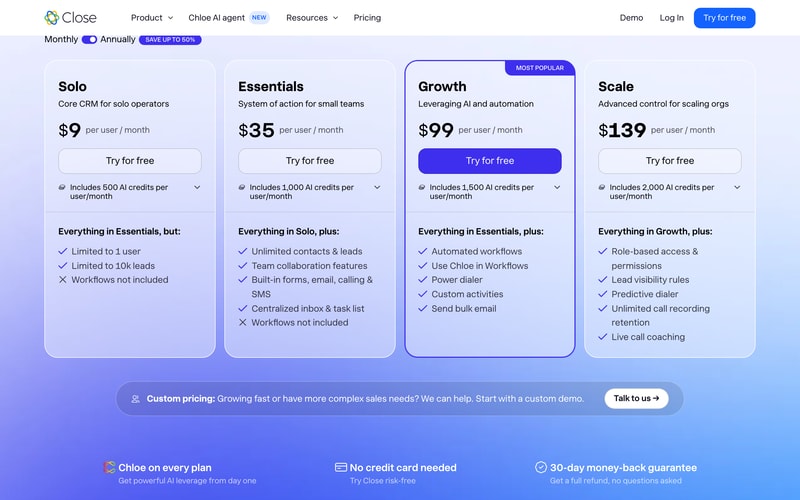
| Plan | Annual (per user/mo) | Monthly | AI credits | Key additions |
|---|---|---|---|---|
| Solo | $9 | $19 | 500 | 1 user, 10,000 lead cap, no workflows |
| Essentials | $35 | $49 | 1,000 | Unlimited contacts and leads, team collaboration, forms, email, calling and SMS, centralized inbox. No workflows |
| Growth | $99 | $109 | 1,500 | Automated workflows, Chloe in workflows, power dialer, custom activities, bulk email |
| Scale | $139 | $149 | 2,000 | Predictive dialer, role-based permissions, lead visibility rules, unlimited call recording retention, live call coaching |
What actually determines your cost:
- Workflows start at Growth, and that is the whole story. Essentials at $35 gives you calling, SMS, and email but no automated sequences. For an outbound team, sequencing is not a nice-to-have, so the realistic entry price is $99 per user per month, not $35.
- Calling and SMS are extra. Usage is passed through at roughly $0.02 per minute for outbound calls, with phone numbers around $1 per month. This is honest pricing rather than a markup, but it is a variable cost that reviewers report underestimating.
- Annual billing saves up to 50%. The gap is unusually wide at the bottom of the range: Solo halves from $19 to $9, and Essentials drops from $49 to $35.
- Solo is genuinely for one person. One user, 10,000 leads, no workflows. Useful for a founder doing their own selling, and not a team plan.
- Predictive dialing is a Scale feature. If maximum call throughput is the goal, budget $139 per user.
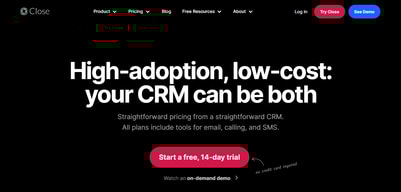
There is a 14-day free trial with no credit card, plus a 30-day money-back guarantee. Reviewers describe the trial as short for a proper evaluation, so the refund guarantee is arguably the more useful of the two.
Who Should Use Close
- Outbound and inside sales teams. The clearest case. If your reps make dozens of calls a day, the dialer, automatic logging, and one-screen workflow compound into real time savings.
- B2B and SaaS sales organizations. Close is explicitly designed around this motion, and reviewers note it fits less naturally in B2C or retail contexts.
- Small teams that want to avoid a separate dialer. Replacing a CRM plus a standalone dialer with one tool usually simplifies both the stack and the bill.
- Teams that value data hygiene. Automatic logging means the CRM stays accurate without discipline, which is rare.
It fits poorly for teams that sell without calling, where the dialer premium is wasted, and for ops-heavy organizations that need deep custom reporting, which reviewers identify as Close’s weakest area. Some reviewers also describe outgrowing it as their company scales, so if you expect to become a large enterprise sales organization, factor that in.
Honest Pros and Cons
Strengths
- Best-in-class calling. The dialer, call recording, and transcripts are singled out repeatedly in reviews as the standout feature.
- Automatic activity logging. Saves reps meaningful admin time daily and keeps records accurate without relying on discipline.
- Genuinely easy to learn. Reviewers consistently describe fast onboarding and minimal training, which matters when you are hiring reps regularly.
- Powerful search and filtering. Building and working targeted lists is fast, and this is called out specifically by users.
- Excellent independent rating. 4.7/5 with 96% positive sentiment is among the strongest scores in the CRM category.
- Responsive support. Praised across multiple review platforms.
Limitations
- Workflows are gated to Growth. The single most important pricing detail, and it triples the effective entry price for an outbound team.
- Reporting is the weak spot. Limited customization and difficulty comparing data over time are the most consistent complaints from ops-minded reviewers.
- Calling and SMS costs are variable. Passed through at cost, but easy to underestimate at high call volume.
- A modest review base. 164 Capterra reviews is a much smaller sample than the thousands behind HubSpot or Smartsheet, so the excellent score carries slightly less statistical weight.
- Mobile is adequate, not polished. Noted by reviewers as functional but behind the web experience.
- Some teams outgrow it. Scalability concerns appear in reviews from companies that grew substantially.
- Integration gaps. No native Apollo connector, for example, which means routing data through Zapier.
Close Alternatives and How It Compares
- Pipedrive is cheaper and stronger on visual pipeline management, with calling as an add-on rather than the core. Better for pipeline-first teams, worse for call-heavy ones.
- HubSpot Sales Hub has a free tier and much stronger marketing integration, and is widely reported as thinner on dialing and sequencing at scale.
- Salesflare shares Close’s automatic-capture philosophy at a lower price, with a lighter calling capability.
- monday CRM is the pick if customization matters more than call throughput.
- Outreach and Salesloft are the comparison if you want a dedicated sales engagement platform alongside an existing CRM, at considerably higher cost.
For a broader survey see our guide to the best CRM software.
The Verdict
Close is one of the best products in its category, and the 4.7/5 across 164 reviews with 96% positive sentiment is deserved. For a team whose revenue depends on call volume, the combination of a genuinely excellent dialer, automatic activity logging, and a single working screen produces measurable gains in rep productivity. Very few CRMs earn that claim.
The pricing needs to be understood correctly, though. Essentials at $35 per user looks like the sensible team plan and is not, because it excludes automated workflows. For an outbound team that is a disqualifying gap, which means the real price is Growth at $99 per user per month, plus calling and SMS usage on top. At that level Close is a considered purchase rather than an easy one, and it should be compared against a cheaper CRM paired with a dedicated sequencing tool.
Do that comparison honestly and Close usually still wins for call-driven teams, because the integration is the product. But if your reps rarely pick up the phone, or if custom reporting is central to how you run the business, this is the wrong tool and the money is better spent elsewhere. Use the 30-day money-back guarantee rather than the 14-day trial as your real evaluation window.
FAQ
How much does Close CRM cost in 2026?
On annual billing, Solo is $9 per user per month, Essentials $35, Growth $99, and Scale $139. Monthly billing costs $19, $49, $109, and $149 respectively. Calling and SMS are billed separately at cost, roughly $0.02 per minute for outbound calls, with phone numbers around $1 per month.
Does Close include automated workflows on all plans?
No. Workflows are excluded from both Solo and Essentials, and start on the Growth plan at $99 per user per month. Since automated sequencing is the core of most outbound sales processes, this makes Growth the realistic entry tier for teams rather than the advertised $35 Essentials plan.
Is calling included in Close’s subscription price?
The dialer is included, but the calls themselves are not. Close passes calling and SMS costs through at approximately $0.02 per minute for outbound calls, plus around $1 per month per phone number. Reviewers commonly report underestimating this variable cost, so model it at your team’s actual call volume.
Does Close have a free plan?
No. Close offers a 14-day free trial with no credit card required, backed by a 30-day money-back guarantee. Several reviewers describe the trial as too short for a thorough evaluation, so the refund guarantee is often the more practical way to test it properly.
What is Close best for?
Small to mid-size B2B and SaaS inside sales teams whose revenue depends on call volume. Its distinguishing strengths are a best-in-class built-in dialer and automatic activity logging that keeps CRM data accurate without relying on rep discipline.

Compare Close with other popular tools in the same category.
I love how easy it was to set up, their support is great, and its more or less flawless.
I cannot think of anything I dislike about Close!
I am able to track all emails and SMSs in one platform. Mark my leads and have everything in one spot.
I love the complete integration of Close. It allows our sales team to make calls, text, email, use templates while still acting as a CRM keeping everything organised. It's very easy to use and our team was able to implement the transition quickly. We frequently use Close every day and won't be switching to another platform any time soon.
Beyond using "tasks" it's not the most effective for follow ups after the task has been completed (it disappears so you have to keep setting more tasks to remember who to follow up with)
The problem was we were using too many softwares across too many platforms. It allows us to stay on one platform to run the entire business; tracking, outbound, email marketing, contacting leads worldwide.
Close gives you the ability to take all the "thinking" out of sales. Who should I be calling? What's the next steps with this lead? etc etc. If you build out your smartviews properly, you never have to ask these questions again. Close will just show you the leads you need to action on. Previously, the CRMs we've used required creating followup reminders and tasks for every lead. Now, we only do that for about 5% of the leads who require a slightly different process. This does require a good understanding of your workflow. Even more so than basic CRMs. To get the full benefit, you MUST have all the sales steps mapped out. The team provide great customer service, and it feels like they care about your results. Integration through Zapier is really powerful.
Twilio call prices for Australia are insane and don't make sense. This is why we moved away from Close.com in 2019. However, we've found that even with the sky high calling costs, close.com simply makes us far more money. And that's why we're back.
Previously, we would have hundreds of leads which weren't being dealt with efficiently. Lots of follow up tasks, lots of moving follow up tasks to the next day, and then a huge buildup of leads who have missed out on a great customer experience. Now, every lead gets full attention.
It's a easy interface to get around and I like its reliability.Its amazing especially when your constantly using it so everything is fully automated which makes it all easy to use.
You can't use the predictive dailer feature on yor smartphone so you won't be able to powerdial
Not having to manually send out texts or emails and i like it allows you to make premade yemplets to send out.

It is easy to use and not overly complex. It is also really easy to customise
I have been using it for a few weeks now and so far, no issues!
It is allowing me to easy manage my leads in a CRM and create automations using Zapier.
The customer support was absolutely exceptional, and extremely responsive. Very easy to integrate and implement, and it saved a lot of headache when I combined it with Zapier and Slack. I use it all of the time.
Automations could be more comprehensive, and the formatting for emails some times can look weird after they've been sent
Making following up with my leads much easier!
Lead and prospect management and integration of phone and templates
Nothing so far and to be honest I'm just still leaving which is taking time on the report area
Facebook advertising and lead integrated management
The ability to quickly and easily access history and interactions with prospects and clients. I used a major competitor for 3 years and Close is comparable .
I'd like to have more people in my org to have access without adding to the cost haha!
A couple of things: exceeding my email limit, and being labeled as Spam when I make calls through Close. Close solved both of those rapidly.

Close has given me an excellent way to organize myself (Im not very good at keeping track of the things I have to do in order to close a lead), and this has impacted on the percentage of sales that I have been able to succesfully close.
At the beggining there was no Android app, but the Close team was very communicative and borught me close to the development of the app, they even gave me acces to the beta and eventually to the finished product.
I can be very fast at closing leads; I have all the information needed at a glance and I can automate responses, emails and trigger actions very easily, improving my chances of closing a lot more sales.
I like the most ia the text, call, and email feature.
When sending emails to leads , i have to go back again i do not know why the next button is not available during that time
Reaching to leads, communicating with them
It is flexible, extensible and customizable.
I wish there were more custom reporting features and that it could integrate more easily with Google Ads to track our ad Gclids
Keeping track of sales efforts. Easily reports open opportuniites.
Makes managing and prospecting to a large pipeline achievable
When outreaching to prospects, Close doesn't include (that I'm aware of anyway) messaging creation assistance via AI, that other software does
Database mining.

Ease of CSV file to mass import new prosepcts.
Ocassionally not displaying inbox mail, as it comes through to my inbox.
All in one CRM with ease of access- inbuilt mail platform, call platform, etc.
The indepth filtering and updating system.
I wish that Mass SMS was possible to integrate into the system for better lead contact
Close is helping us solve the contact problem with our leads and filter them in the category of interested or disinterested
Ease of use. It allows me to track all of my prospects, set up email campaigns and follow up activities quickly and easily.
I would like better tracking of prospect email activity, like opens and link clicks on specific emails.
It helps me organize my activities and stay on top of my sales opportunities
I like the waay that the lead pages give an immediate view of the mopst recent and importaant information for each lead.
Some of the features are hard to get a comfortable with using.
Keeping leads organized.

Coming from using MixMax and spreadsheet, Close helps our team scale our customer campaign by significantly reducing cross team communication time and cost. It has all the important features for a CRM and when we compare close with other CRMs it is the most modern looking one in terms of UI and UX.
The updates from batch sync could be a bit slow. So you can't just bulk edit and then start working on something else. Some of the UIs are a bit quirky and can take some time getting used to.
It helps us create efficient, impactful campaign for thousands of new customers.
Simplicity and user interface ist very clear and there are no bugs
Nothing that I can refer to since I am using close for the the past 6 months
Sales structure
I like that there is virtually no limit to the integration capabilities. The CRM and phone are one. The way it pulls the Zoom links from Calendly invites is exceptional.
Have not found anything yet. Will let you know when I do.
The integrations. Having my CRM and Phone VoIP as one is the greatest thing about Close to me. All of the other integrations just keep making it better as I learn to navigate this new tool.
I like how every information about a lead is in one place. Love the built-in dialer with automatic dispositions. The integration with Google Calendar and the possibilities with Zapier are just the best!
Email support is really slow. Sometimes it takes them 2 days to respond. Hope they work on it.
This is our 4th CRM and the past tools we used were just unreliable and lack the features we need.

I like the way they are treating their customer, punctual response, clear answers. Once you asked a question, be sure you will resolve your issue. The API docs are great, easy to understand, I have integrated it with multiple other systems. And we use that very often.
Can't think any of them. I don't have any open tickets there.
The task assignment part is extremely useful, AI assistant is the killer feature it helps a lot. Having all the features in one place like email, text messages, metting summaries, call transcribtions.
It's easy to use and understand. Amazing user interface. Built-in Dialler and CRM in one patform. Great customer support
There isn't anything about CLOSE that I do not like.
Sales tracking and automating our workfow.
I like the layout and the features (email, text, call, reminders) and the ability to integrate close into my calendar. The software enables me to have good and strong history of each contact at my fingertips.
Nothing. I cannot think of anything I dislike about clothes.
Close is enabling me to have strong, follow-ups and data for each of my leads. I am an accounting executive and primarily use the CRM to develop strong relationships with my clients. Close is helping me achieve this by giving me a full overview of my history with the lead.
Having the advanced dialer system (with ai-transcription, predictive dialing, and amazing ui) all built in to the CRM where tasks, opportunities, and any workflows or smartviews/calling lists are - makes this a one-stop-shop for our CRM needs. This allows for our team to have just one spot to manage all of their follow ups, telephon outreach, and any digital replies, sms or email. With the system able to be so straight forward, it makes onboarding new reps very easy considering how much they get started with. World class customer support I must say as well..
Predictive dialing is one of the best features of Close, but this feature is disabled for users where there are any visibility permissions enabled. This removes the ability to be in Predictive Dial sessions for a user you want to limit from seeing Leads that are Owned by someone else, or some combination of set ownership requirements.
We can have very large group dialing sessions for cold marketing. Having 10+ numbers being called at a single time has been amazing for our sales teams success. Predetermining the statuses, the calling lists, and then the task flows and follow ups for our team has been supported so well with Close. Seeing inbound communication from Leads, having external accounts connected for email visibility, and having the ability to collect robust amounts of information on indexable activities during calls has made sales and follow-ups simple and manageable for us.
The ease of usefulness as well as the customer service. The support team can be identified of a problem and then can fix it most of the time within the first hour of being notifified about it. The updates to the Recording and Transcript features (an all the other updates that come daily) made my life a hundred times easier. Being able to go back through and sift through points of old calls is something that makes Close elite.
One of the really the only things I dislike about close, which could also be a internet issue, is the fact that every so often, I'll have a call that gets dropped.
The ability to put all your customers in one single place. Being able to create different pipelines and smart views for dialing / SMS is something that really sets Close apart. The ease of access to these smart views and how easy they are to navigate once you're inside of them is what makes it user friendly and easy to learn.
I really enjoy the intergration with other work programs that i use eg. Calendly.
Nothing really as it is fully customizable.
Close is solving the following probelms for me. - time wasted writing emails -time wasted dialing numbers -trying to remember what was discussed on phone calls -keeping track of meetings and tasks
The automation, so many features are done automatically for me, making my life 10x easier.
there are a few bugs and glitches, like my disposition not popping up but t is very rare.
Close is keeping trtack and automating our outbound calls, making sales easier.
Close makes it simple to track our leads and move them through the pipeline. We made the switch from Hubspot to Close because of how user friendly it is -- allowing us to spend more of our time on leads and less of our time on cumbersome tracking tracking process.
I have few if any complaints about Close. There are not dynamic html powered emails or form features that come with Hubspot, but for 95% of our daily operations, Close is outserving our previous CRM.
Extremely easy to track contacts with few clicks, making it effortless for us to manage our sales pipeline

What I love the most in close it is simplicity and the UI/UX, everything is clear, it's easy to onboard new people
At the moment nothing, everything suits my needs
Very good CRM, making the job.
superquick while enrolling workflows Performance analysis Pipeline analysis Template creation Followups
Not as such some issues while making outbound calls
It is saving alot of my time I do not miss on to the leads as the task management is well organised in close I helps me to clear my pipeline on regular basis I track my leads sales management