
Unclaimed: Are you working at Copper?

Copper Reviews: 4.5/5 — Highly Rated
Formerly known as ProsperWorks CRM, Copper CRM is a software that’s best known for its ability to seamlessly integrate with Google’s collection of cloud applications. To date, it’s recognized as the only sales automation solution that’s endorsed by Google, which makes the platform a top choice for many businesses whose work systems are already operating using tools in the Google ecosystem. Preferred by small to medium enterprises, Copper CRM also boasts streamlined features with a user-friendly interface.

| Capabilities |
API
|
|---|---|
| Segment |
Small Business
Mid Market
|
| Deployment | Cloud / SaaS / Web-Based, Mobile Android, Mobile iPad, Mobile iPhone |
| Support | 24/7 (Live rep), Chat, Email/Help Desk, FAQs/Forum, Knowledge Base, Phone Support |
| Training | Documentation |
| Languages | English |
Copper is the CRM for teams who never wanted to leave Gmail. It is built specifically around Google Workspace and carries Google’s “Recommended for Google Workspace” designation, which in practice means contacts, emails and calendar entries sync without you thinking about it and most of the day’s CRM work happens in a sidebar rather than another tab. That focus is the whole proposition, and it also draws the line on who should not buy it. The pricing has one wrinkle worth knowing: the advertised “up to 26% off” annual discount only applies to the most expensive plan.
- What it is: A CRM built around Google Workspace, formerly ProsperWorks.
- Best for: Small and mid-sized teams already living in Gmail, Calendar and Drive.
- Pricing: $23–$99 a seat a month billed annually ($29–$134 monthly). Verified August 2026.
- The honest catch: Contact limits, not features, are what force you up a tier.
What Is Copper?
Copper — which launched as ProsperWorks in 2014 and is now a 51–200 person company in San Francisco — is a relationship-focused CRM that treats Google Workspace as its home, rather than a general CRM with a Gmail plugin bolted on.

The positioning is notably not “sales machine”. Copper leads with client relationships over time — the industries it names first are agencies, consulting, financial advisors, production and creators, all businesses where the same client relationship runs for years. That is a different product from a high-velocity outbound CRM, and the feature set follows it.
Over 30,000 companies use it, and it integrates with roughly 49 tools including Gmail, DocuSign, ActiveCampaign, Chargebee, JustCall and Notion.
How Copper Works
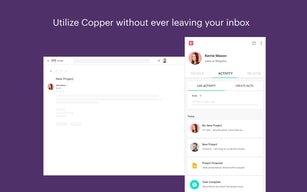
- Lives inside Gmail via the Workspace sidebar — the primary interface for daily use.
- Automatic sync of contacts, email and calendar from Google.
- Contact enrichment fills in records rather than making you type them.
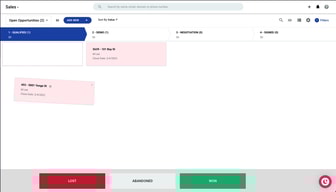
- Pipelines and project management for tracking deals and delivery.
- Task and workflow automation from Professional upward.
- Bulk email and reporting at Professional; custom reports at Business.
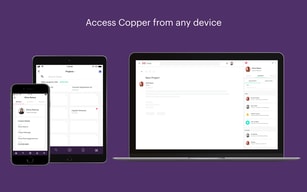
- Mobile apps for iPhone, iPad and Android.
Copper Pricing

| Plan | Annual | Monthly | Contact limit |
|---|---|---|---|
| Basic | $23/seat/mo | $29 | 2,500 |
| Professional | $59/seat/mo | $69 | 15,000 |
| Business | $99/seat/mo | $134 | Unlimited |
Prices are per seat per month in USD. Copper states that 63% of customers start on Professional, which is a useful signal — Basic’s 2,500-contact ceiling is low for any business with history, and most teams discover that quickly.
The annual discount is where the page is doing some work:
“Up to 26% off” is true only on Business. Professional — the plan most customers actually choose — saves 14.5%, the smallest discount of the three. That is not misleading in the strict sense, but it does mean the headline number is unavailable to the majority of buyers.
The more important pattern is that contact limits, not features, drive the upgrades. Going Basic → Professional multiplies your contact ceiling six-fold and adds workflow automation and bulk email; Professional → Business removes the ceiling entirely. If you are evaluating on feature checklists you will mis-size this; check your contact count first.
Who Should Use Copper
The decision is unusually clean. If your company runs on Google Workspace and your work is relationship-led rather than volume-led, Copper is a strong fit — agencies, consultancies, financial advisors, production companies. The Gmail-native experience removes the single biggest reason CRMs fail, which is that nobody updates them.
If you are on Microsoft 365, this is the wrong tool, and no tier changes that. The entire value proposition is the Google integration.
It is also a poor fit for high-velocity outbound sales teams who need sequencing, dialler-first workflows and heavy pipeline analytics. Copper is built for tending relationships, not for working a list of 3,000 cold leads.
Honest Pros and Cons
Strengths
- The Google integration is the real thing, not a plugin — it carries Google’s “Recommended for Google Workspace” designation.
- Adoption problem largely solved. Living in the Gmail sidebar means the CRM actually gets updated.
- Genuinely simple. Onboarding is fast and the interface does not require training days.
- Contact enrichment reduces manual data entry, which is where CRM hygiene usually dies.
- Good integration breadth at around 49 tools across billing, e-signature, marketing and comms.
- Free trial with no credit card, so evaluation costs nothing.
Limitations
- The headline annual discount is only on the top plan. Professional, which most people buy, saves the least.
- Basic’s 2,500-contact cap is restrictive for any business with history — expect to start on Professional.
- Google Workspace only in practice. On Microsoft 365 the core advantage disappears.
- Not built for outbound volume — sequencing and dialler-led workflows are not its strength.
- Business at $99 a seat is not cheap once you have a team of ten, and unlimited contacts is the main thing it buys.
Copper Alternatives and How It Compares
The natural comparison is HubSpot, which has a genuinely capable free tier and far deeper marketing tooling, but is a bigger system that lives in its own tab. Teams that want a CRM they visit choose HubSpot; teams that want a CRM they never have to visit choose Copper.
Pipedrive is the closer match on price and simplicity and is stronger on pipeline mechanics, but it does not have the Workspace relationship — the difference shows up daily if Gmail is where you work.
For relationship-led firms specifically, Attio is the modern challenger with more flexible data modelling, though it asks more configuration of you up front. Copper’s argument against all three is the same and it is a good one: the CRM that gets used is the one that is already open.
The Verdict
Copper is a focused product that is excellent for a specific setup and irrelevant outside it. Google Workspace plus relationship-led work is the sweet spot, and within it the Gmail-native experience solves the adoption problem that kills most CRM rollouts.
Size it by contacts, not by features — that is what actually moves you between tiers, and Basic’s 2,500 ceiling is why most teams land on Professional. Pay annually if you can, but do not plan around the advertised 26%: on Professional the real saving is 14.5%. And if you are on Microsoft 365, look elsewhere; there is no version of this that works well for you.
FAQ
How much does Copper cost?
Basic is $23 a seat per month billed annually ($29 monthly), Professional $59 ($69) and Business $99 ($134). Prices are in USD excluding tax. There is a free trial with no credit card required. Verified August 2026.
Is Copper’s “up to 26% off” annual discount real?
Yes, but only on Business, where $134 drops to $99. Basic saves 20.7% and Professional — the plan Copper says 63% of customers start on — saves 14.5%, the smallest of the three.
What is the difference between Copper’s plans?
Mostly contact limits. Basic caps you at 2,500 contacts, Professional at 15,000, and Business is unlimited. Professional adds workflow automation, bulk email and reporting; Business adds email series, custom reports and multi-currency.
Does Copper work with Microsoft 365 or Outlook?
Not meaningfully. Copper is built specifically around Google Workspace, and that integration is the entire reason to choose it. On Microsoft 365 you would be paying for the part you cannot use.
Is Copper good for outbound sales?
Not particularly. It is built for tending long-running client relationships — agencies, consultancies, advisors — rather than working high volumes of cold leads. If you need sequencing and dialler-first workflows, a sales-engagement-focused CRM will serve you better.
Compare Copper with other popular tools in the same category.
Our team greatly benefits from the seamless integration with G Suite. Automatically adding contacts has been a lifesaver and takes the manual work out of managing a CRM. Aside from sales, our team is hyper-focused on the customer experience so getting all customer details in one place has been crucial. The customization of fields is very helpful to build a CRM that fits our needs. Outside of leads, opportunities, and renewals, we aim to manage the customer life cycle and the custom fields allow us to do just that.
Duplicate remediation. I wish it was possible to sort by all duplicates instead of scrolling through the whole customer list. At the end of the day, duplicate remediation is still possible, I just wish it were a bit easier.
Currently, our team is working toward managing our projects through Copper. Since our team is project-focused, and customers can have multiple projects, keeping all the details in one place is helpful for team to continue to help our customer reach their goals.
The most helpful thing with Copper for me is how easily and efficiently it works with my Gmail account.
I haven't found too much that I dislike with Copper yet. It is a very user friendly CRM and I've used everything from a custom built CRM to SalesForce to Microsoft Dynamics and Copper is the most user friendly I've used so far.
The problems that are being solved is how easy it is to communicate with other co-workers through copper. Everybody is kept in the loop on what we have going on and you can remind/assign things very easily. This is a huge benefit to our company, as we all are working remotely and don't have the luxury of being able to walk down the hall and ask a question. Copper makes it very easy to communicate in an efficient and effective way, while working from home.
The tight integration with G Suite - email, documents and calendar in particular - makes PW a breeze to work with for G Suite users. When an email from a new contact hits your inbox, it can be added automatically to PW with all the necessary information - contact details, company description, social links etc. - all filled in automatically.
The general reporting is not up to the standard of the rest of the solution. There is access to a Google Sheet add -on which draws down all PW data - opportunity, contacts, company etc. - but this does mean reporting is done outside the core PW product.
We operate all areas of a CRM with PW - pipeline management, opportunity tracking, contact management etc.
Simplicity. That is the key to success in this complex world. Copper is simple and it plays well with the Google infrastructure.
So far, so good. Haven't found any dislikes!
Shared access for our virtual team spanning all of North America is a huge problem that we have solved with Copper.
The customization options and flexibility are largely endless. They support you receive from them is quick, easy to follow, and often teaches you more about the systems. You can build out a ticketing system with some easy to find formulas, and the reporting options are flexible and can provide so much information about individual pipelines, company types etc. (Copper and integrations). The automation you can create as well can take a lot of work off you and your team with a bit of practice.
Some of the help articles, especially for older features, are outdated and the instructions/images, as well as with the various integrations. It would be great to see those updated but the support team makes up for it.
ROI on new Promotional Programs, Quality Control Ticketing Systems, Consult Ticketing. The more and more I use and push it, the more I see new potential for new ways of tracking or creative solutions.
I use Copper directly in my web interface Gmail account for my business. It's very easy to handle tasks, emails, edit details in records and use email templates.
It would be nice to have more templates and email tracking in the base plan.
I keep track of all opportunities, communication with leads and customers.
Embedded in the G Suite, helps me and my colleagues don't fall through the cracks.
Do not have a Portuguese version, that's the common request from our customers.
The sales process, customer retention, customer relationships.
Is hard to classify Copper just as a CRM. Because is different. It has a lot of functionalities that no other CRM has. Most of them related to sales processes. Thinking on sales forces, other CRMs look too much just as a "control" tool. Copper offers tools, customizations, and options that are precisely what sales teams need to administrate their sales, clients, potential costumers and many other information. And with workflows and automation, it really help the users to focus on what matters, while all the slow and repetitive processes can be automized.
More options on the "projects". So can be used to store or follow processes beyond sales (like internal processes, etc) in a better way. Translation to Spanish is still in a Beta fase.
As a Partner. Copper provides a tool for a kind of clients that just didnt found any tool to solve their real needs. Is easy to explain the benefits to them and they quickly get the opinion of: "I do everything with copper now" from our clients, after a while. And in the case of their end Users (mostly Sellers) the training and adoption of Copper is very natural, thanks to the practical benefits that provide.
It scours the web for information when adding new people to the CRM to prevent the need to mindlessly enter data each time. They clearly care about design and user experience so the platform is a joy to use. They also listen to their community more than other CRM's I have used in the past.
It is lacking some integrations. There is Zapier to ease the pain, but there are some big integrations that would be useful which do not yet exist.
Sales, marketing, relationship management, database management. I am more able to maintain contact with those that are important to my business and also keep up-to-date with any leads I am currently working on as well as opportunities and projects. I would not be able to run my company as efficiently without it. Just remembering who people are that I have met at past networking events, emails we exchanged, and more.
Copper is a fantastic solution that fully integrates with G Suite. For many users, you never even have to leave your inbox. This fully-customizable CRM solution helps manage leads, track opportunities, and also works with your post-sales processes. Person records as pulled up immediately by merely hovering over a person's name within your inbox. Contacts sync well between it and G Suite. Copper is a much more reasonable solution for small to mid-sized businesses.
Copper integration with other products relies heavily on Zapier. I would like to see tighter integration with such services as Dialpad.
I am able to easily track all activity with a contact or lead via Copper. It's easy to assign the next task and note what action I last took with a customer.
Copper's Gmail side panel gives easy access to customer information while reading emails.
From time to time data will not load, or something will behave strangely or be unresponsive, but like all cloud deployments, it's a work in progress and Copper is quick to update and resolve issues.
Copper gives our entire team visibility to all interactions with a lead or customer. The main benefit is being up to speed before reaching out to a contact. We know exactly who spoke with them most recently and where the conversation was at, which gives the customer confidence that we are organized and care about their needs.
Copper provides all the right features and functionality to grow my small business. The web, mobile, and Gmail extension interfaces are easy to use and built for productivity.
We've run into limitations with Bulk Editing and Workflow Automation. I suspect these features will continue to expand.
Logging calls and activities on the go. Targeted Bulk Email campaigns. Email templates to avoid reinventing the wheel.
Email templates, Workflow Automation, Ability to track who has opened an email
I would like it if Copper could schedule emails like in GMAIL.
Not double emailing potential customers, add projects to leads, Linkedin.
Really fast and easy integration, full visibility and ease of use
Need more connectors with 3rd parties and automation. We need to connect with billing systems and other vendors such as salesforce. So it would be great to have more
Tracking of all the leads that we have and having a quick and easy view. Our working tool is our GMail and copper was amazing to integrate with is.
I love the integration with Gmail and the ability to send emails straight out of Copper. Also love the email tracking feature.
Sorting can't be set to a default so you have to re-sort lists every time you open a category like people, opportunities, etc...
We never miss an interaction with a lead and it's great to see all emails from other team members in one place.
The customization. We have many unique moving parts in our company, and it was difficult to find a CRM that would allow us to adjust to everyone's individual sales style. Copper allowed us to create custom workflows and tagging techniques to give each division of our sales team their own personal feel to the CRM.
There are only two things I really would improve upon. One, I wish there was a way to identify duplicates or potential duplicates. This is a huge issue in a company like ours where there are multiple companies with the same name or multiple people with different emails, and I'd love to be able to select a button and investigate all possible duplicates. The other is when you're completing a merge. The system automatically takes you back to the top of the list, and you lose your place. Again, a company like ours with hundreds of companies and people, we sincerely need it to remember where we left off.
We were a company with hundreds of contacts and nowhere to store them. We had Google Docs, notebooks, sticky notes, pads of paper, photos in our phone, and contacts in our individual phones of companies and coaches. Copper allowed us to store everything in one location and share it with each other. We have had two salespeople leave since using Copper, and the transition to our new staff members has never been easier. The list sorting and filtering has also been crucial for us as we are able to pull Year over Year reports of who has attended our events.
Copper is such a robust software that saves me so much time when contacting people. It's very automated and its usability is always perfect, allowing me to always do a good job. Copper adds everything automatically including email contacts and migrating our data was really easy and fast, which I found to be really cool because I don't really like doing things manually. Because it's really easy to contact and manage my workflow with Copper, I can share emails and reminders with people on my team, so no one misses a deadline. Controlling sales is like never before because it offers tools that are specifically made to improve and create strategies that cater to sales management. With the communication features and the visual pipeline tools, it's easy to keep track of projects alongside my team and keep everyone updated in every chat room, and of course, analyze the different reports that come in thanks to the software's insights.
It's pretty expensive, that's the only thing I don't like about this software.
Because I was used to doing things manually, such as emailing and keeping track of my emails, using Copper was something like a life-saver. I was able to transition to a messy and disorganized workflow, to a more consistent and robust one. I really like Copper because it's not difficult to understand any of the tools and there has been a clear improvement in how I keep track of my contacts, as well as how I manage every project that's handed to me. I really liked how I was still able to access my old database without any problems and how I was able to easily it was to use it with my team members.
Easy to use. Mails connected to files : perfect to follow sujbect.
More features in email sending please, as picture adding.
Time. I'm losing less time to follow accounts. It's great to have remninders.
Bulk email feature is very powerful. You can reach out to multiple leads in minutes.
There is no easy access to a quick follow up with a lead
It keeps track of your leads, opportunities and closed deals.
The system is outstanding in tracking leads. The activity is compiled in complete and detailed reports.
Sometimes it is very confusing when looking up an opportunity
We have a much better way of transferring information between our different departments and divisions using Copper
I get my leads quickly and have all the tools I need to contact potential customers and keep accurate notes.
Certain types of customers take longer than others to convert because of the depth of customer information required.
Contacting leads and making sales. It makes things a lot easier for our marketing department.
I have become very dependant on the communication that is captured within client profiles. By simply a click of a mouse. I can have updates at my fingertips of email conversations with various team members.
I haven't experienced any 'down-sides' to Copper as I feel there are so many facets which I haven't explored yet. If there is a problem, it's within my own limitations of knowledge that is the obstacle!
By utilizing the sales funnel to its full potential. Being able to keep track of my clients and to have access to all movement within a client profile.
The software is great for what I need. Their customer service is excellent.
All good. I don't have anything critical to add.
I can't remember. But every interaction I have with support is handled well and thoroughly.
Copper has dramatically cut down on administration time spent adding in contacts to the system and also copying in emails to the database.
You are not able to change the font color when adding in notes or highlight specific things within notes to ensure they stand out.
We have dramatically cut down on administration data entry work which in returns allows our staff to communicate more with our prospects, which in returns builds better relationships and allows us to bring in more business.
The ability to send bulk emails and have leads and companies easily searchable
The inability to cc someone on a bulk email
It has made it easy
Copper has been so helpful in delivering efficiency and organization to our processes and workflows as a remote team. I love that it syncs so seamlessly with Google drive, Gmail, Mailchimp, and other platforms. It's very natural to update profiles and information in real time within gmail instead of clicking to a different tab. I also love how intuitive it is! The implementation process was very easy, and it didn't take long to adapt the system to our company needs. It allows our remote team to work together and share information seamlessly and instantly. It's also easily adaptable as we continue to tweak and optimize our system to best meet our needs.
The "read receipts" are not super functional. This is not a super reliable feature, though I believe this is because of the current tech available, even across other platforms, and not necessarily the fault of Copper. However, I think it is almost better to disable this feature since it isn't reliable.
I have been able to easily organize my lead funnel and better engage with current as well as prospective clients. We've been able to build out multiple pipelines and workflows within our dynamic team. I've also been able to improve efficiencies of our entire time with work flows, information sharing, reports, and standardization of processes. We're able to engage with clients and prospects in a much more streamlined, efficient way since adopting Copper as a platform. Running reports and creating visualizations is also very easy.
Copper makes our sales process simple and saves a ton of time. The "sales pipelines" allow us to silo off specific product lines to target, making it much easier for us to determine who needs to email who. The g-suite integrations are what sold us to begin with, it makes it effortless to fluctuate between gmail, gcal and other applications we use daily.
I wish we could integrate more features outside of sales into the process. IE Goal setting and other items such as product developments needed to close certain sales. I dislike some of the repetitive emails I get on opportunities, and the automation takes time to learn. I wish Copper automation was simpler, we spent some time building out our abilities a few years ago before the functionality changed and we have not had time to review and adapt to it.
We do not need a dedicated sales team since we can track it all within Copper. The copper solution also allows us to rapidly check when we need to reach out to certain prospects. Our team is using blending copper and Slack as well, which makes it easy for outside sales members to stay on top of changes made within every pipeline.
Copper is great at managing your customer records- you can track emails, pull in calendar events and add tasks (including recurring) to any record. It has the Google aesthetic, which makes it clean and familiar to most users. Additionally, Copper's native reporting shows you and your users their progress towards goals, activity levels, and gaps.
The filtering could be a little more sophisticated. It'd be nice to select 2 or more options under a parameter while deselecting another option. As an admin, I'd also like to see more user logs so I can look at engagement metrics. That would also prove useful if there is a question about something that happened on a record.
Copper helped us manage our sales and marketing efforts. We've also been able to streamline efforts around internal client processes. Adopting Copper has given the whole company access to what's happening with our clients. Before, there were silos and inconsistent processes that made reports inaccurate.
how intuitive and inclusive it is in it's features
how it doesn't integrate with a lot of lead sources (you can get around this with Zapier but it's still a bit of a pain), I also wish that they had a commission management feature.
Just the integration piece with other softwares/lead sources, along with the lack of ability to automatically log/update interactions with those sources. I also wish there was a way to automatically disburse leads via our team and track those conversions and then disburse leads based on conversions. I also wish that they had a commission management feature. Benefits are the ability to keep track of all of our pipeline, lead status', making sure nobody falls through the cracks
Having a one-stop shop for all of our company's contacts, emails, tasks, calendar, and so on saves us time. My favorite part is being able to see the emails of my teammates to our clients so I can know what was said without bothering my teammate to ask. Then I'm in the know for that conversation with our client. The opportunity pipelines is especially helpful during our meetings to talk through leads and upcoming appointments and contracts.
I haven't experienced a downside yet. I think it's fine.
Communication, task management, and time saving...