

Unclaimed: Are you working at Copper?





Copper Reviews: 4.5/5 — Highly Rated
Formerly known as ProsperWorks CRM, Copper CRM is a software that’s best known for its ability to seamlessly integrate with Google’s collection of cloud applications. To date, it’s recognized as the only sales automation solution that’s endorsed by Google, which makes the platform a top choice for many businesses whose work systems are already operating using tools in the Google ecosystem. Preferred by small to medium enterprises, Copper CRM also boasts streamlined features with a user-friendly interface.




| Capabilities |
API
|
|---|---|
| Segment |
Small Business
Mid Market
|
| Deployment | Cloud / SaaS / Web-Based, Mobile Android, Mobile iPad, Mobile iPhone |
| Support | 24/7 (Live rep), Chat, Email/Help Desk, FAQs/Forum, Knowledge Base, Phone Support |
| Training | Documentation |
| Languages | English |

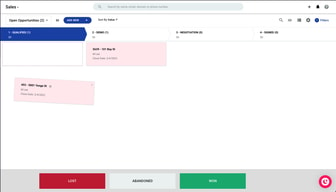
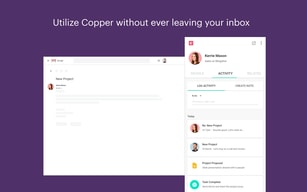
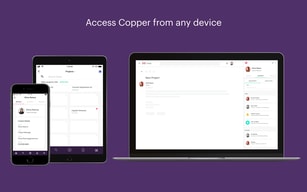
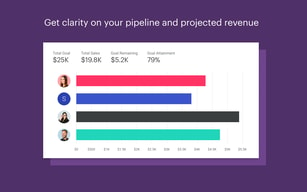
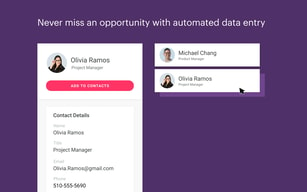
Copper is the CRM for teams who never wanted to leave Gmail. It is built specifically around Google Workspace and carries Google’s “Recommended for Google Workspace” designation, which in practice means contacts, emails and calendar entries sync without you thinking about it and most of the day’s CRM work happens in a sidebar rather than another tab. That focus is the whole proposition, and it also draws the line on who should not buy it. The pricing has one wrinkle worth knowing: the advertised “up to 26% off” annual discount only applies to the most expensive plan.
- What it is: A CRM built around Google Workspace, formerly ProsperWorks.
- Best for: Small and mid-sized teams already living in Gmail, Calendar and Drive.
- Pricing: $23–$99 a seat a month billed annually ($29–$134 monthly). Verified August 2026.
- The honest catch: Contact limits, not features, are what force you up a tier.
What Is Copper?
Copper — which launched as ProsperWorks in 2014 and is now a 51–200 person company in San Francisco — is a relationship-focused CRM that treats Google Workspace as its home, rather than a general CRM with a Gmail plugin bolted on.
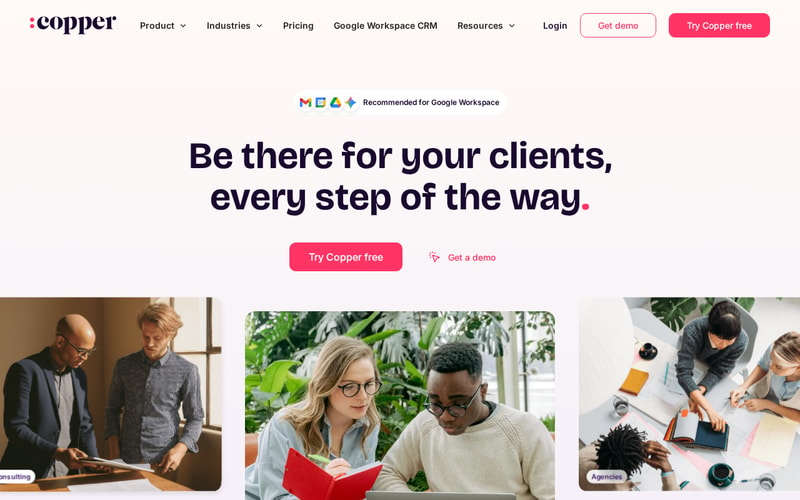
The positioning is notably not “sales machine”. Copper leads with client relationships over time — the industries it names first are agencies, consulting, financial advisors, production and creators, all businesses where the same client relationship runs for years. That is a different product from a high-velocity outbound CRM, and the feature set follows it.
Over 30,000 companies use it, and it integrates with roughly 49 tools including Gmail, DocuSign, ActiveCampaign, Chargebee, JustCall and Notion.
How Copper Works
- Lives inside Gmail via the Workspace sidebar — the primary interface for daily use.
- Automatic sync of contacts, email and calendar from Google.
- Contact enrichment fills in records rather than making you type them.
- Pipelines and project management for tracking deals and delivery.
- Task and workflow automation from Professional upward.
- Bulk email and reporting at Professional; custom reports at Business.
- Mobile apps for iPhone, iPad and Android.
Copper Pricing
| Plan | Annual | Monthly | Contact limit |
|---|---|---|---|
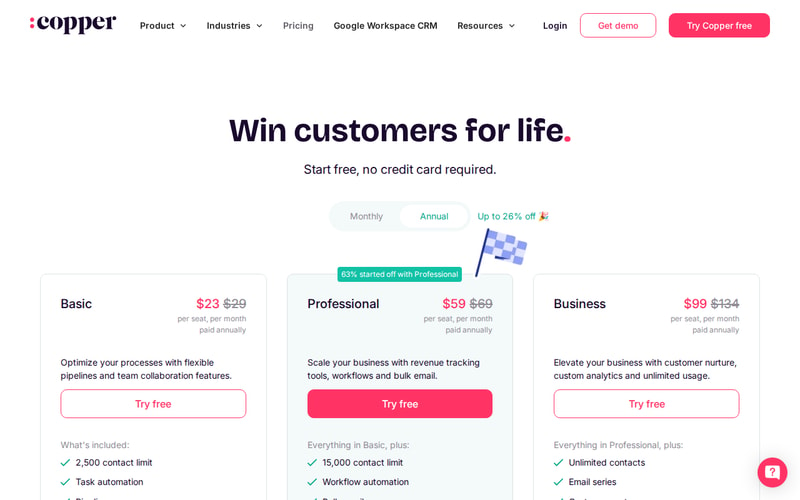
| Basic | $23/seat/mo | $29 | 2,500 |
| Professional | $59/seat/mo | $69 | 15,000 |
| Business | $99/seat/mo | $134 | Unlimited |
Prices are per seat per month in USD. Copper states that 63% of customers start on Professional, which is a useful signal — Basic’s 2,500-contact ceiling is low for any business with history, and most teams discover that quickly.
The annual discount is where the page is doing some work:
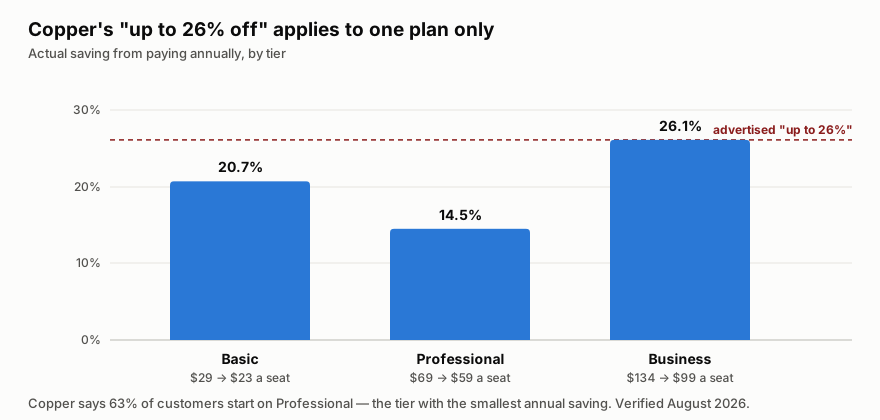
“Up to 26% off” is true only on Business. Professional — the plan most customers actually choose — saves 14.5%, the smallest discount of the three. That is not misleading in the strict sense, but it does mean the headline number is unavailable to the majority of buyers.
The more important pattern is that contact limits, not features, drive the upgrades. Going Basic → Professional multiplies your contact ceiling six-fold and adds workflow automation and bulk email; Professional → Business removes the ceiling entirely. If you are evaluating on feature checklists you will mis-size this; check your contact count first.
Who Should Use Copper
The decision is unusually clean. If your company runs on Google Workspace and your work is relationship-led rather than volume-led, Copper is a strong fit — agencies, consultancies, financial advisors, production companies. The Gmail-native experience removes the single biggest reason CRMs fail, which is that nobody updates them.
If you are on Microsoft 365, this is the wrong tool, and no tier changes that. The entire value proposition is the Google integration.
It is also a poor fit for high-velocity outbound sales teams who need sequencing, dialler-first workflows and heavy pipeline analytics. Copper is built for tending relationships, not for working a list of 3,000 cold leads.
Honest Pros and Cons
Strengths
- The Google integration is the real thing, not a plugin — it carries Google’s “Recommended for Google Workspace” designation.
- Adoption problem largely solved. Living in the Gmail sidebar means the CRM actually gets updated.
- Genuinely simple. Onboarding is fast and the interface does not require training days.
- Contact enrichment reduces manual data entry, which is where CRM hygiene usually dies.
- Good integration breadth at around 49 tools across billing, e-signature, marketing and comms.
- Free trial with no credit card, so evaluation costs nothing.
Limitations
- The headline annual discount is only on the top plan. Professional, which most people buy, saves the least.
- Basic’s 2,500-contact cap is restrictive for any business with history — expect to start on Professional.
- Google Workspace only in practice. On Microsoft 365 the core advantage disappears.
- Not built for outbound volume — sequencing and dialler-led workflows are not its strength.
- Business at $99 a seat is not cheap once you have a team of ten, and unlimited contacts is the main thing it buys.
Copper Alternatives and How It Compares
The natural comparison is HubSpot, which has a genuinely capable free tier and far deeper marketing tooling, but is a bigger system that lives in its own tab. Teams that want a CRM they visit choose HubSpot; teams that want a CRM they never have to visit choose Copper.
Pipedrive is the closer match on price and simplicity and is stronger on pipeline mechanics, but it does not have the Workspace relationship — the difference shows up daily if Gmail is where you work.
For relationship-led firms specifically, Attio is the modern challenger with more flexible data modelling, though it asks more configuration of you up front. Copper’s argument against all three is the same and it is a good one: the CRM that gets used is the one that is already open.
The Verdict
Copper is a focused product that is excellent for a specific setup and irrelevant outside it. Google Workspace plus relationship-led work is the sweet spot, and within it the Gmail-native experience solves the adoption problem that kills most CRM rollouts.
Size it by contacts, not by features — that is what actually moves you between tiers, and Basic’s 2,500 ceiling is why most teams land on Professional. Pay annually if you can, but do not plan around the advertised 26%: on Professional the real saving is 14.5%. And if you are on Microsoft 365, look elsewhere; there is no version of this that works well for you.
FAQ
How much does Copper cost?
Basic is $23 a seat per month billed annually ($29 monthly), Professional $59 ($69) and Business $99 ($134). Prices are in USD excluding tax. There is a free trial with no credit card required. Verified August 2026.
Is Copper’s “up to 26% off” annual discount real?
Yes, but only on Business, where $134 drops to $99. Basic saves 20.7% and Professional — the plan Copper says 63% of customers start on — saves 14.5%, the smallest of the three.
What is the difference between Copper’s plans?
Mostly contact limits. Basic caps you at 2,500 contacts, Professional at 15,000, and Business is unlimited. Professional adds workflow automation, bulk email and reporting; Business adds email series, custom reports and multi-currency.
Does Copper work with Microsoft 365 or Outlook?
Not meaningfully. Copper is built specifically around Google Workspace, and that integration is the entire reason to choose it. On Microsoft 365 you would be paying for the part you cannot use.
Is Copper good for outbound sales?
Not particularly. It is built for tending long-running client relationships — agencies, consultancies, advisors — rather than working high volumes of cold leads. If you need sequencing and dialler-first workflows, a sales-engagement-focused CRM will serve you better.

Compare Copper with other popular tools in the same category.
I like the fact that it's easy to organise leads into groups
It's sometimes difficult to get information from a lead when you input contacts. Especially when Using a phone
Data loss issue. I can use it anytime and anywhere to search for information on my client
Integration with Google is seamless and slick. The logical structure for logging email and communication with a contact is good, and it harvests contact details from emails really well. Training new users is a doddle as it is very intuative.
Its not cheap, but then it seems all CRM's are about the same. The pipeline stages are not that great and the customisation of fields could be better. Getting Data protection info is hard and we are still awaiting a DPA from them, which makes compliance hard for us.
Cross team communication and tracking of contacts with potential customers. Keeping track of time frames and cost of sales.
It's a massive digital rolodex that keeps me highly origanized
It gets a little bit bogged down and clunky at times.
It keeps track of all my business emails , organizes my daily tasks and allows me to fully categorize all of my potential clients.

Ease of use, simplicity yet power, customization, integration with Android and cloud-based access...and that it's the right fit for my small business.
There's very little that I don't like about Copper. Perhaps the name and brand could be improved. :)
I'm a presentation specialist / consultant with a long history of finding the perfect CRM tool to track my projects, and clients. Some were too simple...some were too complex. Copper CRM is the Goldilocks CRM...not too simple....not too complex. For my needs - and many other companies - it's just right. It's flexible and easy to use, and most importantly, integrates with my Android phone/tablet with a wonderful cloud-based system. Copper CRM helps keep me focused and organized with my business. The pricing is fair and customer service has been great too. I've used it since 2016...and highly recommend it!
Copper is very user-friendly and easy to set up. Way less cost prohibitive than more powerful CRMs like Salesforce.
Sometimes Copper messes up the sync between its CRM and my email marketing software, which creates problems with lead tracking.
Managing and tracking leads and customer relationships. Without Copper, I'd be stuck paying for an expensive tool or risking going it alone with a spreadsheet.
The presentation of the customer information and transactions, including opportunities and related email conversations, make it the best choice for organizing data.
What is sometimes disturbing is the number of notifications on email regarding tasks and actions taken in copper and they seem to flood the inbox; it would be super if this could be taken care of, while keeping the notifications stacked up in a structured manner, other than daily emails.
Copper is helping wonderfully to keep all the relevant information in one place, keeping track of opportunities, reminders for tasks and prioritising actions at an account level and contact level with respective customers.
I love the fact that it integrates perfectly with Google Workspaces. This has been an amazing experience for me since I am always using Gmail, GDrive, and GCalendar.
The other integrations are based on how many seats you purchase with this platform. For instance, I am going to have to get rid of my seats and just keep 2. Therefore, it will limit my ability to use integrations with other platforms because my company/team is very small.
-Keeping track of current clients, leads, and collaborations/partnerships -Easy way to take notes from client calls and create follow-up tasks that sync with my calendar (All my deadlines are directly in my calendar! Love this!) -Breakdown bigger projects into action steps/tasks -Easy and quick review of my sales pipeline
Copper is intuitive and facilitates accessible opportunities for teams to build strong CRM habits and practices. Whether you're incredibly tech-savvy and process-oriented or new to CRMs, Copper allows teams to easily track interactions, grow company and people records within their organization, and build templates for linear, repeatable work.
A challenge of Copper (at times) is its Gmail integration. This can sometimes cause page-loading or connectivity issues and is not as user-friendly as the web-based app. The exporting/re-importing data can sometimes be messy if your team is not trained in some of the quirks of Copper (ex. how tags export vs. how tags are imported).
Copper allows us to manage an extensive contacts database as a membership association that consistently has an inflow and outflow of new companies and individuals joining our network. As we refresh our use of the platform at the organizational level, it will also help us operationalize some linear processes that have often been done via spreadsheets. This is going to help us have information even more centralized which is helpful for keeping a history of our membership network!
Quick access to client data which gives me the entire client picture.
If Internet is unavailable, so is the link
Quick client record access. Reduce this time looking for a customer records while they're on the phone
The seamlessness with which Copper integrates with my work Gmail account is the biggest reason that I enjoy the product. While it may require some maneuvering, we found the product could be customized to our needs with enough effort. The ability to integrate well with Google Looker Studio has also been a big plus for us.
Copper can be glitchy at times - on occasion, I have sent an email to a contact but it was not automatically pulled into Copper. Also, there have been a few times when the connection between Copper and Google Data Studio ceased working for about a week, which caused some issues with our internal workflows.
A CRM system is only valuable if people use it, and they will only use it if the system is simple. Copper is simple enough for everyone to actually use it and powerful enough to be useful.
The opportunities pipeline flow is particularly helpful. The reports generated are also v. helpful. My organisation is also using this to send out marketing email campaigns - copper helps us do this efficiently
I find the search function a little confusing. I often look for all the contacts/leads that work for a particular organization and struggle to find them them all in one place
Tracking opportunities is now far more straightforward - Also like the 'Task' notifications which appear in the corner of each opportunity prompting a call to action for that particularly opportunity however this sometimes bugs
The integration with Gmail means the CRM is updated with the most recent correspondence, it is also a useful tool to add notes as you go
It would be great if the insight reports were updated immediately
Copper helps me provide a clear pipeline to the business and lets me build the specific insights needed to learn as quickly as possible
What used to be a variety of tedious manual operations can now be automated. The exportable data, pipeline management, and sales/lead progression are being utilised much more extensively by other departments.
I dong have Andy dislike or least favourite feature because i like this software easy to use work very well.
It keeps track of emails. Without having to search through my gmail, I can always look back and see what communication took place. Additionally, it records the ways in which customers discover about our company, and I use that information to decide how best to spend our advertising budget.
I like the way the interface is set up. It makes it easy to navigate between contact and business and back again. The custom fields are also helpful to customize to your business needs. I also like the integration of mail tracking on each contact. It helps keep records organized.
I think there could be more features for marketing built-in so you wouldn't have to use so many integrations. There are constant issues with the plug-ins and integrations working, so having those features built-in could save time and money.
We are using Copper to keep our portfolio of guests and clients intact. We also use it to organize contract renewals. The more time we spend customizing the tool the more benefit we seem to get out of it.
The CRM virtually maintains itself. E-Mails e.g are integrated in the communication stream automatically. Simplest integration into the Google Workspace.
The project management tool could have more features.
Copper maps our 360-degree view of the customer very well.
What I love about Copper is that it automatically captures email correspondance between our contacts and every member of our team-- even the team members who rarely remember to log stuff. ;-) This allows us to pick up where another person left off without creating a flurry of "what did you tell them and when?" internal communication. With Copper's robust tagging and filtering tools, we've also been able to become more systematic about our outreach, which is a game-changer: we've become proactive rather than responsive. I've been a Copper customer since the early days when it was called "Prosperworks," and I liked it so much that I brought it with me to my new company when I changed jobs. I honestly can't imagine working without it.
"Pipelines" and "opportunities" are geared towards sales, which doesn't perfectly translate to my work in the nonprofit sector. I also wish "projects" were robust enough to replace Basecamp, but they're not. So that's a huge chunk of the Copper package that we just don't use.
Trying to do relationship and knowledge transfers from Boomer bosses will always be hard, but Copper makes it less painful by capturing a lot of what my boss is saying to our contacts, with or without his active participation. If I relied on him to log stuff... it would never happen, and I would have way less access to information about the contacts who I'm supposed to be helping.
Organizing and tracking all my different customers from B2B b2c and partnerships is way too complicated to manage in just an email interface copper allows me to see all the history as well as recent opens and views of email to judge a potential customer's interest.
Everything comes at a price but for me is a small business it's one of my most expensive monthly subscription services I wish that were adjusted for businesses less than two people.
I love keeping track of a workflow and watching clients move down the sales funnel it makes me feel like I'm in control instead of constantly guessing if I responded to everyone's email.
Most helpful, Keeping track of every lead I entered. if I deleted it or duplicated it. It's a great tracking system and all of the prompts are there to just click on for changes or add.
It bugs me when I have updated a project(s) and it still says the next day that Opportunities slipping away with the same info. I have to go in again and put a note in or try to change the dates so it can archive for later.
Tracking my projects and allowing upper management to see my progress. Seeing my Tasks keeps me aware of what I need to update. And love seeing Enjoy your head's down time!
Fields that can be changed, customized as needed. The facility to export data and navigation which is very intuitive.
Some fields that we cannot insert many numbers after the comma and or for not accepting the comma as well.
It greatly facilitates the management of customer contacts, quick information on opportunities created and systemic availability.

It has great integration with Gmail making it extremely efficient to use.
It would be great if there was an automatic back up option to protect against accidentially deleting data.
It helps to track opportunities in progress and to keep an repository of customer contact information.
1) linked to gmail 2) responsive support
1) horrible security, 2) horrible user & permission management 3) slow
using a unified gmail experience for BizDev
Copper helps us keep track of client communication & organize projects!
There are so many features that I am not aware of - something it can be overwhelming to learn everything and their applications
We book comedy shows, and multiple people are involved in the production of these shows - Copper helps us stay organized and ensure every step is covered!
Integration with gmail is the main reason we use Copper.
No platform is perfect, and having more integration options for auto phone call logging would be nice or native SMS inegration.
Managing our pipeline and active members of our organzation
Excellent people management tool. Pulls in emails and info from interactions automatically. Lots of dynamic usability.
Nothing! We use Copper on a daily basis and don't dislike anything about it.
We use Copper exclusively for recruiting efforts. It keeps us extremely organized and efficient. It also allows for collaboration.
I love the way copper is so easy to use for the most part and helps me to effectively keep track of our pipelines. Breakout sessions and sales are pretty easy to track!
Sometimes Copper can be cumbersome, but I also feel like it is that way because I have only been using it for 3 months now as I recently started a new job. However, it would be great to have tips presented for new users that are readily accessible.
It is helping us to solve any problems we have with pipeline organization. When running a business, it can be time-consuming to ensure you have everything taken care of. Copper helps to make sure to stay smoothly running and can easily track items.
The ease of moving ops between stages .
I don't understand how to create reports very well.
Keeping track of all our open ops. We have a long sales process so we need the tracking capability
Seamless integration with GMail, enabling new contacts to be loaded easily and without tedious manual input. Good Customer support. Ability to import/export data easily and API integration with other apps such as Linked In. A great product for those of us who never learned touch typing.
Not many dislikes to be honest. Would be great if there were more templated reports and improved Pipeline reporting as takes time for pipeline to be updated as does not happen in real time - only at set times of day.
The ability to share data across all team members as capturing all incoming and outgoing emails (where contacts are recorded on Copper) and helping better team communication and coordination of activites
Everything all in one place. Can customize to fit needs.
I wish the customization were a little more freeform.
For my department, we modified a sales pipeline into a project management pipeline to stay on-track with our work.
The task reminders and being able to easily keep track of open projects and their time spent in stages. Also, the ability to view email correspondence of other coworkers with clients is a huge plus.
I wish it was able to integrate with more applications. Importing and exporting users and assigning a user base to a project as clients would be a useful feature.
It is helping us keep track and organize many projects we have going on. Also, keeping track of staff changes in client sites is very easy and useful along with finding contact information quickly.
Ease of use and the constant upgrades to an already useful system. It has really help us stay organized and compile our data in an excellent CRM platform.
could use a bit more support. When issues came up I found the support was a bit lacking in response time and ability to resolve the issues.
constant integration of useful follow-up and marketing tools.