

Unclaimed: Are are working at Copper ?






Copper Reviews: 4.5/5 — Highly Rated
Formerly known as ProsperWorks CRM, Copper CRM is a software that’s best known for its ability to seamlessly integrate with Google’s collection of cloud applications. To date, it’s recognized as the only sales automation solution that’s endorsed by Google, which makes the platform a top choice for many businesses whose work systems are already operating using tools in the Google ecosystem. Preferred by small to medium enterprises, Copper CRM also boasts streamlined features with a user-friendly interface.





| Capabilities |
API
|
|---|---|
| Segment |
Small Business
Mid Market
|
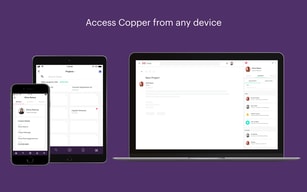
| Deployment | Cloud / SaaS / Web-Based, Mobile Android, Mobile iPad, Mobile iPhone |
| Support | 24/7 (Live rep), Chat, Email/Help Desk, FAQs/Forum, Knowledge Base, Phone Support |
| Training | Documentation |
| Languages | English |

Compare Copper with other popular tools in the same category.
Easy to use, good app, and very thorough
Nothing major, sometimes it's a little confusing to flip between company, opportunity, contact etc, but you get the hang of it quickly enough
I am solving the problem of making sure that long term prospects don't get forgotten about or fall through the cracks.
How easy and open it is to use for myself and collegues
Not really anyting bad to say, Can be a bit slow at times
Keeping all the leads i have in one place and having infomation stored for each of them
Easy to use, user friendly. I've used other CPM 'S and this is far the best so far.
Nothing much, just maybe make the program a little quicker
It definitely keeps all of my customers information and what we have talked about At my fingertips.
Copper allows you to fully customize your CRM, with additional fields, drop-downs, etc. Additionally, it is so easy to add these fields "on the fly". You might have thought your CRM was "perfectly set up", only to find out there is another triggering quality or metric you want to track on each account. You can go in and edit your entire CRM to include this new metric and use it immediately.
They tend to provide more live person support within the pre-sales process of your account. Basically answering questions live with a sales person. The people are super knowledgeable, which is fantastic! However, after the sale, they are pretty much gone and on to the next account. The support from there is more of a submit a ticket (at best), otherwise using tutorials via their website. I believe there is a "partner community" as well, but I've never really liked to rely on those myself, for product support. It would be great if they had a small dedicated support team to answer questions live and also shawdow into your account to help you do things. Even if you had to pay for this service (one time or additional as a monthly premium), would be great!
Copper allows me to quickly search for account records, as well as create new ones. The speed at which I can do this helps greatly with productivity. I can search based upon any criteria that I have set up within the CRM.

Great interface and team features that make collaborating easy.
I have nothing negative to report about Copper.
Streamlining communication and sales tasks amoung my team.
I appreciate the online chat help. When I run into issues, it is nice to know someone is there to help me.
It's plethora of features are not necessarily easy to use. There is a steep learning curve.
It allows us to track our prospects in an orderly and efficient manner.
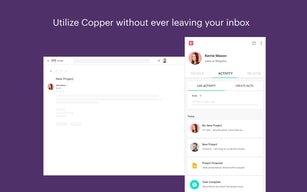
It's a great platform with everything I need in one place. It's beneficial to have my calendar and email handy
I had some trouble syncing my email, but all is well now
I have none right now, It's a place to keep all notes about clients very helpful.

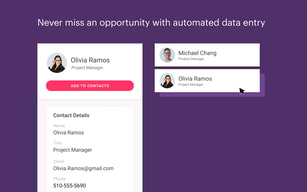
We are very pleased with the account management staff and strive to make sure that using the platform is as rewarding as possible. Copper reduces onboarding new customers manually, through a Gmail message or by using a template and collating a large repertoire. Copper is a CRM system that is easy to use and has the ability to generate custom fields, multiple workflows, sales stages, etc. It is really customizable and has a less complex nature compared to other CRMs I have used before. The Google embedding and Chrome extension automatically monitors and updates marketing and marketing jobs that are within the CRM. Data entry is simpler.
I like using copper and there is no way to think of another adversity since going live. We were not able to merge properly with RingCentral, however this is not a big issue. Copper automatically performs information gathering on people and their images when people do an internet search. Sometimes this information is not correct.
Copper is managed by the Sales and Business Development staff of the institution I represent. We had a group of 7 people and we realized that we needed a new CRM program after leaving Salesforce. We did some detailed research and found that Copper was the best alternative to what we were aiming for with our CRM. Copper's CRM is simple to use and also pairs perfectly with G-Suite. The mix with G-Suite items was what really interested us. The number one CRM for companies using G-Suite products is Copper. We use copper for the purpose of generating and managing the accounts we intend to service, activity and opportunity management, and project development on a daily basis.

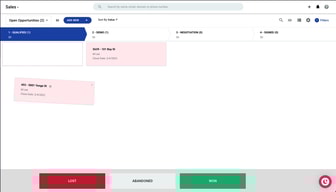
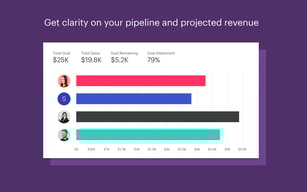
Copper helped me stay on top of all my contacts, relationships, and processes in a startup endeavor. It is beneficial that it syncs with my gmail account! I've just upgraded for even more usefulness. Another helpful feature that sets it apart from others is the ability to have multiple customizable pipelines.
The pricing for Copper can be a bit expensive but seems comparable to other similar CRM software. The app can feel a bit complex, even overwhelming, when you first start to use it but it is necessary to capture all the parts and relate them together. Once you get familiar with it, it becomes quite easy to navigate.
I needed a CRM that also allowed more than a sales pipeline. As I am developing non-profit programs, I required mulitple pipelines (process tracking) that I could also customize since each process had distinct milestones.
Utilizing the "People" and "Pipeline" directories to keep track of all contacts, and sales funnel.
The transition period in adopting this software took about a full month to fully feel comfortable using.
Managing the sales process. Keeping track of potential clients. Email base across our company. Productivity. Efficiency. Organization.
