
Unclaimed: Are you working at Insightly CRM?
Insightly CRM Reviews: 4.2/5 — Solid Choice
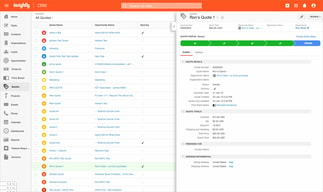
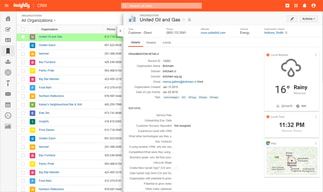
Popular among small to medium sized enterprises, Insightly is a SassS-based CRM platform with 1.5 million users globally. Users rely on the solution to manage customer data in a central platform, manage and nurture customer relationships, boost sales, and deliver projects in a timely manner. The platform works seamlessly well with Gmail and Outlook plugins and supports multiple integrations with numerous systems.

| Capabilities |
API
|
|---|---|
| Segment |
Small Business
Mid Market
|
| Deployment | Cloud / SaaS / Web-Based, Mobile Android, Mobile iPad, Mobile iPhone |
| Support | 24/7 (Live rep), Chat, Email/Help Desk, FAQs/Forum, Knowledge Base, Phone Support |
| Training | Documentation |
| Languages | English |
Insightly CRM Pros and Cons
- Compatible with Android and iOS devices
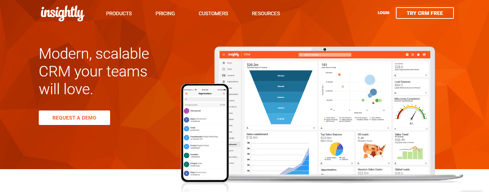
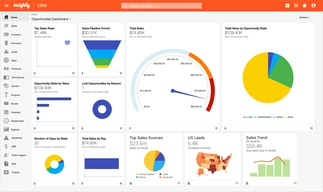
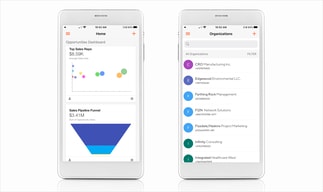
- Visual dashboards for tracking important metrics
- Data integrity, security, and regulatory compliance
- Highly flexible appointments, calendaring, and events
- Automated tracking and updates
- No live chat support
- Only available in one language







Compare Insightly CRM with other popular tools in the same category.
I believe that Insightly is reliable. The amount of storage information that is available for this software is very useful. The constant 3-prong reminders are great to have.
I wish there was a constant reminder to update contacts. Because there is a large storage of information, information can easily be outdated without reminders.
Contact information was the initial use for Insightly. Follow-ups were then implemented. Again, the weekly reminders and intelligent follow-up algorithm is great.
great UI
nothing like it, Great CRM, nice interface, easy to use for the novice and flexible enough for the Pro. Highly Recommended! SHIRT ME
Not provided
Gmail and other email add-ons integrate email text with the database well enough
Since Insightly is browser-based, it can be slow. User interface is a little crude and company, contact records do not show meaningful information in lists - you need to explicitly filter to see the data you want. Tagging feature is nice, and it makes up for generally rudimentary controls otherwise.
Not provided

Insightly is simple, direct, and cohesive.
There are a lot of different features which can be helpful but also is difficult to find thee most efficient way to house information/reporting/data.
Project specific data and department specific reports.
Simple & Easy to Use/Learn - if no one has used CRM before it should be good to learn from
Not as much capability as Salesforce for me.
Nothing for me currently, it's just tracking all of my clients and data from sales.
The ability to streamline data regarding our firm's opportunities and print customized reports summarizing the data.
It takes awhile to learn all of the components. I'm stilling learning all it has to offer!
Insightly allows us to reach out clients with marketing efforts and track the success of those efforts.
It's okay. Has the basic capabilities and allows you to search well.
It's a very basic UI, and not complex. They are definitely missing a lot of the functionalities that we are looking for
It is allowing us to manage our customer base effectively.
I like that it works as a quick way to start up our CRM needs initially across the company. It handled marketing, BD, growth, and ops needs for the time being. However, could be better.
It could be better about notifying us about API responses that we have set up. Also, it doesn't manage some of our use cases to use it as an internal CRM completely.
Internal UI for our teams to look at production data. Helps us do marketing messages to a set of our customers. As a way to manage assignments and take notes on our customers.
Navigating through leads/contacts/organizations. Creating list views to simplify search.
Bounceback emails are not marked and must be individually updated.
Reaching target audiences before exporting reports and uploading them into gmail.
Insightly scales pretty well. It was/is a great starter CRM for small business with a low barrier to entry and a friendly starting price. It has a clean design with an interface that is easy to pick up. Another good feature is that it plays well with other third-party tools like QuickBooks, MailChimp, etc.
Support is not great. It is a lot of self serve on the web with fairly generic answers to generic questions. Video tutorials are pretty good but, again, they are generic and may not apply to your situation. Insightly has also moved more and more toward higher monetization per client. That means that you will wind up spending significant money as your usage increases, even for the basic CRM. Insightly has also become VERY aggressive in trying to sell/require their Marketing platform as a requirement for CRM. While it is not a requirement, they push it at every turn and in response to just about any support/service question. Paired with that is a heavy push to require a service called a 'Success Plan'. This is a quarterly/yearly service charge with an assigned account manager that is supposed to help you get the most out of your tools. That didn't exist when I originally onboarded Insightly. Back then, they were simply focused on making a great CRM that could be easily right-sized for your business. Now, I've had them tell me to my face that they don't want anyone using the platform without a Success Plan in place. I've actually purchased both the Marketing (3x the annual cost of the CRM) and the Success Plan (about the same as my CRM). The net is that I went from a reasonable cost to 5x cost in the space of a year. The jury is still out on whether the Marketing side is worth it. My experience so far with the Success Plan has been very low value. Each meeting is just me telling them what I am doing and them presenting some new service that I can pay more for. Overall, Insightly is a functional CRM that could really be best in class if they wanted to. Instead, they seem to be losing their way under the banner of higher margins. I have gone from being a strong promoter of Insightly to all my contacts looking for a good platform to being just another user. I don't go out of my way to recommend them anymore. If you are looking, I would suggest you look at Insightly but keep a very open search for other, possibly better, solutions.
The Insightly CRM, like any CRM, provides a repository for all of your Organization, Contact, and Opportunity information. As a small company it allows us a good way to ensure information is not lost or squirreled away in other locations or when someone leaves the company. Insightly is pretty easy to use which means that it is easy to onboard someone and give them a complete look and access to their customers without heavy training.

Project management and workflow was best features.
There was not enough customization options and some of the features were not intuitive.
It was helping with project management and workflow. I did not use the CRM portion of it because there are better CRM's available for real estate agents.
To manage our contacts from anywhere, it provides easy-to-use Sales Force Automation software.
Could be cheaper and more integrations could have been better
Database management
The linking ability between organisations and tasks
nothing it does manage to meet the requirements we use it for currently
Customer journeys
I like that you can sign in with GSuites, create custom fields and automate
Cannot change GSuites login, even if you rebrand as a company. Cannot connect to many tools without using a third party tool.
Tracking leads and sales processes
The best function in Insightly is the easy workflow setup. Insightly allows you to customize and filter without limitations. I also appreciate that Insightly is user-friendly. The built-in workflow automation and organized features such as task and project management make my role as a coordinator super smooth.
I don't particularly appreciate that there isn't an option to mention a colleague or notify someone within a task. The tag feature does not inform other users of changes, etc. However, if you follow the project or client, you can receive updates.
Unfortunately, in my role, I am not solving problems within CRM. I use Insightly as a project management tool. The Account Managers at my company did highlight that since using Insightly, they are able to hone in on more details when it comes to a clients budget, something they couldn't do with our previous CRM software.
the simple interface that helps to on-board staff who are unfamiliar with databases or using any type of CRM.
The lack of customization and the fact that it doesn't integrate with other software like Deltek Vision.
Database management of all of our resources, project data, contacts and resources in an architecture firm. Still setting up the data after 6 months.
Database for sales, support, and success. Insightly houses a bunch of information for us and our sales team is able to easily access information from other departments.
It's hard to build reports based around emails, notes, and contacts. Our customer success initiatives aren't as easily understood as it seems each process created needs to center around clicking into many different organizations, tasks, emails, etc. It disrupts the workflow. I wish we were able to tag emails in a way to organize them as well as create an automation that added a new tag after a certain time frame. I wish the email function had more reporting functionality similar to Zendesk or if Insightly could integrate with Zendesk.
We use Insightly to support our customers and managing their account statuses. However, the API used to pull the information into Insightly is very clunky and takes a while to refresh.
There are many features that work well with Insightly. It's definitely a nice interface, and it has some good standard fields. I like that it's integrated with PandaDoc.
I believe that we were promised that we could do a number of things that our business specifically wanted. As we implemented, it became clear that we are not going to be able to easily customize to fit our needs. This is disappointing - I'm sure it's great as a standard CRM, but our discussions with the sales team were around also customizing it to help us with our work processes. We will definitely be able to do some of that, but not all of what we were expecting. There is a glitch with email - when we tried to send a group email, it was sent 10 times - very bad. When we tried to resolve, we were just told that they could not replicate. Overall a very bad experience with this email issue.
We are able to stay up to date on our opportunities as a company across multiple users. This has been great - we have more visibility around where things are and who's working on what. But, we were already doing that in Salesforce.
All of my contacts are tracked in insightly.
The user interface is still clunky and not immediately intuitive. If I want to save an email chain, I have to email an address that is very long vs being able to screenshot or upload.
Being able to tag the importance of contacts is good.
It is a very practical tool because its functions allow you to facilitate the assignment of tasks to the work group to improve the performance of the work group, besides that the training to manage this tool seemed great because the videos are very easy to understand
It is a very efficient tool that has few concerns that I had when using it is that it is a little expensive to use, but I think it is worth paying for all the functions it gives you
is a very practical tool of great utility and ease of use, to manage your projects in a very dynamic way and thus improve performance

It works well for our brokers. They can keep track of their projects and financials.
As a task management tool from the marketing side, Insightly is clunky and slow-going. It allows brokers to assign tasks from their properties, but the task manager itself has weird navigation, is not particularly intuitive, and is just generally unpleasant to use.
It helps our brokers. I can't speak to that side of it very well.
I like the ability to set tasks for follow up. It also had some nice integrations with my email and Linkedin which was very useful when talking to high level prospects.
It doesnt integrate with many of our scheduling applications. We had to use a separate product for the automated email campaigns that we would run.
Managing my sales funnel and current opportunities. It did a great job of updating the status of my pipeline based on certain activities.
Insightly is a CRM, for sure. Customer Relationship Management...so, if you are seeking a glorified “Rolodex” then this software will suite your needs.
While you can send out e-mails from within Insightly, you really can only do so much with it. It does not have any marketing automation included. This is a huge drawback. We switched to a better CRM solution because of this reason.
Since we migrated to another platform, I no longer use this software, but, as mentioned, it is decent for the average small business that doesn’t need any marketing automation.
I like that it integrates into gmail and makes collaboration easy
I do not find administrative configurations to be intuitive
We use it to manage our sales pipeline. It helps keep track of follow ups and sales lifecycles
I like that one is able to move from one page to another and using the notes is helpful for this line of business.
I would recommend insighlty to be more specific when using tags to make excel reports easier and cleaner for the users.
Law firm
most features are easy to navigate and easy to follow
how you are not able to add an image to newsletters. smart merge feature seems more cumbersome and difficult to use with the new update not being able to drill down into information when sending marketing newsletters.
logging all correspondence for every client and enables us to link projects, clients and personnel more effectively
Having all the contact details is really good
Nothing it's all pretty good really i actually like it
the benefit is that we have contact details for people
As advertised Insightly manages projects and tracks contacts, communications, sales, projects, tasks and documents in a single platform. It performs nicely on mobile but does not hold up well on a web-based browser. Also the ability to integrate with many popular software such as mailchimp and Dropbox can be very useful.
Support. Support. Support. Although this is cheaper than going with something like HubSpot CRM, I would have to say HubSpot is far more superior. I was having a bit of issues with the interface and integrations, and could not get a hold of anyone for the longest while. When I finally did I was told to wait and be transferred to someone else where the phone line just cut off randomly. Tried several times after that to no avail. Gave up and moved on to Hubspot and never looked back. The software itself is not bad for the price, but the support is horrendous.
Mainly used for project management purposes. I would also track contacts, but did not use it for very long. I still sometimes go on the account to see if they have made significant changes.
pricing/easy of use i have really enjoyed it
need more innovation/features/customization
sales CRM tool for the whole team
Uncluttered, familiar look and feel. Fully cloud based.
Have to login every time. Use of icons that are not intutive
Task management and project workflow