

Unclaimed: Are are working at Livestorm ?
Livestorm Reviews & Product Details
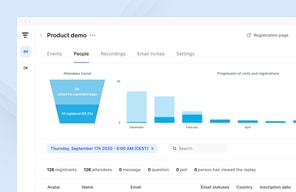
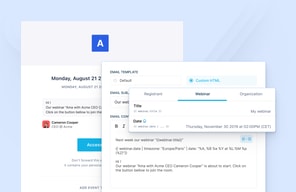
Livestorm is a video engagement platform that manages virtual events, meetings, and webinars. It’s best known for providing an end-to-end video engagement solution where users have access to email templates and sequences, customizable registration pages, website widgets, social sharing features and more. Additionally, Livestorm elevates audience interaction with their platform through tools such as launch polls, Q&As, file sharing, all designed to engage participants during live sessions. The solution also takes a data-driven approach to registration and attendance tracking as well as audience engagement so users can leverage data from any event.

| Capabilities |
|
|---|---|
| Segment |
|
| Deployment | Cloud / SaaS / Web-Based, Desktop Chromebook, Desktop Mac, Desktop Windows, Mobile Android, Mobile iPad, Mobile iPhone |
| Support | 24/7 (Live rep), Chat, Email/Help Desk, FAQs/Forum, Knowledge Base, Phone Support |
| Training | Documentation |
| Languages | English |
Livestorm Pros and Cons
- Comprehensive and user-friendly webinar software
- Intuitive email invitation setup
- Integrated chat functionality for audience interaction
- Seamless integration with third-party apps
- Detailed analytics for performance evaluation
- Lack of pre-configured polls and call-to-actions in webinar setup




Compare Livestorm with other popular tools in the same category.
Ease of use: Livestorm is often praised for its user-friendly and intuitive interface. The ease of use allows even novice users to create and manage webinars without encountering major technical difficulties. Quick setup: The platform offers quick setup for webinar organizers. It is possible to set up an event in just a few clicks, which is an advantage for those who have time constraints or don't want to spend too much time on technical setup. Customization Options: Although simple, Livestorm also offers customization options for webinar organizers. This allows you to give a personal touch to the event, whether in terms of branding, design or specific functionalities. Interoperability: Livestorm is designed to work across various devices and browsers, making it easy for webinar attendees to access the webinar without requiring an additional app download. Built-in features: The platform offers a range of built-in features such as polls, surveys, chats, analytics dashboards, etc. These features help engage attendees and provide a more interactive experience.
Internet Connectivity: As with all webinar platforms, the quality of your experience will depend on the stability of your Internet connection. Connectivity issues may cause interruptions or loss of quality during the webinar. Interoperability with other tools: Although Livestorm offers many built-in features, there may be situations where you want to integrate tools specific to your business. Make sure Livestorm is compatible with other apps you use. Supported languages: Although Livestorm supports multiple languages, the quality of machine translation may vary. If you are hosting multilingual webinars, make sure the platform meets your language needs.
Real-time interaction: Webinars provide real-time interaction between presenters and participants. Features like live chat, polls, and Q&A enable two-way communication, driving audience engagement. Time Saving: Webinars save time for organizers and attendees. There is no need to physically travel, reducing travel time and allowing for more flexible participation. Recording and Sharing: Most webinar platforms allow sessions to be recorded. This provides the opportunity to share the presentation with those who were unable to attend live, or to reuse it for training or marketing purposes. Demonstrated Expertise: Hosting a webinar allows you to demonstrate your expertise in a specific area. This builds the organizer's credibility as an expert and can help build confidence among attendees. Lead generation: Webinars can be effective tools for lead generation. By asking participants to register, you can collect valuable information about your audience, which can be used for further marketing.
J'utilise essentiellement Livestorm pour la présentation des webinars. C'est pratique, facile d'utilisation et le site est ergonomique.
Je n'ai rien à repprocher au site, il me convient très bien pour les webinars.
Il y a les fonctionnalités nécessaires pour une présentation.

Easy to use, intuitive, easy to connect !
Nothing negative to say about Livestorm !
Livestorm allows me to facilitate the subscription of my prospects to webinars
Simple to use, efficient, I like the plug and play format. You creat, you go live. As simple as that.
There are not so much things that I dislike but sometimes the connexion can be a bit unstable
It's better than any other webinar tools that I've used.
Easy to use, many APIs... Livestorm is an engaging platform.
Nothing particular ! It fits all our needs.
Livestorm makes online event organisation easy.
This product is really easy to use and quite efficient for collaborating teams. Thus, you have plenty of data that you can use.
No answer in this question, dislike avout Livestorm.
Number of connexion, Live options, questions and private chat are really usefull !
Easy to host webinars for smaller and larger audiences
AI incorporation would be really to for example create transcripts or summaries of webinars
It provides a proffesional environment for our webinars with detailed features like on demand pages to our website.
User friendly interface Good customer support Easy to find planned events through the calendar
The only easy way to find planned events is through the calendar, I think the way the tool displays the future sessions could be improved.
I use the tool to gather my clients in order for them to share best practices between peers and ask us questions.
Is an easy and fast way to run our webinars or meets, and as well we can have the record of those events so we can recheck or share with other teams or clients.
Maybe at first time its not that easy to understand all the features and it takes a little bit of onboarding time to get used to the ways the app is designed. Thats the only pain point for me.
For us its super helpful because we can record all of our conferences so we can share with new customers and have a plan of capacitation in our product.
The most helpful thing about Livestorm is how intuitive it is and how easy it is to create exactly what you need for your buisness case. We use this tool probably 1-2 times a month for our US marketing and several more times a month for our international markets
There honestly isn't a ton I don't like about it, I honest feel like it is pretty easy to use for what our business uses it for which is pretty easy.
It is solving our need of having to create our own tool or find another tool to solve the problem of hosting and creating quick pages for our webinars.