Unclaimed: Are you working at Livestorm?
Livestorm Reviews: 4.4/5 — Solid Choice
Livestorm is a video engagement platform that manages virtual events, meetings, and webinars. It’s best known for providing an end-to-end video engagement solution where users have access to email templates and sequences, customizable registration pages, website widgets, social sharing features and more. Additionally, Livestorm elevates audience interaction with their platform through tools such as launch polls, Q&As, file sharing, all designed to engage participants during live sessions. The solution also takes a data-driven approach to registration and attendance tracking as well as audience engagement so users can leverage data from any event.
| Capabilities |
API
|
|---|---|
| Segment |
Small Business
Mid Market
Enterprise
|
| Deployment | Cloud / SaaS / Web-Based, Desktop Chromebook, Desktop Mac, Desktop Windows, Mobile Android, Mobile iPad, Mobile iPhone |
| Support | 24/7 (Live rep), Chat, Email/Help Desk, FAQs/Forum, Knowledge Base, Phone Support |
| Training | Documentation |
| Languages | English |
Livestorm Pros and Cons
- Comprehensive and user-friendly webinar software
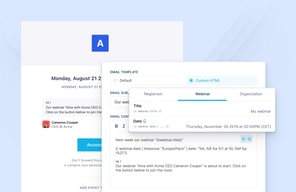
- Intuitive email invitation setup
- Integrated chat functionality for audience interaction
- Seamless integration with third-party apps
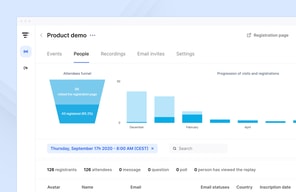
- Detailed analytics for performance evaluation
- Lack of pre-configured polls and call-to-actions in webinar setup







As businesses and marketers seek effective ways to connect with their customers and leads, the demand for a robust webinar solution becomes evident. While platforms like Zoom and Skype have their advantages, they may not meet the requirements for scaling operations. Livestorm, on the other hand, is an all-in-one webinar platform designed to cater to this specific need.
In this Livestorm review, we will delve into why it is one of our top recommendations for hosting webinars and online meetings. We will also explore its marketing features that can enhance brand recognition. So, let’s dive in and discover what Livestorm has to offer.
In this comprehensive review of Livestorm, we’re going to unpack the reasons why it stands tall as one of our premier picks for conducting webinars and online meetings. We’ll also shed light on its potent marketing features that can turbocharge your brand’s visibility. So, let’s dive in and discover what Livestorm has to offer.
What is Livestorm?
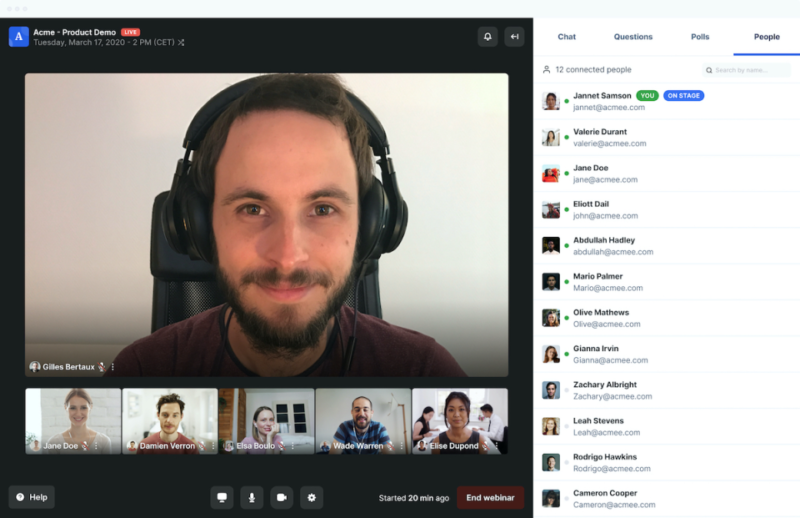
Livestorm is a powerful webinar software that provides a range of features to facilitate seamless online meetings and webinars. Developed with the goal of offering an all-in-one solution, Livestorm caters to businesses and marketers who are looking to host engaging and interactive webinars.
The platform is designed to support a variety of webinar types, including live, on-demand, and automated webinars, making it a versatile choice for businesses. Livestorm also places a significant focus on integration, offering a marketplace of over 1000+ integrations that allow users to connect the platform with their existing tech stack.
Key Features and Functionalities
Livestorm offers a plethora of features that set it apart from other webinar software tools. Besides standard webinar-related functionalities, Livestorm is committed to providing robust marketing tools. Its built-in landing page builder and funnel analytics are testament to this focus, enabling users to effectively market their webinars and analyze their performance.
Let’s have a look at its other standout features:
Email Invitations
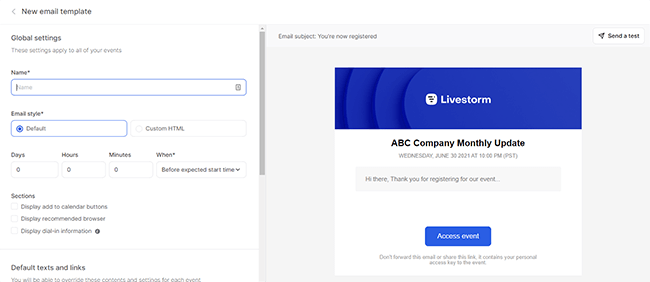
Livestorm simplifies the process of sending email invitations to attendees. The intuitive user interface allows you to create separate emails for different segments, preview how the emails will appear, and easily edit their contents.
Audience Interaction
Livestorm provides integrated chat functionality, allowing you to engage with your audience during webinars. You can choose between public and private chat options, and even make the slideshow available for immediate download as a PDF file.
Polls and Call-to-Actions
While Livestorm lacks the ability to pre-configure polls and call-to-actions in the webinar setup, it does offer these interactive features during live sessions. This enables you to gather valuable insights and drive engagement among attendees.
Integrations
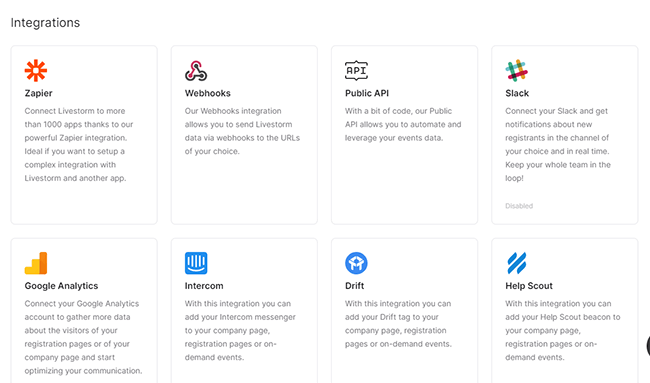
Livestorm integrates seamlessly with various third-party apps, expanding its functionality. With integrations such as Zapier, Webhooks, Slack, Google Analytics, HubSpot, and Pipedrive, you can enhance your webinar experience and streamline your workflow.
Analytics
Livestorm provides comprehensive analytics to help you measure the success of your webinars. From key metrics to attendee and replay views, you can gain valuable insights into the performance of your events. The reports can be exported in Excel, CSV, or ODS format for further analysis.

Instant Meetings
Livestorm offers the convenience of impromptu meetings through its Instant Meetings feature. With just your name and a URL slug, you can quickly create a meeting room and invite team members to join. This feature is particularly useful for immediate collaboration or support sessions.
User Interface
Livestorm boasts a user-friendly interface that makes setting up and managing webinars a breeze. The platform’s intuitive design ensures that even users with limited technical expertise can navigate through the various features effortlessly.
The webinar email setup, for instance, is remarkably straightforward. The interface allows you to easily preview and edit the contents of your email invitations, making it one of the smoothest parts of using Livestorm. You can customize the email texts, add shortcodes, and even modify button texts and colors to align with your branding.
During the webinar itself, Livestorm offers a range of audience interaction options. You can set up an integrated chat that can be either public or private, allowing for seamless communication between participants. Additionally, Livestorm provides the option to make the slideshow immediately available for download as a PDF file, enabling attendees to review the material at their convenience.
One area where Livestorm could improve is in the pre-configuration of polls and call-to-actions. While the platform does offer these features, they cannot be pre-configured during the webinar setup. This limitation may be a drawback for those running product demos or online meetings where real-time interaction is crucial.
When it comes to mobile experience, Livestorm performs well overall. Joining a webinar on a mobile device is seamless, with the interface being perfectly responsive. The webcam and slideshow presentations are clearly visible, and the chat and interaction tools are conveniently placed below the webinar video. However, it’s worth noting that there is a 15-second video delay on mobile devices, which may impact the overall event performance.
Performance and Reliability
Livestorm is known for its reliable performance, ensuring smooth and uninterrupted webinars. The platform is designed to handle high attendee volumes without compromising on quality. Users can rely on Livestorm to deliver a seamless webinar experience, minimizing the risk of technical glitches or crashes.
Pricing and Value
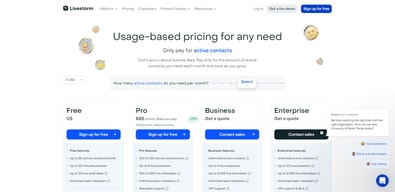
Livestorm offers a range of plans to cater to different needs and audience sizes. The Free plan is a great starting point for small-scale webinars, while the Starter, Premium, and Enterprise plans provide increased attendee limits and additional features. The Enterprise Plus plan offers custom pricing for organizations with specific requirements.
| Plan | Features | Price per Month |
|---|---|---|
| Free | Unlimited webinars, limited attendees, 20-minute webinar sessions, no on-demand webinars | Free |
| Pro | Higher attendee limits, 4-hour webinar sessions, unlimited live or pre-recorded events, invite unlimited moderators | See current pricing |
| Business | Up to 3000 attendees, 4-hour webinar sessions, unlimited live or pre-recorded events, invite unlimited moderators | Custom Pricing |
| Enterprise | Custom attendee limit, 12-hour webinar sessions, unlimited live or pre-recorded events, invite unlimited moderators | Custom Pricing |
See Livestorm pricing for current rates and plan details.
Please note that the pricing mentioned above is subject to change and may vary based on specific requirements or promotions. It’s always recommended to visit the official Livestorm website for the most up-to-date pricing information.
Remember, choosing the right plan depends on your specific needs and the scale of your webinars. It’s important to evaluate the features and benefits of each plan to determine the best fit for your business.
Frequently Asked Questions
Is Livestorm suitable for beginners?
Absolutely! Livestorm is designed to be user-friendly and intuitive, making it an ideal choice for beginners who are new to hosting live webinars. The platform offers a seamless user experience and provides all the necessary tools to run successful webinars without requiring any technical expertise.
Can I integrate Livestorm with other tools I use?
Yes, you can, Livestorm offers a vast marketplace of integrations, with over 1000+ options available. This makes it easy to connect Livestorm with the rest of your tech stack, allowing you to streamline your workflows and enhance your webinar experience.
Does Livestorm provide analytics for my webinars?
Yes, Livestorm offers funnel analytics to help you track the performance of your webinars. While it may not have the same level of features as dedicated analytics tools, the built-in analytics provide valuable insights into attendee engagement, conversion rates, and other key metrics to help you measure the success of your webinars.
Does Livestorm offer a free plan?
A: Yes, Livestorm does offer a free plan that includes many of the platform’s features. However, it is important to note that the free plan has limitations, such as a maximum duration of 20 minutes per event and limited registrants per event. Check Livestorm for current free plan limits. For more extensive usage and additional features, you may need to consider one of the paid plans.
Livestorm Review: Summary
In conclusion, Livestorm is a highly recommended webinar platform, particularly for those who are new to hosting live webinars. It offers a wide range of options for online meetings, virtual events, and various types of webinars, including on-demand and automated webinars. One of its standout features is the extensive marketplace of integrations, with over 1000+ options available, making it easy to connect Livestorm with other tools in your tech stack.
Additionally, Livestorm provides a built-in landing page builder and funnel analytics, which, while not as feature-rich as third-party landing page software, still offer solid functionality that will meet the needs of most users. It’s important to note that if you anticipate a large number of attendees, you may need to purchase an add-on. However, the pricing for these add-ons remains competitive compared to other webinar platforms.
Overall, Livestorm is a fantastic platform with a great user interface that is incredibly user-friendly. It offers a comprehensive set of features that cater to all your webinar needs.

Compare Livestorm with other popular tools in the same category.
Modern and simple UI with the ability to send 2,000 email invitations in bulk. Overall, decent tool.
The video quality on the live experience isn't great when you have multiple speakers from different countries. The main concern is their communication to upsell us to include a simple SF integration - This has been terrible. Aside from it being a significant price hike, we were also told we had to pay extra for their new MAC (Monthly Active Contacts) pricing model - definitely have to watch out for this as prices can get expensive, VERY quickly. We were also told mixed information over a pricing call vs email, only to be told there were mistakes in the pricing offered over email. Very disappointed with how that was handled.
Running simulated webinars with ease. Def. have to watch out for the video quality if running them live.
can make a landing page, UI is nice, people get reminders, video quality is good.
audience cannot see fellow audience members
conduct workshops with community
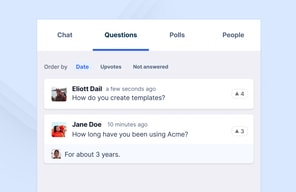
The webinar environment UI seems friendly, and the options to answer the attendees' questions in both chat, Q&A box, and live. The system provides a lot of statistics, which will allow you to understand who attended the webinar and what were the focus questions during the show. This gives you many options to perform follow-ups, especially if you are using a webinar as a LEAD GEN hook. Even though I don't fully like the platform, I truly believe that this could be an amazing product with some honing.
Even though Livestorm has a friendly UI, it is not a product I would recommend to someone. There are a lot of unknowns, and I experienced a lot of technical difficulties when hosting a webinar. The system deleted our event due to a technical bug, and it was impossible to reproduce the previously prepared prerecording during several rehearsals. The level of anxiety before the event started was tremendous as we had no idea if something would go wrong. Once your subscription expires, they remove all the information related to your past events, or at least that is what I am experiencing, which is a bit lame. With that in mind, the pricing should also be more flexible.
Organizing a webinar in an interactive environment. Our goal was to go live or also play prerecorded sessions if needed. The goal was to sparkle interest in the new product and generate leads for the further onboarding process.
You can host webinars with out needing attendees to install plugins
It goes down often and has flakey integrations
We can host webinars with out attendees needing to install anything, which is great for our less tech savvy user base.
The design is modern and easy to understand.
- SO many technical problems that enable your webinar to go right - Zero customer service - Very expensive and no flexibility in pricing plans... if a 250 people webinar is only needed for one month you have to pay for the entire year!
None

Ease of use and online web interface is definitely the best feature of this app
Very low conversion rates on webinar landing page! Very little custom personalization can be done on the subscription page Option to accept only professional emails made us lost subscribers of a listed company !! Listed company that had a domain nothing to do with public webmail domain. Voice quality when presenting a webinar with two users was catastrophic, the cause was not a connectivity issue but a bug with Livestorm that made it impossible to have two presenters have their mics on ! Chat notifications are on by default for the speakers resulting in an inaudible echo... Initial complaint was brushed of as a technical error. Someone did call us to apologize and offer us a "compensation" only if we subscribed for one year ! Second support ticket was greeted with a message telling us their team was on a skiing holiday... Last support ticket is still un-answered, whilst they imply that the sound issue was coming from our connectivity issue while the facts show that this is not the case. This is a beta product, would definitely not recommend this app for a business webinar !
No benefits...