Unclaimed: Are you working at Notion?
Notion Reviews: 4.7/5 — Highly Rated
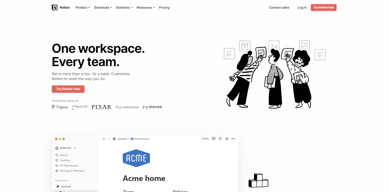
Notion is the all-in-one workspace that combines docs, wikis, and project management. Tens of thousands of teams around the world use it to collaborate, stay informed, and get more done together.
Notion is also often used as Knowledge Base of choice in Venture Capital and Personal Productivity tech stacks.


| Capabilities |
API
|
|---|---|
| Segment |
Small Business
Mid Market
Enterprise
|
| Deployment | Cloud / SaaS / Web-Based, Desktop Mac, Desktop Windows, Mobile Android, Mobile iPad, Mobile iPhone, On-Premise Linux |
| Support | 24/7 (Live rep), Chat, Email/Help Desk, FAQs/Forum, Knowledge Base, Phone Support |
| Training | Documentation |
| Languages | English |


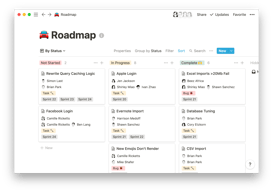
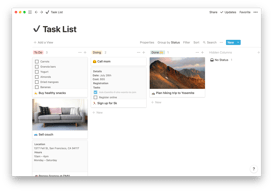
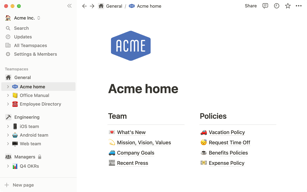


Notion Review: Is This Project Manager Right For You?
While a relatively new entry into the project management space, Notion has evolved quite quickly to meet the needs of its users. It’s a platform that is notable for its versatility, and it is a well-known option for individuals and teams who want a reliable tool to organize and manage tasks–from note-taking to in-depth project management.
But does it incorporate the best project management techniques to help you or your team get organized?
Let’s find out.
What is Notion?
Notion is a cloud-based workspace where individuals and small teams can take notes, create documents, track projects and organize and manage tasks all in one place. It’s often referred to as an “all-in-one” workspace because users can collate all of their projects onto a single platform.
Notion’s popularity among professionals and students is credited to its personalization that caters to any workflow. As a user, you’ll have the freedom to customize the layout of your workspace, while still getting helpful guidance and templates to help you get started.
Background on Notion
Founded in 2016, Notion started as a note-taking app but has evolved into a comprehensive project management tool for solopreneurs and small teams. The platform’s mission is to make it possible for people to shape the productivity tool they use every day to match their needs.
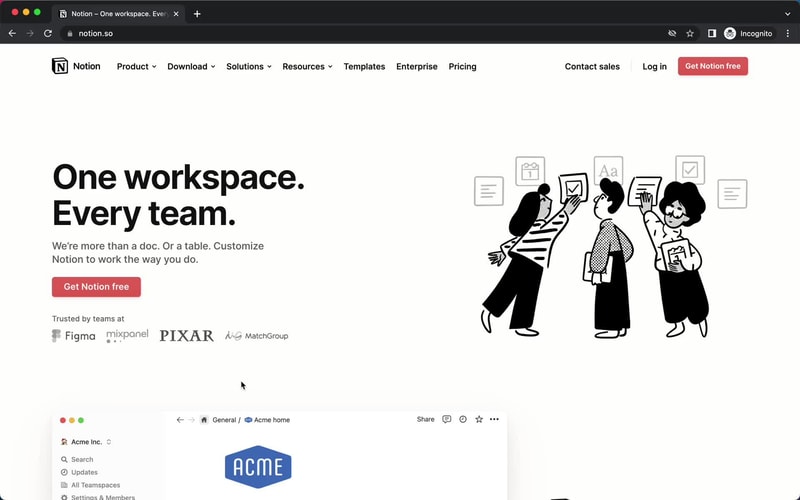
Getting Started with Notion
Every feature on Notion is designed to help users be as organized as possible.
The platform is segmented into pages that can be nested or interlinked at your convenience. As soon as you sign up, you’ll be redirected to your Welcome screen containing some tips to get started. This includes linked videos that guide you in creating your first page and setting up your to-do lists and projects.
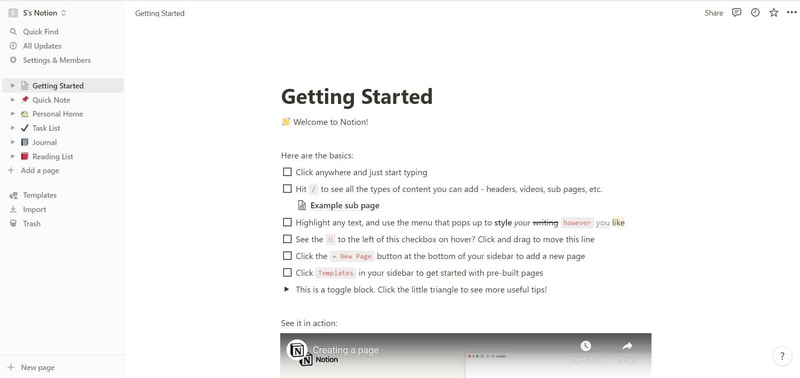
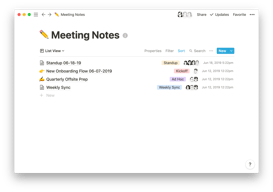
On the left side, you’ll find a list of default pages, such as ‘Quick Note’, ‘Personal Home’, and ‘Task List’ which you can customize and add. Whenever you create a new page it will show up on the left panel. You can add personalized header images, descriptive comments, and add associated icons to your pages.
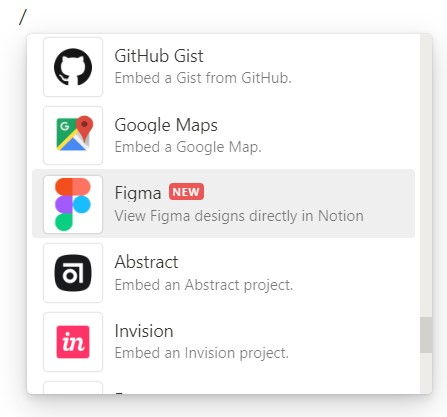
Simply click anywhere on a page to add blocks for individual pieces of content such as text, lists, media, links, and sub-pages. You can also just type “/” to bring up a menu of blocks you can add to your new page. 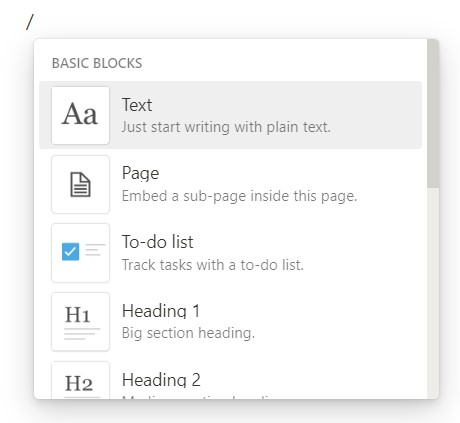
How Notion Works: Key Features
Although Notion started as a note-taking app, it has become far more than that. The tool has promising features that go beyond creating to-do lists and make it a competent productivity and project management app.
Integrated User Guides
A commendable feature of Notion is that user guides are already embedded in the platform. For example, if you want to create a new document, you’ll find guides on how to get the most out of the preinstalled page.
Of course, this can be a hit or miss. Some users may be grateful for the step-by-step guides, while others may be frustrated with manually deleting pre-installed guide pages to clean up their workspace.
Customizable Pages & Templates
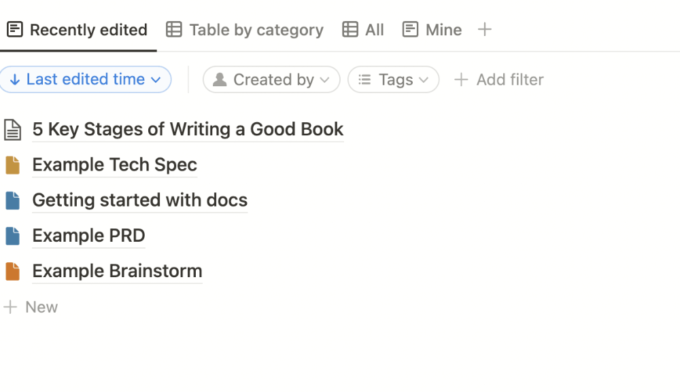
Notion makes it easy for you to create pages and documents in whatever style you want. Pages are like folders where you can store all information related to a particular topic. You can include a range of blocks or items on your pages such as text, toggle lists, to-do lists, images, video links, tables, boards, and maps.
Every change you make to a page or block is automatically saved in Notion. So you can always go back and view the history of a page if there’s something that you want to restore. This is pretty useful for when you make a mistake or just want to experiment with different versions of a page.
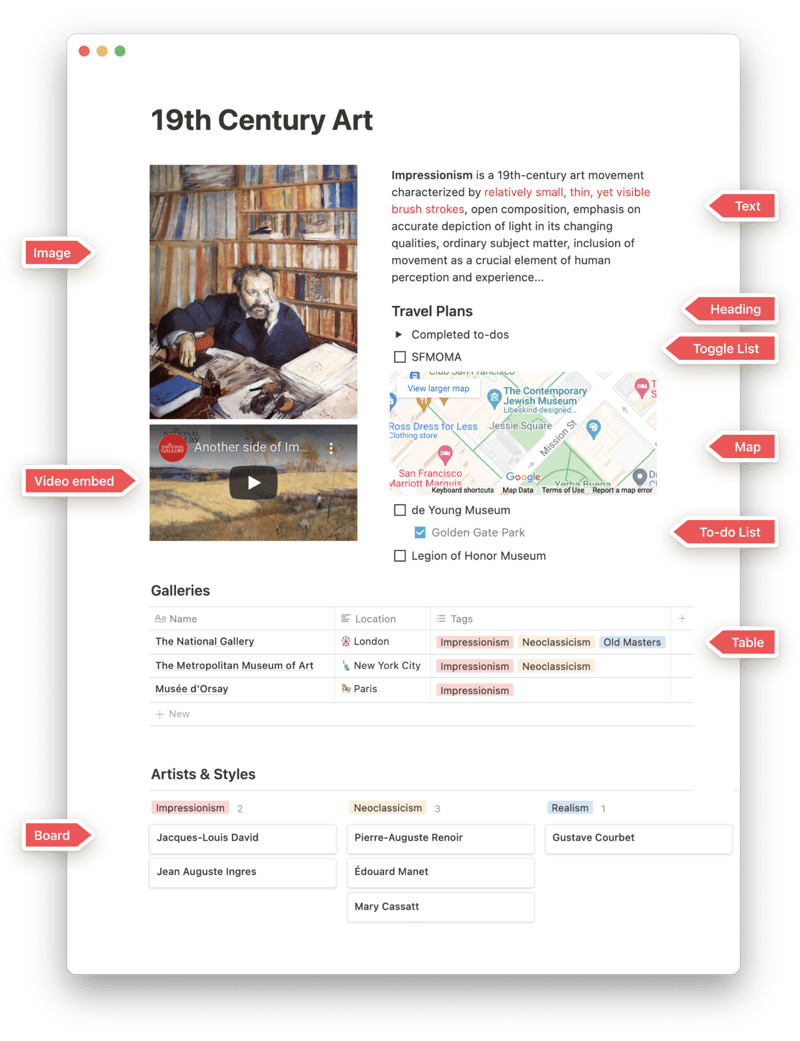
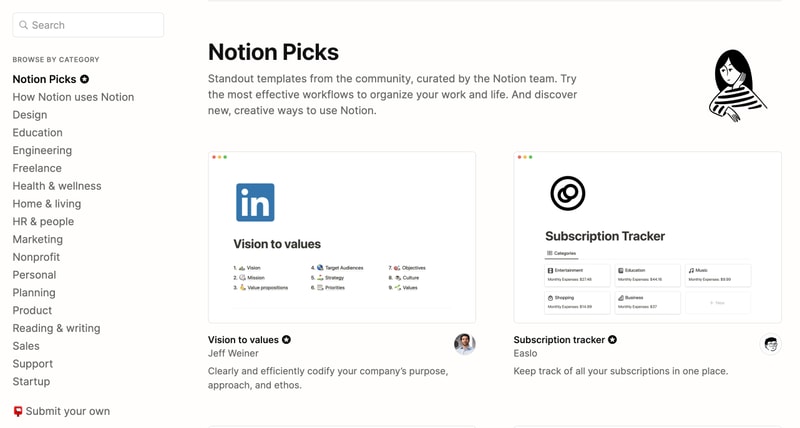
Notion is also very generous when it comes to templates. It provides users with a ton of options, whether they’re creating blog posts, articles, event schedules, or product launch plans. Fortunately, all templates are fully customizable so you can modify them to your taste without having to build from scratch. The platform also encourages users to submit their own templates so the library grows to fit a wider range of needs.
Collaborative Workspaces
Users can create different workspaces for different projects, which is useful if you need to manage multiple projects at once. Every workspace will have its own pages so all your information will remain separate and organized.
Notion allows you to invite other people to your workspace so you can collaborate in real time. The limit of guests you can have at a time depends on the plan you choose.
Integrations
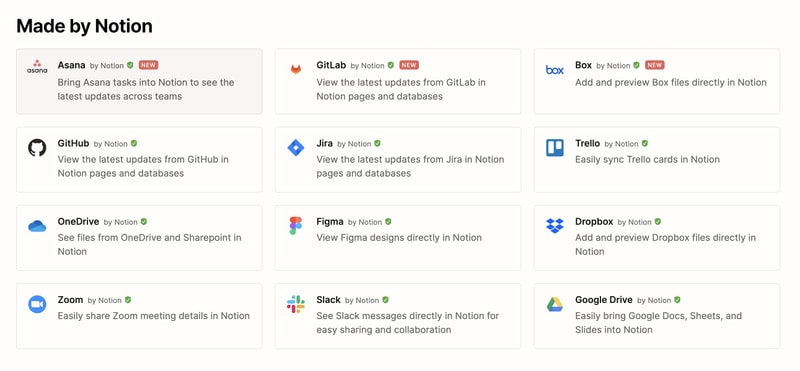
As a good workspace should, Notion integrates with a wide range of popular productivity tools so you can easily share information across the platforms you use. These tools include Slack, GitHub, Zoom, Trello, Google Drive, and more.
For instance, you can make use of the Google Drive integration to quickly add and share files from your Google Drive directly to your Notion workspace.
Notion AI
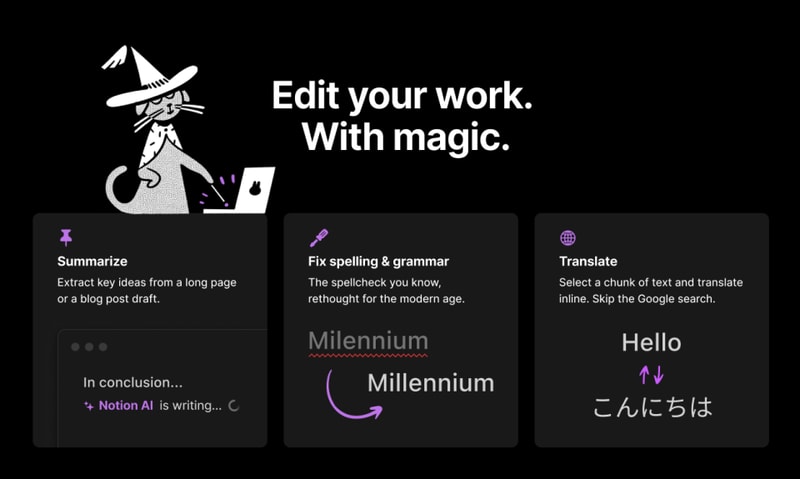
Notion AI is a core feature for workspaces. It’s a connected assistant powered by multiple large language models that’s developed to help boost your creativity and write content faster. Essentially, it eliminates the need to jump between your work and a separate AI-powered tool.
The feature can help you generate ideas for blog posts, social media posts, press releases, job descriptions, meeting agendas, and more. You’ll also be able to summarize pieces of content, correct spelling, and grammar, and translate text (English, Spanish, Chinese, and French).
Notion Use Cases
Solopreneurs
Individuals who are working freelance will benefit from an organizational tool like Notion. It can help with a variety of processes such as:
- Documenting and managing career goals
- Organizing projects for different clients
- Managing content creation schedules
Professional teams
Small professional teams can benefit from Notion’s features because it ensures that all team members can collaborate on the same tool for multiple purposes. These purposes include:
- Planning meetings and recording meeting notes
- Setting task lists based on priority
- Drawing up onboarding documentation for recruits
- Brainstorming internal team goals (digital suggestion box)
- Organizing a company roster
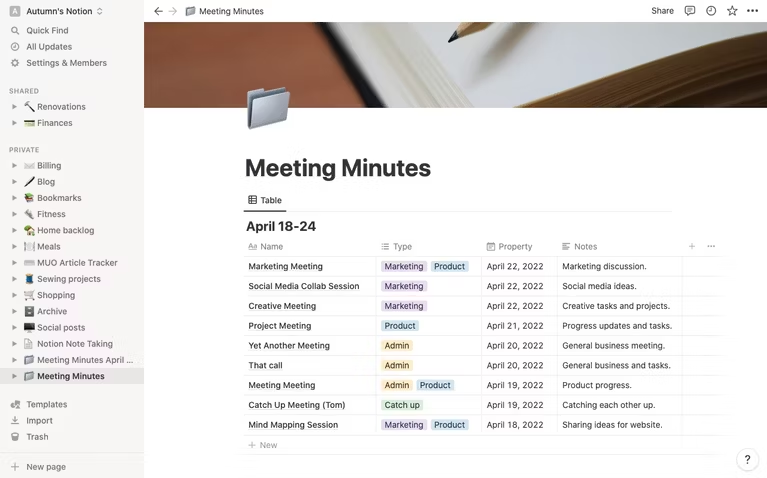
Students
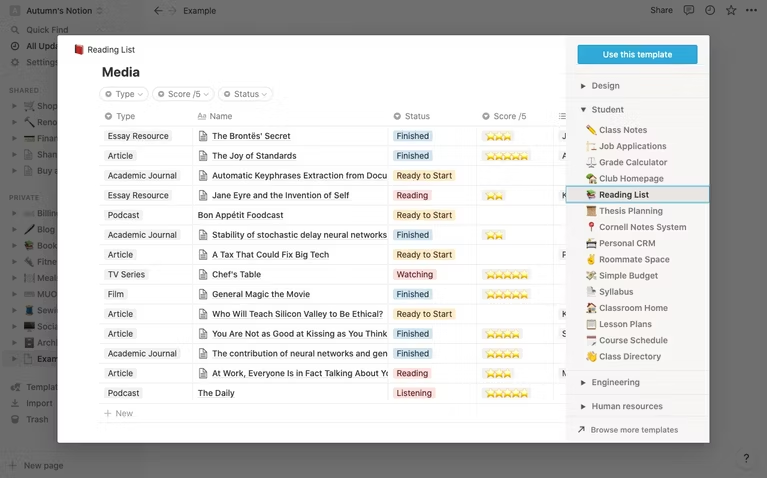
Students also make great use of Notion because of its impressive note-taking and organizational capabilities. Students can easily organize their notes by class and keep track of all reading and assignments (by the due date) for each class. The best part is Notion can even allow easier collaboration for group projects since the free plan allows sharing with up to 10 guests.
What makes Notion stand out from other platforms?
Notion stands out in two major ways; it’s very customizable to support any workflow, and it brings all work together in one shared location.
Unlike many productivity tools, Notion doesn’t just focus on solving one problem, such as organization. The way Notion is designed gives users the freedom to mold their workspace in a way that works best for them. On one hand, individuals can use it to keep their notes, to-do lists, calendars, and journals in one accessible platform. Additionally, professional teams can use it to build collaborative docs, product roadmaps, and wikis for their company.
Notion Pricing
Notion has four pricing plans: Free, Plus, Business, and Enterprise. Visit Notion’s pricing page for current rates.
- Personal (Free): The forever-free plan allows users to create unlimited pages and blocks with an allowance of 5MB file uploads. You can also share or collaborate on projects with a maximum of 10 guests, and receive basic page analytics, 7-day page history, and integration with other tools such as Slack or GitHub.
- Plus: The Plus plan is geared towards small professional groups. On this plan, you can invite up to 100 guests for collaboration. You’ll also get unlimited file uploads and 30-day page history.
- Business: This plan is for companies that use Notion to connect many teams and tools and you can invite up to 250 guests. You also get authentication features (SAML + Single Sign On), private team spaces, bulk PDF export, advanced page analytics, and 90-day page history.
- Enterprise: This subscription is targeted toward medium to large businesses and offers more advanced capabilities. You will need to contact the Notion sales team to discuss the pricing plan that fits your business’s complex needs. You can request a trial of this specific plan if you’d rather try it before making any significant investment.
Notion AI is included in all paid plans at no additional cost.
Beyond its core workspace, Notion has expanded its product suite with Notion Calendar, a standalone calendar app that integrates directly with your workspace, and Notion Sites, which lets you publish any Notion page as a polished website.
Notion’s Pros and Cons
Pros
- The customization features are better than most.
- A great solution for note-taking and creating to-do lists.
- You can use Notion to create wiki pages or simple websites with useful information about your business or products.
- Pricing is affordable for solopreneurs and small teams.
- The forever-free plan has sufficient features for solopreneurs.
- The structure of folders allows for shortcuts so you can reach your content from multiple places.
- Notion’s tutorials are comprehensive for everyone to understand and the support team is responsive and helpful.
Cons
- Although Notion’s UI is very usable, it can sometimes get cluttered once you start adding multiple projects, which can be overwhelming for newbies.
- Advanced project management features, such as reporting, time tracking, and Gantt charts are lacking.
- Managing multiple projects on Notion can become tedious.
- May not be the best option for those looking for project management software for software development.
Is Notion Right For Your Organizational Needs?
Notion should be commended for its simplicity, familiarity, and affordability. If you need a straightforward entry-level solution for creating content and planning and managing projects then Notion is a great choice.
With that being said, large businesses that have complex needs may not see the platform as comprehensive enough to streamline their project management. However, Notion is a tool that keeps evolving and works hard to improve its capabilities to fit businesses of all sizes.
If you want to keep checking other project management software that may suit you better, Findstack has more helpful reviews and insights that you can take a look at. Our goal is to help you find the right tool for your needs.

Compare Notion with other popular tools in the same category.
I like that there's no limit to the input allowed for running against Notion AI. I also like that I can select text and run AI against that too. It's really convenient and easy to use!
Sometimes the AI function will error out and not give me any output. Or it won't run AI against a prompt or selected text. It's getty pretty clunky and slow sometimes too.
Giving me insight and helping me come-up with ideas and specific answers to my problems. I also use it for brainstorming new ideas that I would like to pursue and try.
Notion is good for project management overview, visualization of tasks.
Not all text is editable in a complete way. For example, in the comments, its not possible to put links on top of words, or write in italic. We can't put images side to side when in between text. There is no way option to send images to the background, or to make them fit among text. No matter how small they are, when adding images, they need to stack, one under each other. When Im preparing reports doing a comparison of images for my team to evaluate, that is annoying. Im not a fan of the notifications system.
Notion helps the organization I work in to manage all our projects, divide the tasks, have an overview of needs and keep updated with the latest developments in each sector of our company.
How seamlessly Notion AI is integrated into the product makes it a class apart than all the writing assistants present in the market. With it's productivity suite, the AI goes really well. More use cases of Notion AI in other forms of media should be explored.
Keeping track of new pages can be challenging, esp with Notion AI, I sometimes find myself using Notion as a browser for my drafts. A simple solution could be, for the pages there's no title, an AI generated title can be used so that users can keep track of the same.
As a student I need to generate a lot of content/emails/cover letters on a daily basis meant to be sent to recruiters, professors, peers ans such. Notion takes it and does it in a single tap. I've a ChatGPT Premium subscription but I still find Notion much better in the convenience and the UX as a writing assistant. Although Notion can think of integrating newer and better models to users, probably a tiered pricing model as sometimes I think the model does fall short compared to GPT4
Notion is all in one, thats the best part, the "notion" of having everything you could ever need in one app is very enticing, it solves a modern issue of scattered information.
Notion is incredibly customisable, which to many is a sell, but to me this leads to overwhelm and a feeling that I'm unable to create a system I'm happy with. This is especially true when I'm trying to create something very simple like a to do list or simple notes database.
Notion helps me and my team solve the issue of storing and communicating discovered knowledge between each other asynchronously. This has allowed us to maintain a sort of knowledge library for ourselves that we can refer to.
Collaborating with different teams within the company is one of the many benefits of using Notion. Not only is it easy to work with colleagues from different departments, but it also encourages cross-functional collaboration. In addition, Notion provides a seamless experience for linking and relating different databases within the same document. This feature is especially useful when you need to connect all the dots and maintain a live, constantly updated database.
It's hard to manage databases with a large number of records. Waiting for the records to load as you scroll down is painful and time-consuming, and is very easy to lose progress while you're navigating through it. Also, what I really dislike is not being able to relate rollup fields more than once, which makes it impossible when trying to use databases for integrations outside of Notion.
Notion has become our centralized workspace where teams can collaborate on projects and keep track of their progress, and it has become an essential part of our workflow.

ability to multitask on various pages, share workspaces, write even longer paragraphs and imrpove the writing of the existing text in a new way that makes chatgpt fail in the competition
sometimes it gives false information, for example i did an SAt with it,,just to test it out and i got a 70/100 score,,,i was expecting something like a 90 ,so that for me was a shortcoming
letsay ,its has eased my time. ability to be ablt to execute tasks easily and ways faster is advantegeous for me.
Notion is very user-friendly, just takes some time to get used to commands if you are not used to that workflow. Dragging around blocks is always stable and it feels like a complete experience. When all of it's features are used together it can be extremely powerful. Notion AI performs very well for summarizing existing content on a page. Generative tasks work, too, but usually to a much lesser extent. I have mainly used it for making long articles or code documentation more quickly digestible, and for that it has proved very helpful.
The AI model falls short when prompted with tasks that require higher degrees of creativity. When confused, it will often just repeat existing text verbatim or come up with something else entirely irrelevant or inaccurate. I also think the choice to bind the spacebar as the hotkey for AI was very obnoxious and inconvenient. Notion has powerful options when it comes to formatting, but they can be tedious or complex to use. The AI is also unable to use formatting options, either. I think a feature that would add a lot of value to Notion AI is if it were possible to highlight some blocks and have it automatically format everything in how it is described in the prompt. It would make some workflows much faster.
I use Notion for, well, taking notes. I use it to help organize university classes, watch/read lists, deadline tracking, and more. Notion AI is mostly successful at what it is trying to do, being to make tasks more efficient. When it works, it works well. When it is unable to do something it is disappointing but not necessarily a dealbreaker because it does not cause harm. Just an inconvenience or a disappointment. Notion AI wasn't really setting out to solve a problem to begin with, just to be additional functionality.
Notion can help keep ideas and tasks organised. Its high level of customisation allows for creating systems for even the most niche tasks. Additionally, its new AI feature can improve the speed at which this is done by helping to formulate sentences faster.
Notions of customisability can also be its downfall. The ability to highly customise systems can sometimes leave you procrastinating over how things should be organised. Though the AI feature can help get the words down, you can still fuss over how things are created. The AI feature is quite handy, but it requires a bit of attention. I often use it to help shorten sentences or perform quick grammar checks. However, these need to be looked over once done, as the sentences it creates can sometimes sound a bit off and occasionally nonsensical. Nonetheless, it's good at rephrasing bits to give you ideas when your eyes are tired, and you need to get something out. Currently, only US English language is available – it would be good to see UK English.
Notion's AI feature helps you get your ideas down faster. Although it is feature-rich, I only use it to see how it would rewrite a sentence if I've hit a wall. This has definitely saved me from some head-banging, but I would only really trust it with a few sentences here and there. It is definitely beneficial, but I wouldn't consider it a be-all and end-all type of product just yet. It can help with the mechanics, but flourishes are needed!
The best part of the AI notion is to brainstorm ideas, suggest more ideas and explanation some abstract concepts. Besides this, AI notion helps me a a lot with my content writing.
AI cannot write reply to emails and fully understand what I wanted it to do sometimes. In some cases, it even suggests wrong information, and I have to double check it.
AI help me to brainstorm ideas and write content for my research as a graphic designer. It helps to gain more insights as a graphic designer and suggest the most common inspiration.
Functionalities, integrations, centralization
I think it takes a while to fully get the hang of notion from a user experience user interface persepctive
Centralizing all company activities for a very decentralized organization.

The upsides is that it helps with my writing that I do for my job and personal use. I found that it takes the best for coming up with complete ideas and taking my prompts and converting it into intelligible sentences.
I tried using Notion to write code for python and excel as well as REDCap. It would not give me complete codes that worked. It was very frustrating. I want to see the AI for coding work better.
It helps me brainstorm ideas for my writing and it gets the ball rolling. Also asking AI to convert notes into different formats is so nice. I spend a lot less time with formatting.
Available everywhere. Easy to link notion pages to colleagues. AI Writing Assistant helps a lot writing and gives almost perfect text to use.
The least helpful is controlling tables and maybe in general change the text in the shared documents. I believe most of ppl uses MS Excel, the table should mimic the Excel?
AI Writing Assistant is excellent assistant for writing. The facts needs to be re-checked, though, but the text is almost ready for use.
The ability to use it as a database and customize views.
It is not the most user friendly and has a steep learning curve.
It is serving as our knowledge base and key portal and intranet for us.
I didn't utilise my notion account enough till I heard about AI, and it has changed the way I use notion. I like that AI can format and create a table and make it detailed.
The AI is still kinda buggy and actually makes an error. Notion also tends to crash from time to time especially on my lap tipis and table and I have to refresh again.
I've been using notion latrely for school and it's really helped me with the groundwork needed to kickstart my assessments. I also use it to gather resources for my project.
It's a great application for organizing all of my thoughts, strategies and tasks. AI was a nice addition at first, but with the constant development of new AI tools, it's quickly becoming obsolete.
In the world of AI tools, Notion AI is one of them but it probably isn't the best. It's okay, but honestly if you need to work with the AI features, I would prefer to use a different platform. It's easier to copy and paste from Bing / ChatGPT than it is to work with their AI interface. Iteration is complex and having a long-form conversation to discover nuanced detail is next to impossible.
It's a great place to store all of my notes and thoughts. The login system is simple, intuitive and flexible. I like how the formatting is very robust and pages can all feel unique / tailored to the specific application.
Notion is incredibly powerful once you get the hang of it. I really like the fact that you can work with (mostly free) templates. I'm using Notion to run the daily operation of two SMEs and its by far the best solution (value for money) I found so far. Having an AI assistant is a great feature that has helped a lot in making the best use of the slew of functionalities.
The AI is great for logical applications and finding you way through Notion. However it falls behind other solutions (like chatGPT) when it comes to content generation. Wording is very generic and requires a lot of manual correction to make it sound more appealing and human.
I'm using Notion to run the daily operation of two SME. This includes CRM, project management and note taking. I also partially use it for content generation, although I find the AI requires improvement to really be a viable competitor to other systems.
The template options are really good, and much improved over the last year or so. The team spaces are also great, accesses can be a bit tricky at times but overall, it's great
If you don't have an internal owner for Notion and build out it's structure from the start, it can easily grow legs and become this unmanageable thing, so it's something to watch for!
It's structuring our information in the manner it nedds to be structured in. It gives order to things, and it's flexible enough let you have the freedom to play around with it. It's new AI assistant is also pretty useful and helpful as a starting point for content writing
Improve writing, Fix spelling and grammar, Summarize, Table of contents are brilliant
Sometimes the AI does not understand what exactly I need. For example, if I ask it to convert headings to bullet points, it does not do that.
The first problem is time. Notion AI is saving a lot of time. Fixing Grammatical errors, making the text more professional, and summarizing is helping a lot
Everything all in one place. Love how you can brainstorm, create a to-do, share notes, all in one place. I love how intuitive it is and how also has very powerful features (most of which I am still trying to get to use)
I don't like that it doesn't have an offline mode, and I would love for Notion AI to be as good as GPT-4 (I think they use 3.5 but 4 is so much better). I also wish I could sync my notes locally.
I want an everything all in one place. I want something that helps me manage my projects, but also allows for notes to be shared. If this tool could integrate with Dropbox and other file hosts systems, it would be great.
It's versatility can help a lot to connect different purposes
Tab overview is not as good as on Trello, UI seems a little outdated.
It is great to quickly collect thought and information and to collaborate on those.
Helps with ideation and vocalising your thoughts
Sometimes after writing prompts, answer is not very clear or not wanted
Helps with manual writing, able to produce notes from just simple prompts
1. I use Notion to organize my study materials and documents, and the synchronization between the web version and mobile app is highly convenient. 2. I can directly let Notion AI automatically fill in my question forms with online resources, which greatly improves my efficiency.
1. When using the translation function of Notion AI, I feel that the accuracy needs to be improved. 2. The continuation writing function sometimes cannot understand the text content I input.
Help me learn languages. I have created my vocabulary table in Notion, and AI automatically fills in example sentences and word combinations for me, which greatly improves my efficiency.
Very useful when I have to create a straightforward process for doing something on an app or translating content in multiple languages. Also good to use the AI Block when creating a tempmplate
Looks like the formatting is not his strong point. There is no way to create a new page with the translation Notion AI format text randomly when you ask to translate a page If there is a table in a page Notion AI stuck to translate it The prompt to edit or keep what Notion IA did must be improved
Switzerland has 3 official languages, and we often use English. Writing documentation and/or a process takes quite a long time. It's now easy to translate and format it Also, we've got some "boring" and tech-related legal documents we need to summarize for nontech people. It's easy to make it shorter and more understandable in our 4 languages for nontech users
- Quick response - Good writing skills - Many useful features for content development - Used for effective task management
- Unable to retrieve information - Unreliable and not very accurate information - Content remains unchanged and not fresh after multiple revisions - Receiving information and providing results that do not meet the requirements
- Add the feature of searching or being able to read the link address. - Add features to support planning... - Add the ability to search for information and quote accurately to ensure the accuracy of the information being mentioned.

It's very convenient and it does help In my most of the writing part. How it stitches the story itself and add valuable inputs in the topic is commendable. I even wrote about it on my blog.
Short answer and long answer are great but there should be a headline suggestion too.
Keeping it all together and organised thats one. Building on ideas and brainstorming is two Managing my personal and work projects is three
I love everything about Notion. Especially their AI and databases. Nothing compares!
Their customer support is non-existent. I have been having an issue for months but no one responds to email or Twitter whatsoever.
Mainly just being able to compile my information in one centralized hub. My startup uses it for almost 80% of everything we do.
its easy to create an overviwe about projects and use it for different fields.
in the beginning it was confusing and i had to wach some tutorials to understand how it works
i mostly use it for translating text into different languges
Using Notion AI was an invaluable experience that significantly enhanced my productivity, enabling me to swiftly execute tasks and effortlessly transform my ideas into actionable plans.
Even after I make edits to the original content, Notion AI will often recommend the same ideas or phrases. It is annoying since I have to spend more time than necessary reviewing and adjusting the text to avoid repetition.
Notion AI effectively addresses two key challenges for me. Firstly, it helps me with brainstorming by generating additional points and ideas that I may not have initially considered. This expands the scope of my thinking and allows me to explore new perspectives. Secondly, it assists me in refining my writing by suggesting alternative phrasing that enhances professionalism and clarity. By leveraging Notion AI's capabilities, I can elevate the quality of my work and communicate more effectively.
That everything written on the page, ai takes it into consideration
Quite often the information is produced with mistakes and simply not valid
Calculative and administrative
Notion has an easy format to work with and has become a place where I can put all my material and studies in one place. It is different from competitors because you can do almost anything with it.
Notion has its uniques ways of working. Whenever I use the search button, some searches do not appear. I think there should be a way to make the program work within the pages.
Notion has helped me to write my ideas that needed to be better explored. I had a lot of projects in bullets, like ideas that needed to be better written. Notion is helping me write what is in my mind in a very short time.