Unclaimed: Are you working at Notion?
Notion Reviews: 4.7/5 — Highly Rated
Notion is the all-in-one workspace that combines docs, wikis, and project management. Tens of thousands of teams around the world use it to collaborate, stay informed, and get more done together.
Notion is also often used as Knowledge Base of choice in Venture Capital and Personal Productivity tech stacks.


| Capabilities |
API
|
|---|---|
| Segment |
Small Business
Mid Market
Enterprise
|
| Deployment | Cloud / SaaS / Web-Based, Desktop Mac, Desktop Windows, Mobile Android, Mobile iPad, Mobile iPhone, On-Premise Linux |
| Support | 24/7 (Live rep), Chat, Email/Help Desk, FAQs/Forum, Knowledge Base, Phone Support |
| Training | Documentation |
| Languages | English |


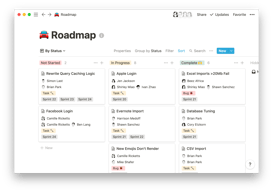
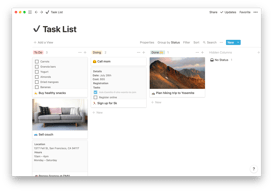
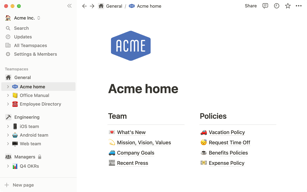


Notion Review: Is This Project Manager Right For You?
While a relatively new entry into the project management space, Notion has evolved quite quickly to meet the needs of its users. It’s a platform that is notable for its versatility, and it is a well-known option for individuals and teams who want a reliable tool to organize and manage tasks–from note-taking to in-depth project management.
But does it incorporate the best project management techniques to help you or your team get organized?
Let’s find out.
What is Notion?
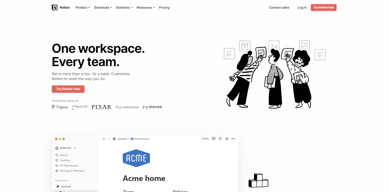
Notion is a cloud-based workspace where individuals and small teams can take notes, create documents, track projects and organize and manage tasks all in one place. It’s often referred to as an “all-in-one” workspace because users can collate all of their projects onto a single platform.
Notion’s popularity among professionals and students is credited to its personalization that caters to any workflow. As a user, you’ll have the freedom to customize the layout of your workspace, while still getting helpful guidance and templates to help you get started.
Background on Notion
Founded in 2016, Notion started as a note-taking app but has evolved into a comprehensive project management tool for solopreneurs and small teams. The platform’s mission is to make it possible for people to shape the productivity tool they use every day to match their needs.
Getting Started with Notion
Every feature on Notion is designed to help users be as organized as possible.
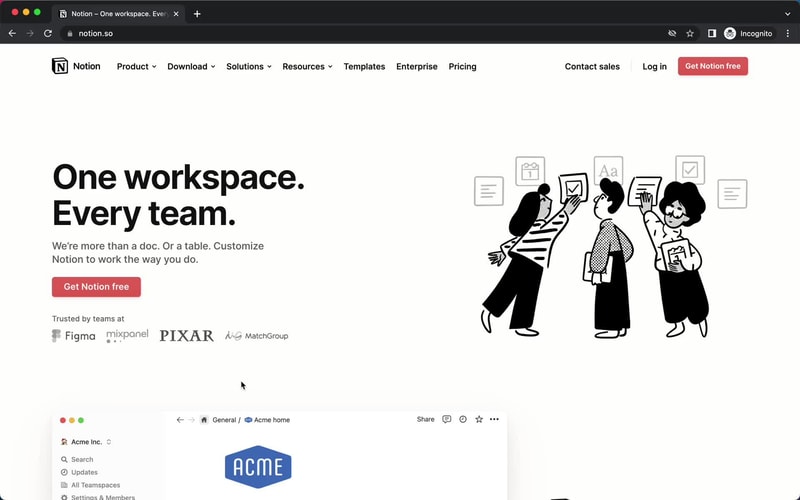
The platform is segmented into pages that can be nested or interlinked at your convenience. As soon as you sign up, you’ll be redirected to your Welcome screen containing some tips to get started. This includes linked videos that guide you in creating your first page and setting up your to-do lists and projects.
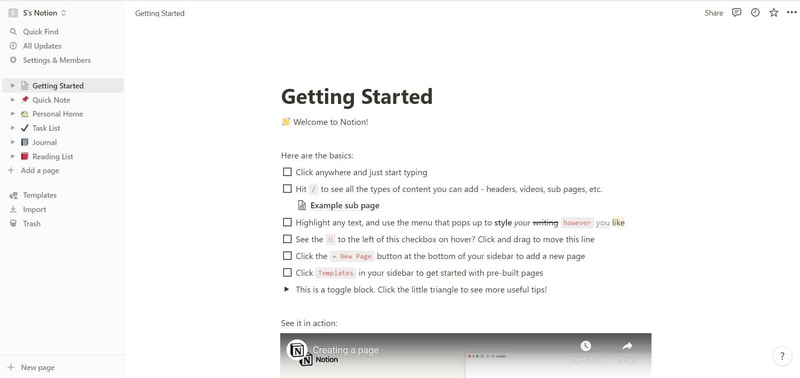
On the left side, you’ll find a list of default pages, such as ‘Quick Note’, ‘Personal Home’, and ‘Task List’ which you can customize and add. Whenever you create a new page it will show up on the left panel. You can add personalized header images, descriptive comments, and add associated icons to your pages.
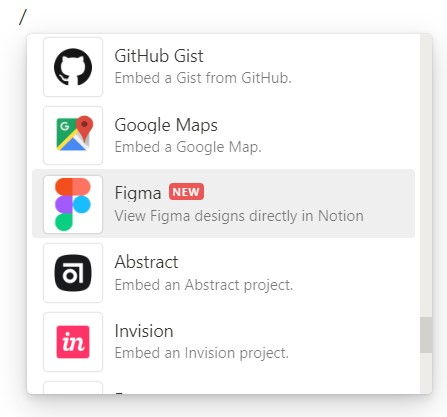
Simply click anywhere on a page to add blocks for individual pieces of content such as text, lists, media, links, and sub-pages. You can also just type “/” to bring up a menu of blocks you can add to your new page. 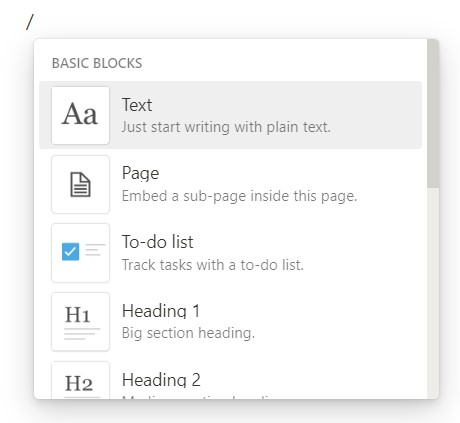
How Notion Works: Key Features
Although Notion started as a note-taking app, it has become far more than that. The tool has promising features that go beyond creating to-do lists and make it a competent productivity and project management app.
Integrated User Guides
A commendable feature of Notion is that user guides are already embedded in the platform. For example, if you want to create a new document, you’ll find guides on how to get the most out of the preinstalled page.
Of course, this can be a hit or miss. Some users may be grateful for the step-by-step guides, while others may be frustrated with manually deleting pre-installed guide pages to clean up their workspace.
Customizable Pages & Templates
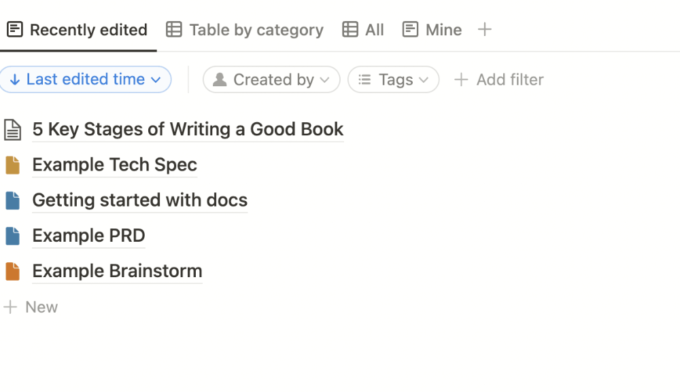
Notion makes it easy for you to create pages and documents in whatever style you want. Pages are like folders where you can store all information related to a particular topic. You can include a range of blocks or items on your pages such as text, toggle lists, to-do lists, images, video links, tables, boards, and maps.
Every change you make to a page or block is automatically saved in Notion. So you can always go back and view the history of a page if there’s something that you want to restore. This is pretty useful for when you make a mistake or just want to experiment with different versions of a page.
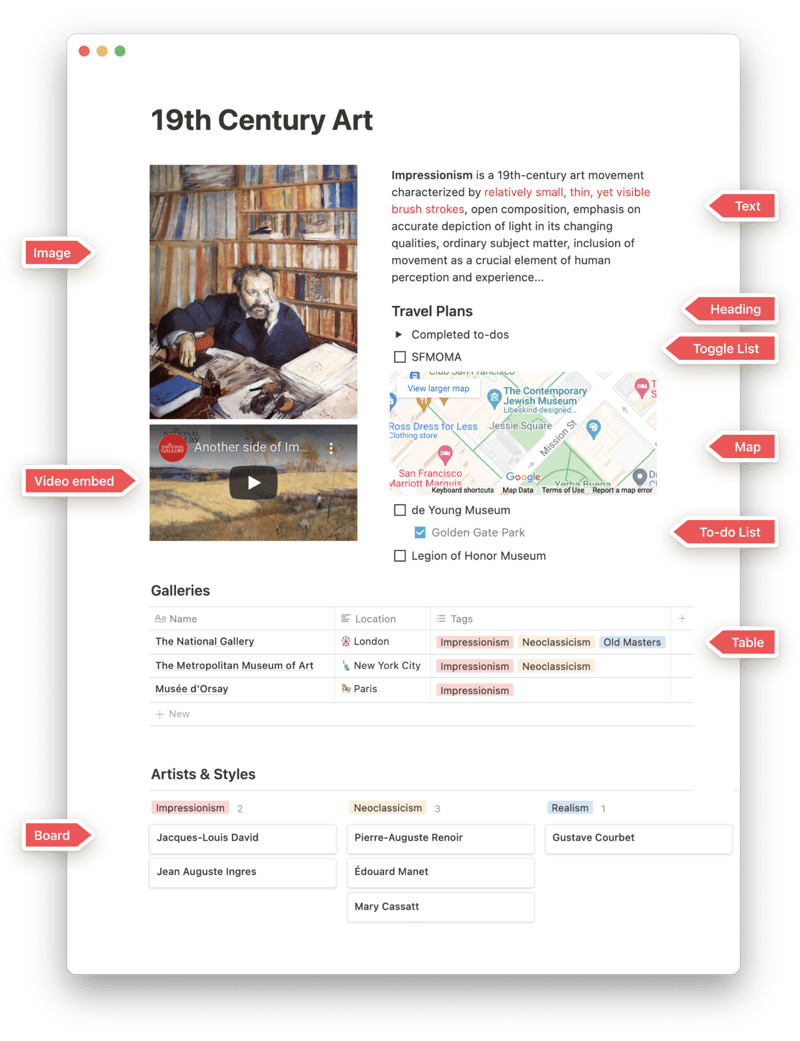
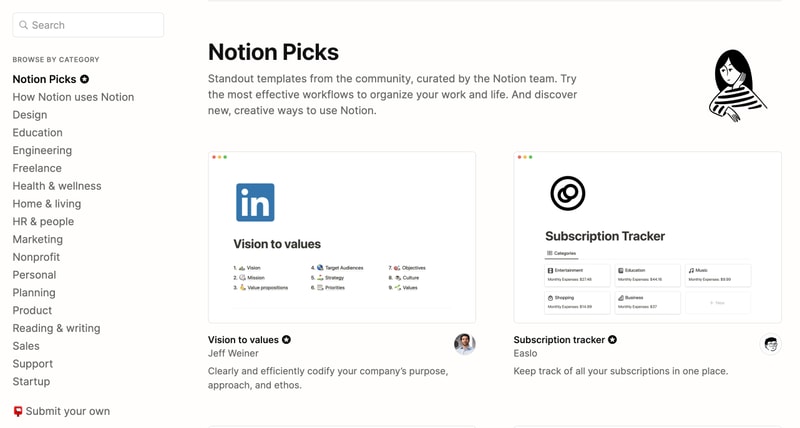
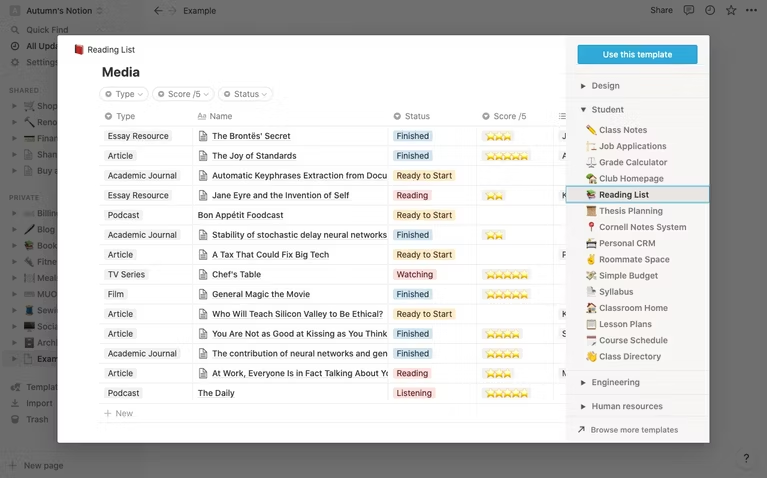
Notion is also very generous when it comes to templates. It provides users with a ton of options, whether they’re creating blog posts, articles, event schedules, or product launch plans. Fortunately, all templates are fully customizable so you can modify them to your taste without having to build from scratch. The platform also encourages users to submit their own templates so the library grows to fit a wider range of needs.
Collaborative Workspaces
Users can create different workspaces for different projects, which is useful if you need to manage multiple projects at once. Every workspace will have its own pages so all your information will remain separate and organized.
Notion allows you to invite other people to your workspace so you can collaborate in real time. The limit of guests you can have at a time depends on the plan you choose.
Integrations
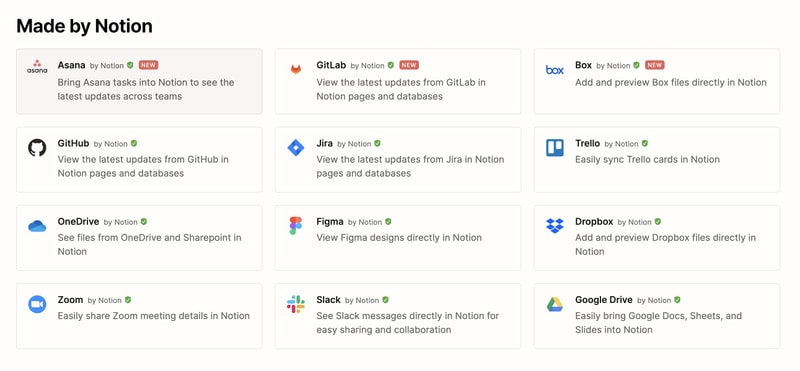
As a good workspace should, Notion integrates with a wide range of popular productivity tools so you can easily share information across the platforms you use. These tools include Slack, GitHub, Zoom, Trello, Google Drive, and more.
For instance, you can make use of the Google Drive integration to quickly add and share files from your Google Drive directly to your Notion workspace.
Notion AI
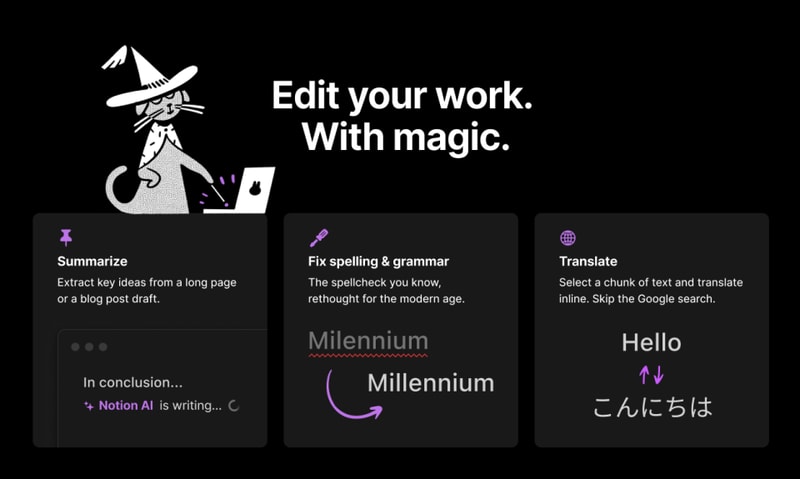
Notion AI is a core feature for workspaces. It’s a connected assistant powered by multiple large language models that’s developed to help boost your creativity and write content faster. Essentially, it eliminates the need to jump between your work and a separate AI-powered tool.
The feature can help you generate ideas for blog posts, social media posts, press releases, job descriptions, meeting agendas, and more. You’ll also be able to summarize pieces of content, correct spelling, and grammar, and translate text (English, Spanish, Chinese, and French).
Notion Use Cases
Solopreneurs
Individuals who are working freelance will benefit from an organizational tool like Notion. It can help with a variety of processes such as:
- Documenting and managing career goals
- Organizing projects for different clients
- Managing content creation schedules
Professional teams
Small professional teams can benefit from Notion’s features because it ensures that all team members can collaborate on the same tool for multiple purposes. These purposes include:
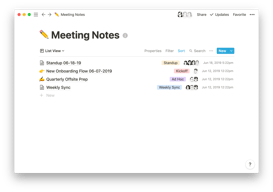
- Planning meetings and recording meeting notes
- Setting task lists based on priority
- Drawing up onboarding documentation for recruits
- Brainstorming internal team goals (digital suggestion box)
- Organizing a company roster
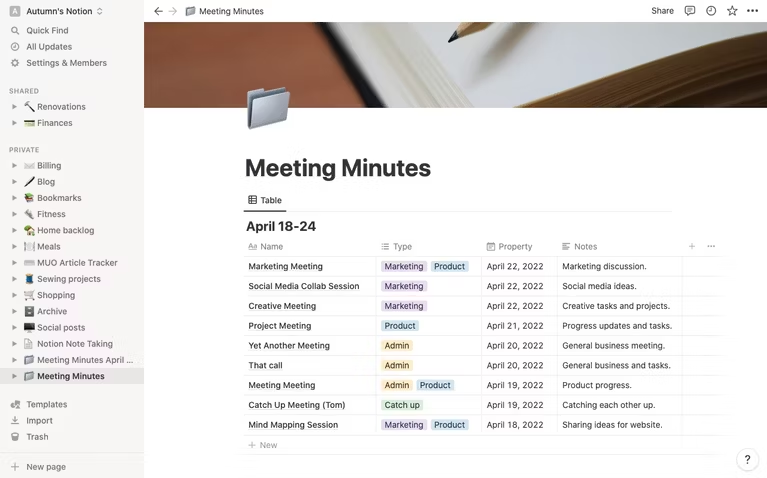
Students
Students also make great use of Notion because of its impressive note-taking and organizational capabilities. Students can easily organize their notes by class and keep track of all reading and assignments (by the due date) for each class. The best part is Notion can even allow easier collaboration for group projects since the free plan allows sharing with up to 10 guests.
What makes Notion stand out from other platforms?
Notion stands out in two major ways; it’s very customizable to support any workflow, and it brings all work together in one shared location.
Unlike many productivity tools, Notion doesn’t just focus on solving one problem, such as organization. The way Notion is designed gives users the freedom to mold their workspace in a way that works best for them. On one hand, individuals can use it to keep their notes, to-do lists, calendars, and journals in one accessible platform. Additionally, professional teams can use it to build collaborative docs, product roadmaps, and wikis for their company.
Notion Pricing
Notion has four pricing plans: Free, Plus, Business, and Enterprise. Visit Notion’s pricing page for current rates.
- Personal (Free): The forever-free plan allows users to create unlimited pages and blocks with an allowance of 5MB file uploads. You can also share or collaborate on projects with a maximum of 10 guests, and receive basic page analytics, 7-day page history, and integration with other tools such as Slack or GitHub.
- Plus: The Plus plan is geared towards small professional groups. On this plan, you can invite up to 100 guests for collaboration. You’ll also get unlimited file uploads and 30-day page history.
- Business: This plan is for companies that use Notion to connect many teams and tools and you can invite up to 250 guests. You also get authentication features (SAML + Single Sign On), private team spaces, bulk PDF export, advanced page analytics, and 90-day page history.
- Enterprise: This subscription is targeted toward medium to large businesses and offers more advanced capabilities. You will need to contact the Notion sales team to discuss the pricing plan that fits your business’s complex needs. You can request a trial of this specific plan if you’d rather try it before making any significant investment.
Notion AI is included in all paid plans at no additional cost.
Beyond its core workspace, Notion has expanded its product suite with Notion Calendar, a standalone calendar app that integrates directly with your workspace, and Notion Sites, which lets you publish any Notion page as a polished website.
Notion’s Pros and Cons
Pros
- The customization features are better than most.
- A great solution for note-taking and creating to-do lists.
- You can use Notion to create wiki pages or simple websites with useful information about your business or products.
- Pricing is affordable for solopreneurs and small teams.
- The forever-free plan has sufficient features for solopreneurs.
- The structure of folders allows for shortcuts so you can reach your content from multiple places.
- Notion’s tutorials are comprehensive for everyone to understand and the support team is responsive and helpful.
Cons
- Although Notion’s UI is very usable, it can sometimes get cluttered once you start adding multiple projects, which can be overwhelming for newbies.
- Advanced project management features, such as reporting, time tracking, and Gantt charts are lacking.
- Managing multiple projects on Notion can become tedious.
- May not be the best option for those looking for project management software for software development.
Is Notion Right For Your Organizational Needs?
Notion should be commended for its simplicity, familiarity, and affordability. If you need a straightforward entry-level solution for creating content and planning and managing projects then Notion is a great choice.
With that being said, large businesses that have complex needs may not see the platform as comprehensive enough to streamline their project management. However, Notion is a tool that keeps evolving and works hard to improve its capabilities to fit businesses of all sizes.
If you want to keep checking other project management software that may suit you better, Findstack has more helpful reviews and insights that you can take a look at. Our goal is to help you find the right tool for your needs.

Compare Notion with other popular tools in the same category.
Shortens things well and quickly does it's job
It is really hit and miss and tends to remove important information
Shortening words
The flexibility and possibilities are endless. I can see huge potential with it, it is a great place to create and store business documents and the AI integration is brilliant.
It is a little tricky to use, you need time to get used to it and learn how to use it properly. I am certain I am currently only using about 19% of its capabilities.
It is helping me plan out my business, the templates are brilliant.
great to write logically. I use it to make sure the text has a nice flow of logic
Doesn't summarize tables well. The " make it longer" prompt also doesn't work well
Helps me organize my daily activities and write
Tasks shared with others is great and fast.
unstable and not syncing fast enough. the app on mobile is pretty bad
A team database that everyone cans see access and updates in real time
I used Notion's AI tool to script my last 2 videos. It took less than a second to rewrite my sentences with better words and correct Grammar. Because of that, I was able to script my videos lot quicker. I do believe this will help expedite my video creation process.
Notion AI only rewrites my sentences with better words. Meaning, whatever the AI needs to include in its output must be present in the document before. Though the AI says 'Ask AI', you cant ask anything that is not already written in the document. I thought with the hints and tags I have used in my sentences, AI would look up in the internet and write the sentences for me. But that is not the case. May be I expected too much from the tool. It is still helpful now. Thats why I paid for it.
I use Notion's Kanban board for my video creation process. I also use this for note taking. Now I have started using the AI tool to polish my scripts for YouTube videos.
All-in-one workspace: Notion consolidates various tools like notes, tasks, databases, and collaboration tools into one platform, making it easier to keep track of everything and streamline workflows.
As a startup, I find Notion's initial learning curve a bit steep, which can be daunting for new users. Additionally, the lack of offline access limits productivity during intermittent connectivity. Although Notion offers a versatile workspace, a more user-friendly onboarding process and offline functionality would enhance the overall experience.
Notion is solving problems related to organization, collaboration, and project management for our startup. It streamlines task assignment, document creation, and knowledge sharing in one unified platform. The versatility of Notion's templates and customization options boosts our team's efficiency, fosters clear communication, and ultimately, accelerates our growth.
Notion surprises with a clean, minimalist design
Notion has a bigger learning curve than expected
Copyediting, writing improvement, writing summaries, improving language, grammar, spelling, and accuracy of research/data.
toggle lists table data base blocks saving and displaying bookmarks
commands can be confusing undo button should always be available on screen
Keeping track of everything in the same place with the availability of multiple tools Allowing me to be more productive & avoid losing files some clients that I work with are not willing to adopt Notion
Easy to organize notes and tasks within the app. The Gantt chart tracker for due dates is a cool feature.
Unable to organize notes within project folders.
Centralized repository for project management deliverables and due dates
I am able to organize my deliverables and deadlines using an intuitive UI.
I am not able to save notes in folders and create a filing system.
project management and AI writing assistant
I like that we can easily store important policies and things in one place for anyone at our org to find. We can get creative with the various pages and styles, making it a pretty good one-stop-shop for all things for our remote workforce.
It is norotieousot hard to manage all the info on this page. We wanted to eliminate a list of links, so now every Google doc has to be downloaded, saved to a desktop, and reuploaded to Notion. If the doc changes? Whole process again. Because anyone at the org can edit pieces of notion, we have no idea what is the most accurate or up to date item out there.
We don't currently have an intranet so we're using Notion to fill that gap for now. It's working out okay but is hard to keep track of everything and since no one truly owns it or gatekeeps anything, it can get wild.
I like that Notion provides a great "second brain" data warehouse for my work and ideas. I am currently learning how to use it and have come to appreciate the wide variety of keyboard shortcuts and relative simplicity of the interface. I like that it does not look and feel all shiny polished-up (and iOS-like) the way some alternatives do. Feels more like a blank canvas and less constricted, even though there is still a lot of room for improvement.
One area which drives me nuts are the dismal export capabilities. And I'm not just talking about the lack of ability to copy and paste the entire contents of a page into an externmal editor. I am referring to the compelte inability to even export anything as RTF. This feels intentional and is seriously handicaps the user's ability to integrate Notion into their workflow if they use other apps, like I do. This prevents the user from being able to expoert to or even copy and paste the entire contents of a page into Wordpress, for example. Native Wordpress integration would be FANTASTIC. The Wordpress blocks editor is great - and you can easily copy and paste the contents of a Word doc into it. Not possible from Notion. Frankly, this feels intetntional, and it stinks. The Notion ai is a good start, but it feels very early/underdeveloped and consistently lacks sophistication and accuracy in its responses. Significant errors in the data it pulls in are common. For example, when asking about a movie, it described the movie as "upcoming" and pending release, but the film came out two years ago. This type of mistake is common. The responses lack the sophistication I have seen in other ai products, and literally every single response requires significant massaging with multiple follow-up prompts to be anywhere near useable in copy, and even then they will require deep editing. Notion's AI is best for mining data and doing research. Producing workable copy is not its strong suit - which is a shame, as my application requires lots of good copy. I find myself spending an enormous amount of time editing anything it produces before it can be used in a document or blog post. This feels like an AI in preschool. It needs to grow up and be trained and its "cognitive" abilities need to grow and mature--it really sounds like a child is behind the curtain sometimes. ChatGPT produces responses which can be read without feeling like you are reading something written by an school-aged child doing a research project for the science fair. The constant massaging of responses is tiresome and frustrating--and it never seems to produce a result I am happy with. Lots of work to do here, Notion.
Notion provides a centralized warehouse of ideas and simple project plans. For example, notion is great at keeping track of things in simple databases. Most of what I am using Notion four consists of relatively flat, databases and research projects. I have attempted to use it for project management, but found its p.m. tools lacking. I feel like Notion is very early stage, and for it to be an effective p.m. tool, someone at Notion needs to go play with Microsoft project and Asana for a while. Also, some thing I would love to see in Notion would be native mind maps. Free, floating bubbles connected to each other would be wonderful. The blank canvas look of Notion is an illusion. Everything must snap to grid, and it would be great is we truly had free reight over each page's workspace, perhaops with the ability to turn a "snap to grid" feature on and off.
It really is a great place to house technical documents. It allows all users to log in and access any documents they need. It also allows you to customize the groupings in which you place items.
With the customization aspect, it gets really hard to navigate unless you know which folder it lives in or the name of the document to perform a search. If you have multiple people creating things, it can get a little disorganized.
A place to house all the technical documents, so all users have a way to access them and also update them. You can share document links to give outside access to others in your organization that do not need normal access.
Easy to organise, contribute and access documentation in a live manner. In this it is better than platforms such as Google Drive that has similar features but as friendly as Notion.
Compared with Google Drive, the security visibility and usage auditing of Notion is, unfortunately, remarkably lacking in lower/mid-range packages. To be on par with Google Drive, we would need to use the most expensive of plans on Notion which results in us doing a lot of work in Google instead. Might even be changing company policy to use Google drive instead of Notion because of this.
Documentation and collaboration of business processes. Notion is currently our primary document repository. We are also using it to share a few pages publicly but moving away from that feature due to security risks.
- the amount of customisations, immense - different layout templates - UI is nice - better than Confluence when it comes to page building and customisation options
- no out of box ability to display all my tasks across different projects and boards - difficult to manage complex projects and keep visibility across multiple project streams resulting in chaos - unable to share one task between multiple projects - customisations are great but it takes a really long time to build relational databases to get a solid project board (it should be quick and straightforward, think Asana)
Notion solves the issue of transparency within an organisation bringing knowledge and projects under the same hood. It helps the team with visibility and handovers, but more work needs to be done to consider Notion a serious project management tool.
Notion is like legos for project and task management. It is incredibly versatile and useful in keeping ideas, tasks, etc organized. Combines the best of things like Evernote and Asana into one platform.
Notion is super daunting when you are just getting into it. Templates help for sure, but the shear amount you can do with it, makes novice users, like I was initially, more apprehensive to just dive right in.
With Notion I am able to tackle multiple different tasks and projects with different templates and can build and compile all of my ideas into any shape or form to fit the project.
I like Notion's many templates for common types of files—meeting notes, task lists, even journaling and reading lists—and the fact that you can access them all in one place. I also love how visually customizable it is, using all sorts of color-coding and emoji. I really like how the various pages can be linked to one another, so you can keep all the information about a project in the same place without having multiple windows open.
So much is covered by this platform, it's hard to get others to switch from multiple other organization systems to Notion—it's a bit overwhelming. Yet the platform would be even more useful if my entire work team used it, so we could more easily share docs and notes. As it stands, the lack of pickup from colleagues means Notion is mainly good for personal use for me.
Instead of creating a miles-long Google doc for weekly meeting notes, my colleague and I can have an agenda for each meeting, all easily accessible within a folder in our sidebar. It may sound minor, but it was important to me! We were also able to customize monthly editorial calendars, and create training docs that are easy to follow for contractors.

The customizability of the platform and the versatility of its features
Sometimes there is too much information displayed or things have trouble loading
We are able to organize files and share them across the team without having to have a billion folders
It's a powerful tool that allows creating a self-service knowledge base for the employees.
Some features do not work well, and the platform doesn't feel seamless sometimes.
Organizing the whole content and thus creating a centralized self-service knowledge base for the company.
The community is excellent for Notion. A lot of online guides and videos are available to help to customize and set it up as per the needs. The concept of blocks is innovative and expands on the possible use cases that are possible from a note-taking application.
Notion does not have a native offline mode. It's pretty challenging to use when the use case demands the application to be entirely offline as Notion needs internet access to sync data.
We are trying out Notion as a team collaboration application to be used when we have multiple people working on a project. The template feature is one of the most used functions of the application.
Notion has been extremely helpful in ramping our new sales reps, especially since we're a remote organization. We use the system as an internal wiki, which makes it easy for new team members to get up and running on the team's collective knowledge.
The search functionality isn't great, and many times I find myself downloading content or bookmarking so that I can more easily find what I'm looking for and avoid using the search bar.
1. Onboarding 2. Store marketing content 3. Document Repository
I like that anyone at the company can create their own wiki and that the use of emojis is encouraged.
It's hard to make the pages look like the nice examples/samples they show. Not as easy as Google Docs. Lots of confusing formatting and page layering. Without a SFDC integration it ends up being just another place with notes/data that isn't getting back into a source of truth.
Sharing resources, aggregating documents

I really like how everything is in one place and can be linked to things within the app. it's great to not have to have a bunch of google docs open in lots of tabs slowing down my computer. now I can work on all of it in one place and switch fast and find referencing docs easy. also, it is nice that it is stored centrally so I can see everything and be reminded right in the app and on my phone. I can look things up if I'm on the go and can't remember something.
sometimes it is not intuitive to format things exactly how you want them. I would likethe ability to minimize inline tables, and in general just more customization. sometimes it feels like a chore to make what I want happen. it could be more intuitive in that way, or just allow for creative people to create customizations rather than be restained by how they choose to do formatting.
organization mostly. I am working on things with a lot of documents and I need to reference information from one doc in another, Notion allows me to create a hierarchy of docs all in one place. it takes the stress off of my browser which I usually have a lot of tabs open in for research etc. now that runs faster and half the tabs I used to have in there of docs are in Notion. it will be very helpful for sharing team data and projects etc when my team expands and organization becomes even more critical.
Notion is a helpful tool for tracking notes and written information across many people. Think of it like a Google Doc within many Google Docs, so that you can bucket by client or project, allowing you to be able manage Docs as needed.
The design is bland and the UX is tight yet still too much. This is because if you need Notion, you have many clients/projects to manage, and high numbers of files or subfiles creates a convoluted process for finding exactly what you need.
Traditionally, notes and anything written were spread out across many platforms or personal computers. Notion streamlines this, making communication and collaboration easier.
Its nice to have the flexibility to create pages and add whatever information needs to be tracked. The icons add a little fun and interest. Pages can be shared with clients without complete access to the database. We are able to add links with ease.
It could be easy to layer tons of pages and make it difficult to find things if the users are not careful
Single Source of information for our 35 person company. Less time is spent tracking down information and documentation.

There are a lot of things I appreciate about notion, but the most I liked is that You can rearrange the tasks in any sequence or heirachy much easily.
I think if you are looking for a simple notes app notion is not the go-to choice for every individual. When you install the mobile app, it requires signin, then after that you enter Getting started on Mobile Private page and You have no clue that you are not on the homescreen and then when you press back you realize you were inside a page and now you are on homescreen of the app. I think as a first time user homescreen should open directly, allow users to navigate your app and be familiar rather than asking for signin immediately just incase he installed the app to take simple notes.
As I am exploring notion it allows me to categorize my ideas and also collaboration is possible, saving more time than sharing the tasks through other messenger apps.

I like how Notion became free and it's easy to use when you need to collaborate on complicated things
it became too complicated with time, to many features to my taste
Deciding next steps and choosing priorities in the projects
I like the simplicity of Notion, it has proven a simple and clean way to keep up with projects and check on statuses. Notion makes things fun in the same manor as Slack does, encouraging emojis and color. These aren't essential but help promote a positive and fun culture as opposed to Jira. We have enjoyed it, but it's time to try a new product.
I dislike the lack of customization and intricacy that something like Jira provides. Jira allows for a lot of automation and classification while Notion limits this process.
Notion is helping us track our weekly work. We run on weekly sprints, allowing Notion to track this projects. We recently switched to Jira, looking for a more sprint-based and complex product. I am submitting a screenshot from their homepage because I am getting flagged as an AI for some reason.
The "Ask AI" feature is nice. I've using it a lot.
Jumping out of an inline code block is difficult for me. I know there's a keyboard shortcut, but it conflicts with my other app's global shortcut. I'm hoping that we can customize the keyboard shortcut or provide an easier way to jump out.
It helps us with team collaboration. Additionally, AI writing assistant is very handy that I can use to improve my writing and correct grammar or spelling mistakes.
Easy to store, organize & share content within team members Good project management features (tagging, comments, kanban / gantt view etc.), for roadmaps & visualizations Strong UX for visualizations / User friendly / easy to adopt / Flexible Allows external sharing
Info cannot be shared with everyone that easily when not active users Not intuitive The management of private/not-private pages within deepkies team members is not at all clear
We manage our projects (store, manage and centralize our deocuments) with Notion and we can share our results externally, which is super important. Furthermore it´s userfriendly and easy to adapt.