Unclaimed: Are you working at Notion?
Notion Reviews: 4.7/5 — Highly Rated
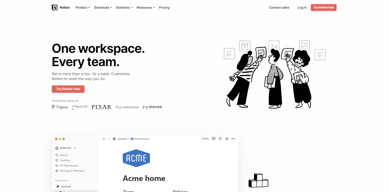
Notion is the all-in-one workspace that combines docs, wikis, and project management. Tens of thousands of teams around the world use it to collaborate, stay informed, and get more done together.
Notion is also often used as Knowledge Base of choice in Venture Capital and Personal Productivity tech stacks.


| Capabilities |
API
|
|---|---|
| Segment |
Small Business
Mid Market
Enterprise
|
| Deployment | Cloud / SaaS / Web-Based, Desktop Mac, Desktop Windows, Mobile Android, Mobile iPad, Mobile iPhone, On-Premise Linux |
| Support | 24/7 (Live rep), Chat, Email/Help Desk, FAQs/Forum, Knowledge Base, Phone Support |
| Training | Documentation |
| Languages | English |




Notion Review: Is This Project Manager Right For You?
While a relatively new entry into the project management space, Notion has evolved quite quickly to meet the needs of its users. It’s a platform that is notable for its versatility, and it is a well-known option for individuals and teams who want a reliable tool to organize and manage tasks–from note-taking to in-depth project management.
But does it incorporate the best project management techniques to help you or your team get organized?
Let’s find out.
What is Notion?
Notion is a cloud-based workspace where individuals and small teams can take notes, create documents, track projects and organize and manage tasks all in one place. It’s often referred to as an “all-in-one” workspace because users can collate all of their projects onto a single platform.
Notion’s popularity among professionals and students is credited to its personalization that caters to any workflow. As a user, you’ll have the freedom to customize the layout of your workspace, while still getting helpful guidance and templates to help you get started.
Background on Notion
Founded in 2016, Notion started as a note-taking app but has evolved into a comprehensive project management tool for solopreneurs and small teams. The platform’s mission is to make it possible for people to shape the productivity tool they use every day to match their needs.
Getting Started with Notion
Every feature on Notion is designed to help users be as organized as possible.
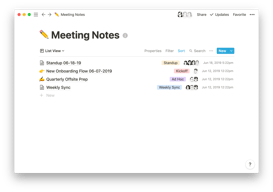
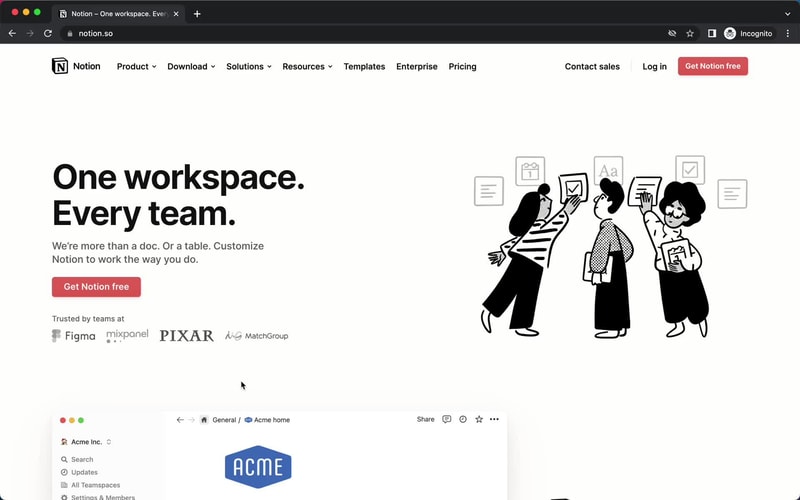
The platform is segmented into pages that can be nested or interlinked at your convenience. As soon as you sign up, you’ll be redirected to your Welcome screen containing some tips to get started. This includes linked videos that guide you in creating your first page and setting up your to-do lists and projects.
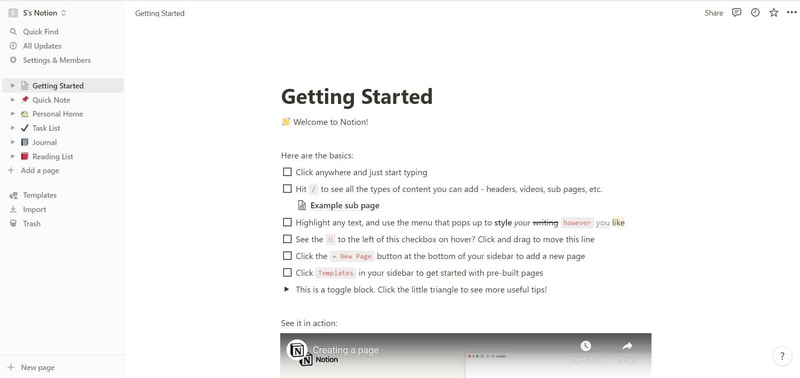
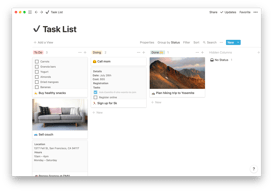
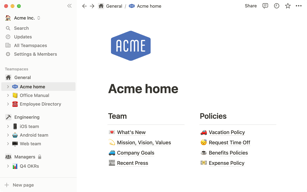
On the left side, you’ll find a list of default pages, such as ‘Quick Note’, ‘Personal Home’, and ‘Task List’ which you can customize and add. Whenever you create a new page it will show up on the left panel. You can add personalized header images, descriptive comments, and add associated icons to your pages.
Simply click anywhere on a page to add blocks for individual pieces of content such as text, lists, media, links, and sub-pages. You can also just type “/” to bring up a menu of blocks you can add to your new page. 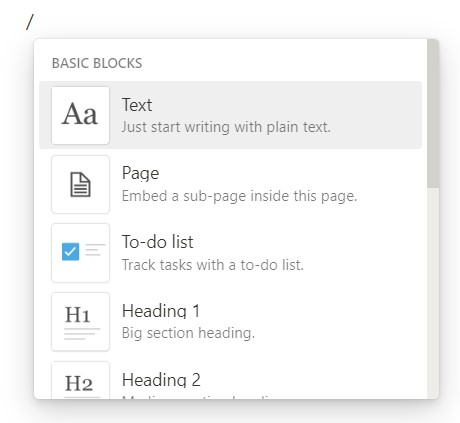
How Notion Works: Key Features
Although Notion started as a note-taking app, it has become far more than that. The tool has promising features that go beyond creating to-do lists and make it a competent productivity and project management app.
Integrated User Guides
A commendable feature of Notion is that user guides are already embedded in the platform. For example, if you want to create a new document, you’ll find guides on how to get the most out of the preinstalled page.
Of course, this can be a hit or miss. Some users may be grateful for the step-by-step guides, while others may be frustrated with manually deleting pre-installed guide pages to clean up their workspace.
Customizable Pages & Templates
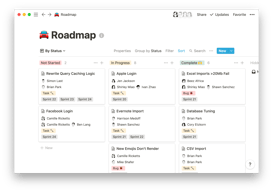
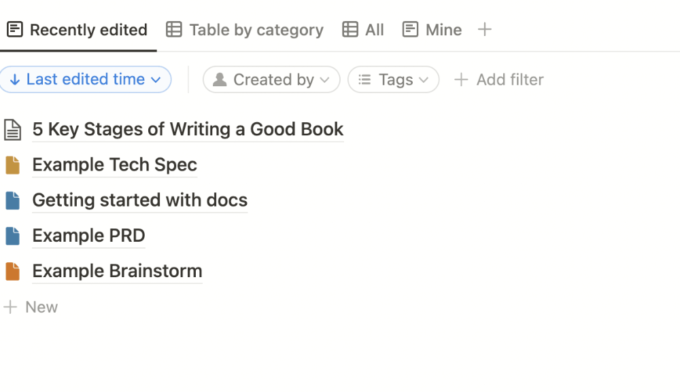
Notion makes it easy for you to create pages and documents in whatever style you want. Pages are like folders where you can store all information related to a particular topic. You can include a range of blocks or items on your pages such as text, toggle lists, to-do lists, images, video links, tables, boards, and maps.
Every change you make to a page or block is automatically saved in Notion. So you can always go back and view the history of a page if there’s something that you want to restore. This is pretty useful for when you make a mistake or just want to experiment with different versions of a page.
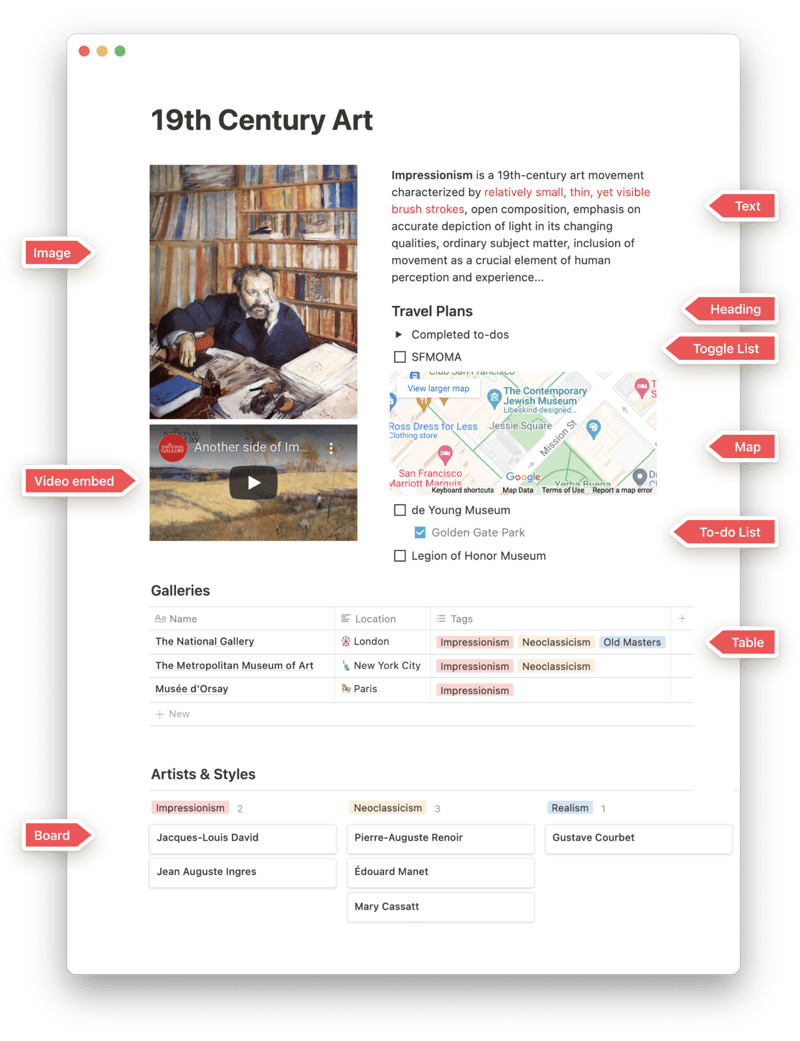
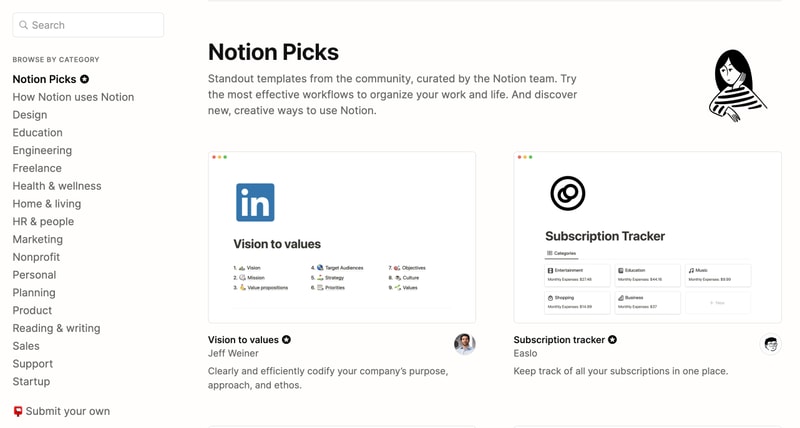
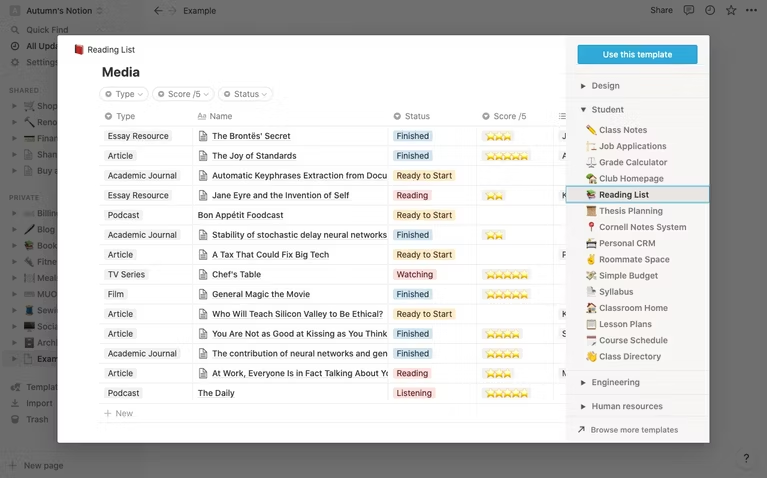
Notion is also very generous when it comes to templates. It provides users with a ton of options, whether they’re creating blog posts, articles, event schedules, or product launch plans. Fortunately, all templates are fully customizable so you can modify them to your taste without having to build from scratch. The platform also encourages users to submit their own templates so the library grows to fit a wider range of needs.
Collaborative Workspaces
Users can create different workspaces for different projects, which is useful if you need to manage multiple projects at once. Every workspace will have its own pages so all your information will remain separate and organized.
Notion allows you to invite other people to your workspace so you can collaborate in real time. The limit of guests you can have at a time depends on the plan you choose.
Integrations
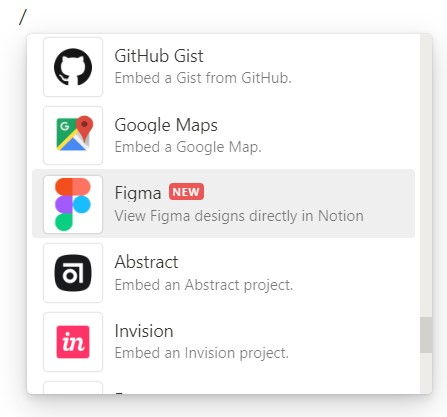
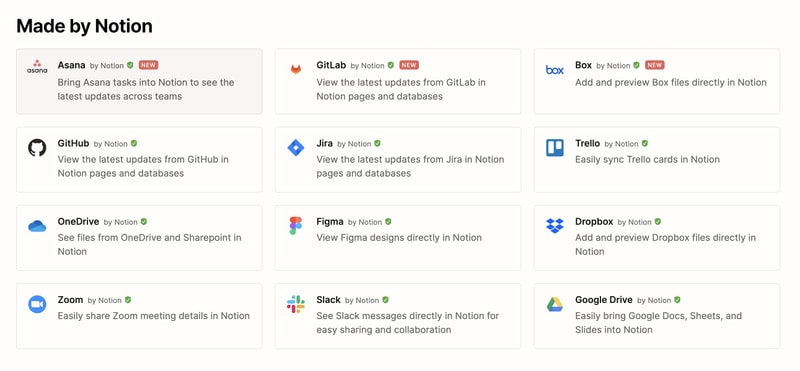
As a good workspace should, Notion integrates with a wide range of popular productivity tools so you can easily share information across the platforms you use. These tools include Slack, GitHub, Zoom, Trello, Google Drive, and more.
For instance, you can make use of the Google Drive integration to quickly add and share files from your Google Drive directly to your Notion workspace.
Notion AI
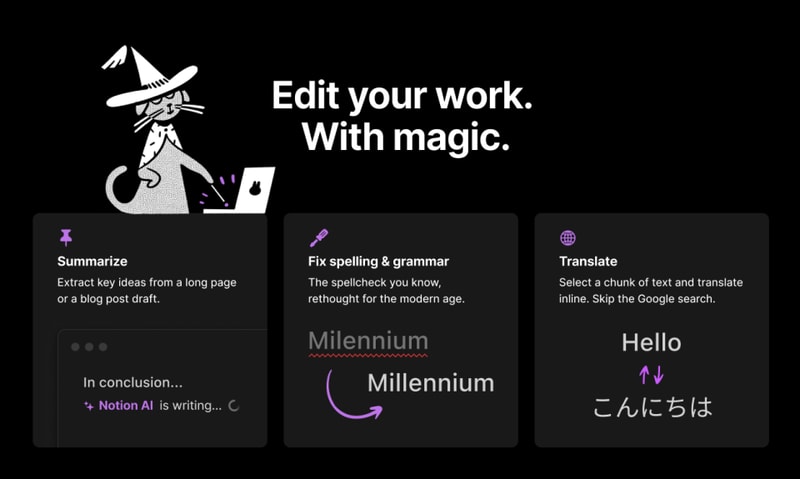
Notion AI is a core feature for workspaces. It’s a connected assistant powered by multiple large language models that’s developed to help boost your creativity and write content faster. Essentially, it eliminates the need to jump between your work and a separate AI-powered tool.
The feature can help you generate ideas for blog posts, social media posts, press releases, job descriptions, meeting agendas, and more. You’ll also be able to summarize pieces of content, correct spelling, and grammar, and translate text (English, Spanish, Chinese, and French).
Notion Use Cases
Solopreneurs
Individuals who are working freelance will benefit from an organizational tool like Notion. It can help with a variety of processes such as:
- Documenting and managing career goals
- Organizing projects for different clients
- Managing content creation schedules
Professional teams
Small professional teams can benefit from Notion’s features because it ensures that all team members can collaborate on the same tool for multiple purposes. These purposes include:
- Planning meetings and recording meeting notes
- Setting task lists based on priority
- Drawing up onboarding documentation for recruits
- Brainstorming internal team goals (digital suggestion box)
- Organizing a company roster
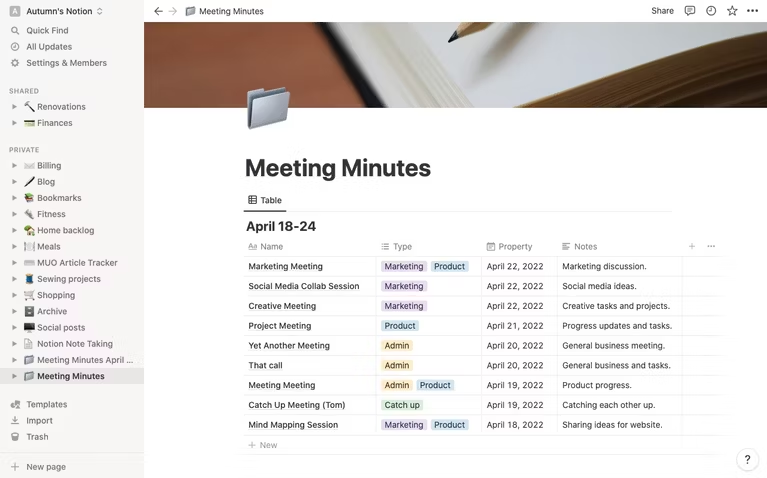
Students
Students also make great use of Notion because of its impressive note-taking and organizational capabilities. Students can easily organize their notes by class and keep track of all reading and assignments (by the due date) for each class. The best part is Notion can even allow easier collaboration for group projects since the free plan allows sharing with up to 10 guests.
What makes Notion stand out from other platforms?
Notion stands out in two major ways; it’s very customizable to support any workflow, and it brings all work together in one shared location.
Unlike many productivity tools, Notion doesn’t just focus on solving one problem, such as organization. The way Notion is designed gives users the freedom to mold their workspace in a way that works best for them. On one hand, individuals can use it to keep their notes, to-do lists, calendars, and journals in one accessible platform. Additionally, professional teams can use it to build collaborative docs, product roadmaps, and wikis for their company.
Notion Pricing
Notion has four pricing plans: Free, Plus, Business, and Enterprise. Visit Notion’s pricing page for current rates.
- Personal (Free): The forever-free plan allows users to create unlimited pages and blocks with an allowance of 5MB file uploads. You can also share or collaborate on projects with a maximum of 10 guests, and receive basic page analytics, 7-day page history, and integration with other tools such as Slack or GitHub.
- Plus: The Plus plan is geared towards small professional groups. On this plan, you can invite up to 100 guests for collaboration. You’ll also get unlimited file uploads and 30-day page history.
- Business: This plan is for companies that use Notion to connect many teams and tools and you can invite up to 250 guests. You also get authentication features (SAML + Single Sign On), private team spaces, bulk PDF export, advanced page analytics, and 90-day page history.
- Enterprise: This subscription is targeted toward medium to large businesses and offers more advanced capabilities. You will need to contact the Notion sales team to discuss the pricing plan that fits your business’s complex needs. You can request a trial of this specific plan if you’d rather try it before making any significant investment.
Notion AI is included in all paid plans at no additional cost.
Beyond its core workspace, Notion has expanded its product suite with Notion Calendar, a standalone calendar app that integrates directly with your workspace, and Notion Sites, which lets you publish any Notion page as a polished website.
Notion’s Pros and Cons
Pros
- The customization features are better than most.
- A great solution for note-taking and creating to-do lists.
- You can use Notion to create wiki pages or simple websites with useful information about your business or products.
- Pricing is affordable for solopreneurs and small teams.
- The forever-free plan has sufficient features for solopreneurs.
- The structure of folders allows for shortcuts so you can reach your content from multiple places.
- Notion’s tutorials are comprehensive for everyone to understand and the support team is responsive and helpful.
Cons
- Although Notion’s UI is very usable, it can sometimes get cluttered once you start adding multiple projects, which can be overwhelming for newbies.
- Advanced project management features, such as reporting, time tracking, and Gantt charts are lacking.
- Managing multiple projects on Notion can become tedious.
- May not be the best option for those looking for project management software for software development.
Is Notion Right For Your Organizational Needs?
Notion should be commended for its simplicity, familiarity, and affordability. If you need a straightforward entry-level solution for creating content and planning and managing projects then Notion is a great choice.
With that being said, large businesses that have complex needs may not see the platform as comprehensive enough to streamline their project management. However, Notion is a tool that keeps evolving and works hard to improve its capabilities to fit businesses of all sizes.
If you want to keep checking other project management software that may suit you better, Findstack has more helpful reviews and insights that you can take a look at. Our goal is to help you find the right tool for your needs.

Compare Notion with other popular tools in the same category.
I loved how easy it was to organize all of my information and embellish on the details with the help of notion's AI. The format of saving notes is just unmatched by any competitor.
Maybe make the sidebar more customizable. With the all white, it's sometimes hard for the eyes to look through everything in the sidebar and make a quick decision. Color coding and more defined folders would be nice
Notion is solving my underwriter issue as I am capable of outlining exactly what we need, but notion brings everything come together and makes the work flow much more streamlined
The AI is unique, and the structure of everything on each page is fantastic. It has a range of tools that users can use to get the best out of notion. Plus, it is exceptionally aesthetic!!
Sometimes it is hard to navigate the tools on notion, and getting some of the features to cooperate on the page can be challenging. I would like there to be a tutorial in the future.
It helps with writer's block and finessing my writing, which is helpful with the tone and articulation of my writing pieces. Plus, it also helps to create cohesion.
The Ai functionality is incredible! I am able to create content for my business faster than ever!
Honestly there isn't much that I dislike about Notion so far.
It is massively helping with my content creation.
I really enjoy the integration of IA support tools. They are super easy to access and works seamlessly into my workflow.
Maybe an area of improvement is the way projects are presented. Being new to Notion I haven't explored to see if there are any alternate views, but the list in the right hand navigation bar keeps getting longer and more difficult to manage.
Being able to share projects with team members has been really helpful. The AI writer also helps clarify language, provides a jumping -off point for problem solving, and reduces my work load significantly.
Notion has helped me organise my schoolwork and personal day-to-day tasks. I personally like the AI feature the most. I use it to understand my assignments and generate ideas.
Honestly there is nothing to dislike about notion.
Keeping my accounts, organising and managing tasks, preparing documents, helping me fix grammer mistakes, and using the AI feature i am able to keep coming up with more creative ideas to help my business.
Super helpful in organizing information, and generating frameworks to a specific topics, so that I can have a big picture of that topic, and got inspired with new research ideas.
It is not very convenient if you wants to use Notion AI processing a big chunk of text. Besides, when using notion AI for factual information inquiry while writing original stuff, the response generated is usually based on my previous writing, but not actual facts.
Literature management is one of the best problems motion solved for me. Especially after connecting it with other reference management softwares, like Mendeley. It is also helpful in managing clinical work records!
I can use it the way I want it. Either Project management, people management, finance sheet, databases for different type of data etc.
Feel little slow sometimes. Also need more templates varieties based on different use cases. So this will be more easy to use for novices.
No need of any content writer and waiting for them to writemy thoughts and do proof reading. Now, I do all myself with the fraction of seconds.
As a person who deals with adhd, I need to write everything down. Notion helps me organize my thoughts and ideas and it's like I can visualize my brain and it's structure.
I wish sometimes the design was a little bit more interactive.
The AI writing assistant has helped immensely with writing ideas for content for my social media clients. I create ideas quicker and faster.
That I can do all my documents in a single place and have it be a live document that is forever changing. In game development, designs always change and having that philosophy also be part of Notion's design - it's like the perfect marriage.
The licensing. We are a big studio and because only 'x' amount of people can have access, we have to consistently manage who needs access and who doesn't at any given time. There should be an Enterprise license that is unlimited for 'x' amount of people that can scale based on the studio size
Having many scattered documents in different folders on something like Google Drive.
Lo que mas me gusto fue mejorar la redacción y fraseo con Notion AI
Algunas veces no detectaba mi idioma de manera automatica
Con notion reviso y mejoro el copy que uso en aplicaciones moviles en el campo UX UI, me ayuda a mejorar el fraseo y la redacción
What I like about Notion is the ability to create and organize all our information in a single place. Notion provides many options on how the data is to be displayed, giving us an easy-to-read layout.
What I do not like about Notion - there are so many options to choose from which is a love-hate relationship. With - trying to pick the best layout to display the information with so many chooses.
Notion solves many problems for our business, mainly a location to store and share information with the team in an easy-to-use format. We mainly use it for note-taking and project management - it allows us to keep on task and time.
What I have liked the most about Notion is its ability to be completely customizable. It has allowed me to consolidate all the tools for my organization into a single program, ranging from finance and task management to file storage, and more. The flexibility of Notion is impressive, as I can tailor each page, database, or board to suit my exact needs. This level of personalization has significantly enhanced my efficiency and productivity by having everything I need in one place.
Despite the many positive aspects of Notion, there are a couple of things that have been slightly frustrating. Firstly, although the AI is highly developed, it sometimes makes mistakes when recalling previous prompts within the same conversation. This can make the experience a bit confusing and requires a bit of patience to manually correct it. Additionally, I have noticed that the AI occasionally includes irrelevant information in the responses, such as mentioning "This page describes" when it is unnecessary. While this does not significantly affect the functionality of Notion, it can be a bit bothersome to deal with superfluous information in the interface.
Notion has solved the problem of comprehensive project and task tracking for me, providing a solution that other applications, which were not customizable enough, couldn't fulfill. It has given me the opportunity to meticulously track my projects and tasks, offering a level of personalization that has been crucial to my workflow. One of the key features that has benefited me immensely is the use of databases in Notion. I have created a system that connects all the notes I take in my daily life and work, categorizing them and relating them by topics. This has allowed me to effortlessly organize and retrieve information whenever I need it, without having to rely solely on my memory. Notion's flexible database structure has empowered me to create a personalized knowledge management system that suits my specific needs. By using Notion's databases, I can easily cross-reference information, link related notes, and create dynamic views that provide valuable insights. This has significantly streamlined my workflow and improved my productivity. Instead of spending time searching for scattered notes or trying to remember where I stored specific information, Notion has provided a centralized and efficient solution that helps me stay organized and focused. Overall, Notion has solved the problem of information management and organization for me, enabling me to keep track of projects and tasks in a highly personalized and efficient manner. Its database functionality has been instrumental in creating a cohesive system that connects and categorizes all my notes, allowing me to offload the burden of retaining and recalling vast amounts of information on my own.
I enjoy the ease of use and power that the software offers. I find it very easy to jot things down and sort them later. I am also very impressed with the comprehensive AI.
The only thing I don't like about Notion is the organization and lack of folders. I would love to see folders similar to Craft or Finder. This would allow me to be better organized with my school work.
The problem that Notion has solved was my lack of organization. Notion is a great software I use to keep track of my school notes and my business transactions. I am very impressed with the database features that Notion provides me with.
summary writing improvement translation correct spelling and grammar
Inaccuracy in answers I would like Notion AI to create templates
the ease of creating within the notion itself. He's helping me with my studies, making summaries.
It functions as my second brain that I can physically see all the information I need. The more you get used to Notion, the more features become easier to use and therefore more functionality.
It takes a bit to get used to the platform, but basic usage is user-friendly enough. The iphone app could be more user-friendly. I'd like a way to flip through sub-pages within a toggle section/heading within a sub-page
It helps to keep my notes organized for school. As a knowledge base it is a 21st century commonplace book. The AI writing assistant has been an excellent tool to prevent writer's block, to generate more writing ideas, and to rephrase blocks of texts.

Notion is an incredible tool that has completely transformed my work, especially in marketing. The AI integration is outstanding and has become an essential part of my marketing efforts. The user experience is excellent, and the versatility of Notion makes it useful for various tasks beyond marketing. The customizable workspace, collaboration features, and cross-platform compatibility are highly commendable. I highly recommend Notion to anyone looking to boost productivity and organization. It's a game-changer!
nothing at all, I really liked everything. For sure, the KI is learinng and it also needs some time.
Notion is solving several problems when it comes to managing marketing activities such as writing newsletters, blog posts, and social media content. Firstly, it provides a centralized platform where I can store and organize all my marketing ideas, drafts, and published content in one place. This eliminates the need for multiple tools and helps me stay organized and efficient. Secondly, Notion's AI integration plays a crucial role in streamlining my writing process. It offers intelligent suggestions, grammar checks, and even assists in generating ideas for headlines or content topics. This significantly speeds up my writing and ensures that my marketing materials are well-crafted and engaging. Moreover, Notion's collaboration features allow me to easily collaborate with team members, editors, or clients. We can work on content together, leave comments, and make real-time edits, enhancing communication and productivity. Additionally, Notion's customizable templates for marketing activities, such as newsletter layouts or social media content calendars, save me time and provide a starting point for my projects. I can tailor these templates to fit my specific needs and branding requirements, ensuring consistency across all marketing channels. Overall, Notion's ability to consolidate my marketing activities, provide AI-powered assistance, facilitate collaboration, and offer customizable templates has significantly improved my efficiency and productivity in creating marketing content. It has become an indispensable tool in my marketing arsenal, helping me produce high-quality materials and meet my marketing goals effectively.
Very simple and has a lot of plugins in it. I love using it. Thanks for this application. And ai writing assistant is great for productivity.
Nothing to dislike. I love everything of notion
With ai writing assistant I can achieve a lot of thing. It has fast and simple answer methods. And easily summurizing my subjects.
- I love the versatility of inline databases. - I love AI writing assistants. - I love the design and appearance of blocks. - I love the speed and responsiveness.
- Unable to customize access to different parts of the database. - Unable to fully use formulas to retrieve data from different tables. - Unable to use "clip" text wrapping in inline tables. - Unable to create full-screen embedded pages.
Notion allows me to store and access all necessary information across my projects with ease. This includes task tracking, sharing information with contractors, and summarizing long texts using AI. Personally, I use AI assistance to improve the quality of my writing, making it shorter and clearer.
The fact that is easy to use. The fact that is clear and you want to work on it.
Sometimes, i feel that it is a bit slow.
No helps me to centralise everything, to get all in one place.
I like the flexibility to create a variety of spaces, like a CRM or inventory management system. I also like that I can connect Notion to other platforms (I am connecting to my Hubspot). Finally, I like the ability to make something client-facing look professional and live on the web without a lot of work from me.
I dislike a few aspects of the database experience (for example, I cannot freeze a column in view in a database, so it makes using this instead of excel a bit tricky). I also dislike that it can weird/difficult to embed certain things into a Notion page.
Notion is helping me connect with my team more easily; it helps me have a central repository for information for my team; it helps me deal with clients more easily as well.
Incredible flexibility allows you to create many types of organizational systems. I have several systems, including task boards incorporating the Eisenhower matrix, linked databases that share properties, and other tools and methodologies that I find helpful for my productivity.
I have two issues with Notion: it's only available online and it's slow to load compared to other apps like AnyType and Obsidian.
Notion lets me organize my emergent thinking tendencies. It facilitates customizable systems that each user can view differently based on their individual preferences.
C'est facile, c'est intuitif, c'est très utile! J'utilise Notion pour le travaille avec des Templates que je crée ou que je télécharge et j'adore. Pour ma vie perso, Notion me permet d'organiser ma vie plus simplement !
Sans tâches récurrentes et moins de fonctionnalités axées sur les tâches, c'était un appel difficile à faire. Je voulais tellement que ça marche. Il n'est pas convivial pour les lecteurs d'écran. c'est assez déroutant et je pense qu'il y a certaines fonctionnalités que je n'ai pas pu trouver à cause de son inaccessibilité.
Notion est un outil puissant qui offre une grande variété de fonctionnalités pour vous aider à organiser votre vie, votre travail et vos idées. Voici quelques raisons pour lesquelles Notion est un excellent choix : 1. Flexibilité : Notion vous permet de personnaliser vos pages selon vos besoins. Que vous ayez besoin d'un simple tableau, d'un éditeur de texte, d'un outil de gestion de projet ou d'une liste de tâches, Notion a tout ce dont vous avez besoin. Vous pouvez créer des pages, des bases de données et des modèles qui répondent à vos besoins spécifiques. 2. Raccourcis et liens : Une fois que vous êtes un utilisateur avancé, vous pouvez travailler plus rapidement que jamais grâce aux raccourcis et aux liens de Notion. Vous pouvez créer des boutons pour chaque action et lier les pages pour extraire des données d'une page à l'autre. Cela est incroyablement important lorsque vous gérez des projets et des personnes. 3. Utilisation personnelle et professionnelle : Notion est parfait pour une utilisation personnelle et professionnelle. Vous pouvez stocker vos listes de tâches, vos notes et vos idées sur Notion, et vous pouvez également l'utiliser pour gérer vos projets, vos tâches et vos équipes. Notion est un outil polyvalent qui peut s'adapter à vos besoins uniques. 4. Support de la communauté : Notion dispose d'une grande communauté en ligne qui peut vous aider à tirer le meilleur parti du logiciel. Vous pouvez trouver des tutoriels, des modèles et des bonnes pratiques qui peuvent améliorer votre expérience Notion. En résumé, si vous cherchez un outil qui peut vous aider à rester organisé, productif et créatif, Notion vaut certainement la peine d'être essayé. Avec sa flexibilité, ses raccourcis et son support communautaire, Notion peut vous aider à atteindre vos objectifs et à réaliser votre plein potentiel.
It saved me so much time. I have been using it to write social media posts, press releases, website text and much more. Even if the more personal details aren't exact, it provides the perfect layout where details can then be easily edited. Surprisingly, a lot of the more specific details are still quite accurate! And the spelling and grammar is always spot on, making it easy to just copy and paste without have to spellcheck, etc.
There isn't really anything that I don't like. The only thing I can think of is that sometimes the paragraph is not at all what I am looking for, however this is usually down to how I have phased the prompt. It just takes a little getting used to writing detailed prompts that lead to more accurate text. This isn't really an issue, more something to get used to using for me.
Notion is saving me so much time and mental energy. I really struggling with writing text from scratch but find it quite easy to edit to get what I want. Notion is perfect for me in this sense.
It is very intuitive and has a million possibilities. I really like the brainstorming option and being able to change the intonation texts as desired.
Sometimes he fails a bit with Spanish, he uses expressions that are not so common in Spain
It helps me organize all my clients and assess their tasks and time.
I've been using the notion ai feature for my customer service emails. In notion I can easily create email templates and save them for later.
I wish it was easier for embed other programmes, I'd like to create a hub for the company I work for but they use a gazillion programmes.
Keeping up to date is the biggest problem notion is helping me solve. I'm able to create unlimited to do lists and pages about my new job and keep me in the loop.
As a user of Notion, I've found it to be an invaluable tool in streamlining my work processes. Notion's versatility is, without doubt, its greatest asset. The platform's ability to function as a note-taking application, task manager, and database is unparalleled. Notion's modular, block-based system is a standout feature. The ability to tailor each page to specific needs has enabled me to organize various aspects of my work and personal life efficiently. NOTION HANDLES IT WITH REMARKABLE EASE, whether I need to jot down meeting notes, create a robust task list, or build a complex database. The collaborative features of Notion also deserve commendation. Sharing pages and working in real-time with colleagues foster a seamless teamwork environment. Plus, the permission settings ensure people have access to the correct information. Moreover, Notion's cross-platform functionality means I can access my data wherever I am, regardless of my device. This flexibility is a boon for those working in an increasingly mobile world. However, Notion isn't without its slight drawbacks. The learning curve may be steep for some, and while the user interface is generally intuitive, it can feel overwhelming to beginners. In conclusion, Notion excels as a multi-purpose productivity tool, offering unmatched flexibility and collaborative features. Despite its minor shortcomings, its advantages far outweigh them, making Notion a must-have in today's fast-paced digital landscape.
Despite Notion's numerous strengths, certain aspects could be improved. For one, the initial learning curve is steep. While powerful, the array of customizable features can be overwhelming for new users. A more streamlined onboarding process could alleviate this challenge. Secondly, while Notion's offline capabilities have improved, they still lag behind some competitors. If you frequently find yourself without internet access, this may pose a problem. Thirdly, Notion's performance can be sluggish sometimes, especially with more complex pages. This can be a hindrance in fast-paced work environments where efficiency is critical. In summary, while Notion is a robust and versatile tool, the steep learning curve, limited offline functionality and occasional performance issues are noteworthy downsides that potential users should consider.
As a comprehensive workspace tool, Notion addresses several challenges related to organization and collaboration, ultimately enhancing productivity in both professional and personal contexts. One significant problem Notion solves for me is the fragmentation of information across multiple platforms. Consolidating notes, databases, task lists, and more into a single platform significantly reduces the time and mental load of juggling various tools. Moreover, Notion's robust collaborative capabilities streamline teamwork. Real-time co-editing, easy sharing, and permission controls have vastly improved the efficiency of group projects, reducing miscommunication and ensuring everyone stays on the same page. Finally, Notion's customization flexibility accommodates diverse workflow styles. Its modular approach allows me to design my workspace that best aligns with my thought processes and work habits, leading to a more organized and efficient workday.
Notion is a powerful software tool that is used on a daily basis at our ecommerce startup for documenting processes and organizing our daily business across departments. One of the standout features of Notion is its AI capabilities, specifically the GPT-based Notion AI. Notion AI has been incredibly useful for us in a number of ways. First and foremost, it helps us save time by automating certain tasks and processes. For example, we use Notion AI to automatically categorize and tag new content that we add to our database, making it easier to find and organize later on. Notion AI also helps us generate summaries of longer documents or articles, which is incredibly helpful when we need to quickly understand the key points of a piece of content. Another way that we use Notion AI is to help us with research. Notion AI can scan through large amounts of data and highlight key insights or trends, which is incredibly useful when we're trying to gather information for a new project or campaign. We can also use Notion AI to generate new ideas or suggestions based on the data that we've gathered, which can be a great starting point for brainstorming sessions. Overall, we've found that Notion is an incredibly useful tool for our business, and the Notion AI capabilities have only enhanced its usefulness. The ability to automate certain tasks and processes, generate summaries of content, and assist with research has been a huge timesaver for us, and we're excited to see what other capabilities Notion AI will bring in the future.
While Notion has been a valuable and essential tool for our team, there are a few areas where it could be improved. For one, the user interface can be overwhelming at times, especially for new users who are not familiar with the software. It would be helpful if Notion provided more guidance for users who are just getting started with the tool. Also, we would love to see more integrations with other software tools. While Notion does integrate with some popular tools like Google Drive and Trello, there are many other tools that we use on a regular basis that we would love to see integrated with Notion as well.
Notion is helping us solve a number of problems related to organization and efficiency. By providing a centralized platform for documenting processes and organizing our business, Notion has helped us streamline our workflows and reduce the amount of time that we spend searching for information or coordinating with other departments. Additionally, the Notion AI capabilities have been incredibly useful for automating certain tasks and generating summaries of content, which has saved us a lot of time and improved our ability to quickly understand key information. Overall, Notion has been a valuable tool for our business, helping us to work more efficiently and effectively.
I love the database feature for meetings and project notes. I have found a ton of value in the new Notion AI. It has helped me with first drafts and summarizing notes and action items.
I wish there were more customizability came in the standard Notion package from an aesthetic perspective. Many of the cool designs I see out there require extra downloads.
Notion has helped me create a system for work and life management that I want to use. The combination of pulling things together across the web, files on my device, and integrations is really powerful and prevents me from having to jump around all over the place to manage my work.
that i can build everything that i want - database, linkbase, write ebooks.
Its not always easy to find how to do things i need to do and i need to watch at youtube instructions.
Im usuing it to build knowledge base in animal nutrition. So i gvie ai article to translate and then to summary it. Yes, im more productive thanks to this.
I love that Notion has so many features that I have yet to explore them all. I love that everything is searchable, so it is easy to find. I love all of the templates I can duplicate too. But really, it has just given me a place to organize all of the things digitally. No more papers, post-it notes, or using my email as a to-do list.
I have yet to find something that I do not like about Notion. There is a learning curve, but Notion has great resources for learning and Youtube has lots of great information too.
AI is helping to cut my research and writing time down significantly. Note-taking couldn't be easier. Project management is a breeze. You can take a big project and break it down and view all the parts in ways that make the most sense for you. You can also store all of the information and resources you need for your project in Notion. Notion acts as my second brain. Anything I learn, need, to-do, anything that I want out of my brain goes right into Notion.