Unclaimed: Are you working at Notion?
Notion Reviews: 4.7/5 — Highly Rated
Notion is the all-in-one workspace that combines docs, wikis, and project management. Tens of thousands of teams around the world use it to collaborate, stay informed, and get more done together.
Notion is also often used as Knowledge Base of choice in Venture Capital and Personal Productivity tech stacks.


| Capabilities |
API
|
|---|---|
| Segment |
Small Business
Mid Market
Enterprise
|
| Deployment | Cloud / SaaS / Web-Based, Desktop Mac, Desktop Windows, Mobile Android, Mobile iPad, Mobile iPhone, On-Premise Linux |
| Support | 24/7 (Live rep), Chat, Email/Help Desk, FAQs/Forum, Knowledge Base, Phone Support |
| Training | Documentation |
| Languages | English |


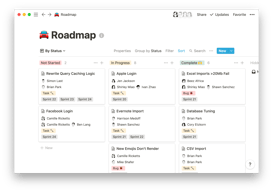
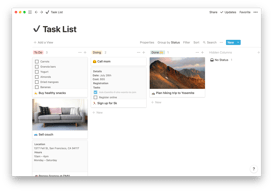
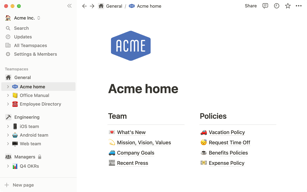


Notion Review: Is This Project Manager Right For You?
While a relatively new entry into the project management space, Notion has evolved quite quickly to meet the needs of its users. It’s a platform that is notable for its versatility, and it is a well-known option for individuals and teams who want a reliable tool to organize and manage tasks–from note-taking to in-depth project management.
But does it incorporate the best project management techniques to help you or your team get organized?
Let’s find out.
What is Notion?
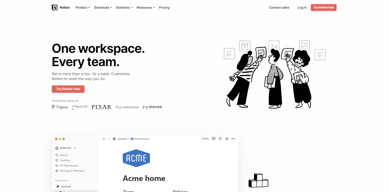
Notion is a cloud-based workspace where individuals and small teams can take notes, create documents, track projects and organize and manage tasks all in one place. It’s often referred to as an “all-in-one” workspace because users can collate all of their projects onto a single platform.
Notion’s popularity among professionals and students is credited to its personalization that caters to any workflow. As a user, you’ll have the freedom to customize the layout of your workspace, while still getting helpful guidance and templates to help you get started.
Background on Notion
Founded in 2016, Notion started as a note-taking app but has evolved into a comprehensive project management tool for solopreneurs and small teams. The platform’s mission is to make it possible for people to shape the productivity tool they use every day to match their needs.
Getting Started with Notion
Every feature on Notion is designed to help users be as organized as possible.
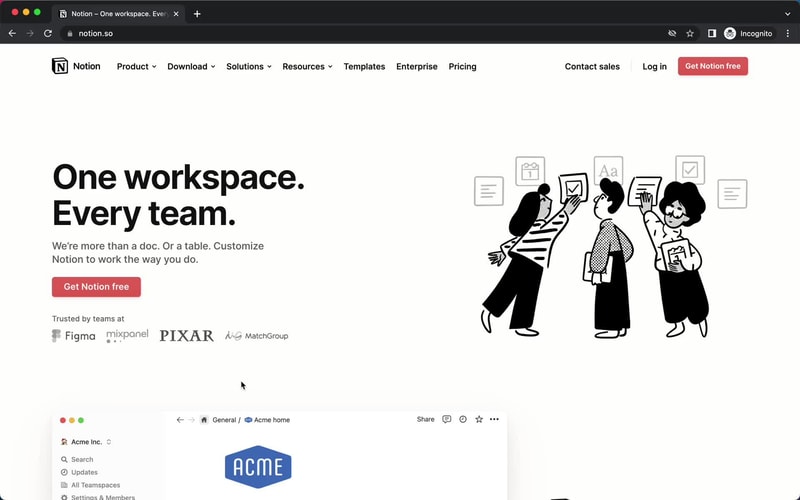
The platform is segmented into pages that can be nested or interlinked at your convenience. As soon as you sign up, you’ll be redirected to your Welcome screen containing some tips to get started. This includes linked videos that guide you in creating your first page and setting up your to-do lists and projects.
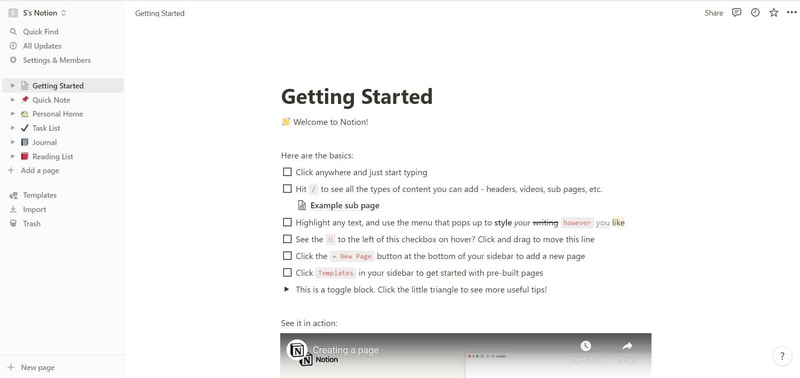
On the left side, you’ll find a list of default pages, such as ‘Quick Note’, ‘Personal Home’, and ‘Task List’ which you can customize and add. Whenever you create a new page it will show up on the left panel. You can add personalized header images, descriptive comments, and add associated icons to your pages.
Simply click anywhere on a page to add blocks for individual pieces of content such as text, lists, media, links, and sub-pages. You can also just type “/” to bring up a menu of blocks you can add to your new page. 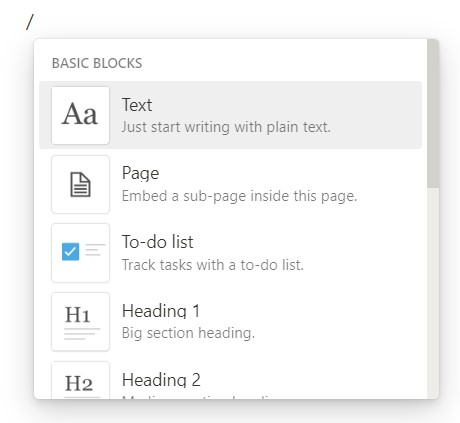
How Notion Works: Key Features
Although Notion started as a note-taking app, it has become far more than that. The tool has promising features that go beyond creating to-do lists and make it a competent productivity and project management app.
Integrated User Guides
A commendable feature of Notion is that user guides are already embedded in the platform. For example, if you want to create a new document, you’ll find guides on how to get the most out of the preinstalled page.
Of course, this can be a hit or miss. Some users may be grateful for the step-by-step guides, while others may be frustrated with manually deleting pre-installed guide pages to clean up their workspace.
Customizable Pages & Templates
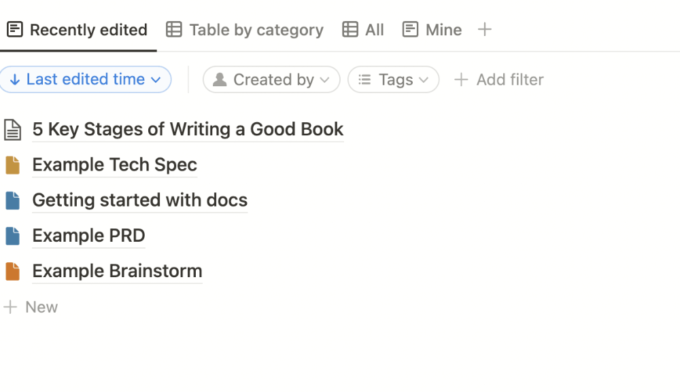
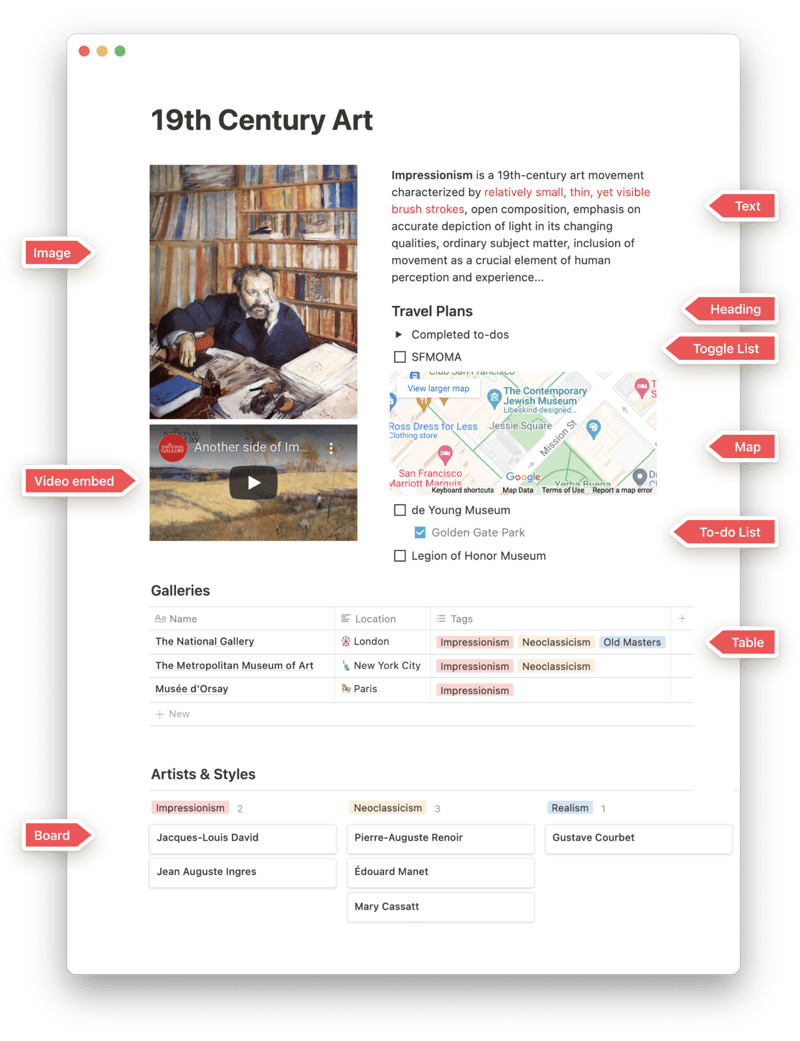
Notion makes it easy for you to create pages and documents in whatever style you want. Pages are like folders where you can store all information related to a particular topic. You can include a range of blocks or items on your pages such as text, toggle lists, to-do lists, images, video links, tables, boards, and maps.
Every change you make to a page or block is automatically saved in Notion. So you can always go back and view the history of a page if there’s something that you want to restore. This is pretty useful for when you make a mistake or just want to experiment with different versions of a page.
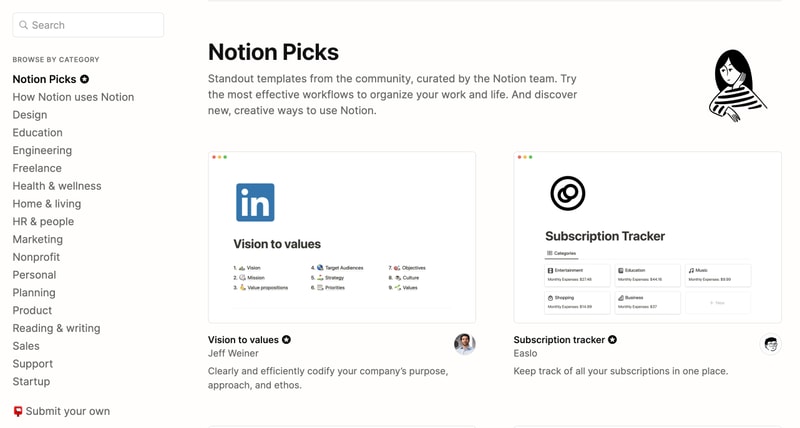
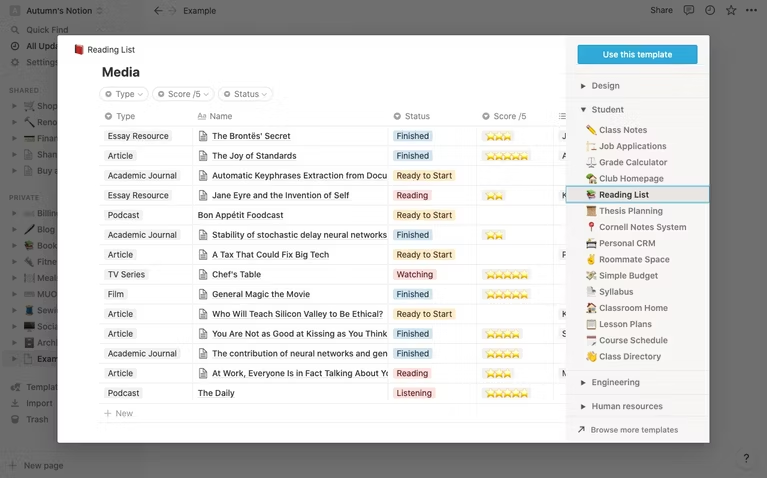
Notion is also very generous when it comes to templates. It provides users with a ton of options, whether they’re creating blog posts, articles, event schedules, or product launch plans. Fortunately, all templates are fully customizable so you can modify them to your taste without having to build from scratch. The platform also encourages users to submit their own templates so the library grows to fit a wider range of needs.
Collaborative Workspaces
Users can create different workspaces for different projects, which is useful if you need to manage multiple projects at once. Every workspace will have its own pages so all your information will remain separate and organized.
Notion allows you to invite other people to your workspace so you can collaborate in real time. The limit of guests you can have at a time depends on the plan you choose.
Integrations
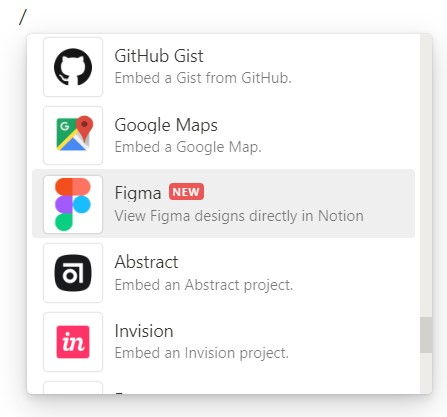
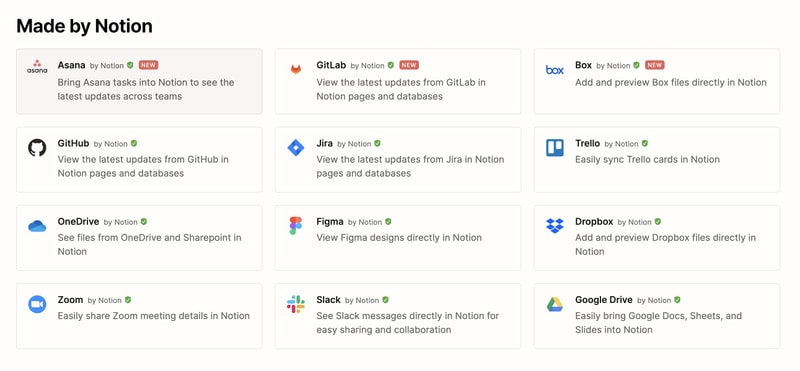
As a good workspace should, Notion integrates with a wide range of popular productivity tools so you can easily share information across the platforms you use. These tools include Slack, GitHub, Zoom, Trello, Google Drive, and more.
For instance, you can make use of the Google Drive integration to quickly add and share files from your Google Drive directly to your Notion workspace.
Notion AI
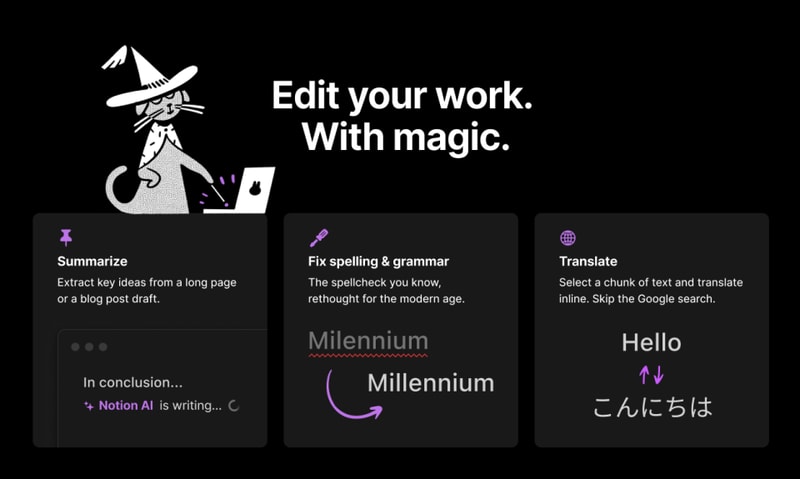
Notion AI is a core feature for workspaces. It’s a connected assistant powered by multiple large language models that’s developed to help boost your creativity and write content faster. Essentially, it eliminates the need to jump between your work and a separate AI-powered tool.
The feature can help you generate ideas for blog posts, social media posts, press releases, job descriptions, meeting agendas, and more. You’ll also be able to summarize pieces of content, correct spelling, and grammar, and translate text (English, Spanish, Chinese, and French).
Notion Use Cases
Solopreneurs
Individuals who are working freelance will benefit from an organizational tool like Notion. It can help with a variety of processes such as:
- Documenting and managing career goals
- Organizing projects for different clients
- Managing content creation schedules
Professional teams
Small professional teams can benefit from Notion’s features because it ensures that all team members can collaborate on the same tool for multiple purposes. These purposes include:
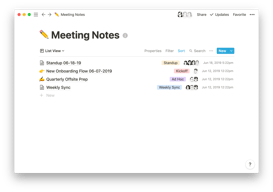
- Planning meetings and recording meeting notes
- Setting task lists based on priority
- Drawing up onboarding documentation for recruits
- Brainstorming internal team goals (digital suggestion box)
- Organizing a company roster
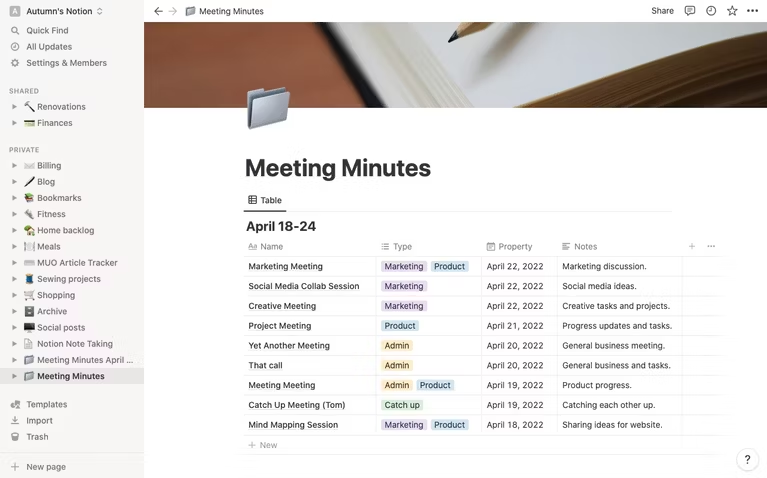
Students
Students also make great use of Notion because of its impressive note-taking and organizational capabilities. Students can easily organize their notes by class and keep track of all reading and assignments (by the due date) for each class. The best part is Notion can even allow easier collaboration for group projects since the free plan allows sharing with up to 10 guests.
What makes Notion stand out from other platforms?
Notion stands out in two major ways; it’s very customizable to support any workflow, and it brings all work together in one shared location.
Unlike many productivity tools, Notion doesn’t just focus on solving one problem, such as organization. The way Notion is designed gives users the freedom to mold their workspace in a way that works best for them. On one hand, individuals can use it to keep their notes, to-do lists, calendars, and journals in one accessible platform. Additionally, professional teams can use it to build collaborative docs, product roadmaps, and wikis for their company.
Notion Pricing
Notion has four pricing plans: Free, Plus, Business, and Enterprise. Visit Notion’s pricing page for current rates.
- Personal (Free): The forever-free plan allows users to create unlimited pages and blocks with an allowance of 5MB file uploads. You can also share or collaborate on projects with a maximum of 10 guests, and receive basic page analytics, 7-day page history, and integration with other tools such as Slack or GitHub.
- Plus: The Plus plan is geared towards small professional groups. On this plan, you can invite up to 100 guests for collaboration. You’ll also get unlimited file uploads and 30-day page history.
- Business: This plan is for companies that use Notion to connect many teams and tools and you can invite up to 250 guests. You also get authentication features (SAML + Single Sign On), private team spaces, bulk PDF export, advanced page analytics, and 90-day page history.
- Enterprise: This subscription is targeted toward medium to large businesses and offers more advanced capabilities. You will need to contact the Notion sales team to discuss the pricing plan that fits your business’s complex needs. You can request a trial of this specific plan if you’d rather try it before making any significant investment.
Notion AI is included in all paid plans at no additional cost.
Beyond its core workspace, Notion has expanded its product suite with Notion Calendar, a standalone calendar app that integrates directly with your workspace, and Notion Sites, which lets you publish any Notion page as a polished website.
Notion’s Pros and Cons
Pros
- The customization features are better than most.
- A great solution for note-taking and creating to-do lists.
- You can use Notion to create wiki pages or simple websites with useful information about your business or products.
- Pricing is affordable for solopreneurs and small teams.
- The forever-free plan has sufficient features for solopreneurs.
- The structure of folders allows for shortcuts so you can reach your content from multiple places.
- Notion’s tutorials are comprehensive for everyone to understand and the support team is responsive and helpful.
Cons
- Although Notion’s UI is very usable, it can sometimes get cluttered once you start adding multiple projects, which can be overwhelming for newbies.
- Advanced project management features, such as reporting, time tracking, and Gantt charts are lacking.
- Managing multiple projects on Notion can become tedious.
- May not be the best option for those looking for project management software for software development.
Is Notion Right For Your Organizational Needs?
Notion should be commended for its simplicity, familiarity, and affordability. If you need a straightforward entry-level solution for creating content and planning and managing projects then Notion is a great choice.
With that being said, large businesses that have complex needs may not see the platform as comprehensive enough to streamline their project management. However, Notion is a tool that keeps evolving and works hard to improve its capabilities to fit businesses of all sizes.
If you want to keep checking other project management software that may suit you better, Findstack has more helpful reviews and insights that you can take a look at. Our goal is to help you find the right tool for your needs.

Compare Notion with other popular tools in the same category.
I like how everyone can access all our project data and how we can basically do everything we want on Notion.
I like almost everything. But I can say that notion will be a lot more better if it adapt more theme, styles and colors.
Notion helps us manage our projects and track our progress. It helps us compile all our unorganize files and organize it for us
It is super versatile. You can use it for work, school, personal organization, and more! It helped me reach my goals in all aspects.
At first it was not that easy to use. I had to get used to the platform.
It is making my life easy and giving me tools to be more productive and reach my goals.
The best thing is that once you know how to use this tool, you can use it for a multitude of uses. For me it was a great discovery and today I use it for everything. It is a tool that I use every day
The downside, to say the least, is that in order to get the most out of it, you have quite a big learning curve. I use it every day and every day I discover new things and different ways of doing things.
Thanks to this tool I have been able to centralize all my day to day work in the same place. Before knowing it I used to use several note apps, I always had everything disorganized and now I have everything under control, organized and with my workspaces well structured.
Having all of our Docs, Marketing Materials, 1-Pagers, Presentations, etc in 1-centralized location is Awesome!
The search features (taxonomy) would be nice to have a little better capability to help find older Docs / info.
Unifying everything onto a single dashboard is Awesome! 99% of the time, I can easily find any information I need making sharing files / info with clients easy & efficient.
Useful. Handy for getting certain types of things to clients. Easy to use. My clients do not have to pay to use it when I send something to them from notion. I have not used competitors so I don't know how it compares to others. But I had no complaints about this app.
Haven't found anything I didn't like yet. Everything worked well and was useful.
Certain types of files and projects can be done on notion and can be shared easily. I've only had one time that I used it, but it worked well.
Notion is a place to keep boards of resources, to-do lists, task boards, and ideas in subdivided pages. You can create areas with filters that can link specific data together in one place. For example, you can create a task list for yourself, tag other people in tasks and then the tasks they are tagged in will show up on their boards. It is very similar to Monday, but I think easier to use and with more options. The reminders and ability to change pages to look like individual websites, or keep them simple, is very nice and useful. I also love the ability to set reminders for tasks. I like the notifications as well.
I wish you could change the color of the backgrounds. I also wish that you could highlight text. It would be nice to be able to choose or upload more fonts too.
It is helping solve the issue of showing progress across teams, and the issue of having a place for ideas, and low-level tasks to keep track of. It seems like urgent tasks can be easier to track, but smaller tasks and ideas can be lost without a program like this. Notion is a great place to bring thoughts and organize them.
It's just super easy to set up and build. The entire organization can be quickly onboarded to the platform.
Sometimes the user access settings or notion board access settings are a little funky.
We need a place to centralize all of our documentation and knowledge. Notion serves that purpose.
Its integrations are so extensive and it is so easy to use
I dislike that the views tab are sometimes not so user friendly
Project Tracking, Note Making, Collaborating with peers
I like how user friendly and customizable it is
It can be slow to load a database with a lot of entries
They are pushing out new updates at a decent pace. The new database features has been a game changer for how my teams work.
How intuitive it is to learn. I like that it feels like everything is possible and it has lots of integrations
Some of the most expected or useful things cant be done, such as time tracking for a task
It solves the issue of having too many different platforms. Notion allows you to do everything in the same place
notion helps me to notule every trade I make
Sometimes it gets a bit to much for me. It can be difficult to opperate.
Working together and storing information.

I have been working on a project for about two years, and it was very challenging to keep everything organized. I tried many different tools, but not one worked as well as Notion. It's easy to use and has all the necessary features to organize your projects and ensure that everyone is up-to-date with what they are doing. I love the design of Notion. I use it all the time, and it's very intuitive. It allows me to share files with my teammates daily. The things you can do with Notion are endless, and there is always something new that you discover about it every day!
While I still enjoy this platform, it would be wonderful if more dependable connectors were eventually made available. Specifically, I want to use a few integrations. They are employable and interconnected with Notion. I have to go straight to the source if I need support for them because Notion cannot help me. I know how excellent and valuable Notion is, but I can't say the same about other connecting services. It would be great if Notion handled and provided support for all integrations. I like Notion and am always looking for new ways to tailor it to do what I want. There are undoubtedly a lot.
The notion is a platform that allows users to create and share their ideas to find an audience that will appreciate and adopt them. This helps spread awareness about new ideas and encourages collaboration among like-minded individuals to come up with solutions to complex problems. Some of the most popular Notion products include IdeaLab, which provides tools for ideation and brainstorming, and Notion Notes, virtual whiteboards where collaborators can add comments and feedback on each other's ideas. Additionally, Notion Planner offers a variety of features, such as goal-setting and planning projects from start to finish. These tools help people work smarter instead of harder by taking all the guesswork out of creative thinking. They make it easy for anyone—regardless of experience or expertise—to get started quickly without any programming skills required!
Notion is so helpful for organizing all the information I need in one place.
Sometimes it is difficult to find a template that I like.
Notion keeps me organized and helps me remember things,
Notion is a very amazing piece of software that offers a high degree of versatility. I've used it to arrange a ton of product planning docs in a convoluted hierarchy and I love how it rewards ingenuity. Although I'm not an engineer, I have experience with coding, and I want to be able to use data wisely. Although Notion isn't a conventional database, you may interact with it like one by using filters and formulae. I've explored a number of different programs with comparable objectives, including Craft, Almanac, Coda, and Obsidian, but I believe Notion offers the finest coordination of adaptability, support for collaboration, and customisation.
It's important to note how worthless the Notion desktop app is. It appears to be a slower version of the website for some reason, and tab support is also missing. If Notion can create a desktop application that genuinely enhances the user experience, I believe I would be more likely to keep it installed.
For each monthly release, I create dozens of papers that are organized in a precise hierarchy: there is one monthly release that has four or five weekly releases, and each of those releases includes five or six events that need to be planned. In addition, I organize the required art assets for each release, link each asset to a commission, and then link the commissions to the artists that created it. The relations between tables provide me clever methods to consolidate all the information about the project and comprehend how much progress we've made, and the templates make it simple for me to spin up new instances of all of these things.
What I like the best about Notion is that it is so customizable and you can make anything in it. It has really changed the way I view notetaking. You can set up your system as you like and make it as easy to use as you want. Notion lets me set up pages with notes and databases. If you know just a bit of programming you can easily set up small formulas in databases that can be really useful (if you can't program it is easy to find formulas online). Notion has also introduced AI features that can for example summarize meeting notes you have written or write code for you. Notion is of course not only a note-taking app, but it can also be used to publish a simple page online, collaborate with teams on a kanban board, set up timelines with dependencies, or just work together in real-time.
Some keyboard shortcuts that work on a lot of other programs that don't work in Notion. This used to be a bigger problem before, but notion has been implementing more and more of these.
Regular note-taking apps can be very limiting. Notion has been very useful for organizing my day-to-day life. I can easily go from my personal notes and databases to work-related pages. It is an app that allows me to integrate a lot in one place.
On the last 2 years I got used to write EVERYTHING down on Notion, not even using paper notes anymore. Everything is so clean and organized, and I can always find all my data stored.
Sometimes I still find it hard do use some of the functions on Notion, but it's getting better with the use. I believe it's something that comes with time, so not worried about it =)
I use Notion both for personal and professional use. On the personal side, I use it to track all my notes on everyday life, social media, partnerships, ideas, etc. I even had a session on productivity based on Notion. On the professional side, I use it for both my companies, both as an employer and an employee.

I am a business professional and I've tried every single app out there. I have to say, Notion is the best. It's easy to use, has all the features one needs and it looks great too! The best part is that it integrates with my other apps seamlessly, so I don't need to switch between different platforms when I work on a project. Some specific features i like the most - Dark Theme - Quick Search - Easy accessibility to all the features and tools with shortcuts - Easy & beautiful layout - All-in-one workspace
Although it comes with many useful features, there is always room for improvement Notion is not easy to setup and does have a learning curve. However, once you get it set up, it has the potential for some really powerful features.
I used to use different apps for things like to-do lists. But now, I don't need to switch between different programs and the entire project is right there in one place. As a result, it's easy to monitor everything and keep my priorities straight.
Notion is an extremely easy-to-use collaboration platform, which allows you to create different workspaces, folders, and documents and provides real-time feedback on documents. Once it's set up for the organization it's pure pleasure to keep and update data on the platform. Very easy to search, create and update documents, as well as a huge amount of pre-installed templates makes this software irreplaceable.
There are some limitations to the customization of templates, for example, drag and drop is not a feature that is enabled everywhere. Also, Notion is very easy to use on desktop devices, however it can be tricky to view large pages on a phone, specifically views with large tables.
Notion is an extremely great tool for quick visualization, a lot of integrations make usage of Notion a pure pleasure. It has a little learning curve to get used to Notion, but once you've started, you'll never want to change it to other software.

Tiene posibilidades de sobra, tanto en cuestión de personalización de tu area personal, como en cuanto a plantillas y funcionalidades. Es muy personalizable, y eso es de agradecer, porque hace que uno se implique cada día más con esta aplicación. Al hacerla un poco tuya en cuanto a imagen, se termina por hacer muy amigable.
El hecho de que venía en Ingles la págiba principal, me parece una pega que estoy seguro que pronto resolberan Y por otro lado, ay que reconocer que al principio resulta un poco complicada echar a andar, dado que al tener tantas opciones, uno no sabe por dónde empezar, y tiene que ver tutoriales o ir indagando poco a poco.
Me ayuda a organizar desde mi movil mis tareas, tanto las que tienen que ver con mi día a día, como esas que todo el mundo tiene de manera extraordinaria. Una vez diselada tu area, uno se hace adipto a este app.
the user experience is really impressive and the features seem to be infinite. I only know a small part of them, nevertheless, it has proved to be most useful
I find the mobile app is less performing than the desktop app, even if I am seeing some effort to make it better.
I have been allowed to build my own project management and customer relationship system: this has improved our efficiency and also made the whole team more conscious of how the process should work.

I can keep track of my business insights, content creation calendar, and project management, and I've created some templates to help me keep my life organized. I love using this notion every day; it has certainly changed my life.
I would love to have the ability to find free templates from other users or find templates for my business niche because is complicated when you have to desing your own and you are not familiar with the software.
Before, I used a lot of apps such as Google Drive, Excel, Word, Ever Note, Hootsuite, etc. However, now I can keep all my information in one place without installing another program on my laptop.

Databases in notion are inspiring, allowing you to put all your data in one place and view it the way you like; it is just outstanding; I use databases a lot, and I moved most of my work from google sheets to Notion. Also, having the ability to add multiple items of different types, makes it easy and unique, its like folder management, but in document shapes, the possibilities are endless. This is the kind of things we were able to manage on Notion as a startup: - We created our investor's data room - We managed all of our support tickets - Our product roadmap is managed by Notion databases after searching through so many specialized apps - Customers' knowledge base is created on Notion and uploaded to our website cloud internally. - Customer account management by the customer success team We believe there are more uses to that; what's crazy is that, up to this point, we are not paying to Notion, but we will for sure when we find the need to add team members to work together, and it will be an investment worth while.
Notion much here, I may want to see more embedding options, like an iFrame or something, sometimes the UI can be confusing, but overall, these are really small things that don't affect the overall experience
Notion provides a document editor that contains all types of elements, text, pictures, bullets, tables, databases, videos, checklists, and more. I've seen many companies using notion to subsidize creating a full website, which is pretty astonishing when you think about it, it's that powerful.
Notion offers various features for note-taking or documentation. I appreciate the different views provided by the software and how tables can be linked, and how easily it can be used for collaboration. It also serves the aesthetical needs of its customers.
The only downside of Notion is its rawness, and some features are still in mind that are not yet available.
Having a platform that a team and its formatting options can work on can easily replicate the designs in mind.

Notion is the most simple tool we're using in the company. Onboarding is simple as ABC, and it keeps getting better?
Sometime the app can get slow. Especially when using data bases.
It lets us create documentation that we then use internally to drvei projects forward.
Very versatile and multiple templates available through the online community
Nothing apart from the interface. It can sometimes be confusing to navigate to the desired page
Note-taking for work, workout plans, and project management
Notion is a great place to build and store company resources. It is user friendly.
Sometimes it's hard to get the formating correct or to search a page (results are not true)
Storing company processes and resources for all to view
+ you can built any business framework + LEGO like customization + Notion triggers creativity + replaces 10 individual solutions
could do better job in templates from the community. I want to be inspired.
+ project management + tasks + memos + strategies + crm

One of the biggest advantages of Notion is its design, which shows only the necessary information, avoiding overwhelming the members of the work team with unnecessary information, which favors us focusing on what really matters. Additionally, it stands out for the implementation of agile methodologies such as Kanban for the monitoring of activities.
Notion is an online platform, this makes it multiplatform since it can be used on various operating systems such as Windows and Mac OS, with support for smartphones, this allows team members and guests to the work area to have complete visibility in the execution of the tasks and can perform actions within the tool based on the assigned roles.
It is excellent for visualizing the allocation of human resources in different projects since it allows each member to see on a single board, applying the corresponding filters, what are the pending activities, on a Kanban board, it is also possible to view on a calendar unique, the different tasks, with a perfectly configurable screen. This makes it very useful for those cases where we have multiple projects sharing the resources.
I absolutely love notion! I use it for keeping all my work notes organized. I love being able to access all my notes in one place while also managing different types of data into one place.
It can have a bit of a learning curve when you first get started, but after watching a few tutorials videos, following the tutorials from Notion, & looking into templates offered by others, I was able to adapt and edit to my liking.
Notion solves having multiple platforms to keep different types of documents. I love that I can access and edit so many different types of document in order to keep everything together. Overall, it's helped me be better at my job, and keeps me organized for day to day life!

Notion helped by making it convenient to plan and track tasks. We used Notion to create a plan, a calendar. We assigned tasks and monitored workflow across several timezones. It cut down our meetings by 2/3rds.
While most of the dashboard was intuitive, there is some learning curve. You can create databases in Notion, but I have not yet been able to figure out importing current databases into notion. However, they do provide the ability to link to any file.
We have been able to cut down our meetings by more than half because Notion allows you to create detailed steps and assign work. Our productivity and turnaround times have increased because we started using their templated for tracking progress.